


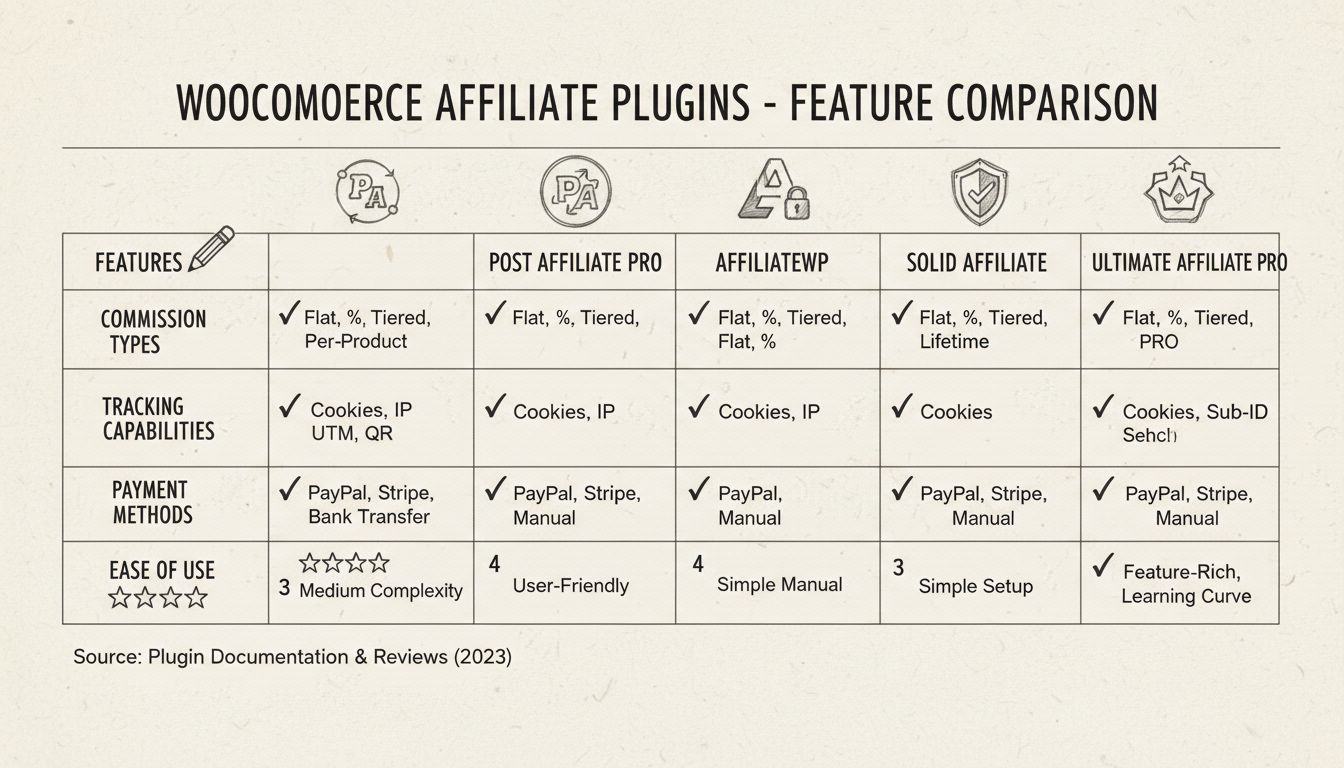
Best Affiliate WordPress Plugin for WooCommerce 2026
Discover the best affiliate WordPress plugin for WooCommerce. Compare Post Affiliate Pro, AffiliateWP, and other top solutions with advanced tracking, flexible ...
11 min read

A practical, beginner-friendly comparison of the 10 best WordPress affiliate plugins for 2026, with real pricing, WooCommerce compatibility, and what to check before you install one.
Picture someone who just launched a WordPress blog or WooCommerce store and wants other people to promote it for them. That’s really all affiliate marketing is: you pay a commission when someone else sends you a sale, instead of paying upfront for ads that might not convert. If you’re running a store specifically, it’s worth a quick detour to confirm WooCommerce is actually a good fit for this before you pick a plugin. More than 80% of brands now run some kind of affiliate marketing program as part of their growth strategy, and a lot of them started on WordPress with nothing more than a plugin.
That’s the appeal of a WordPress affiliate plugin. You don’t need a separate platform, a developer, or a big budget to get started. You install a plugin, set your commission terms, and your existing website becomes the hub for recruiting, tracking, and paying affiliates.
This guide walks through what these plugins actually do, why you’d want one, and a side-by-side look at the best affiliate plugins for WordPress in 2026, so you can pick the one that fits your site instead of guessing. If you haven’t settled on WordPress yet, our WordPress vs. Wix vs. Squarespace comparison covers what each platform actually lets a tracking plugin see before you build your store on one.
A WordPress affiliate plugin turns your existing site into affiliate management software. Instead of subscribing to a separate SaaS tool and connecting it to your store, you install a plugin directly on your WordPress install and everything runs from your own dashboard.
At a minimum, a good affiliate tracking plugin for WordPress will generate unique referral links for each affiliate, record clicks and conversions, calculate commissions, and give affiliates a login where they can check their own numbers. The better ones go further, adding fraud checks, automated payouts, and support for more than one type of commission.
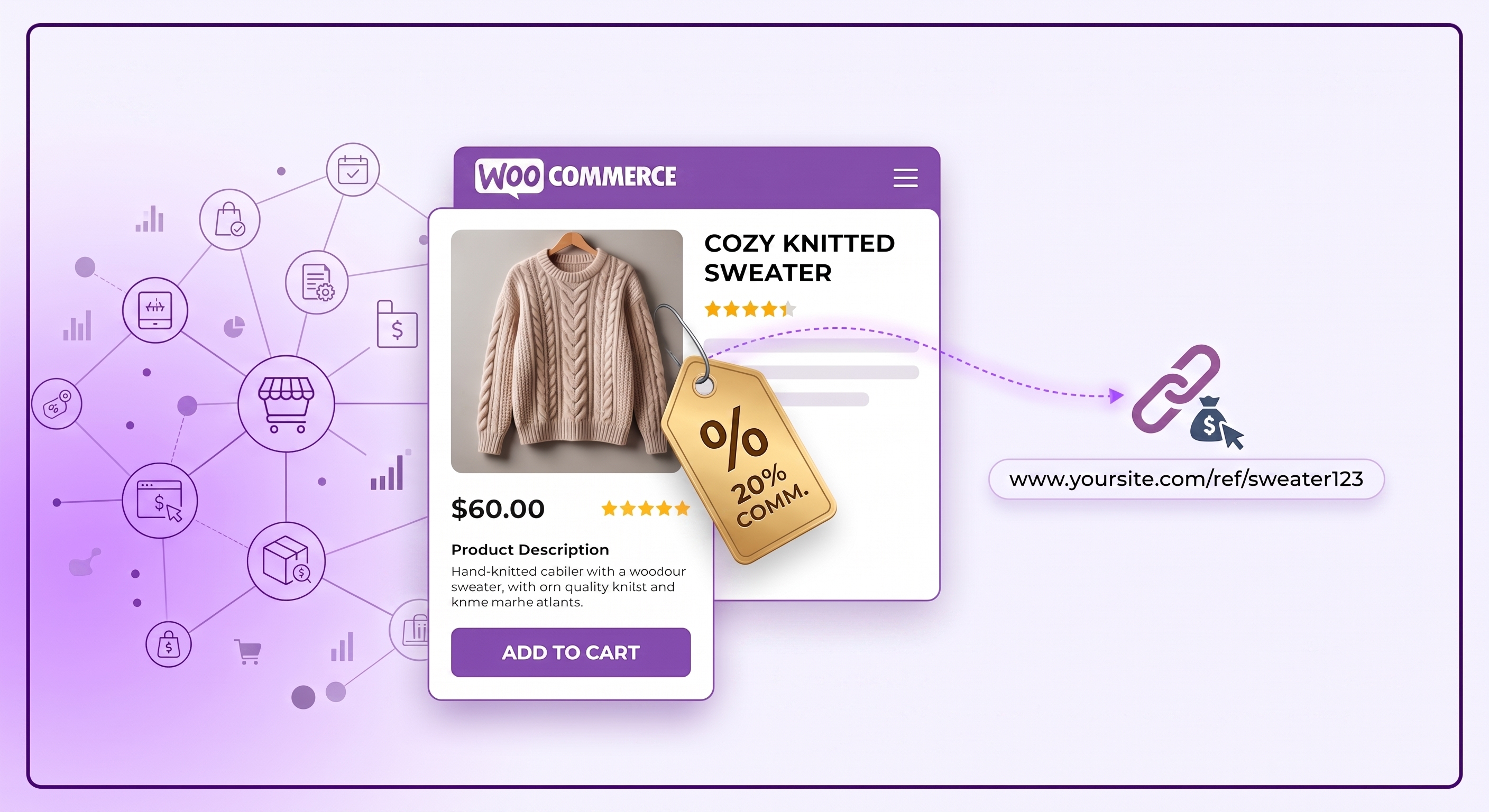
If you sell through WooCommerce specifically, look for a plugin built or explicitly tested for it. A general link tracker will count clicks, but a proper WooCommerce affiliate plugin ties referrals to actual orders, so you can pay commission on what was really purchased rather than estimating it. Post Affiliate Pro connects to your store through its own WooCommerce integration , so orders, products, and commissions stay in sync without a separate plugin translating between the two.
You could, in theory, track referrals with spreadsheets and coupon codes. Plenty of small stores start that way. It just doesn’t hold up once you have more than a few affiliates, and here’s where a dedicated plugin earns its keep:

Set up advanced tracking in minutes. No credit card required.
Here’s a quick comparison before we go plugin by plugin. Prices and free-plan availability are current as of this update, but always double-check the vendor’s own pricing page before you buy, since promotional pricing shifts often.
| Plugin | Free plan or trial? | Starting price |
|---|---|---|
| Post Affiliate Pro | 30-day free trial | $89/month |
| OttoKit (formerly SureTriggers) | Free plan available | $9/month |
| SureMembers | No | $69/year |
| AffiliateWP | No (14-day money-back guarantee) | $149.50/year |
| SureCart | Free plan available | $199/year |
| Easy Affiliate | No (14-day money-back guarantee) | $99.60/year |
| YITH WooCommerce Affiliates | Limited free version | $179.99/year |
| ThirstyAffiliates | No (14-day money-back guarantee) | $99.60/year |
| WP Tasty (Tasty Links) | No | $49/year |
| Pretty Links | No | $99.60/year |
Now let’s look at each one a little closer.

Post Affiliate Pro is built for businesses that want room to grow, not just a link tracker bolted onto WordPress. It supports several tracking methods at once, including first-party cookies, third-party cookies, HTML5 cookies, user agents, and IP addresses, so referrals still get counted even when a visitor’s browser blocks one method.
Where it really stands out is commission flexibility. Post Affiliate Pro offers a diverse range of commission structures, including per action, lifetime, multi-tier, recurring, and split commissions, which matters if you ever want to reward top affiliates differently from everyone else or run a multi-level program.
It costs more than most of the plugins on this list, but between the automation, the reporting, and the WordPress integration plugin that connects it all to your site, most businesses recoup that cost quickly once the program is running.
A quick note on price, since it trips people up: a lot of third-party comparison sites still list Post Affiliate Pro at around $129/month. That figure is stale. Current plans start at $89/month, so it’s worth checking pricing directly on postaffiliatepro.com rather than trusting an old roundup.
Top features:
Cost: Plans start at $89/month, with a 30-day free trial on every plan.

OttoKit , rebranded from SureTriggers, is an automation plugin rather than a dedicated affiliate tool, but it earns its spot here because of how much manual work it removes from running an affiliate program. It connects your affiliate plugin, email tool, and CRM so that things like affiliate approvals, welcome emails, and payout notifications happen on their own.
That matters more than it sounds like once a program gets busy. Chasing new signups, sending manual approval emails, and updating spreadsheets by hand doesn’t scale, and OttoKit is the kind of tool that quietly saves you hours a week once it’s set up.
Top features:
Cost: Free plan available. Paid plans start at $799 for one time payment.

SureMembers is a membership plugin, not an affiliate tool on its own, but it pairs well with one if you want to reward affiliates with something beyond a commission check. It lets you build a tiered membership system, so you can gate premium content or perks behind specific membership levels.
That opens up a useful incentive structure. High-performing affiliates can get access to exclusive resources, better commission rates, or promotional tools that lower-tier affiliates don’t see, which gives your best partners a reason to keep pushing.
Top features:
Cost: From $69/year. No free plan.
AffiliateWP is built for people who want an affiliate program running today, not after a week of configuration. It’s genuinely one of the easier tools on this list to set up, which makes it a good fit if you’re new to affiliate marketing altogether.
It integrates directly with WooCommerce and Easy Digital Downloads, so affiliate-driven sales get tracked automatically instead of needing a manual match-up between orders and referrals. Affiliates get their own dashboard too, so they’re not emailing you to ask how they’re doing.
Top features:
Cost: From $299/year. No free trial, but a 14-day money-back guarantee.
Weighing this one against Post Affiliate Pro specifically? Our AffiliateWP alternative page breaks down the practical differences in tracking depth, commission types, and pricing between the two.

SureCart is primarily a WordPress e-commerce platform, but its built-in affiliate features make it worth a look if you’re choosing your checkout and your affiliate program at the same time. It handles subscriptions and recurring payments natively, and it comes with its own affiliate module rather than needing a separate plugin bolted on.
If you want more advanced tracking and commission options than that built-in module offers, Post Affiliate Pro has its own SureCart integration you can connect instead.
The order bump feature is a nice extra for affiliates. It lets them promote add-ons during checkout, adding real advantages to affiliate earnings without any extra effort on their part.
Top features:
Cost: Free plan available. Paid plans start at $199/year.
Easy Affiliate lives up to its name. It’s a complete affiliate management suite in a single plugin, and it looks and feels polished for both you and the people signing up as affiliates.
The recruitment and onboarding flow is genuinely one of the smoother ones on this list, and the built-in fraud detection is worth calling out too. It flags suspicious affiliate activity on its own instead of leaving you to spot it manually in a report.
Top features:
Cost: From $249/year. No free plan, but a 14-day money-back guarantee.
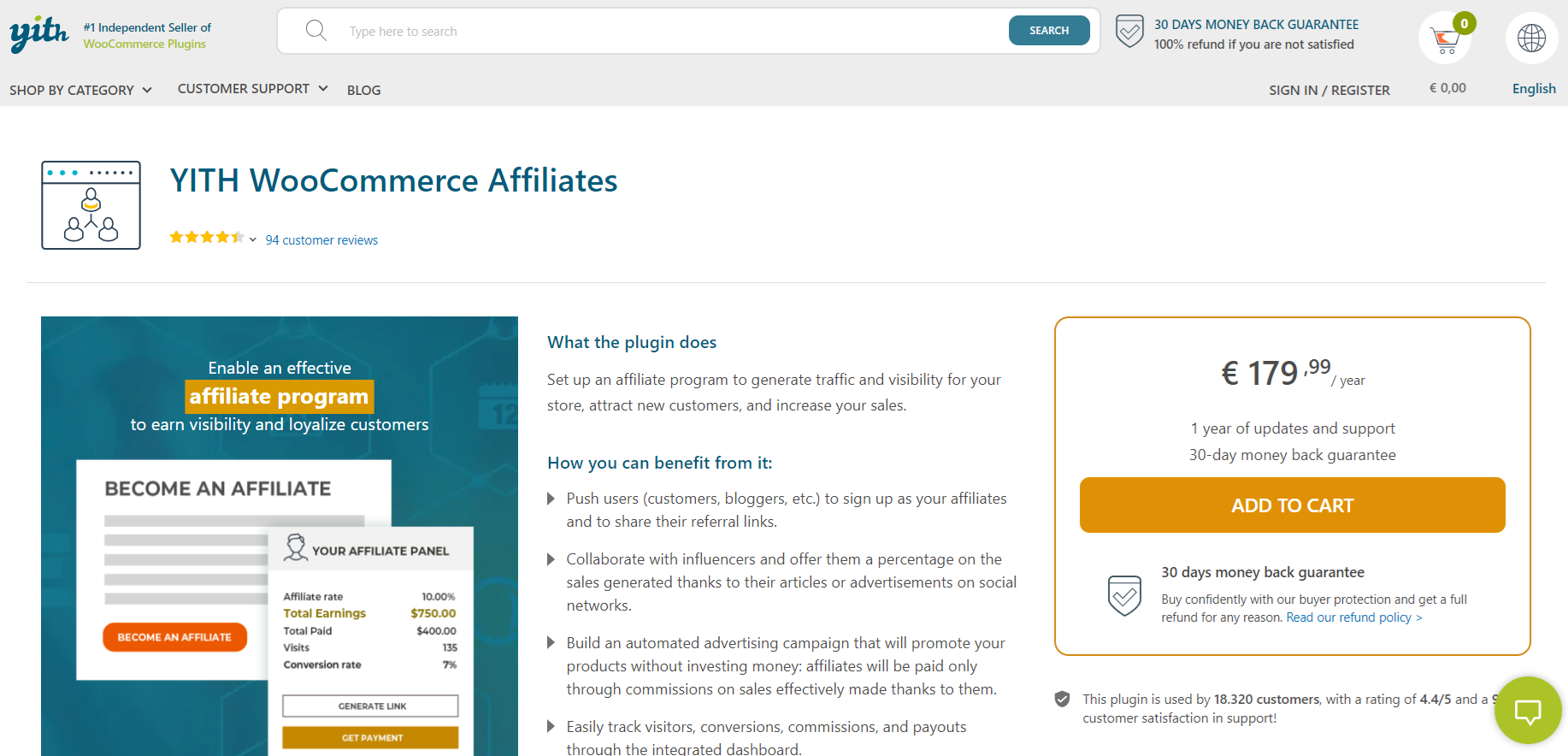
YITH WooCommerce Affiliates is exactly what its name suggests: a WooCommerce affiliate plugin built to manage an affiliate program from inside your online store. A limited free version is available on WordPress.org if you want to test the basics before committing.
It has an intuitive interface on both sides, so affiliates can track their own progress without much hand-holding from you. If your whole business runs through WooCommerce already, this is one of the more natural add-ons to reach for.
Top features:
Cost: From $179.99/year for the premium version. A limited free version is available.

ThirstyAffiliates takes a different angle than most plugins on this list. Instead of managing a full affiliate program, it focuses entirely on link management, cloaking messy affiliate URLs into clean, branded ones and keeping them organized as your content library grows.
It also handles geolocation links, which is a genuinely useful feature if you promote products internationally and want visitors redirected to the right regional offer automatically. There’s a bit of a learning curve here, so it suits marketers who already understand affiliate links rather than someone installing their very first plugin.
Top features:
Cost: From $249/year. No free plan, but a 14-day refund guarantee.
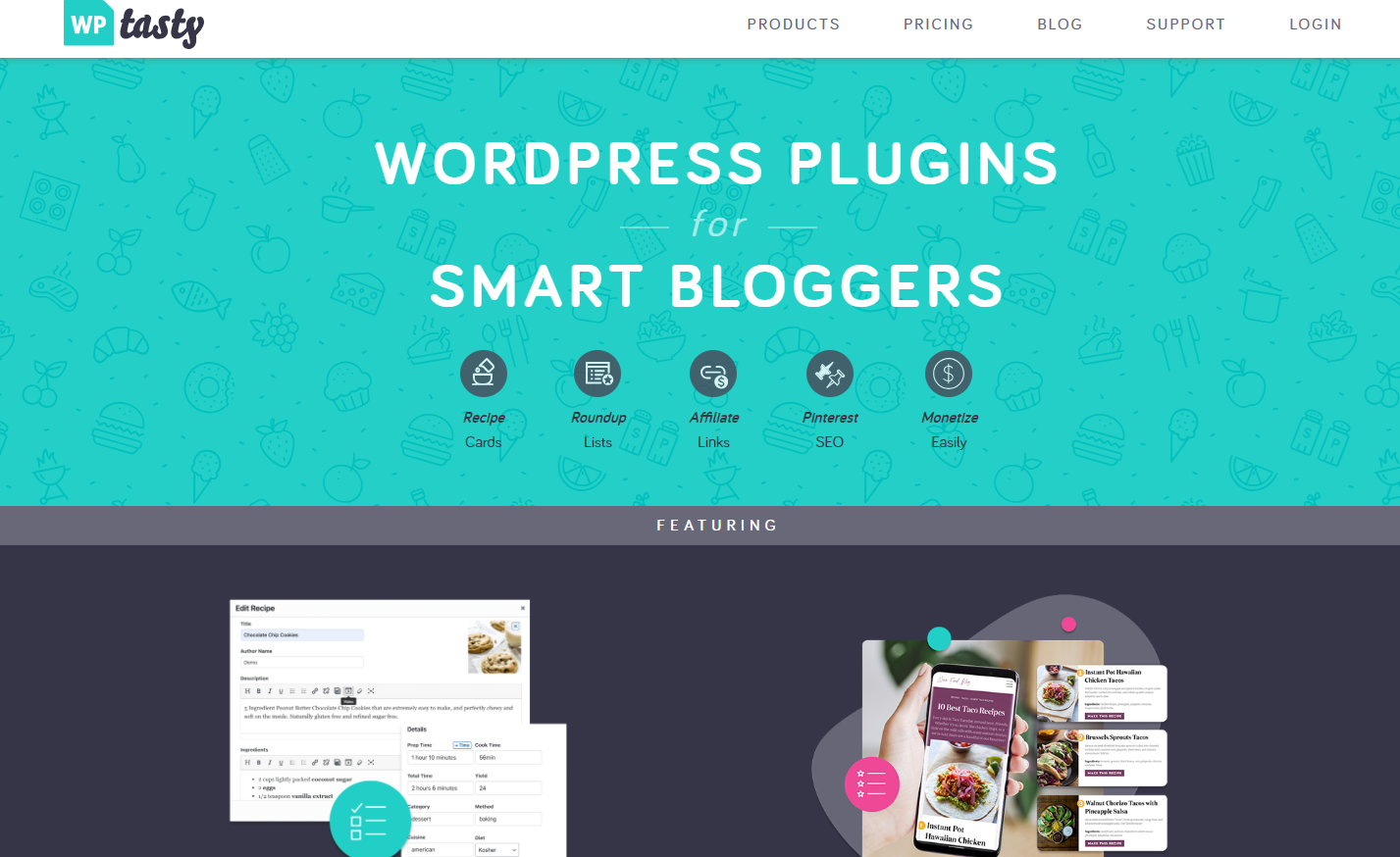
WP Tasty is a small suite of plugins built specifically for food bloggers, covering recipe management, site SEO, and affiliate monetization in one bundle. It’s a narrow niche, but a genuinely profitable one for the bloggers who work in it.
The piece that matters here is Tasty Links, its affiliate link plugin. It auto-links keywords to products, so you can tag a specific ingredient or kitchen gadget once and have it turn into an affiliate link across your whole site.
Top features:
Cost: From $49/year. No free plan.

Pretty Links shortens, cloaks, and tracks affiliate links, and updates every instance of a link at once if the destination URL ever changes, which saves a lot of tedious editing later.
Links are the backbone of affiliate marketing, and this plugin handles that one job well. The analytics and reporting are solid too, and affiliates can manage, redirect, and track their own links without much friction.
Top features:
Cost: From $249/year. No free version.
So there you have it, the 10 best WordPress affiliate plugins to look at in 2026.
If budget is the deciding factor, it helps to know which of these plugins actually let you start for nothing and which only look free until you hit checkout.
OttoKit and SureCart both have a genuine free plan you can run indefinitely, not just a trial that expires. YITH WooCommerce Affiliates sits in between, its free version on WordPress.org covers the basics, and you only pay once you need advanced reporting or mass payouts. Post Affiliate Pro isn’t free, but every plan comes with a 30-day trial, so you get a full run of the paid features before committing.
The rest, SureMembers, AffiliateWP, Easy Affiliate, ThirstyAffiliates, WP Tasty, and Pretty Links, don’t offer a free tier at all. Most soften that with a 14-day money-back guarantee instead, which isn’t quite the same as trying before you buy, but it does mean a bad fit doesn’t have to cost you anything long term.
The honest way to choose between them: if you’re still validating whether affiliate marketing works for your niche, start with a free plan and upgrade once you see results. If you already know you want advanced commission structures or fraud detection, a free tier will just delay the plugin you were going to end up on anyway.
Be the first to know about new features and product updates.
Every plugin on this list looks reasonable on its landing page. The differences show up once you’re actually running a program, so here’s what’s worth checking before you commit:
Once you’ve weighed these against your own store, our WooCommerce affiliate program launch checklist covers everything else to set up before you announce the program publicly.
Every plugin has its own setup flow, but the broad strokes are the same across almost all of them:
Here’s a look at that process inside the Post Affiliate Pro WordPress integration plugin , so you can see how a full setup actually looks in practice:
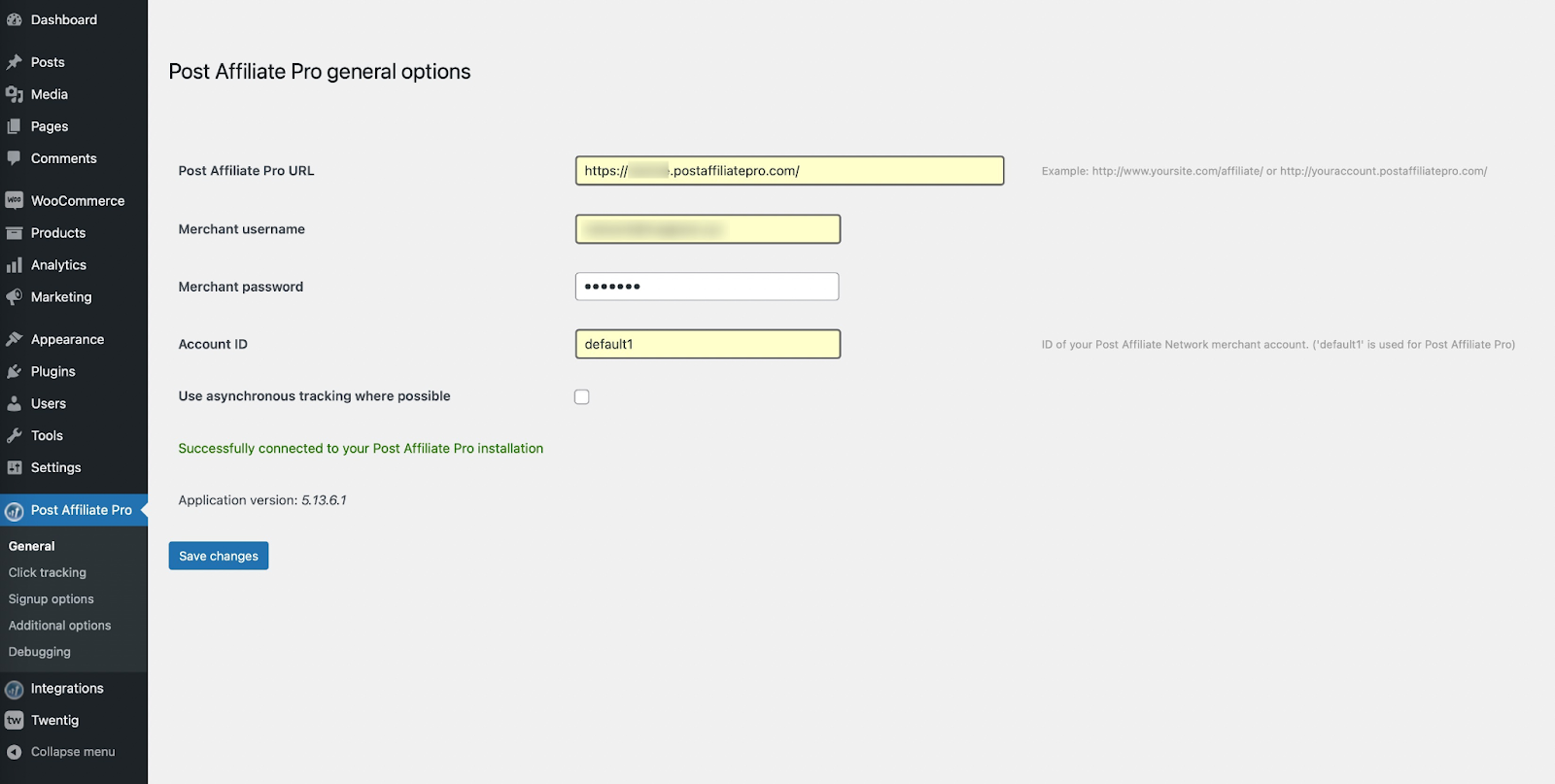
General options: This is where you connect your WordPress site to Post Affiliate Pro, setting your account URL, merchant credentials, and account ID.

Click tracking options: Turn on click tracking here to monitor visits across your WordPress pages, which feeds directly into your traffic and conversion reports.
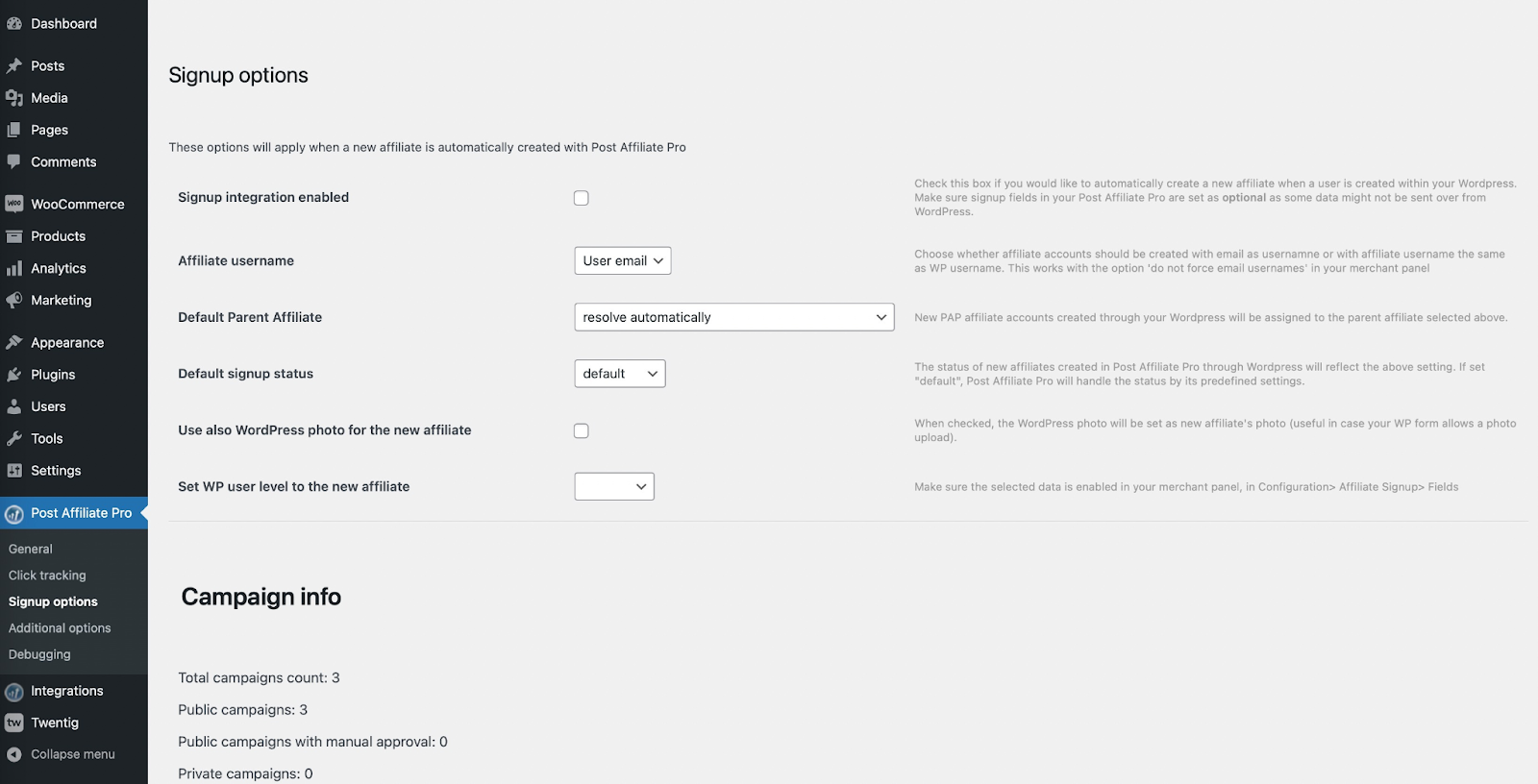
Signup options: Decide how new affiliates register, what status they start with, and how their information gets managed.
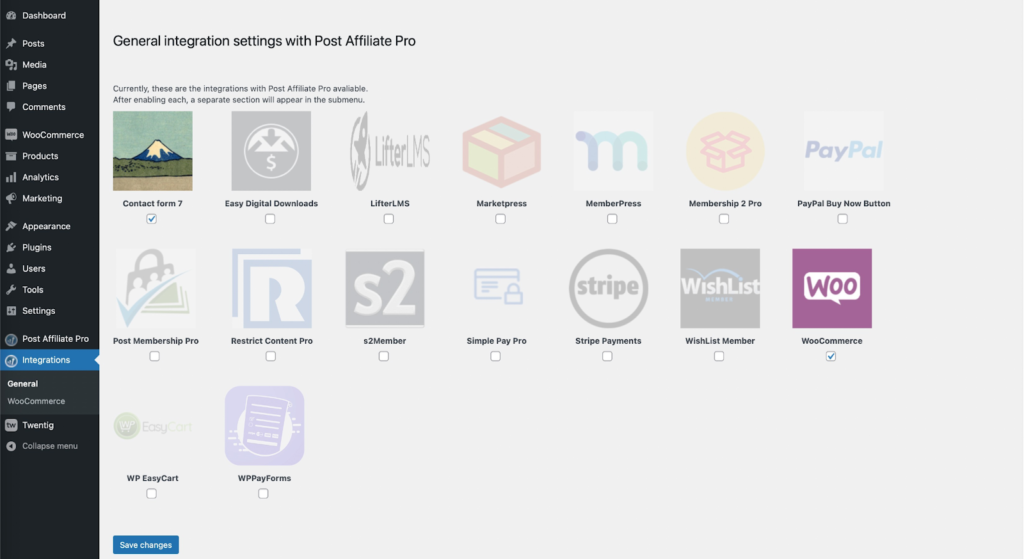
Integration settings: Connect other tools, like WooCommerce or Contact Form 7, to extend what the plugin can automate for you.
Once these are configured, most of the day-to-day running of the program happens on its own. You’ll mostly be checking reports and approving new affiliates from here on out, plus the occasional check after a WordPress or WooCommerce update, since our maintenance checklist covers exactly what quietly breaks tracking and how to catch it early.
A good WordPress affiliate plugin can turn a website you already have into a real revenue channel, without hiring a developer or subscribing to a separate SaaS platform on top of everything else you’re paying for.
The right pick really does depend on where you’re starting from. If you want one tool that can grow from a handful of affiliates into a full program with multiple commission types, Post Affiliate Pro is built for that. If you just need clean, trackable links, something like Pretty Links or ThirstyAffiliates will do the job without the extra complexity.
Whichever you choose, prioritize flexible commissions, solid fraud protection, secure payment handling, and support you can actually reach when something breaks. Get those right, and the rest of the program tends to take care of itself.
Check out Post Affiliate Pro to see how it handles tracking, commissions, and reporting for a WordPress affiliate program of any size.
Meet Jana, the distinguished head content editor spearheading operations at LiveAgent, Post Affiliate Pro, URLsLab and FlowHunt. Armed with an unwavering dedication to excellence, she diligently navigates the intricate landscapes of digital content, ensuring pristine quality and seamless functionality across platforms. She enjoys creative activities even outside of work.

Try Post Affiliate Pro for advanced tracking, easy integration, and seamless affiliate management. Take your WordPress affiliate program to the next level.
Discover the best affiliate WordPress plugin for WooCommerce. Compare Post Affiliate Pro, AffiliateWP, and other top solutions with advanced tracking, flexible ...

WordPress, Wix, and Squarespace all claim to work for affiliate marketing, but their tracking capabilities differ in ways that matter. Here's an honest, verifie...
WooCommerce powers more than 32% of online stores. Here's an honest look at whether it's actually a good fit for running an affiliate program, not just a popula...
Join our community of happy clients and provide excellent customer support with Post Affiliate Pro.




Cookie Consent
We use cookies to enhance your browsing experience and analyze our traffic. See our privacy policy.