


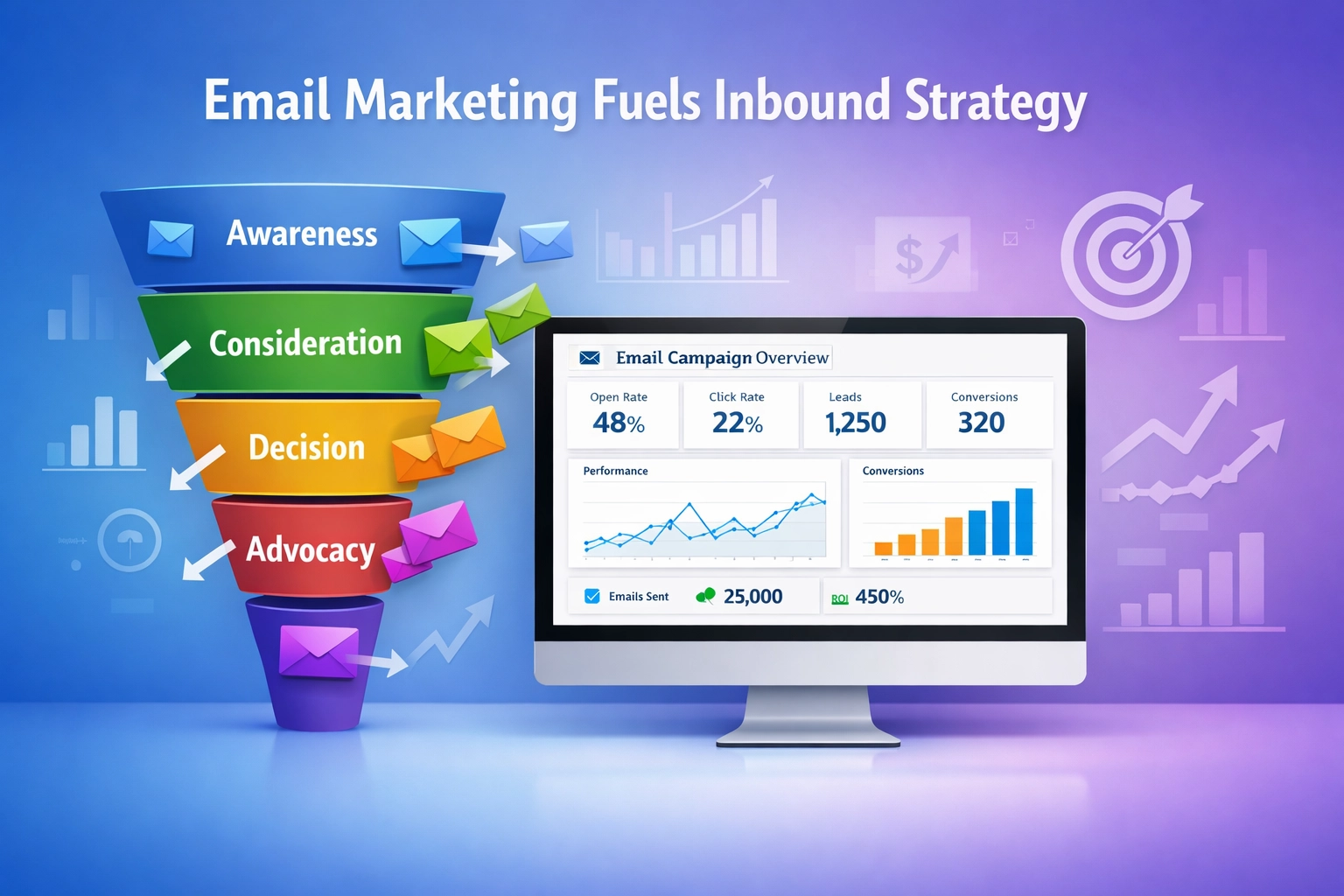
How Email Marketing Fuels Your Overall Inbound Strategy
Discover how email marketing guides customers through the sales funnel with personalized content. Learn strategies for lead nurturing and segmentation.
9 min read
Email marketing is a digital marketing strategy that uses targeted emails to promote products or services, share updates, and build relationships with customers who have opted in to receive messages.
Email marketing is a digital marketing strategy that uses targeted emails to promote products or services, share updates, and build relationships with customers who have opted in to receive messages. Unlike social media posts that compete for attention in a feed, a marketing email lands directly in a subscriber’s inbox — a channel the sender owns and controls.
On this page
Email marketing is a form of direct digital marketing in which a business or organization sends commercial or informational messages to a list of contacts who have explicitly consented to receive them.
The channel covers far more than promotional blasts. It spans:
A practical example: an online retailer sees a shopper add items to their cart and leave without buying. An automated abandoned cart email fires 60 minutes later, showing the items, offering free shipping, and including a one-click checkout link. That single email recovers a sale that would otherwise be lost — at nearly zero marginal cost.

Set up advanced tracking in minutes. No credit card required.
Email marketing runs on a four-step loop. Each step feeds the next, and the better you execute each one, the stronger the results.
You collect addresses from people who give permission — through a website signup form, a checkout opt-in, a lead magnet download, or an in-store tablet. Never buy a list. Purchased lists contain people who never heard of you, generate spam complaints, and damage your sender reputation.
Instead of sending the same message to everyone, you group subscribers by:
Segmentation is what makes a message feel relevant.
You write the copy, design the layout, craft the subject line, and schedule or trigger the send through an email service provider (ESP) like Brevo, Mailchimp, ActiveCampaign, or Klaviyo. Most platforms now include AI co-pilots that draft subject lines, suggest send times, and generate variants for A/B testing.
After each send, you review:
| Metric | What it tells you |
|---|---|
| Click-through rate (CTR) | Whether the content and call-to-action resonate |
| Conversion rate | Whether the email drove the intended action (purchase, signup, download) |
| Spam complaint rate | Whether recipients see your messages as unwanted |
A marketer reviewing these numbers weekly can spot a declining open rate before it becomes a deliverability problem, test a new subject line, and recover engagement within days — something no other channel permits with that speed.
Social media platforms change their algorithms constantly. With email, if someone opts in and your message clears the spam filter, it arrives. You control the list, the cadence, and the message.
Email’s cost structure — zero media spend, only platform fees — explains the gap.
A single email program can acquire, convert, and retain:
Be the first to know about new features and product updates.
Email campaigns fall into several categories. Most teams run at least three types simultaneously.
These announce sales, discounts, product launches, or limited-time offers. They are the workhorse of ecommerce email and typically carry one clear call-to-action. Example: “Our winter collection drops Friday — get 15% off with code WINTER15.”
Automated messages triggered by a user action: order confirmations, shipping notifications, password resets, receipt emails. They have 8× the open rate of promotional emails because the recipient expects them. Smart teams add a soft cross-sell or product recommendation to transactional emails without compromising their primary purpose.
Regularly scheduled (weekly, biweekly, monthly) sends that deliver curated content: company news, blog roundups, industry insights, subscriber-only tips. Newsletters build habit and brand affinity. They are not hard-sell vehicles; they earn attention over time.
Sent automatically when a subscriber takes — or fails to take — a specific action:
A sequence of value-first messages sent to prospects who are not yet ready to buy. Each email educates, addresses an objection, or shares a case study. The goal is to move the lead closer to a purchase decision without a hard sell.
Email marketing costs break into two buckets: platform fees and the time spent creating campaigns.
Most ESPs use a tiered model based on contact count or send volume:
| Tier | Typical monthly cost | Example platforms |
|---|---|---|
| Free (up to ~500–1,000 contacts) | — | Mailchimp, Brevo, MailerLite |
| Starter (1,000–5,000 contacts) | — | Brevo, Mailchimp, Constant Contact |
| Growth (5,000–50,000 contacts) | — | ActiveCampaign, Klaviyo, Drip |
| Enterprise (50,000+ contacts) | — | Salesforce Marketing Cloud, HubSpot, Braze |
Free plans are sufficient for a small business just starting out. As your list grows, costs rise, but the revenue generated by a well-run email program typically covers the platform fee many times over.
A solo marketer can run a basic program — one weekly newsletter and one automated welcome sequence — in 3–5 hours per week. Teams running advanced segmentation, multiple automation flows, and regular A/B testing often dedicate a full-time email marketer.
Pick a platform that matches your size and needs. For a small business starting out, Brevo’s free plan covers 300 emails/day. For ecommerce, Klaviyo’s deep integration with Shopify is hard to beat. For B2B, HubSpot’s CRM-connected email tools add value beyond the send.
Place signup forms on high-traffic pages: your homepage, blog sidebar, checkout flow, and a dedicated landing page. Offer a lead magnet — a discount code, a free guide, a checklist — in exchange for the email address. Use a double opt-in flow: the subscriber confirms their email via a link, which filters out bots, typos, and disinterested signups.
Even with 200 subscribers, separate new signups from existing customers. Send new subscribers a welcome series; send customers post-purchase tips and relevant cross-sells. Segmentation built early scales cleanly.
Start with a welcome email. Keep the design simple — a single column, a clear headline, body copy that explains what the subscriber will get, and one prominent call-to-action.
Commit to a cadence you can maintain: weekly is ideal for most brands, biweekly is acceptable, monthly is the bare minimum. Inconsistency trains subscribers to forget who you are and raises spam complaints when you reappear.
After the first 30 days, review your open rate, click rate, and unsubscribe rate. Each iteration is small; compounded over six months, the improvement is significant.
Purchased email lists contain people who did not consent to hear from you. Build your list organically through signup forms and lead magnets.
A double opt-in requires the subscriber to click a confirmation link in a follow-up email. It reduces invalid signups, keeps your list cleaner, and improves deliverability because inbox providers see higher engagement rates from confirmed subscribers.
The subject line is the first — and often only — thing a recipient sees. Keep it under 50 characters. Avoid spam-trigger words (“FREE!!!”, “Act now”). Use curiosity, urgency, or a clear benefit.
Segmentation — dividing your list by behavior, demographics, or purchase history — is the single highest-leverage practice in email marketing. Segmented campaigns generate more opens, more clicks, and fewer unsubscribes than batch-and-blast sends.
Use a single-column layout, keep body copy at 14–16px, make buttons at least 44×44px, and test every send on a phone before scheduling it.
Remove subscribers who have not opened an email in 90–120 days — or move them to a re-engagement sequence first. Inactive subscribers drag down engagement metrics, which inbox providers use to decide whether to deliver your future emails to the inbox or the spam folder.
A one-click unsubscribe link, required by law in many jurisdictions, is also good business. When people cannot easily leave, they mark you as spam — which hurts deliverability far more than losing one subscriber.
Any email you send more than once — welcome, abandoned cart, post-purchase, re-engagement — belongs in an email automation workflow. Set it up once, let it run, and check the metrics monthly. Automation saves hours per week and generates revenue while you sleep.
Even a legitimate, opt-in email can land in the spam folder. Inbox providers evaluate sender reputation, engagement history, and content signals. A sudden spike in volume, a spike in spam complaints, or a badly configured authentication record (SPF, DKIM, DMARC) can tank deliverability overnight.
The average office worker receives 120+ emails per day. Standing out in a crowded inbox requires a strong sender name, a compelling subject line, and content that consistently delivers value. Generic “Monthly Newsletter” subject lines get ignored.
You must continuously add new subscribers just to maintain list size — and grow it to grow revenue.
As your list grows, so does your ESP bill. The math still works because email drives revenue, but cost creep is real and should be tracked against revenue per subscriber.
Each has different consent, opt-out, and data-handling requirements. Legal counsel is advisable for cross-border programs.
Several tactics that were common a decade ago now actively harm your program:
Separate acquisition, onboarding and promotional messages according to the audience’s expectations. Keep the signup explanation, message content and frequency consistent. Test destinations and tracking before launch, and distinguish deliveries, clicks, approved conversions and actual commission.
Use feedback, unsubscribe patterns and validated results to improve the sequence. A higher open or click count is not automatically a better affiliate outcome if subscribers misunderstand the offer or conversions are later rejected.
Discover powerful tools and strategies to boost your email marketing performance and drive affiliate success with Post Affiliate Pro.
Discover how email marketing guides customers through the sales funnel with personalized content. Learn strategies for lead nurturing and segmentation.
Launching an affiliate email marketing campaign might be challenging at the beginning. Check out our affiliate tips for a prosperous email campaign.

Learn 10 actionable steps to run effective email marketing campaigns for affiliate marketing. Set goals, build lists, and craft strong offers.
Join our community of happy clients and provide excellent customer support with Post Affiliate Pro.




Cookie Consent
We use cookies to enhance your browsing experience and analyze our traffic. See our privacy policy.