


Geo-Targeting
Geo-targeting is a way of identifying a website visitor’s geographical location by a unique IP address. Learn how geo-targeting enhances marketing effectiveness...
5 min read
AffiliateMarketing
GeoTargeting
+3


Post Affiliate Pro’s GeoIP feature enables location-based functionality including country-specific commissions, geographic fraud protection, location-based reporting, and visitor geo-targeting with SmartLinks.
Available in:
Post Affiliate Pro , Post Affiliate Pro Ultimate , Post Affiliate Network
GeoIP technology determines a visitor’s geographic location (country, city, region) based on their IP address. Post Affiliate Pro integrates GeoIP functionality throughout the platform, enabling powerful location-based features:

Set up advanced tracking in minutes. No credit card required.
The GeoIP feature is a core feature that can be activated in:
Post Affiliate Pro uses the MaxMind GeoIP database, which provides:
The database is regularly updated to maintain accuracy.
One of the most powerful features of GeoIP is the ability to set different commission rates based on the customer’s location.
When a sale is tracked, Post Affiliate Pro:
| Scenario | Configuration |
|---|---|
| Premium markets | 20% commission for US, UK, Canada, Australia |
| Standard markets | 15% commission for EU countries |
| Emerging markets | 10% commission for all other countries |
| Exclude low-value regions | 0% commission for countries with high fraud rates |
For even more granular control, you can set commissions based on city:
This is useful for:
When a sale matches multiple location-based commission rules:
Be the first to know about new features and product updates.
GeoIP enables powerful location-based fraud protection across all tracking types.
Prevent or decline clicks from specific countries:
CN, RU, IN)Block or decline sales from suspicious regions:
Prevent affiliate registrations from certain countries:
Restrict logins based on geographic location:
This adds an extra security layer by preventing logins from unexpected locations.
The Map Overlay Report provides visual geographic analytics:
| Metric | Description |
|---|---|
| Commissions by Country | Total commission value per country |
| Sales Count by Country | Number of sales per country |
| Raw Clicks by Country | Click volume by geographic location |
| Raw Impressions by Country | Banner impressions by country |
For the map visualization to work properly, you may need to configure a Google Maps API key:
Note: Domains registered before July 2016 may work without an API key.
Combine GeoIP with SmartLinks to redirect visitors based on their location:
| Destination URL | Countries |
|---|---|
https://store.com/us/ | United States, Canada |
https://store.com/uk/ | United Kingdom, Ireland |
https://store.com/eu/ | Germany, France, Spain, Italy |
https://store.com/ | All other countries (default) |
Similar to SmartLinks, you can configure banner destination URLs based on visitor location:
Track where your affiliates are logging in from:
This helps identify:
By default, the country code for a sale is determined from the sale request IP. However, this may fail if:
Post Affiliate Pro can fall back to using the click IP:
This ensures more accurate geographic tracking for commissions.
For high-traffic installations with many impressions, GeoIP processing can impact performance. You can:
This is recommended if you have millions of impressions and don’t need geographic impression data.
When GeoIP is enabled, the following data is captured:
| Field | Description | Availability |
|---|---|---|
| Country Code | ISO 2-letter code (US, GB, DE) | Always |
| Country Name | Full country name | Always |
| City | City name | Most locations |
| Region | State/province/region | Many locations |
| Postal Code | ZIP/postal code | Some locations |
| Latitude | Geographic coordinate | Always |
| Longitude | Geographic coordinate | Always |
GeoIP enhances many other Post Affiliate Pro features:
Include ${#countrycode#} variable in webhook URLs to pass geographic data to external systems.
Filter transaction reports by country code to analyze geographic performance.
Use country data in email notifications to personalize communications.
Combine geographic targeting with other commission group criteria for sophisticated commission structures.
Begin with broad country-based rules before moving to city-level targeting.
Use the Map Overlay Report to identify countries with high fraud rates, then add them to blacklists.
Use VPN services to test that your geo-targeted SmartLinks work correctly for different locations.
More specific rules (city-level) require more maintenance. Only use them when the business value justifies the complexity.
If you have very high traffic, consider disabling GeoIP for impressions to maintain performance.
Optimize your affiliate program with geographic insights. Set location-specific commissions, prevent fraud, and target visitors based on their location.
Geo-targeting is a way of identifying a website visitor’s geographical location by a unique IP address. Learn how geo-targeting enhances marketing effectiveness...
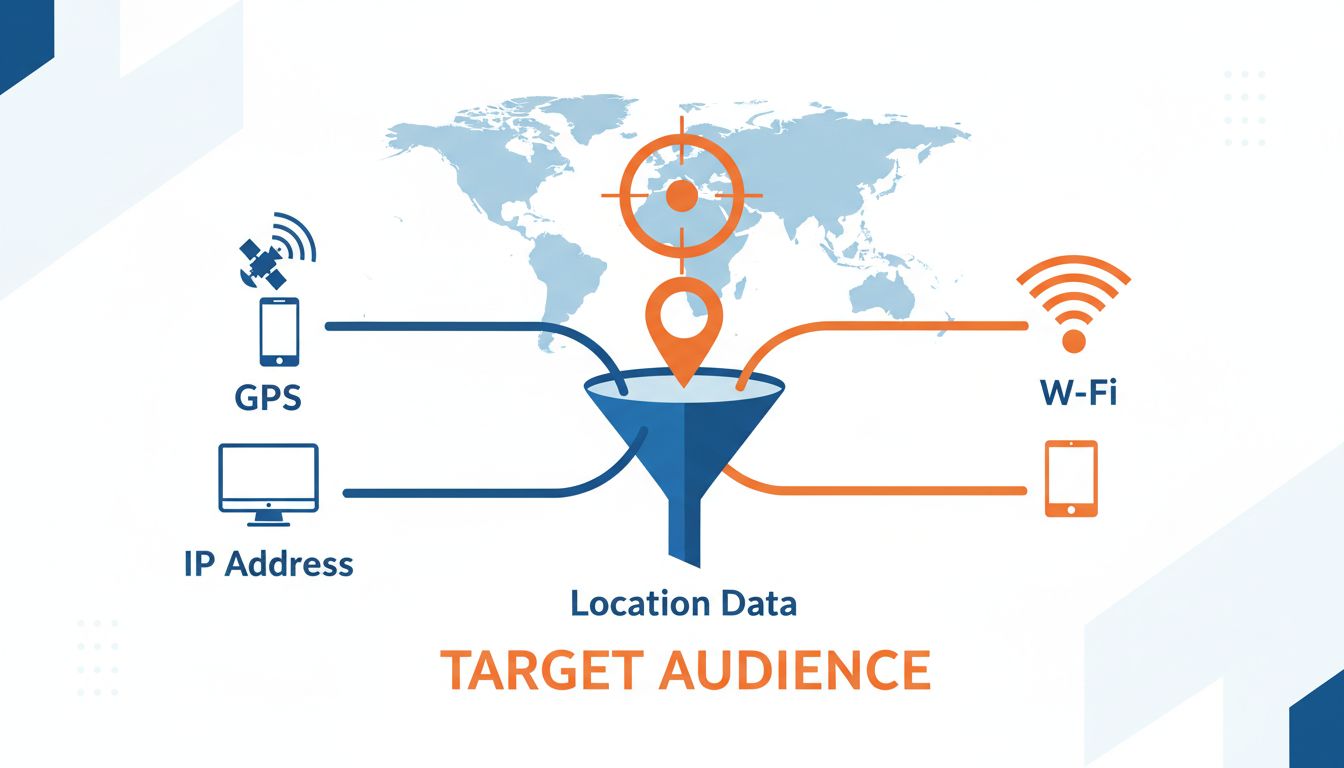
Learn how geotargeting works using GPS, IP addresses, and Wi-Fi signals. Discover geotargeting strategies, benefits, and how PostAffiliatePro helps optimize loc...

Want to maximize your affiliate marketing ROI? Geotargeting is a tool which allows you to target your ads. Find out more here.
Join our community of happy clients and provide excellent customer support with Post Affiliate Pro.




Cookie Consent
We use cookies to enhance your browsing experience and analyze our traffic. See our privacy policy.