How Post Affiliate Pro prevents ad blockers from disabling your tracking
Discover how Post Affiliate Pro’s ad blocker prevention feature protects your affiliate banners and tracking. Learn why 1.77 billion ad blocker users threaten your revenue and how to recover lost conversions.
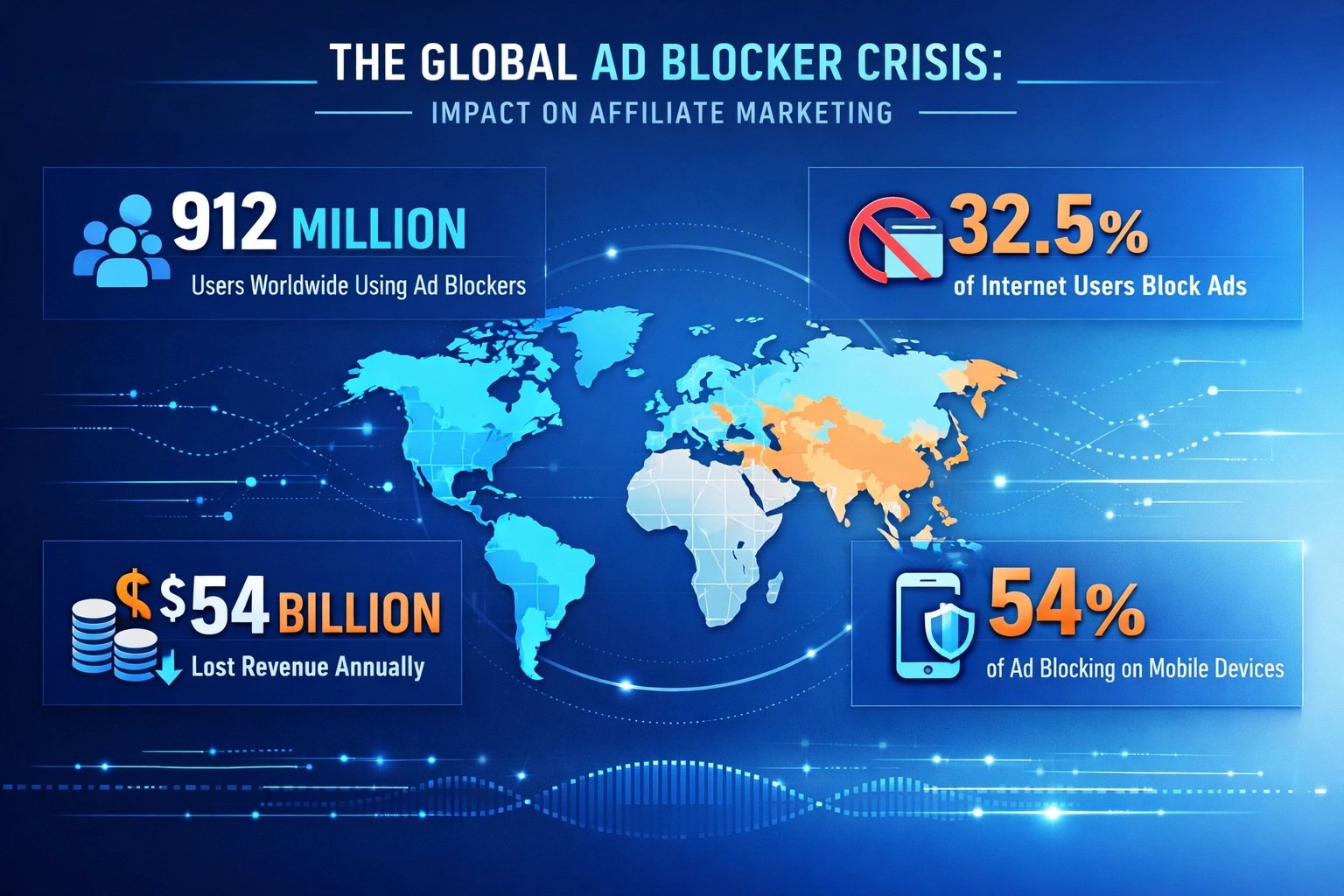
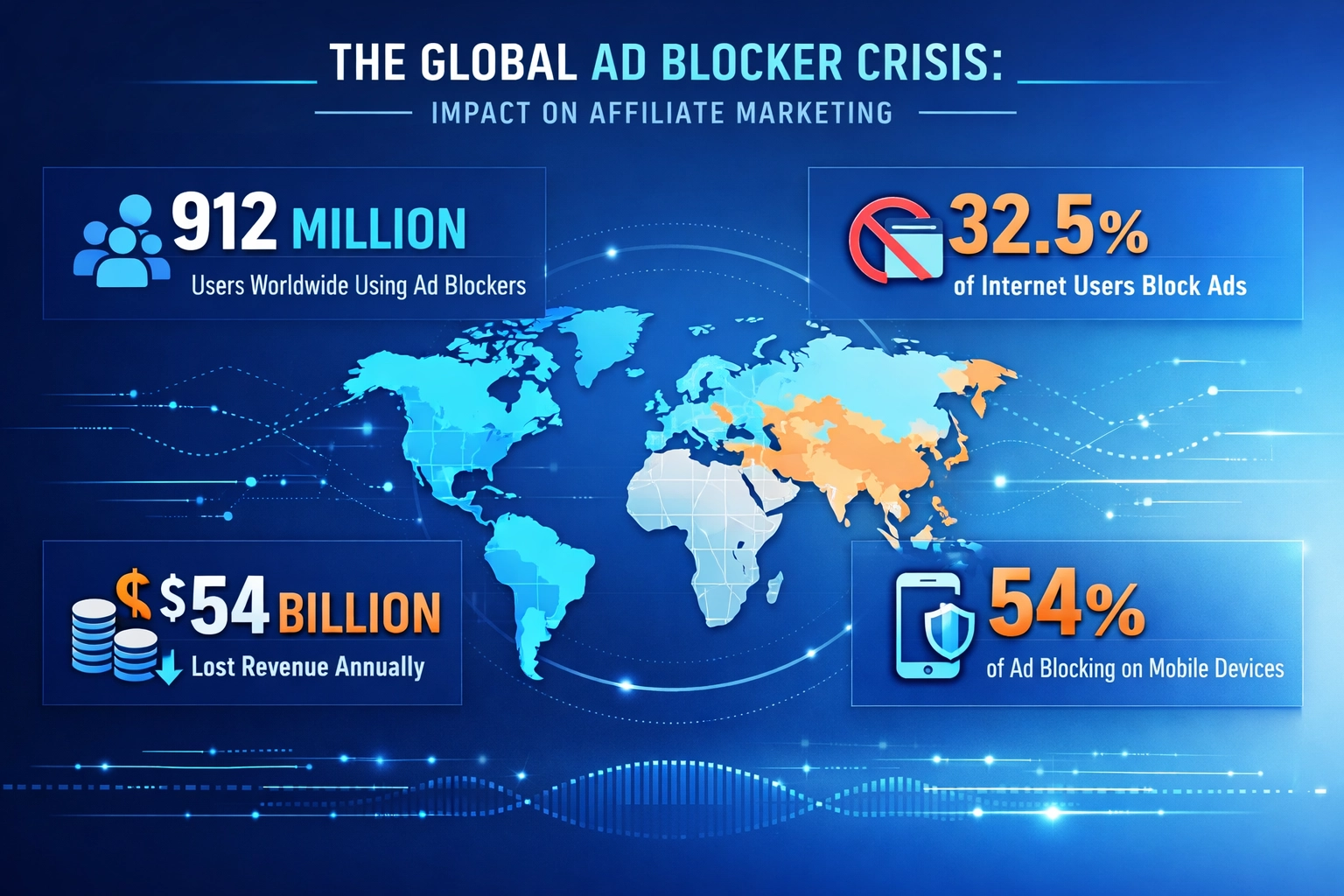
Most merchants and publishers do not fully understand how big this problem has become. An estimated 1.77 billion internet users worldwide now use some form of ad blocker, about 29.5% of everyone online, according to GWI’s Q2 2025 data (Backlinko
).
In the United States specifically, that figure runs even higher, at 32.5% of internet users. Desktop is where blocking is heaviest, at 37% of US users, compared with 15% on mobile.
This widespread adoption has created a quiet but steady revenue drain across the affiliate ecosystem. Multiple industry estimates put the cost of ad blocking to the digital advertising industry at around $54 billion in lost revenue, close to 8% of total digital ad spend (Christopher Olivier Consulting
).
What makes this especially painful for affiliate marketers is that the damage goes well beyond traditional display advertising. Ad blockers are also dismantling affiliate tracking mechanisms, hiding banners, and quietly breaking conversion attribution, all without throwing a single visible error.
This is not a future problem. It is already affecting every major affiliate network, from Amazon Associates to ShareASale, Rakuten, Awin, CJ, and Impact.
How ad blockers actually target affiliate links
Ad blockers do not block content at random. They run on filter lists, the most influential of which is EasyList, a community maintained project that powers dozens of ad blocking extensions including Adblock Plus, uBlock Origin, and Brave Browser.
EasyList is essentially a large text file containing rules that tell a browser exactly what to hide, block, or remove from a page. Those rules target domains, URLs, scripts, CSS selectors, and other elements associated with ads, trackers, pop-ups, affiliate redirects, and click tracking scripts.
Ad blockers detect and block affiliate links through several overlapping mechanisms. Script blocking targets tracking code that resembles ad-related scripts. URL pattern recognition flags domains commonly associated with tracking and affiliate networks. Element hiding removes visual elements like banners and buttons that look ad-like. Heuristic analysis goes a step further, using algorithms to spot affiliate links by how they behave rather than just how they are named.
The core problem is that EasyList does not distinguish between a good ad and a bad one. If something is tracking related, it is fair game for blocking. That is exactly why major affiliate networks including Amazon Associates, ShareASale, Rakuten, Awin, CJ, Impact, Partnerize, and Tradedoubler regularly appear on these blocklists.
Related filter lists like EasyPrivacy, Fanboy’s Social Blocking List, and Fanboy’s Annoyance List tend to adopt EasyList’s rules quickly, which spreads the damage across even more blocking tools. On top of that, native browser protections such as Safari’s Intelligent Tracking Prevention, Firefox’s Enhanced Tracking Protection, and Brave’s built-in blocking add another layer that operates independently of any extension at all.
Blocking Method
How It Works
Impact on Affiliates
Script Blocking
Targets JavaScript tracking code that resembles ad-related scripts
Affiliate tracking pixels and conversion pixels fail to fire
URL Pattern Recognition
Identifies domains and URLs commonly associated with tracking and affiliate networks
Affiliate redirect links are blocked or altered before reaching the merchant
Element Hiding
Removes HTML elements such as banners, buttons, and widgets that look ad-like
Affiliate banners become invisible and cannot be clicked
Heuristic Analysis
Uses algorithms to analyze link behavior rather than just link names
Even disguised affiliate links get identified and blocked
Domain Blacklisting
Adds entire tracking domains to blocklists
All traffic through that domain is blocked, with no redirect at all
Cookie Blocking
Blocks or deletes first-party and third-party cookies
Attribution and conversion tracking fails, and commissions get lost
Native Browser Protection
Built into Safari, Firefox, Brave, and Edge
Tracking gets blocked even before a user installs any extension
Launch your affiliate program today
Set up advanced tracking in minutes. No credit card required.
This is not theoretical. AutoTrader UK found this out the hard way when certain JavaScript and CSS patterns on their site accidentally matched EasyList rules. The entire site became unusable for ad blocker users, with buttons disappearing, product images failing to load, and forms breaking completely. It reportedly took the company close to a week to resolve, partly because EasyList’s maintainers preferred AutoTrader fix its own code rather than write an exception (Digiday
).
Affiliate platforms have run into the same wall. PartnerStack’s own support documentation confirms that its tracking domain, grsm.io, was added to EasyList simply because someone noticed it was used for tracking, with no unusual activity involved at all. The result was that affiliate clicks through that domain stopped redirecting to merchants entirely, a complete and silent loss of conversions (PartnerStack
).
Skimlinks and VigLink, which inject affiliate links into existing content, run into similar blocking regularly, meaning publishers can drive real traffic and still earn nothing from it.
The quiet part is what makes this so damaging. Merchants and affiliates often blame these lost conversions on weak traffic quality or even affiliate fraud, when the actual cause is silent blocking. Without dedicated ad blocker prevention, affiliate programs experience conversion dips, inflated cost per acquisition, and lower ROI that never gets traced back to its real source.
Traditional workarounds that no longer work
Affiliate marketers have tried plenty of workarounds over the years, and most no longer hold up against modern blocking technology.
URL cloaking, which disguises affiliate links as ordinary internal links, gives only temporary relief. Sophisticated ad blockers now use uncloaking techniques that expose the real destination and block it anyway. CNAME cloaking, which routes through a custom subdomain, looked promising for a while, but advanced blockers have learned to recognize and block those subdomains too.
Redirect chains are especially fragile, since each extra redirect is another chance for a blocker to step in and break the chain. Flash cookie tracking is simply gone, since Adobe discontinued Flash and modern browsers no longer support it. Even server-side tracking is not fully immune. It can capture data reliably once a click reaches your server, but if the initial client-side click or cookie gets blocked first, the data never arrives.
Browser-native protections have made all of this harder still. Safari blocks third-party cookies by default through Intelligent Tracking Prevention. Firefox’s Enhanced Tracking Protection uses EasyList-style rules automatically. Brave ships with ad blocking turned on. Edge blocks known trackers using community filter lists. None of this requires the visitor to install anything themselves.
A quick rundown of what no longer works reliably:
URL cloaking, since modern blockers use uncloaking techniques to expose the true URL
CNAME cloaking, since advanced blockers now recognize and block custom subdomains too
Long redirect chains, where a single broken hop ruins the whole path
Flash-based cookies, which are fully obsolete
Server-side tracking alone, since client-side blocking can prevent data from ever reaching it
Generic third-party tracking domains, since a single blocklist entry blocks all traffic through them
Obvious tracking language in URLs, cookies, or scripts, such as the words track, affiliate, or ad
Standard template patterns, since popular website themes have known ad placements blockers already recognize
Join our newsletter
Be the first to know about new features and product updates.
Why Post Affiliate Pro tracking is not caught by ad blockers
Ad blockers work from filter lists like EasyList that target known, shared script names and domains used across many different websites. Post Affiliate Pro avoids that trap entirely by generating unique tracking script names and paths for every single account, rather than reusing the same filenames everywhere. There is no common signature left for a filter list to match against.
This is not a setting merchants have to turn on. It is built into how tracking is served from the start, addressing the problem at its source instead of trying to recover lost data after the fact.
It requires no changes to your affiliate links, your banners, or any existing tracking code, and there is no technical configuration required on your end.
Nothing to enable, it is on by default
There is no separate ad blocker prevention checkbox anywhere in the merchant panel, and none is needed. Every Post Affiliate Pro account already benefits from unique, per-account tracking script names, whether self-hosted or cloud-hosted, from the moment the account is created.
If you want to confirm your setup, check your integration code snippet under Tools, then Integration. The tracking domain and script paths shown there are already the unique ones generated specifically for your account. There is no extra activation step, and nothing about your existing affiliate links or banners needs to change.
Best practices for maximizing banner visibility
Post Affiliate Pro’s built-in protection covers the tracking layer, but getting the most out of it works best alongside a few practical habits.
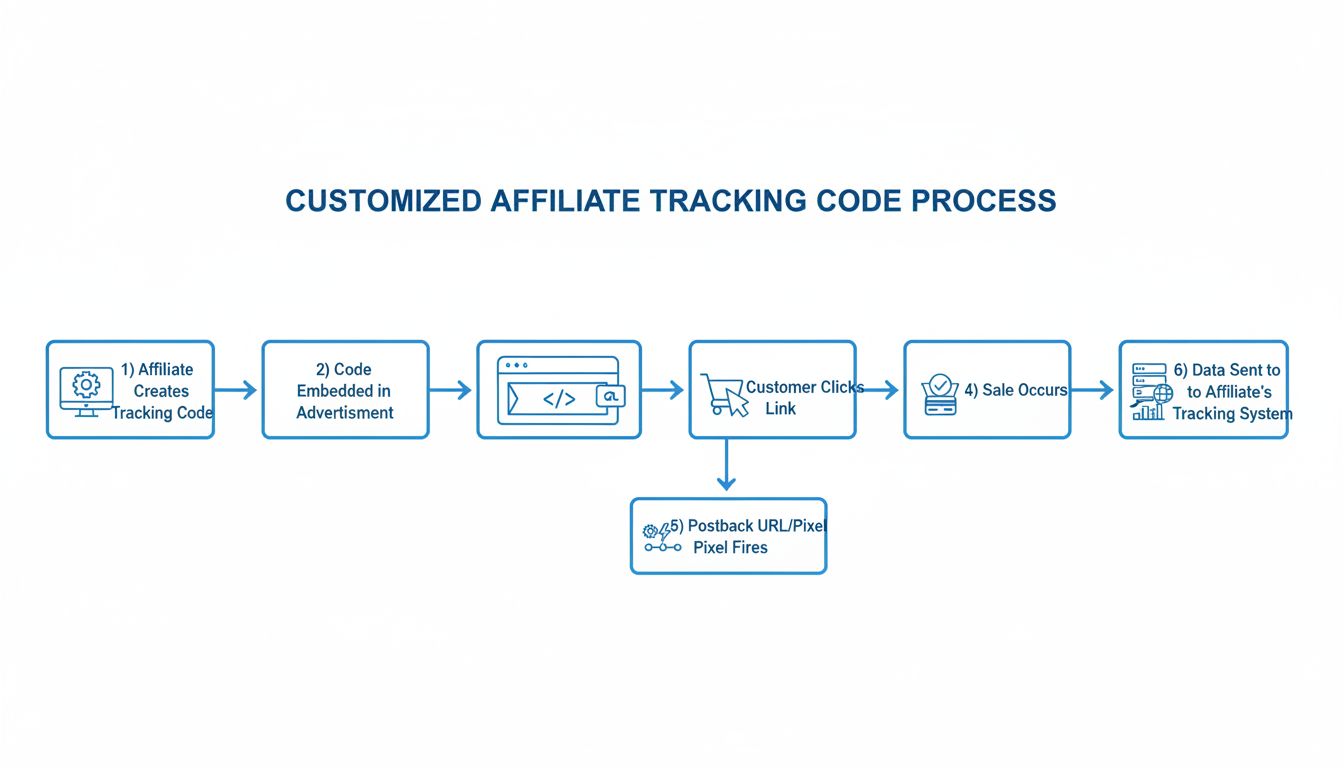
Server-side tracking should be your foundation. Work with Post Affiliate Pro to make sure your setup uses backend postbacks rather than relying solely on client-side cookies or scripts. Direct links paired with unique coupon codes or promotional IDs add another layer of protection, since they let you track conversions even when cookies get blocked.
Branded redirect domains beat generic third-party tracking domains by a wide margin. A custom subdomain on your own site, something like yourdomain.com/go/product, functions as an internal redirect and is far less likely to get flagged than an external tracking domain.
Simple audience honesty helps too. Being transparent about how affiliate links support your content, and asking loyal readers to whitelist your site, works more often than people expect. Programs like the Acceptable Ads Committee will not cover every case, but registering your domains where you can adds a small extra layer.
A few more habits worth building in:
Avoid obvious tracking language in your URLs, cookies, and scripts, and drop words like track, affiliate, or ad from your page source
Do not use designated ad slots for key site functionality, since popular templates already have known ad placements
Test your affiliate pages regularly with major ad blockers such as uBlock Origin, AdGuard, and Brave Browser to see exactly what your visitors see before it costs you revenue
Comparing Post Affiliate Pro with competitors
Ad blocker prevention should be a real factor when evaluating affiliate software, and this is where Post Affiliate Pro stands apart. Tapfiliate offers solid tracking but has no dedicated ad blocker prevention feature. Impact provides enterprise-level affiliate management, but its focus stays on traditional tracking methods without addressing modern blocking directly. Partnerize offers a comprehensive platform with the same gap. Tradedoubler provides network services but leaves merchants to solve ad blocking on their own.
Post Affiliate Pro’s advantage comes down to one thing: its tracking scripts are unique per account by default, so they never match the shared filter-list signatures that trip up competitors. That directly addresses a problem responsible for tens of billions of dollars in lost ad revenue every year across the industry.
It is also more accessible than the enterprise alternatives. Impact and Partnerize typically require real technical resources and custom implementation work. Post Affiliate Pro’s protection is active automatically for every account, with nothing to configure.
Feature
Post Affiliate Pro
Tapfiliate
Impact
Partnerize
Tradedoubler
Unique Per-Account Tracking, Built In
Yes, automatic
No
No
No
No
HTML5 Tracking
Yes
Yes
Yes
Yes
Yes
Server-Side Tracking
Yes
Yes
Yes
Yes
Yes
No Setup Required
Yes, active by default
Requires custom code
Requires custom code
Requires custom code
Requires custom code
EasyList and Filter List Protection
Yes
No
No
No
No
Browser-Native Protection Handling
Yes
Partial
Partial
Partial
Partial
Best For
Mid-market and enterprise
Small to medium
Enterprise only
Enterprise only
Enterprise only
Future-proofing your affiliate program
Privacy regulation, browser changes, and shifting user expectations are reshaping affiliate tracking, and merchants need to adjust with them. Privacy-first marketing is not optional anymore. Programs that embrace transparency and direct data collection will keep growing, while programs still leaning on outdated tracking will keep losing ground quietly.
First-party data collection matters more every year. Instead of depending on third-party cookies and cross-site tracking, which keep getting blocked at a higher rate, focus on data you collect directly through purchases, site visits, and email subscriptions. HTML5 tracking has fully replaced Flash cookies, and Post Affiliate Pro’s move to HTML5-based tracking keeps your program compatible with modern browsers and blocking behavior alike.
GDPR and CCPA compliance are not afterthoughts either. They shape how you can collect, store, and use affiliate data, and transparent, compliant tracking tends to get flagged less often than opaque tracking anyway. Zero-party data, meaning information users hand over willingly, and multi-touch attribution across several touchpoints are both becoming useful backups when individual-level tracking gets blocked.
The merchants who come out ahead will be the ones who treat privacy as an opportunity rather than an obstacle, building programs on transparency and real relationships with their audience instead of invisible tracking that a growing share of the internet actively blocks.
Measuring how much ad blockers are costing you
A few specific metrics reveal how much of an impact ad blockers are actually having on your program.
Start with conversion rate discrepancies. Compare conversion rates between visitors you know use ad blockers and those who do not. A meaningful gap suggests blocking is affecting your funnel somewhere, whether that is banner visibility or a third-party tool.
Click-to-conversion ratio matters too. Watch whether the ratio between tracked clicks and recorded conversions differs across traffic segments, since that can reveal exactly where attribution is breaking down.
Post Affiliate Pro’s reporting gives you detailed analytics on clicks, conversions, and commissions, so you can segment performance by traffic source, affiliate, and campaign to spot where blocking is still having an effect. Running simple A/B tests, comparing direct links with coupon codes against standard affiliate links, or testing with and without server-to-server postbacks, can show you which approach holds up best with your specific audience.
Track these numbers consistently over at least 30 to 60 days so seasonal swings do not skew what you are seeing.
The bigger picture
Ad blocking is not a fringe behavior anymore. It is closer to a third of the internet, and it keeps climbing every year. That makes ad-blocker-resistant tracking one of the more overlooked line items in the broader set of affiliate marketing statistics
worth watching in 2026, right alongside AI adoption and the shift toward creator-led partnerships.
The good news is that this particular problem has a real fix. Unlike generative search visibility or fraud, which both require ongoing strategy, ad blocker resistance is something your tracking infrastructure can solve once, automatically, and keep working in the background from then on.
Frequently asked questions
An estimated 1.77 billion internet users globally now use some form of ad blocker, about 29.5% of everyone online, and the US figure sits at 32.5%. Ad blocking is projected to cost the digital advertising industry around $54 billion in lost revenue, roughly 8% of total digital ad spend. For affiliate programs specifically, ad blockers silently prevent banner visibility and conversion tracking, causing revenue loss that merchants often attribute to other factors entirely.
EasyList is a community maintained filter list that powers dozens of major ad blocking extensions including Adblock Plus, uBlock Origin, and Brave Browser. It contains rules that instruct browsers to block ads, trackers, and affiliate links. EasyList does not distinguish between good and bad ads. If it is tracking related, it is fair game for blocking, which is why major affiliate networks like Amazon Associates, ShareASale, and Rakuten are routinely caught in its rules.
Post Affiliate Pro generates unique tracking script names and paths for every account instead of reusing the same predictable filenames across all customers. Ad blockers rely on filter lists that target known, shared script names, so this per account uniqueness means the scripts are not automatically matched and blocked. This protection is built in and active by default for every account. There is no checkbox to enable and nothing to configure, and it works transparently in the background without requiring changes to your affiliate links or banners.
URL cloaking provides only temporary relief. Modern ad blockers now employ uncloaking techniques that expose the true destination URL and block it anyway. CNAME cloaking, which uses custom subdomains, has also been defeated by advanced blockers that recognize and block these custom subdomains. These traditional workarounds are no longer reliably effective against sophisticated modern blockers.
Client-side tracking uses cookies and JavaScript in the user's browser to track clicks and conversions. Server-side tracking uses backend postbacks to record data on your own servers instead. Server-side tracking is more robust, but client-side blocking can still prevent initial attribution if the click or cookie is blocked before any data reaches your server. The strongest setup combines both methods with dedicated ad blocker prevention.
Look for unexplained gaps between tracked clicks and recorded conversions, sudden dips in conversion rates, or discrepancies between your analytics and your affiliate tracking data. You can also load your affiliate pages with major ad blockers active, such as uBlock Origin, AdGuard, or Brave Browser, to see exactly what your visitors see. Monitor what share of your traffic comes from ad blocker users and compare their conversion rates to everyone else.
Post Affiliate Pro's tracking scripts are unique per account by default, so they are not caught by the shared filter list rules that block many competitors' tracking. Competitors like Tapfiliate, Impact, Partnerize, and Tradedoubler do not offer this out of the box, which forces merchants to build their own workarounds. Post Affiliate Pro's protection is active automatically for every account, with no checkbox to enable and no custom code required.
Protect Your Affiliate Revenue from Ad Blockers Today
Post Affiliate Pro's automatic, built-in ad blocker protection ensures your affiliate banners remain visible and trackable. Start your free trial and see how our solution outperforms competitors.
How to Prevent AdBlock and Similar Tools from Blocking Post Affiliate Pro JavaScript Tracking Code
Learn why AdBlock and similar browser extensions may block the default Post Affiliate Pro JavaScript tracking code, and discover practical strategies to avoid t...
Say Bye To Ad Blockers With New Post Affiliate Pro Update
Banners or pop-up ads became too aggressive, and users responded with advertisers' worst nightmare – Ad Blockers. Check out Post Affiliate Pro's response.
What Happens If You Get on a Blacklist? Affiliate Marketing Consequences & Recovery
Learn what happens when you get blacklisted in affiliate marketing, the consequences for your account and revenue, and how to recover. Expert guide for 2025.
12 min read
You will be in Good Hands!
Join our community of happy clients and provide excellent customer support with Post Affiliate Pro.