
Paying affiliates sounds simple: they sent you customers, so you owe them money. In practice it often turns into a spreadsheet, a pile of PayPal emails and the worry that you paid for a sale that was refunded last week.
Affiliate payout software adds up what each affiliate has earned, gathers everyone who is due into one payout run and keeps the record afterwards. It is part of your affiliate management software , next to the tracking and the commissions. Some tools also move the money; others, like Post Affiliate Pro, prepare the payout and leave the payment to your own provider or bank.
This guide explains what the software does, what a payout run involves, what to set up and check before you pay, and how to compare tools. It ends with a short look at how it works in Post Affiliate Pro.
What affiliate payout software does
Affiliate payout software, also called affiliate payment software, covers six jobs:
- Adding up the approved commissions of each affiliate.
- Applying your rules, such as a minimum payout and a waiting period.
- Collecting each affiliate’s payout details, for example a PayPal email address or bank account.
- Letting you select the affiliates to pay and recording that payout.
- Producing a file your payment provider can read.
- Keeping a history of every payout, and invoices if you use them.
What it usually does not do
Some payout tools stop at the file. They do not hold your funds or send them, and Post Affiliate Pro is one of them. It has no built-in payment gateway: it records the payout and gives you the export files, and the payment itself happens outside the software.
Some other platforms offer a managed payout service for a fee. If you want the money to move inside one tool, ask about the fees and the terms before you choose.
In practice, that means one extra step per payout run: you upload the file to your provider or bank.

Launch your affiliate program today
Set up advanced tracking in minutes. No credit card required.
The affiliate payout process, step by step
- A sale is tracked and a commission is created, usually as pending.
- The commission is approved, either manually, automatically or after a waiting period.
- The affiliate’s approved balance reaches your minimum payout.
- You review who is due and check for refunds and suspicious activity.
- You run the payout: select the affiliates and label them as paid.
- You send the money, using the export file.
- You keep the record: payout history, invoices and notifications.
Steps 1 to 3 happen as your program runs. Steps 4 to 7 are the ones you do every time you pay.
What to set up before the first payout run
Set these up before you pay anyone:
Payout methods and details – Decide which payment methods your affiliates can choose, and which details you need for each: a PayPal email address, bank account details, a name for a cheque. Ask for them at signup, so you have them before the first payment is due.
A minimum payout balance – A minimum stops you from sending many tiny payments. Affiliates below it wait for the next run.
A waiting period – Refunds and cancellations come after the sale, so paying right away can mean paying for sales that get reversed. Set the waiting period to match your refund policy. The advanced commission configuration page explains approval and hold settings in Post Affiliate Pro.
Notifications and invoices – Decide whether affiliates get an email or an invoice for each payout. It saves you questions about when the money arrives.
Tax details – Ask for the tax information your country requires before the first payout, not after. The guide to affiliate marketing taxes is a good place to start.
Protection for stored payout details – Bank and PayPal details are sensitive. Check how the software protects them.
Join our newsletter
Be the first to know about new features and product updates.
What to check before you pay
Check these before every run:
- Refunds and chargebacks – Look at the affiliate’s recent reversals before you pay them.
- Suspicious sales – Fraud rules, such as banned referrer URLs, duplicate orders and repeated clicks, can decline transactions before they are paid. Review declined and pending items first. The fraud protection page lists the rules in Post Affiliate Pro.
- Missing payout details – An affiliate without the required fields can break the export. Check that the details are complete.
- Zero and negative balances – Decide on purpose whether affiliates with a zero or negative balance are part of the run.
Mass payments and export files
Mass payments work through files. Your payment provider or bank expects a file with a fixed layout, and the layout is different for each provider. The software writes one file per payout method, with a row for each affiliate. A long list is often split into several files, because providers limit the number of rows in one upload.
A PayPal file, for example, needs the affiliate’s PayPal email, the amount and the currency. With example values, it looks like this:
| Username | Amount | Currency |
|---|---|---|
| affiliate1@example.com | 120.00 | USD |
| affiliate2@example.com | 85.50 | USD |
If you are still deciding which methods to offer, affiliate payments 101 compares them. For the commission models behind the amounts, such as pay per sale, pay per lead and pay per click, see common affiliate payment agreements .
What to look for in affiliate payout software
Use these questions to compare affiliate payout tools, including mass payout software. The last column shows how Post Affiliate Pro answers them.
| Question | Why it matters | In Post Affiliate Pro |
|---|---|---|
| Does it move the money? | Decides whether you need a separate payment step | No. It records the payout and creates export files |
| Can you define payout methods and file formats? | Providers expect different file layouts | Yes. Custom payout options with their own export templates |
| Minimum payout and waiting period | Avoids tiny payments and refunds after payout | A minimum payout balance, and a plugin that approves commissions after a set number of days |
| Payout record and invoices | Needed for accounting and disputes | Payouts history with details, and optional invoices as PDF |
| Notifications to affiliates | Fewer questions about when payment arrives | Optional email on payout, off by default |
| Protection for stored payout details | Payment data is sensitive | A payout fields encryption feature you activate |
| Screening before payment | Stops you paying for fake commissions | Fraud protection rules that can decline suspicious clicks and sales |
How to pay affiliates in Post Affiliate Pro
In short: open Payouts > Pay affiliates, select the affiliates who are due and click Label as paid payment. Post Affiliate Pro marks their commissions as paid and records the payout. Then open Payouts history, download the MassPay export files and upload them to your payment provider or bank.
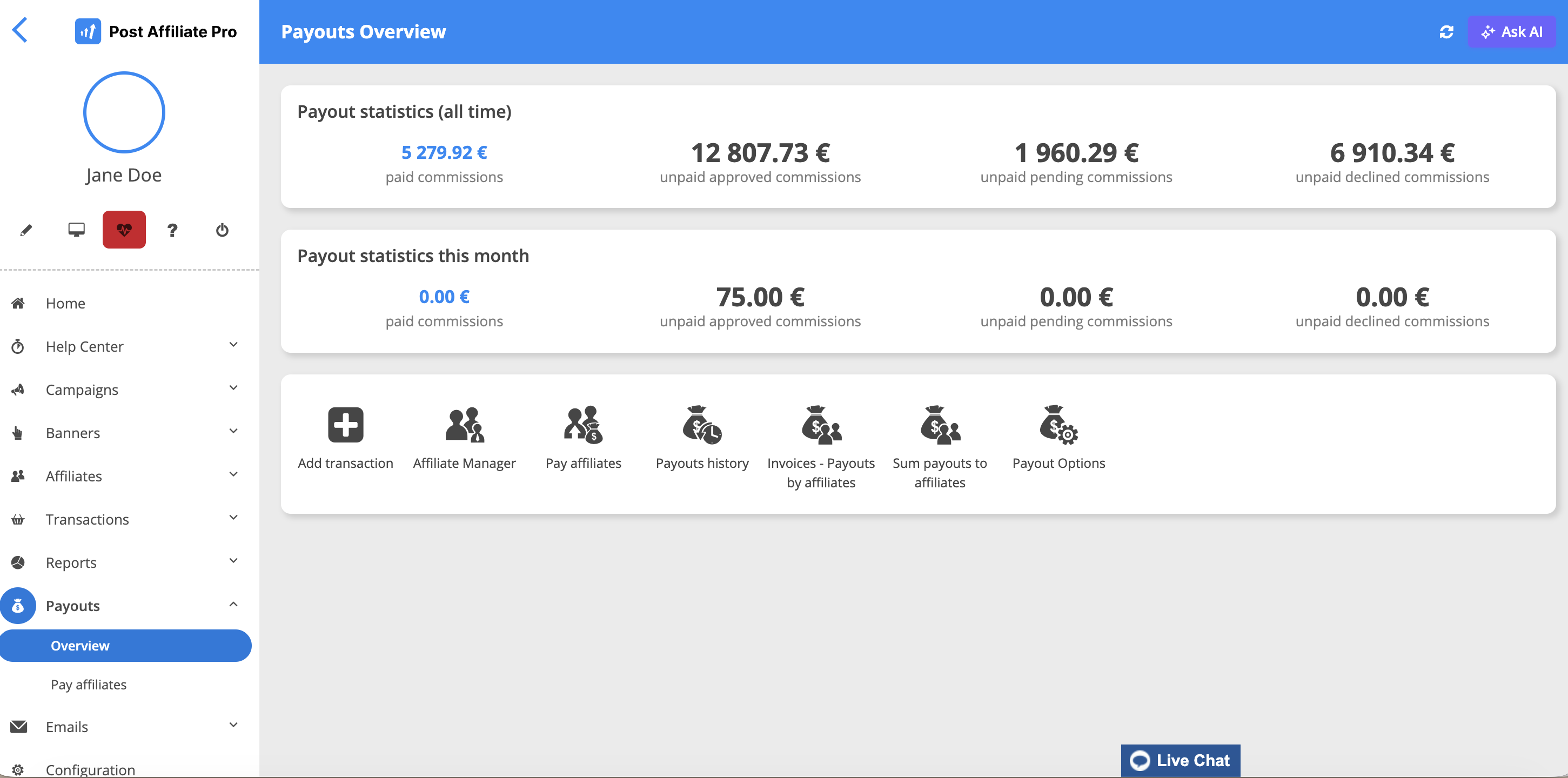
Every step, with the payout options, the export templates and the invoices, is on the mass payments page. The FAQ on paying affiliates in Post Affiliate Pro answers the short version of the question.
Common mistakes
- Paying before the refund period ends – Match the waiting period to your refund policy.
- Collecting payout details late – Ask for them at signup or before the first payment is due.
- Assuming the software sends the money – Check this before you promise affiliates a payment date.
- No record of who was paid and when – Keep the payout history and, if you need them, invoices.
- Changing the minimum payout without telling affiliates – Tell them before the next run.
Where to go next
Payouts are one part of running a program. For the rest, see our guide to affiliate program management .