


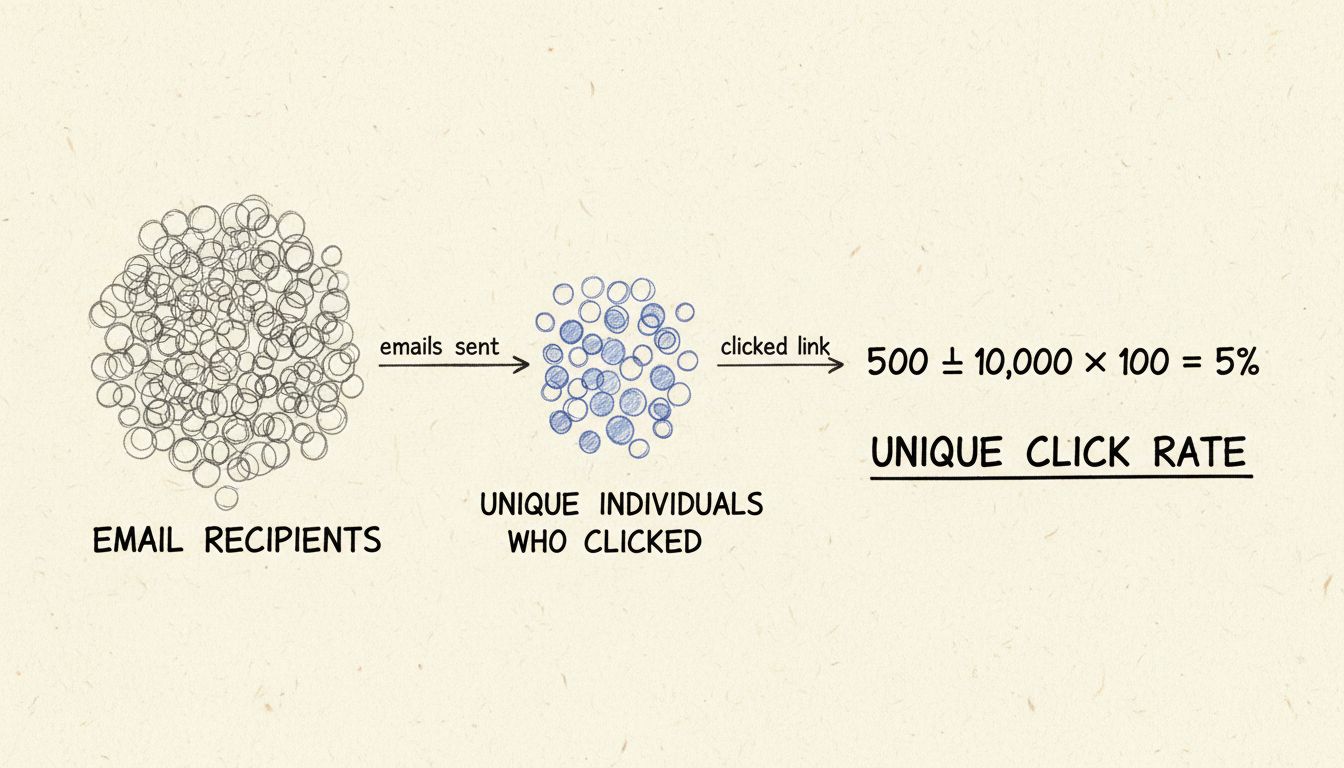
What is a Unique Click Rate? Definition, Calculation & Best Practices
Learn what unique click rate is, how to calculate it, and why it matters for affiliate marketing. Discover the difference between unique clicks and total clicks...
13 min read
If the same person visits your website 10 times in one week, how many people saw your content?
If the same person visits your website 10 times in one week, how many people saw your content? One. That single insight is what separates a unique user from every other traffic metric — and why the distinction matters for anyone who runs a website, manages an affiliate program, or buys digital advertising.
Raw traffic numbers mislead. Pageviews and visits inflate your sense of reach because they count activity, not people. A unique user cuts through that noise. This article defines what a unique user is, explains how analytics platforms count them, walks through the limitations that make every count an estimate, and — uniquely — connects the metric to affiliate marketing workflows for advertisers, publishers, and program managers.
A unique user is a single, distinct individual who visits a website, uses an app, or interacts with a digital platform at least once during a specified time period — counted only once regardless of how many times they return. If someone visits your site on Monday morning, again Monday evening, and three more times on Wednesday, the analytics dashboard reports one unique user for that week.
The definition hinges on three elements:
These three metrics answer different questions. Here is how they compare:
| Metric | What It Counts | Example (One Person, One Week) |
|---|---|---|
| Unique user | Distinct individuals | 1 |
| Session | Separate visits (a session ends after 30 minutes of inactivity in GA4) | 7 (one per day) |
| Pageview | Every time a page loads in a browser | 42 (six pages per visit) |
A single engaged reader can generate hundreds of pageviews. That is not a large audience — it is one person consuming a lot of content. Unique users give you the denominator you need for meaningful conversion-rate calculations: 100 sales from 200 unique users signals a very different funnel than 100 sales from 20,000.
A unique user is a single, distinct individual who visits a website, uses an app, or interacts with a digital platform at least once during a specified time period — counted only once regardless of how many times they return. If someone visits your site on Monday morning, again Monday evening, and three more times on Wednesday, the analytics dashboard reports one unique user for that week.
The definition hinges on three elements:
These three metrics answer different questions. Here is how they compare:
| Metric | What It Counts | Example (One Person, One Week) |
|---|---|---|
| Unique user | Distinct individuals | 1 |
| Session | Separate visits (a session ends after 30 minutes of inactivity in GA4) | 7 (one per day) |
| Pageview | Every time a page loads in a browser | 42 (six pages per visit) |
A single engaged reader can generate hundreds of pageviews. That is not a large audience — it is one person consuming a lot of content. Unique users give you the denominator you need for meaningful conversion-rate calculations: 100 sales from 200 unique users signals a very different funnel than 100 sales from 20,000.
In practice, these terms are synonyms. The Cambridge Dictionary defines “unique user” with the parenthetical “(also unique visitor).” Wikipedia treats them interchangeably. Adobe Analytics uses “unique visitors” as its official metric name. Google Analytics 4 uses “users.”
For the purposes of this glossary, they refer to the same concept.

Set up advanced tracking in minutes. No credit card required.
Every platform needs a way to recognize a returning user. The method it uses directly affects the number it reports.
The most common method: when someone visits a site, the analytics tool places a small text file — a cookie — in their browser. That cookie contains a unique identifier string. On every subsequent visit, the platform reads the cookie and knows this is the same browser it saw before.
Google Analytics 4 stores a client ID in a first-party cookie. Because the cookie is tied to the browser, not the person, the same individual using Chrome on their laptop and Safari on their phone generates two unique users. Clearing cookies resets the identifier entirely — that person becomes a “new” user on their next visit.
Some platforms, particularly older or simpler ones, use the visitor’s IP address as the identifier. An IP address can serve as a rough proxy: one IP, one unique user. The problem is that thousands of people can share a single IP address — everyone in a corporate office, a university campus, or a household on the same Wi-Fi network appears as one user. Meanwhile, a single person switching between home Wi-Fi, mobile data, and a coffee shop network generates three different IPs and therefore three unique users.
IP-based tracking is increasingly unreliable as a standalone method. Most modern platforms use it as a supplementary signal, not the primary identifier.
When someone logs into a site or app, the platform can tie activity to a persistent user ID. This is the most accurate method — one login, one user, regardless of device or browser. Mobile apps often use device-level identifiers (IDFA on iOS, or Google’s advertising ID on Android) that persist across sessions.
The limitation is coverage: most website visitors never log in.
The tracking landscape has shifted.
Platforms have responded with modeled data. Google Analytics 4 uses machine learning to estimate user counts when cookie data is unavailable, blending observed data from consented users with behavioral modeling. Adobe Analytics offers Cross-Device Analytics to stitch user journeys across devices when login data exists. These approaches improve accuracy but introduce estimation — your unique user count is now partially modeled, not purely counted.
Server-side tracking and first-party data strategies are becoming the norm.
Every analytics dashboard presents user counts with apparent precision. That precision is misleading. Here is what distorts the number.
The average US adult uses three to four internet-connected devices regularly. Without cross-device identity stitching, one person becomes three or four unique users. A user who researches a product on their phone during lunch, reads reviews on a work laptop, and completes the purchase on a home tablet appears as three distinct individuals in most analytics reports.
A family of four sharing one laptop generates one unique user in cookie-based tracking. A company of 500 employees behind a single corporate IP address may appear as a handful of users. VPNs compound the problem: a user connecting through a VPN server in a different city looks like a new visitor from that location, even if they visited the site yesterday from their real IP.
Intelligent Tracking Prevention (ITP) in Safari caps first-party cookie persistence at 7 days for cookies set via link decoration. Firefox’s Enhanced Tracking Protection blocks tracking cookies by default. Every cookie deletion or expiration resets the identifier, inflating the unique user count with “new” users who are actually returning visitors.
Not every visitor is a person. Automated bots — scrapers, crawlers, click fraud scripts — generate traffic that most analytics filters catch only partially. Internal visits from your own team, if not filtered by IP exclusion, inflate counts further. A small e-commerce site with five employees refreshing the homepage daily can add 150 “unique users” per month that represent no real audience.
Be the first to know about new features and product updates.
The unique user metric has specific, practical relevance for the three roles in an affiliate marketing ecosystem.
Advertisers pay affiliates for performance — clicks, leads, or sales. Unique user data helps answer a critical question: is this affiliate sending real people or manufactured traffic?
If an affiliate delivers 10,000 clicks but only 200 unique users, something is wrong. The click-to-unique-user ratio should be reasonable. A ratio of 50:1 or higher often signals automated clicks, incentivized traffic, or a click farm — where the same small group of people clicks repeatedly without any purchase intent. Comparing unique user counts across affiliates also reveals which partners reach genuinely distinct audiences versus recycling the same visitors.
Advertisers can also use unique user data to validate the incremental value of each affiliate. That difference informs commission negotiation and partnership prioritization.
Publishers — the affiliates themselves — use unique user counts to demonstrate audience value to merchants. A content site with 50,000 monthly unique users in a specific niche can command higher commission rates than one with 5,000, all else being equal. The metric proves reach.
It also helps publishers optimize their own content strategy. If a review article attracts high unique user numbers but low click-through to affiliate links, the audience is there but the call to action is weak. If a comparison guide drives few unique users but high conversion rates, the topic resonates deeply with a narrow audience — worth doubling down on.
Program managers sit between advertisers and publishers. Unique user data, when available through the affiliate platform’s reporting, lets managers:
This means the conversion itself is reliably attributed. But understanding the unique user reach of each affiliate still requires integrating web analytics data with affiliate platform reporting.
Before launching a campaign, you need to know how many people you can reach. Unique user data from existing channels tells you your baseline. If your site attracts 10,000 unique users per month and your goal is 50,000, you know the gap and can budget accordingly. Investors and stakeholders treat unique user trends as a proxy for market traction — flat or declining user counts signal stagnation even if revenue holds steady.
Conversion rate is conversions divided by audience. If you use total visits as the denominator, your rate looks artificially low. If you use unique users, you get a truer picture: what percentage of the people who encountered your offer took action?
The former suggests a highly qualified audience and effective messaging; the latter suggests broad but shallow reach. The business decision — scale this campaign or rethink it — depends on which denominator you trust.
Unique users segmented by recency reveal retention. Affiliate programs benefit from publishers with high returning-user rates because those audiences trust the publisher’s recommendations and convert more reliably.
There is no universal “good” number — context is everything.
| Site Type | Monthly Unique Users (Typical Range) |
|---|---|
| Personal blog (first year) | 500 – 5,000 |
| Niche content site (established) | 10,000 – 100,000 |
| Small e-commerce store | 5,000 – 50,000 |
| Mid-market B2B SaaS | 10,000 – 200,000 |
| Major media publication | 1,000,000+ |
A local service business might thrive on 2,000 highly targeted unique users per month. A display-ad-supported content site with 2,000 users is struggling. Compare against your own past performance and direct competitors, not global averages.
Watch for these patterns:
Trend direction and velocity matter more than the raw figure.
Most analytics platforms report unique users by default. In Google Analytics 4, navigate to Reports > Acquisition > User Acquisition and look for the “Users” column. In Adobe Analytics, the “Unique Visitors” metric appears in most default workspaces. Privacy-focused alternatives like Fathom and Swetrix report unique visitors without cookies, using IP address hashing and user-agent fingerprinting — counts are lower but compliance is simpler.
For affiliate-specific tracking, integrate your analytics platform with your affiliate software.
Unlock the full potential of your affiliate campaigns by understanding and optimizing for unique users. Improve your reach, measure performance accurately, and maximize your commissions.
Learn what unique click rate is, how to calculate it, and why it matters for affiliate marketing. Discover the difference between unique clicks and total clicks...
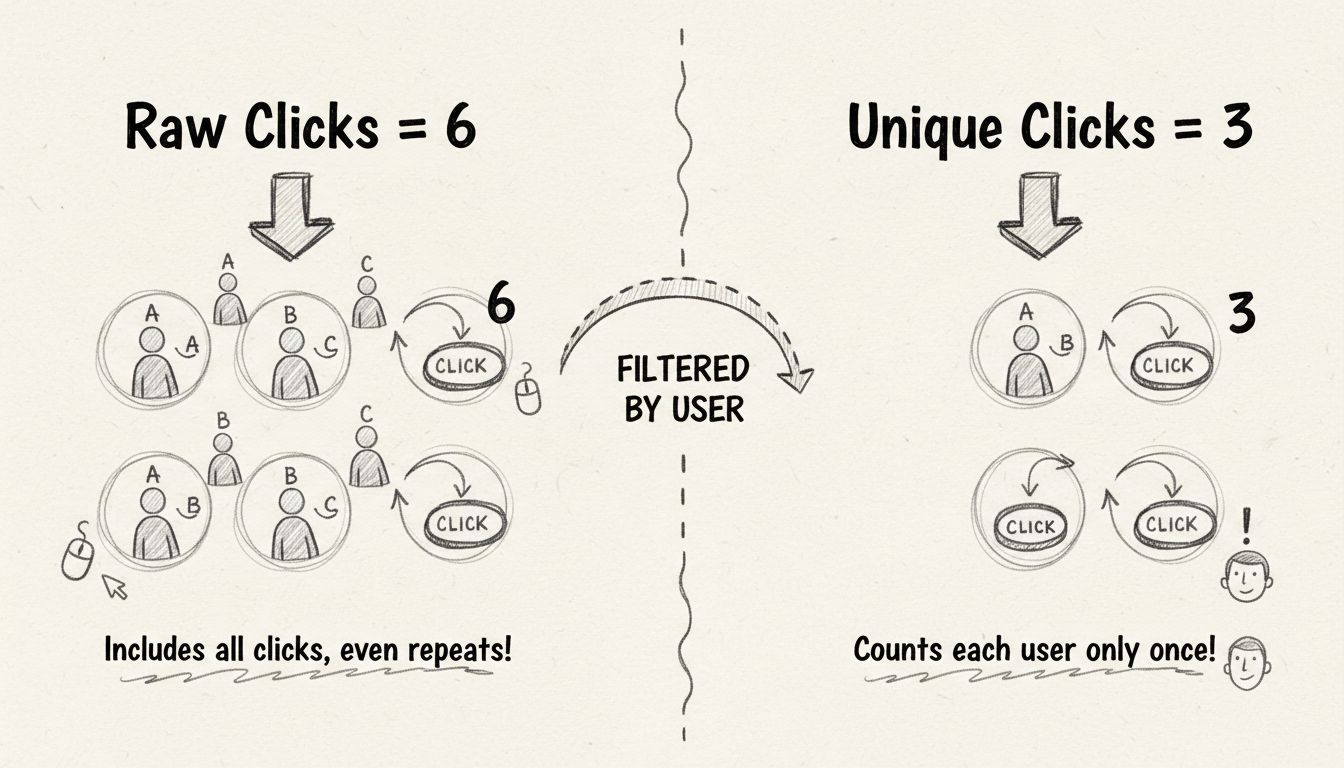
Learn the critical difference between raw clicks and unique clicks in affiliate marketing. Understand how PostAffiliatePro tracks both metrics to help you optim...
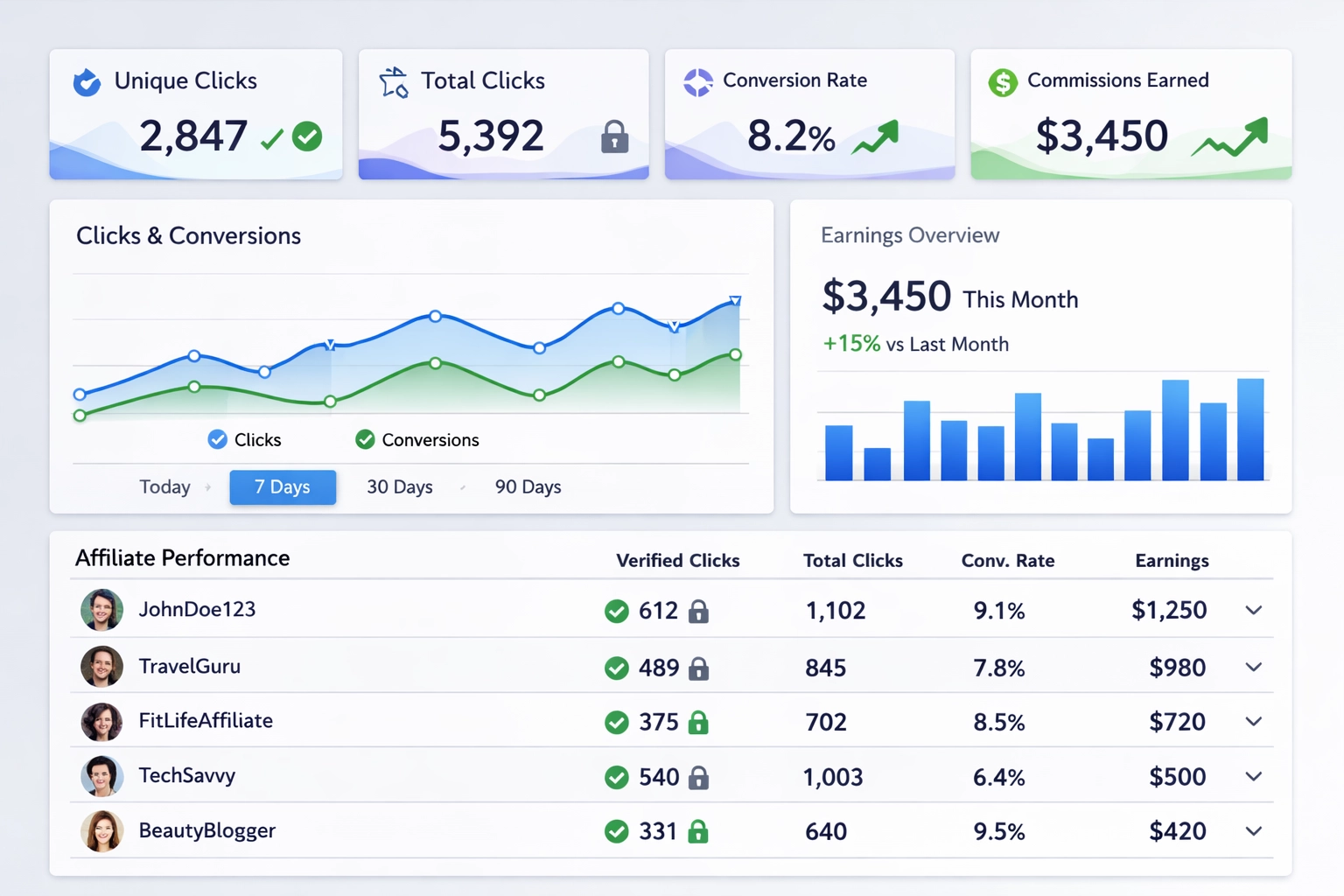
Learn how unique click tracking ensures fair affiliate commissions, prevents fraud, and maximizes ROI. Discover why PostAffiliatePro leads the market.
Join our community of happy clients and provide excellent customer support with Post Affiliate Pro.




Cookie Consent
We use cookies to enhance your browsing experience and analyze our traffic. See our privacy policy.