


Available in:
Post Affiliate Pro , Post Affiliate Pro Ultimate , Post Affiliate Network
Take your tracking links offline
Not every affiliate promotion happens on a screen. A flyer, a business card, a poster, or in-store signage can’t carry a clickable link, but it can carry a QR code. Post Affiliate Pro can turn an affiliate’s tracking link into a scannable QR code, so print and offline promotion still gets tracked and credited correctly.

Launch your affiliate program today
Set up advanced tracking in minutes. No credit card required.
Where QR codes show up
QR codes aren’t a separate tool you configure. They’re built into banners and links you and your affiliates already use:
- Link banners and Site Replication banners: in the affiliate panel’s Promotion section, eligible banners have a “Show QR code” option. Clicking it reveals the QR code image plus a ready-to-embed HTML snippet, so the affiliate can copy it straight into a design.
- Sub-affiliate signup links: affiliates recruiting their own sub-affiliates get a QR code next to their signup link, handy for handing out at events or printing on materials.
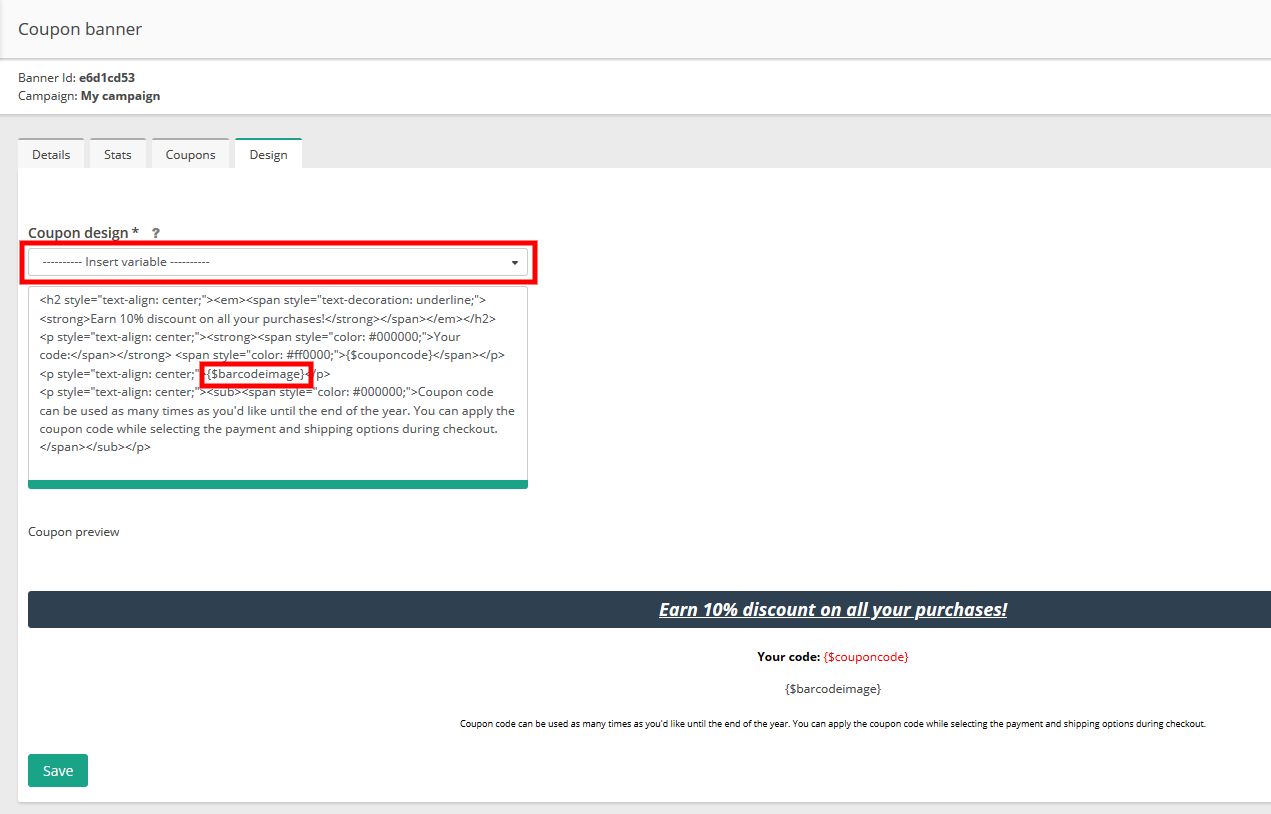
- Coupon banner designs: in the merchant panel’s Banners section, merchants building a coupon banner can insert a QR code placeholder into the design, which renders the coupon’s tracking code as a scannable image.
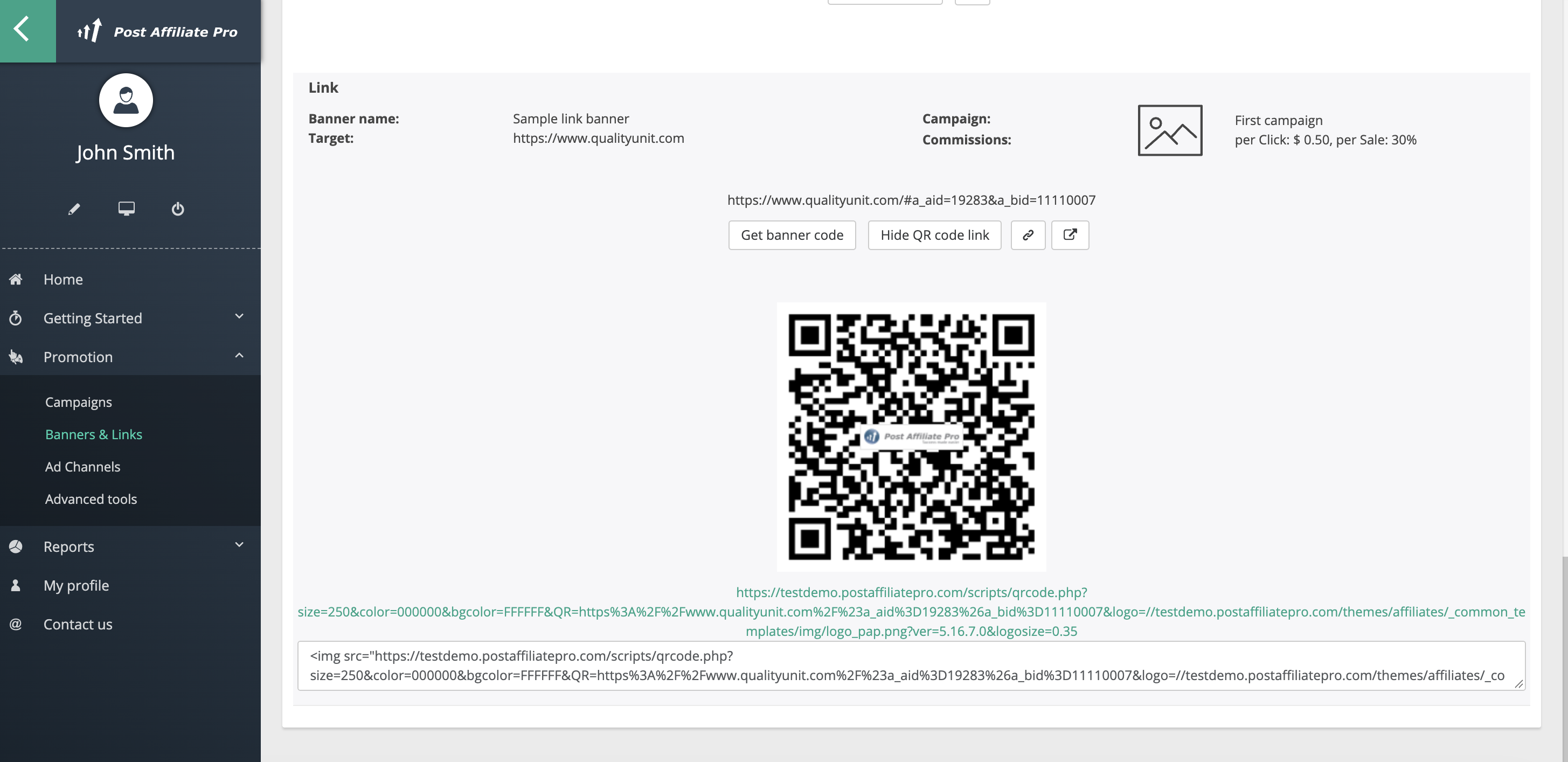
The QR code automatically includes your program’s logo (or a campaign-specific logo, if you’ve set one), so it stays on-brand without any extra configuration.
Barcodes for coupons
Barcodes work differently from QR codes in Post Affiliate Pro, they’re built specifically for numeric coupon codes, not general tracking links. Go to Banners > Banners Manager, add or edit a Coupon-type banner, and on its Design tab you can insert a “Bar code image” placeholder alongside or instead of the QR code. It renders the coupon’s numeric code as a scannable barcode using Interleaved 2 of 5, Code 39, or Code 128 formats. This is a good fit for printed coupons that get scanned at checkout rather than clicked.
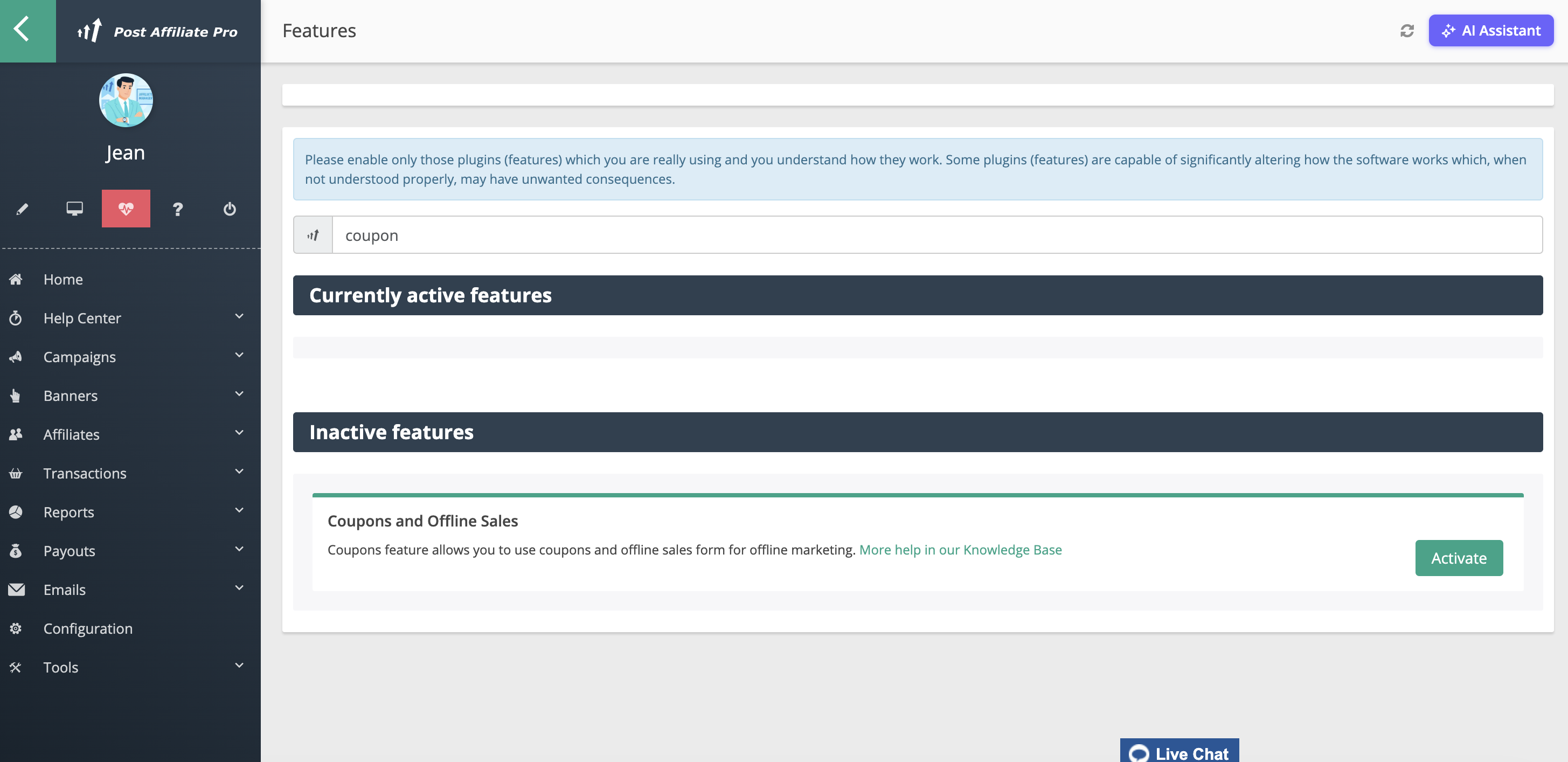
Don’t see a Coupon option when adding a banner? The Coupon banner type depends on the Coupons and Offline Sales feature. Check Configuration > Features and turn it on if it’s listed but inactive; the Coupon tile then appears in Add Banner.
Join our newsletter
Be the first to know about new features and product updates.
Getting the image
Both the QR code and the barcode are plain PNG images, so there’s no separate “download” or “export” button. Right-click and save the image directly, or copy the pre-built <img> HTML snippet shown alongside it (in the affiliate panel’s Promotion section) to embed it in an email, a printed design, or anywhere else you need it.



