


Available in:
Post Affiliate Pro , Post Affiliate Pro Ultimate , Post Affiliate Network
Collect the data your program actually needs
Every affiliate program is different, so the default signup form rarely fits perfectly. Post Affiliate Pro lets you add your own fields to the affiliate signup form and profile, ask for exactly the information your program needs, and decide who gets to see or edit each one.

Launch your affiliate program today
Set up advanced tracking in minutes. No credit card required.
How many fields you get
You have 75 fields in total. The first 25 are built-in and renameable: Web URL, Company name, Street, City, State, Country, Zipcode, Phone, and Fax are pre-labeled, and 16 more start out as unused slots you can activate and rename however you like. On top of those, you can add up to 50 more custom fields of your own.
Configuring fields
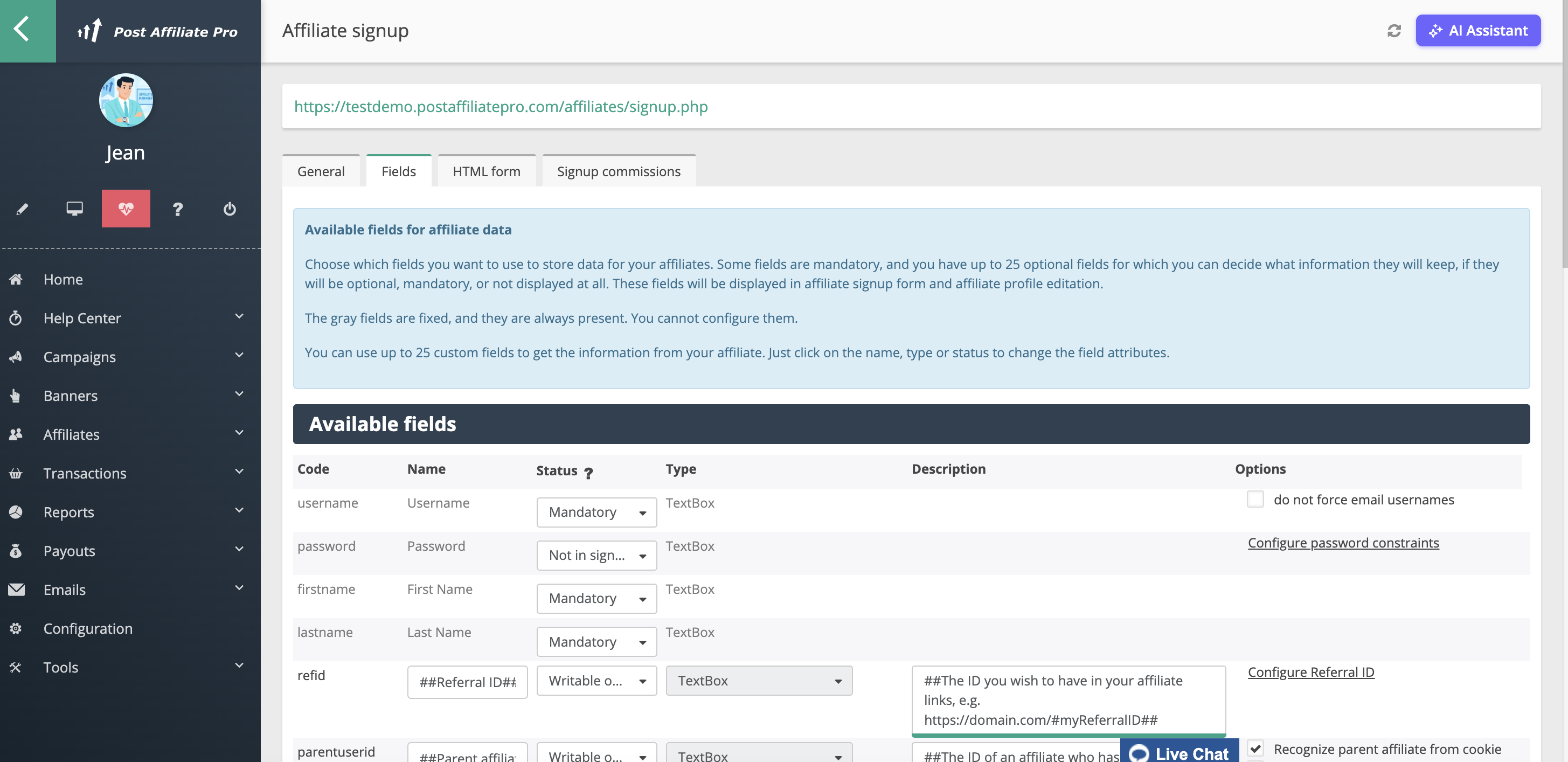
Go to Configuration > Affiliate signup > Fields in the merchant panel. Each of the 25 built-in fields can be renamed and reconfigured, and an Add custom field button lets you create new ones from the remaining pool.
Join our newsletter
Be the first to know about new features and product updates.
Field types
Custom fields aren’t limited to plain text. You can choose from:
- Single-line text, text with a default value, or a text area
- Password
- Number
- Checkbox, or a checkbox group
- Dropdown, or a multi-select dropdown
- Radio buttons
- Country dropdown
- Date, or date and time
- Link
- File upload
- Code block
- Key-value pairs
Controlling who sees each field
Every field has its own visibility setting:
- Mandatory — the affiliate sees it in the signup form and their profile, and must fill it in
- Optional — the affiliate sees it, but can leave it empty
- Optional (not in signup) — hidden from the signup form, but the affiliate can fill it in later from their profile
- Writable only in signup — the affiliate can set it once, during signup, then it becomes read-only
- Read only — the affiliate can see the value but can’t change it
- Hidden — visible to you as the merchant only; affiliates never see it, in signup or in their profile
- Disabled — not shown anywhere
This lets you mix public profile fields, one-time signup questions, and internal notes on the same affiliate record without exposing anything you don’t want affiliates to see.
Using custom fields to automate affiliate assignment
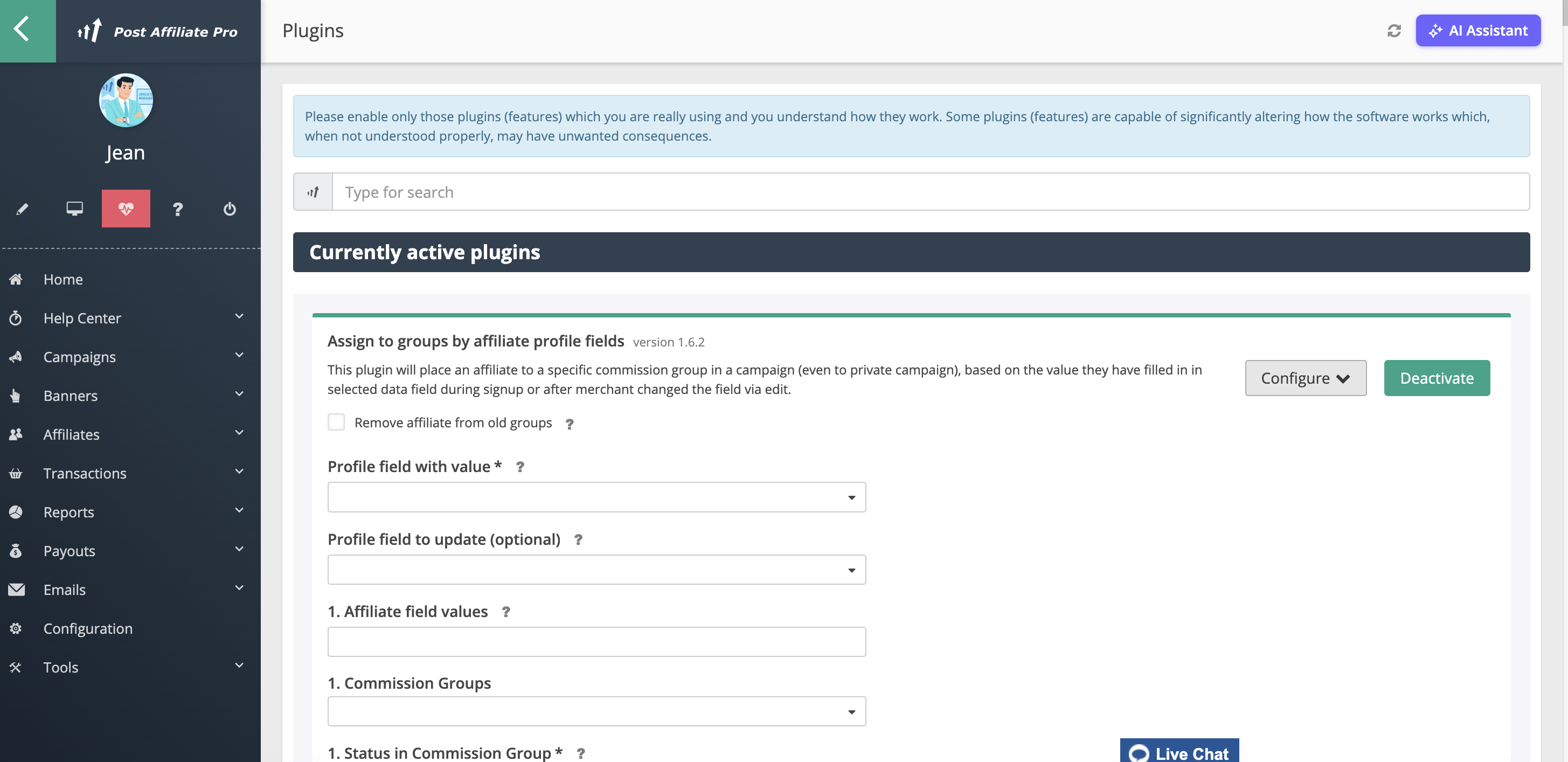
A custom field isn’t just for storing data. It can also drive automation. The Assign to Groups by Profile Fields plugin watches a custom field you choose (whether it’s set during signup or changed later), and automatically places the affiliate into specific commission groups, including groups on private campaigns, based on the value entered.
You can define up to 15 matching rules, each mapping one or more field values to one or more commission groups, and optionally have the affiliate automatically removed from their previous groups if the field’s value changes later. You can even have the plugin write a confirmation message back into another field once the assignment happens.
Like other plugins, it doesn’t appear in the merchant panel menu until you turn it on: go to Configuration > Plugins, find Assign to Groups by Profile Fields in the plugin directory, click Activate, then Configure to set up your rules.
This is a practical way to route affiliates automatically: a “Which product line do you promote?” or “Partner type” field on signup can place an affiliate straight into the right commission tier, with no manual review needed.
Accessing custom fields through the API
Custom fields are also available through API v3 :
GET /form-fields/affiliatesreturns the field definitions, letting your own systems know what fields exist and what values they accept. Merchant and admin API keys also see Hidden fields; affiliate-scoped keys don’t.GET /affiliate/form-fieldsis the self-service version: it returns an affiliate’s own field definitions along with their current values.
A note on campaigns
Custom fields are an affiliate-level feature. Campaigns don’t have their own custom-field system, so if you’re looking for campaign-specific metadata, this isn’t it. Campaigns can still be the target of custom-field-driven automation, though, through the commission-group assignment described above.



