










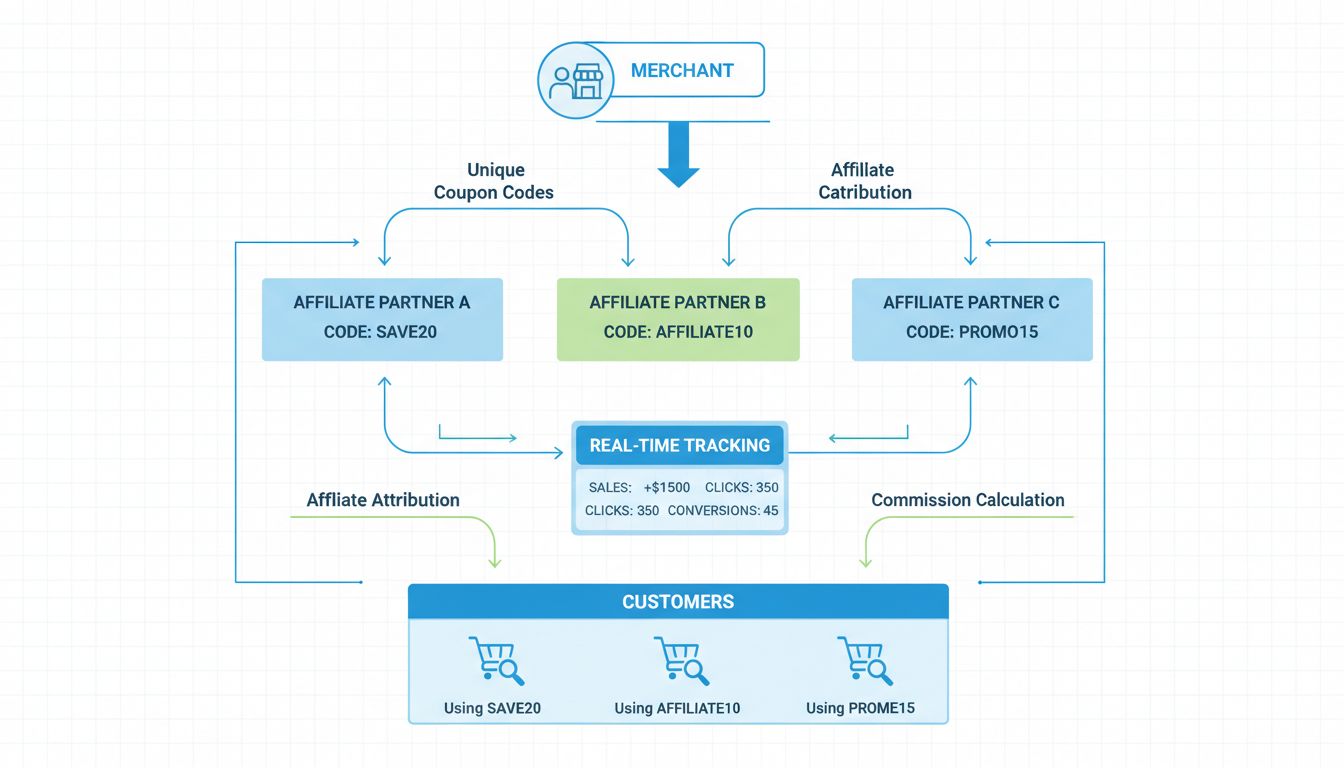
What is Affiliate Coupon Tracking?
Learn how affiliate coupon tracking works, its benefits for merchants and affiliates, and how PostAffiliatePro enables accurate performance measurement and frau...
10 min read

Set up personalized vanity coupon codes in Post Affiliate Pro: use the coupon generator, assign codes to affiliates, set limits and track sales.
For many merchants, an audit after a big promotion reveals a frustrating pattern: thousands of clicks that didn’t convert and “leaky” attribution, where high-value influencers drove initial awareness but “coupon-hunting” sites claimed the final commission.
The most successful Super-Affiliates, those who command the most trust and traffic, are no longer content with standard tracking links. They are demanding personalized coupons.
Here is why affiliate coupon tracking is a must-have for high-conversion campaigns.
This is also the hands-on Post Affiliate Pro guide: after the benefits, you will find the step-by-step setup of your affiliate coupon codes, from the built-in coupon generator to promo code tracking in your reports. For the bigger picture of running a code program, including paying creators and stopping leaks, see our guide to influencer discount codes .
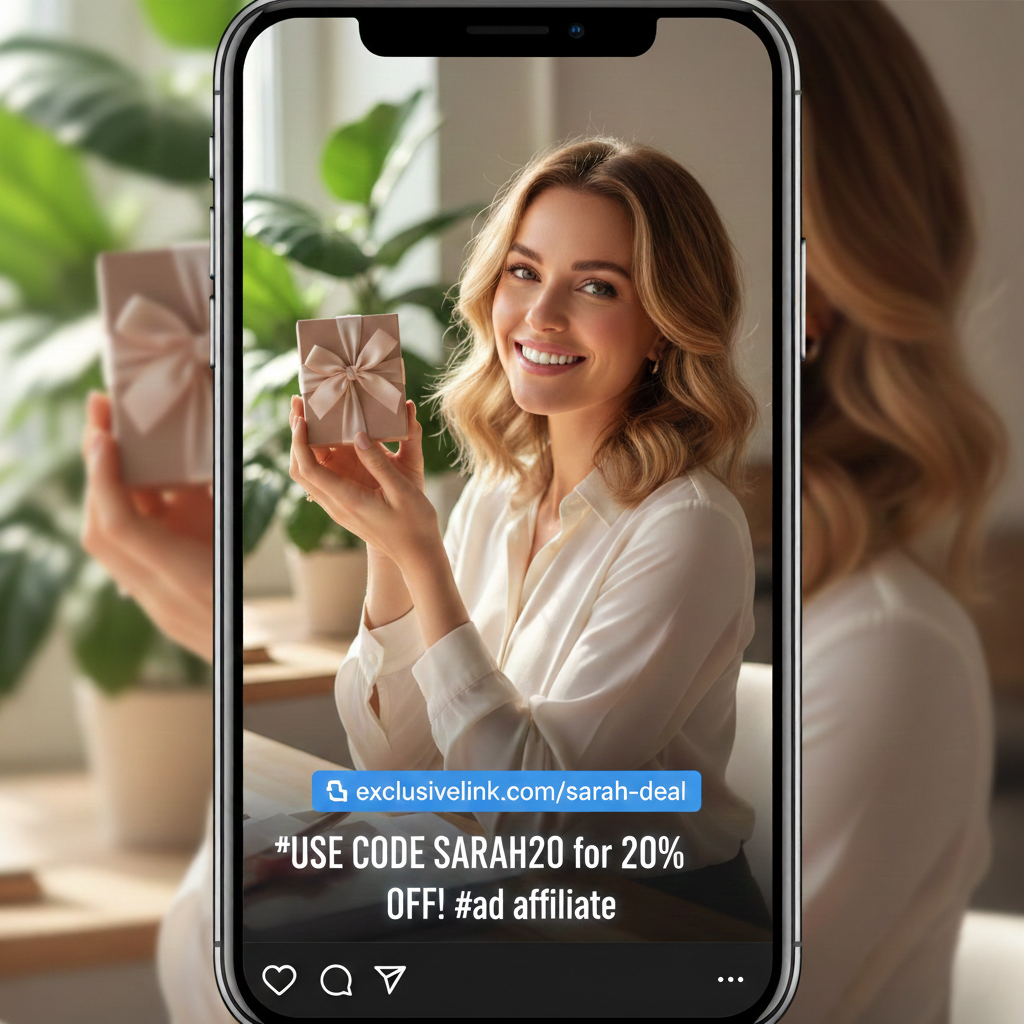
A significant portion of modern shopping happens in what experts call “dark social”—private messages, WhatsApp groups, Telegram channels, and closed social communities. In these spaces, traditional tracking links are often viewed with suspicion or are automatically stripped by the platform’s security filters.
When an influencer shares a personalized code (e.g., RENEW-SARAH or MOM-GIFT20), they are providing a portable piece of tracking that survives the copy-paste journey. Whether the customer clicks a link or simply remembers the name while browsing on their laptop hours later, the coupon tracking engine in Post Affiliate Pro ensures the credit goes to the rightful creator. This bridges the gap between discovery and purchase that links simply cannot cross.
Shoppers scroll fast, and every extra tap between a video and your store is another chance to lose them. Compare the two journeys:
| Link in bio | Coupon code | |
|---|---|---|
| 1 | The influencer posts a video | The influencer posts a video with the code on screen |
| 2 | The customer opens their profile | The customer goes straight to your store |
| 3 | The customer taps the link in bio | The customer buys and enters the code |
| 4 | The customer hunts for the product | |
| 5 | The customer buys |
Dropping the profile visit, the link tap and the product hunt cuts the journey from five steps to three, which suits an impulse buy.

Set up advanced tracking in minutes. No credit card required.
One of the biggest pain points for merchants during major promos is commission theft. This occurs when a customer discovers a product through a high-quality influencer, but, at the final checkout screen, opens a new tab to search for a discount code. They find a generic code on a coupon aggregator site, and that site “steals” the commission from the influencer who actually did the hard work of brand storytelling.
In Post Affiliate Pro, when a sale carries a valid coupon, the affiliate who owns the coupon is credited ahead of any link or cookie referral on that sale. This ensures your top-tier partners are protected, keeping them loyal to your program rather than feeling frustrated by lost earnings.
Whatever your next big milestone is, you can use personalized codes to segment your partners. This creates a psychological “inner circle” that motivates your best performers.
This technical flexibility allows you to give your best partners a unique selling point (USP) that their competitors don’t have. It empowers them to say to their audience, “I negotiated this special code just for you,” which is one of the most powerful conversion drivers in influencer marketing.
Personalized coupons allow your program to leave the browser. In podcasts or YouTube videos, an influencer can’t easily “link” a customer mid-conversation. A vocalized code acts as an offline tracking link. You can even generate barcodes for printed promotional materials that affiliates can distribute at physical events.
Be the first to know about new features and product updates.
Here is the hands-on version. These steps take you from switching the feature on to checking your first coupon sale in the reports.
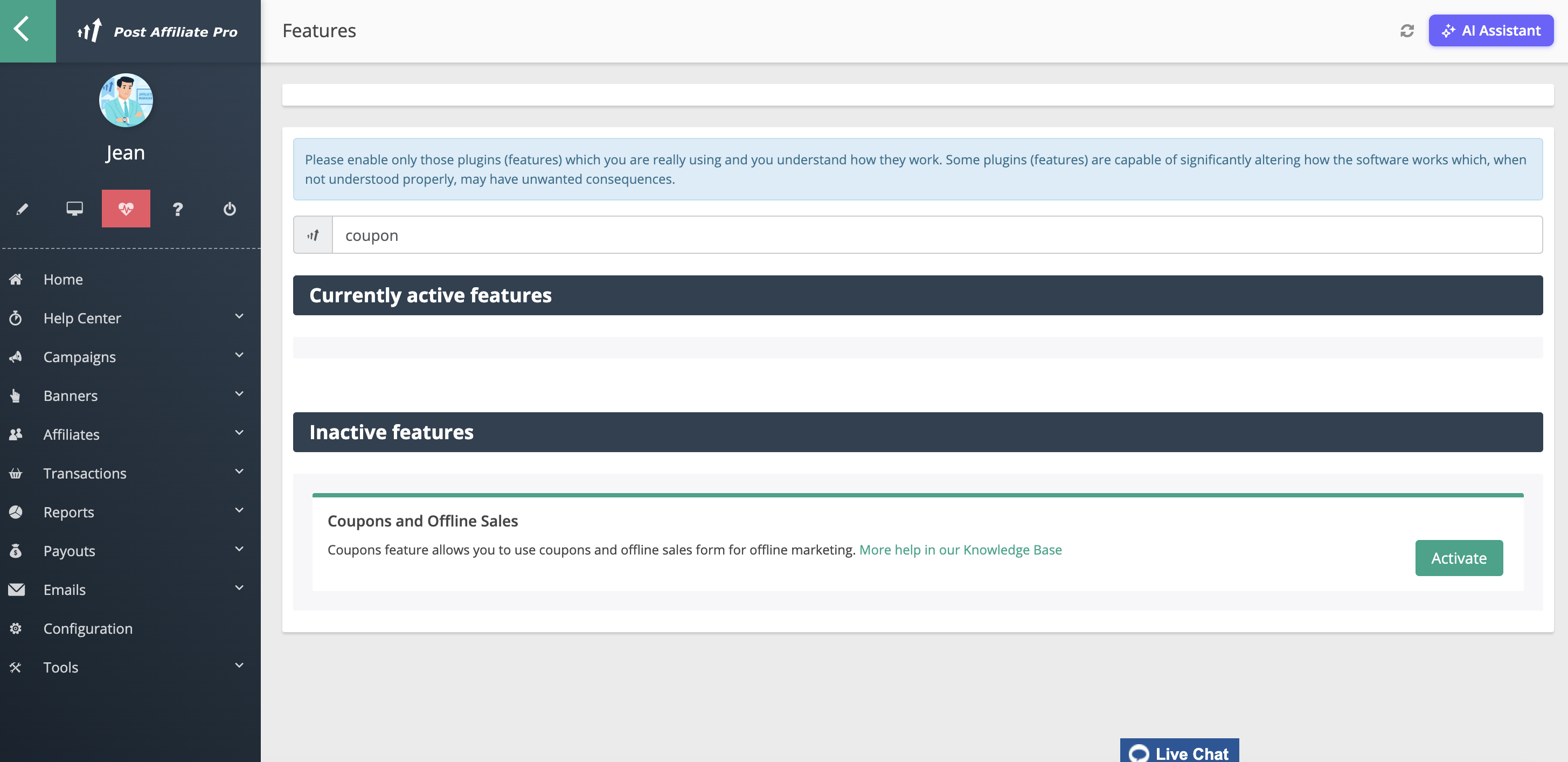
Coupons are a feature, so they have to be activated before they appear, and they are included in the Pro, Ultimate and Network plans but not in Starter. Open Configuration, Features, find Coupons and Offline Sales and click Activate.
A coupon is a banner of the coupon type. Open Banners, Banners Manager and click Add banner, then pick the Coupon type on the Create banner screen. If you already have a coupon banner, open it from the banners list instead. The banner has four tabs: Details, Stats, Coupons and Design. The coupon belongs to a campaign through its banner, so commissions follow that campaign.
On the Coupons tab you have three ways to add codes:
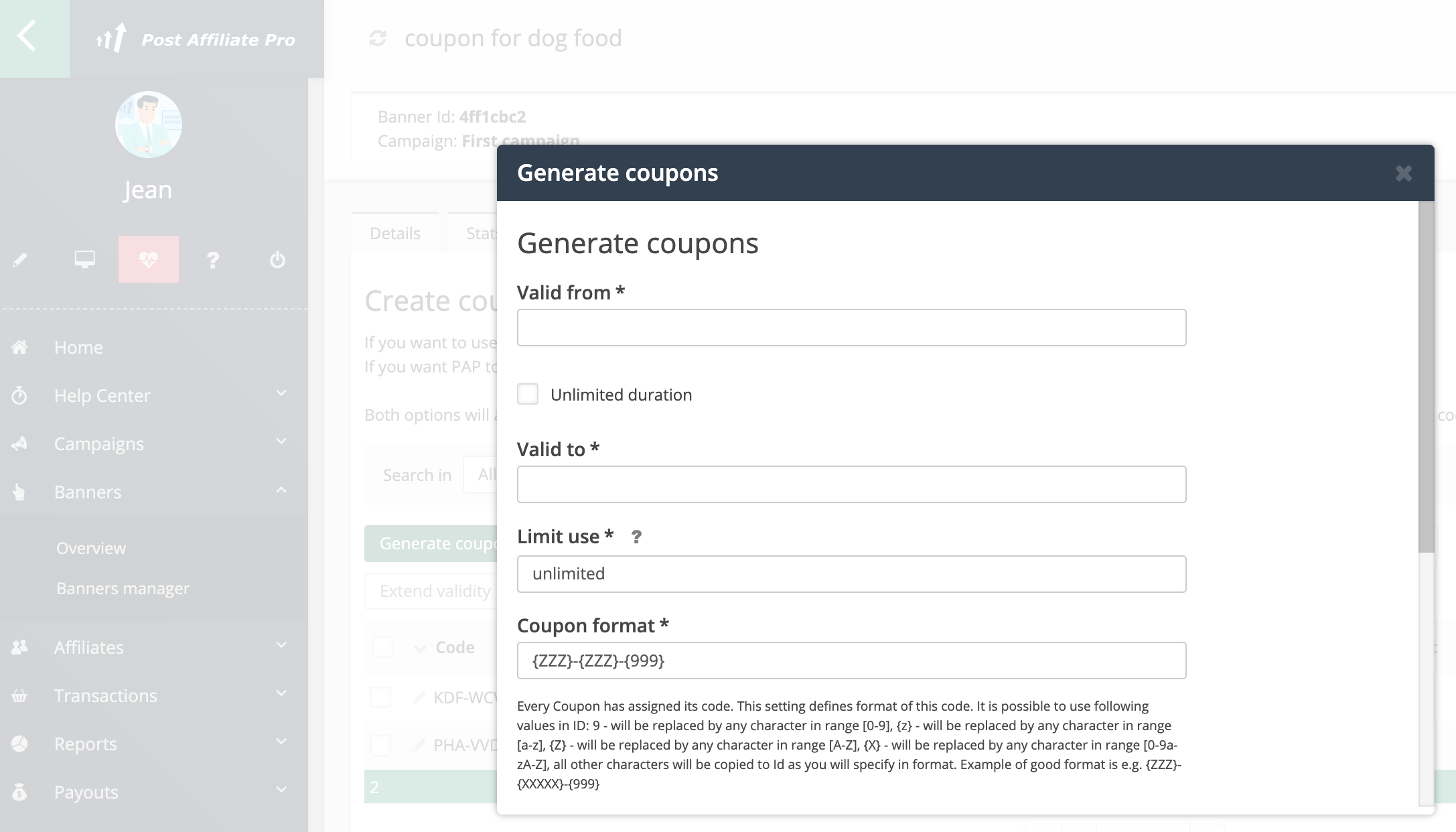
Choose how codes reach affiliates: they get one when they ask for it, codes are assigned automatically, or you assign codes to specific affiliates. On the banner, the Maximum coupons per affiliate setting caps how many codes one affiliate can hold, and a code assigned to an affiliate stays with them.
For new affiliates there are two helpers. The banner option Assign coupon automatically to new affiliates gives a new affiliate an unused coupon if one is available. The Coupon generator for new affiliates plugin, which you switch on under Configuration, Plugins, goes further and creates a coupon for every new affiliate, either when they register or when they are approved, using their username, referral ID or another profile field as the code.
Every coupon has a Limit use setting, which is how many sales can be made with it (0 means unlimited), and a valid from and valid to date. A coupon also has a status of Approve, Pending or Decline, and only an approved coupon works. Decline a leaked code and it stops crediting sales.
On the Design tab you can design what the coupon looks like. The editor has an Insert variable list, so a coupon can show its code, validity dates and use limit, and a barcode or QR code image for printed use.
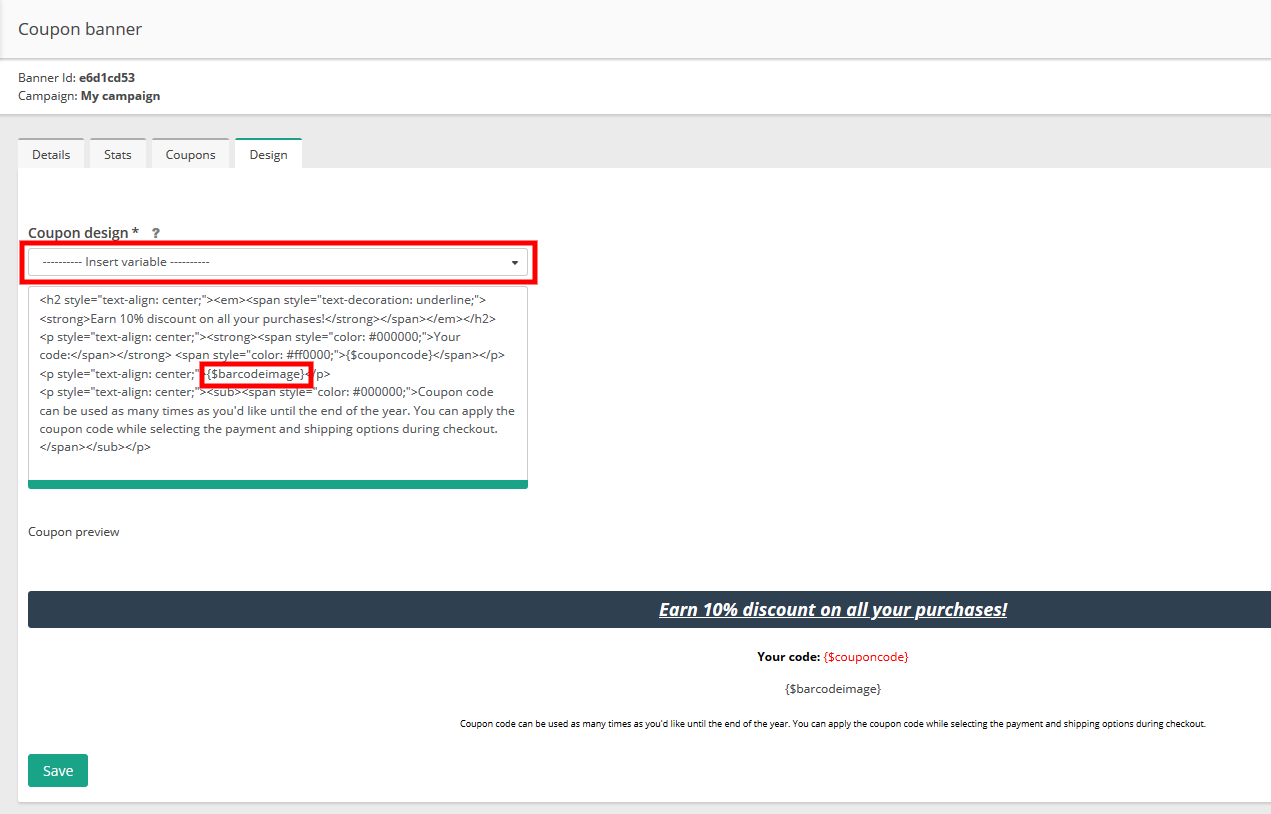
Your checkout has to send the coupon code with the sale. In the tracking script, that is a setCoupon call on the sale, and several comma separated codes are accepted, with the first valid one used. Post Affiliate Pro then checks that the coupon is approved, inside its validity dates and under its use limit. If it passes, the affiliate who owns the coupon is credited, a commission is recorded and the coupon’s use count goes up.
To see the result of your promo code tracking, open the transactions list. It has a Coupon Code column and filter, so you can pull up every sale for one partner’s code. The discount itself is set up in your store, because Post Affiliate Pro stores the code and its owner and not the discount amount, so create a matching code there with exactly the same text. Run a test order with each code before a partner shares it.
In the competitive landscape of 2026, the best influencers view themselves as businesses. They want tools that look professional, track accurately, and convert effortlessly. Personalized coupons are a statement that your brand is a sophisticated tech partner.
Manage multiple affiliate programs and improve your affiliate partner performance with Post Affiliate Pro.
Learn how affiliate coupon tracking works, its benefits for merchants and affiliates, and how PostAffiliatePro enables accurate performance measurement and frau...
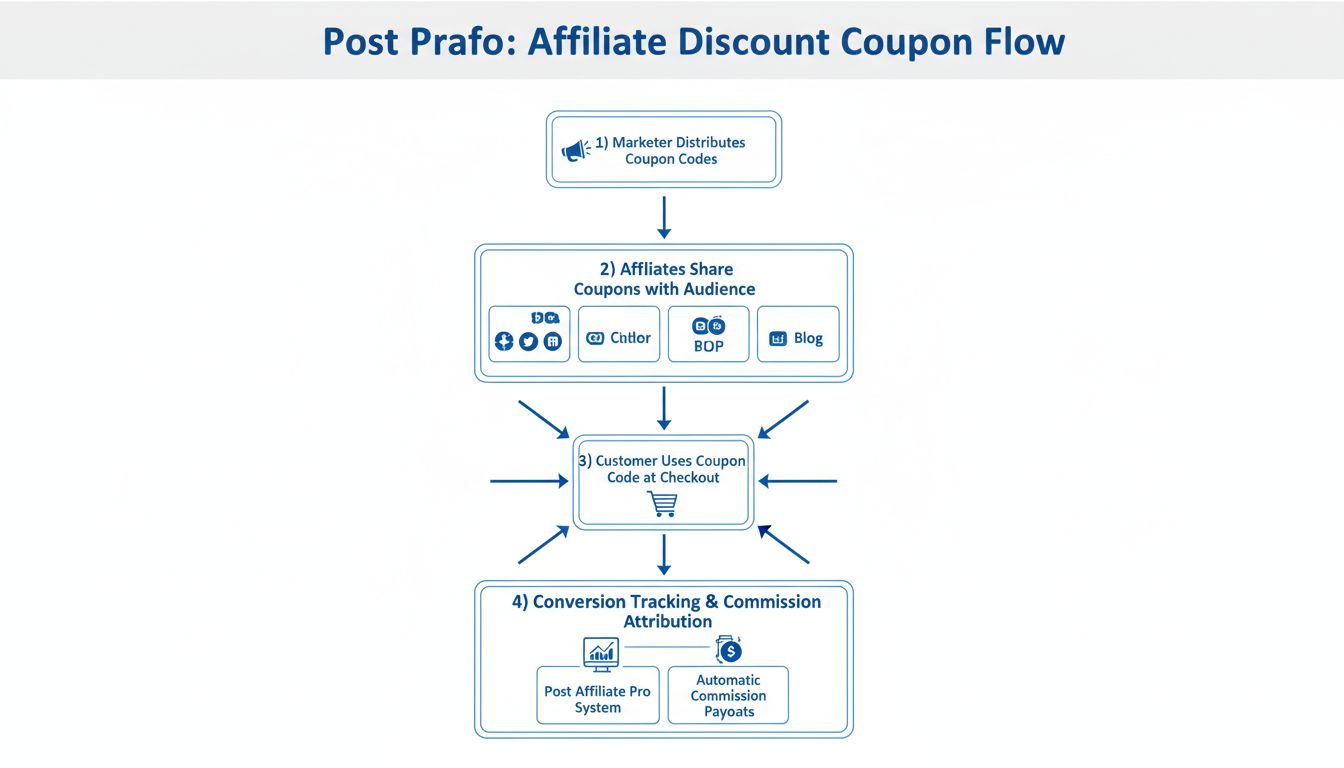
Learn how affiliate discount coupons work in Post Affiliate Pro. Discover how to distribute coupons to affiliates, track conversions, and manage your affiliate ...
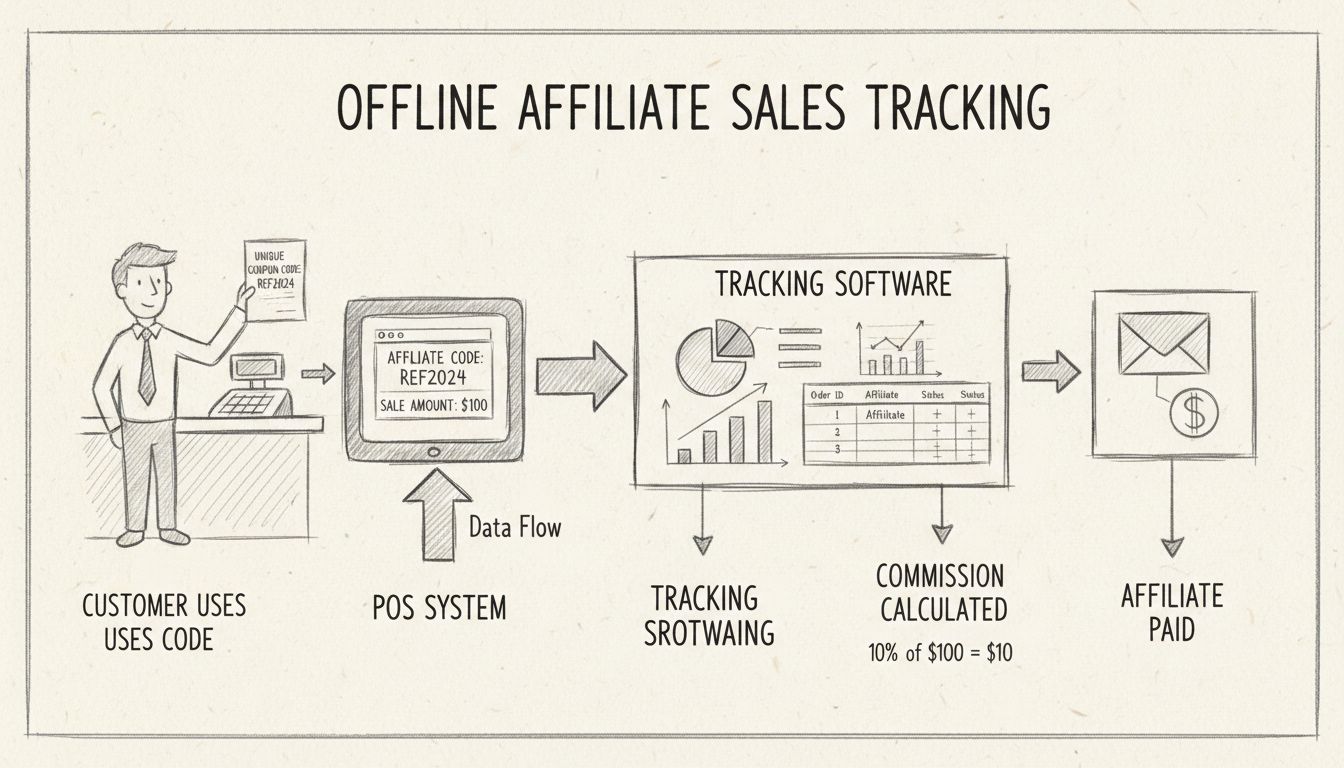
Learn how to track offline affiliate sales using unique coupon codes, POS integration, and advanced tracking methods. Discover best practices for offline affili...
Join our community of happy clients and provide excellent customer support with Post Affiliate Pro.



Cookie Consent
We use cookies to enhance your browsing experience and analyze our traffic. See our privacy policy.