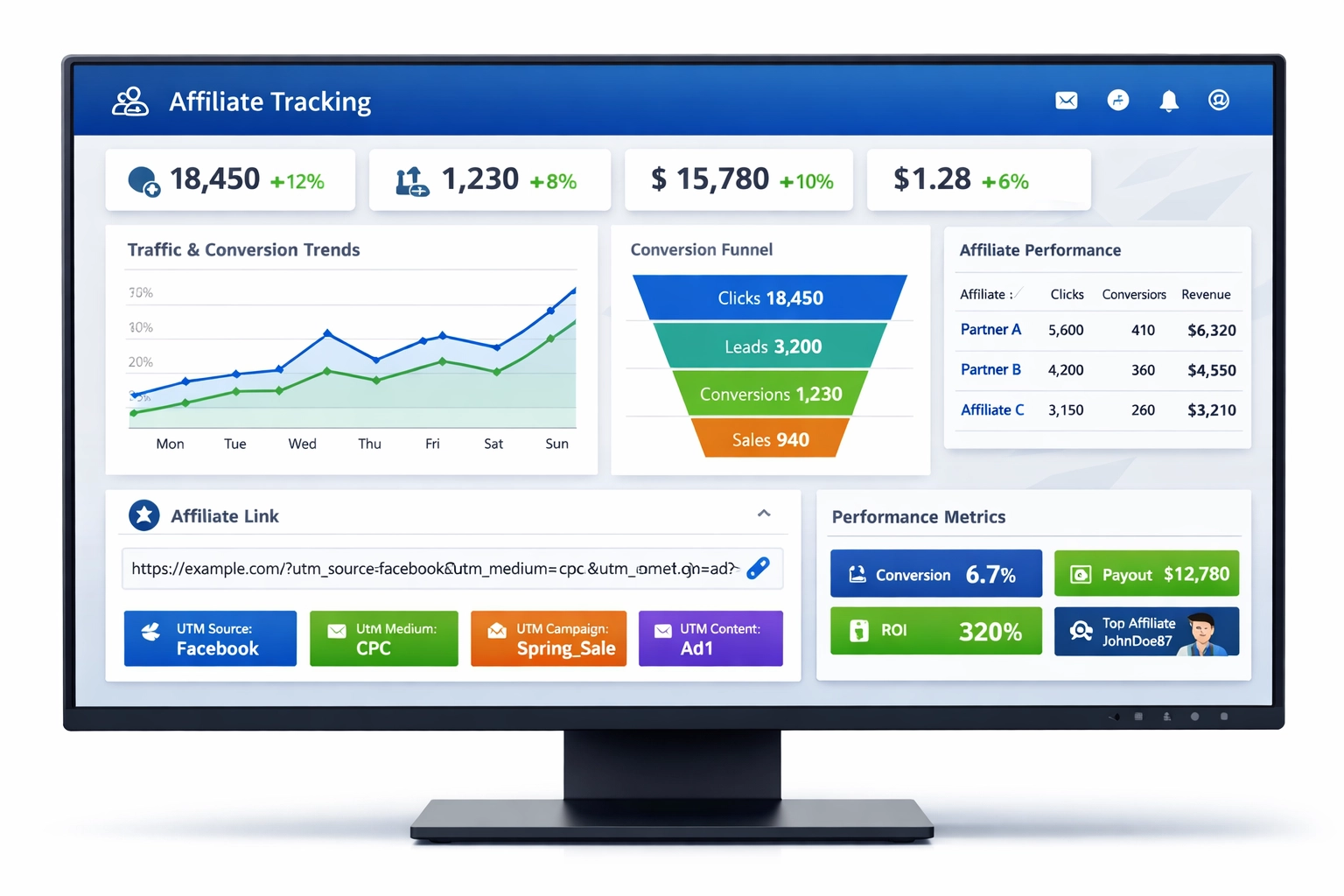
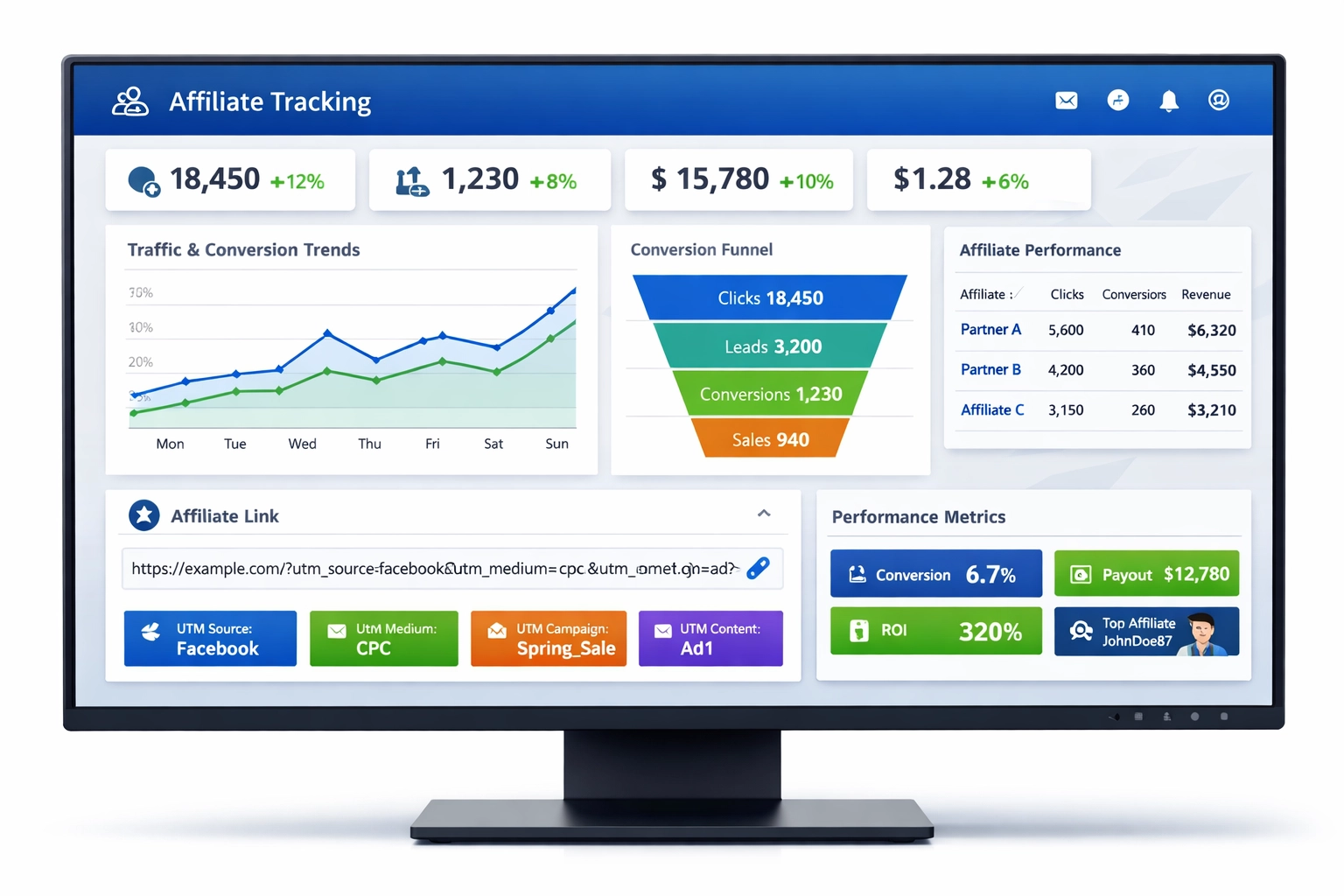
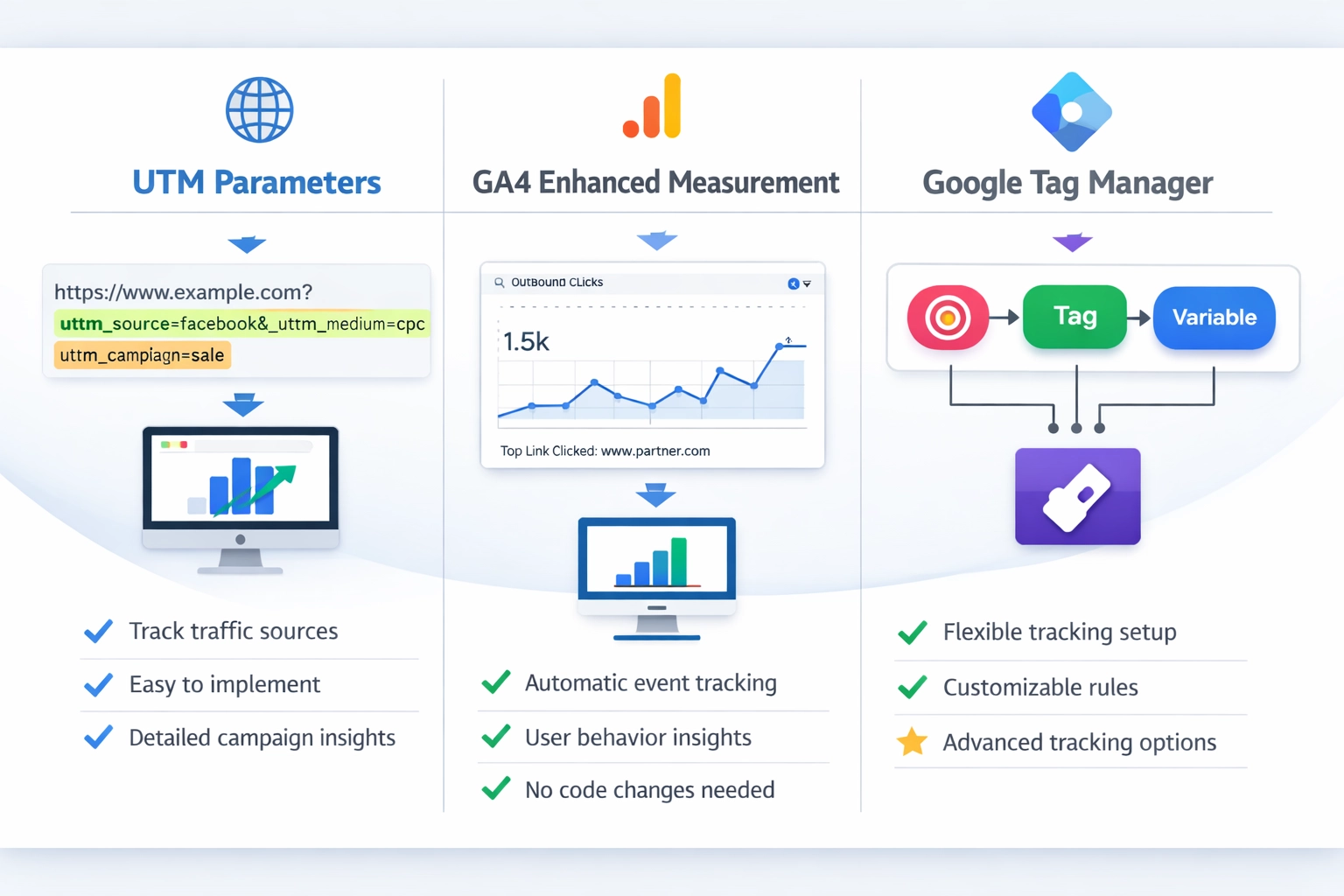
how to track affiliates in Google Analytics using UTM parameters, GA4 event tracking, and Google Tag Manager. Complete guide with step-by-step instructions for
Affiliate tracking is a critical component of any successful affiliate marketing program, allowing businesses to monitor the performance of their partners and understand which channels drive the most valuable traffic. Without proper tracking mechanisms in place, you lose visibility into affiliate performance, making it impossible to optimize your program or fairly compensate your partners. Google Analytics provides powerful tools to track affiliate traffic, measure conversions, and calculate the return on investment from your affiliate partnerships. Understanding how to implement affiliate tracking correctly ensures that you can identify your top-performing affiliates, spot underperforming partnerships, and make data-driven decisions about where to allocate your marketing budget. This comprehensive guide will walk you through multiple methods to track affiliates in Google Analytics, from basic UTM parameters to advanced Google Tag Manager implementations.
Understanding UTM Parameters
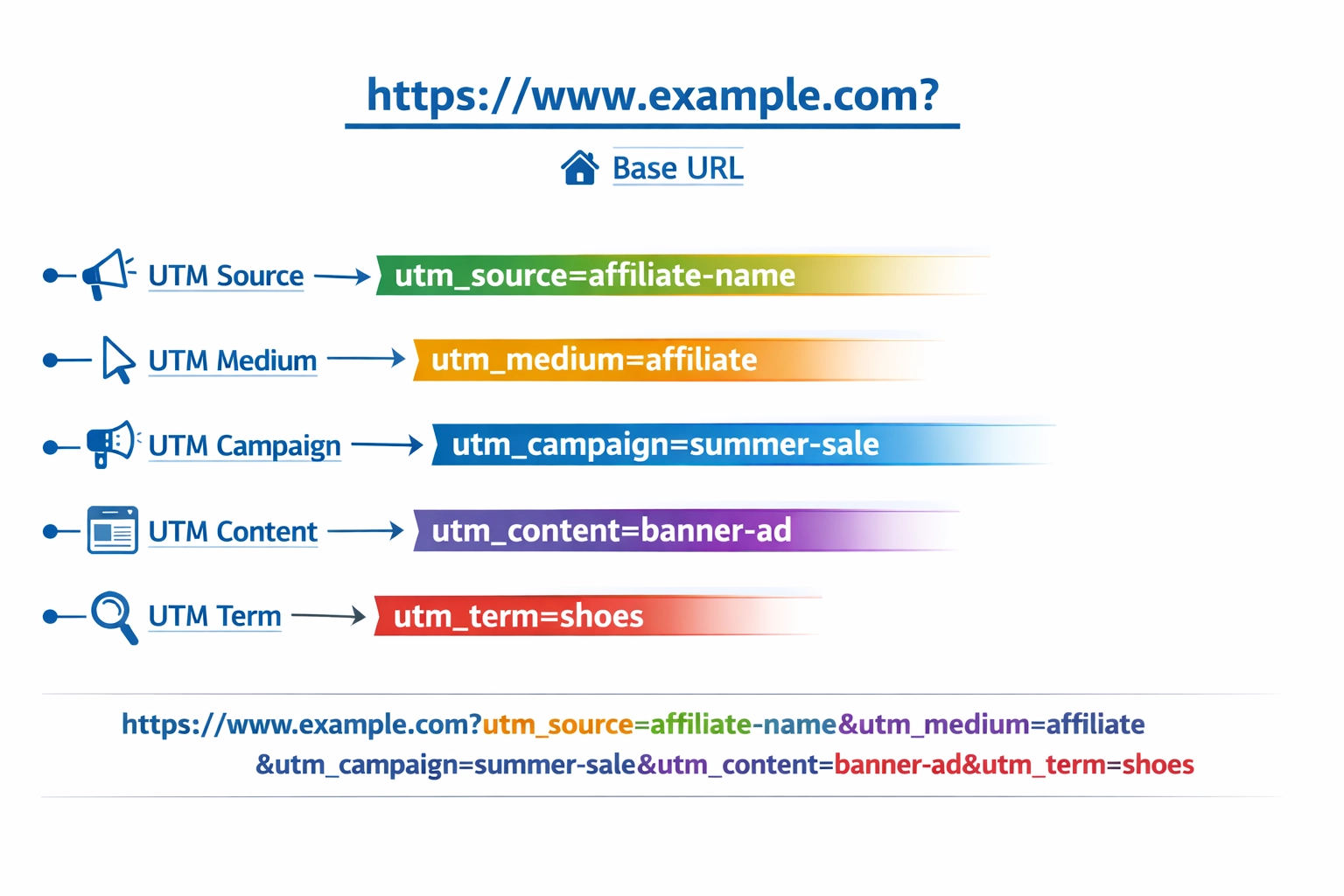
UTM parameters are the foundation of affiliate tracking in Google Analytics, serving as custom tags that you append to your URLs to identify the source, medium, and campaign associated with each click. These five parameters—utm_source, utm_medium, utm_campaign, utm_content, and utm_term—work together to create a complete picture of where your traffic originates and how it behaves on your site. By implementing UTM parameters consistently across all your affiliate links, you can segment traffic in Google Analytics and create detailed reports that show exactly which affiliates are driving conversions and revenue. The beauty of UTM parameters is their simplicity; they require no technical implementation beyond URL modification, making them accessible to businesses of all sizes. Understanding each parameter’s purpose is essential before you begin building your tracking URLs, as inconsistent implementation can lead to fragmented data and inaccurate reporting. Here’s a breakdown of each UTM parameter and how to use it for affiliate tracking:
UTM Parameter
Purpose
Example
utm_source
Identifies the affiliate/referrer
amazon, partner-blog
utm_medium
Identifies the marketing medium
affiliate, referral
utm_campaign
Identifies the specific campaign
summer-sale, product-launch
utm_content
Differentiates similar content
banner-ad, text-link
utm_term
Identifies paid keywords
optional for affiliates
Launch your affiliate program today
Set up advanced tracking in minutes. No credit card required.
Implementing UTM parameters is the most straightforward method for tracking affiliates in Google Analytics, and it’s the approach recommended for most businesses starting their affiliate tracking journey. To create a UTM-tagged URL, you begin with your base product or landing page URL and append the UTM parameters as query strings, ensuring each parameter is properly formatted and separated by ampersands. The utm_source parameter should contain your affiliate’s name or identifier, the utm_medium should be set to “affiliate” or “referral,” and the utm_campaign should reflect the specific promotion or product being advertised. You can use Google’s URL Builder tool to generate these URLs automatically, which reduces the risk of formatting errors and ensures consistency across all your affiliate links. Once your affiliates are using these UTM-tagged URLs, Google Analytics will automatically capture and organize the traffic data, allowing you to view performance metrics segmented by affiliate, campaign, and content type. Here’s an example of how a UTM-tagged affiliate URL looks in practice:
Base URL: https://www.yoursite.com/product
With UTM: https://www.yoursite.com/product?utm_source=affiliate-name&utm_medium=affiliate&utm_campaign=summer-sale&utm_content=banner-ad
To implement this method effectively, create a spreadsheet documenting all your affiliates and their corresponding UTM parameters, then generate unique URLs for each affiliate and promotional material. Share these URLs with your affiliates and establish clear guidelines about how they should be used, emphasizing that any modifications to the URL structure could break your tracking. Regularly audit your affiliate links to ensure they’re being used correctly and haven’t been altered in ways that would compromise your data collection.
Method 2 - Google Analytics 4 Enhanced Measurement
Google Analytics 4 (GA4) introduced Enhanced Measurement features that automatically track certain user interactions without requiring manual implementation, making it an excellent complement to your UTM parameter strategy. Enhanced Measurement can automatically detect and track outbound clicks, which is particularly useful for monitoring when users click on affiliate links or external partner websites from your pages. This method reduces your reliance on manual URL tagging and provides an additional layer of verification for your affiliate tracking data. To enable Enhanced Measurement for affiliate tracking, follow these steps to ensure your GA4 property is capturing all relevant affiliate interactions:
Navigate to Admin > Data Streams
Select your web data stream
Enable Enhanced Measurement
Ensure “Outbound Clicks” is toggled on
Install Google Analytics Debugger extension
Test by clicking affiliate links
Monitor in DebugView
Once Enhanced Measurement is enabled, GA4 will automatically categorize outbound clicks and provide detailed information about which links are being clicked and how often. This data appears in your GA4 reports under the “Events” section, where you can filter by event name “click” and examine the link_url and link_domain parameters. The combination of Enhanced Measurement and UTM parameters creates a robust tracking system that captures both the source of traffic and the user’s subsequent behavior on your site.
Join our newsletter
Be the first to know about new features and product updates.
Method 3 - Google Tag Manager Setup
Google Tag Manager (GTM) offers the most sophisticated approach to affiliate tracking, allowing you to implement complex tracking logic without modifying your website code directly. With GTM, you can create custom triggers that fire whenever users click on affiliate links, automatically capturing detailed information about those interactions and sending it to Google Analytics. This method is particularly valuable if you have multiple affiliate partners with different link structures or if you want to track affiliate interactions across multiple pages and domains. To set up affiliate tracking in GTM, you’ll create a trigger that identifies affiliate links based on specific patterns or domains, then configure a tag that sends this data to Google Analytics with the appropriate parameters. For example, you might create a regular expression that matches all known affiliate domains, ensuring that any clicks to those domains are automatically tracked and attributed to the correct affiliate. Here’s an example of how you might structure a regular expression to match multiple affiliate domains:
Regular Expression: amazon\.com|example\.com|partner\.com
This matches any of the three domains in affiliate links
Once your GTM container is properly configured with affiliate tracking tags and triggers, you can manage your entire affiliate tracking system from a single interface without requiring code changes to your website. This flexibility is invaluable as your affiliate program grows and evolves, allowing you to quickly add new affiliates or modify tracking parameters without involving your development team. GTM also provides a preview mode where you can test your tracking implementation before publishing changes to your live website, ensuring accuracy and preventing data loss from misconfigured tags.
Setting Up Conversion Tracking
Conversion tracking is the ultimate goal of affiliate tracking, as it allows you to measure not just traffic volume but actual business results from your affiliate partnerships. A conversion in the affiliate context typically means a completed purchase, sign-up, or other valuable action that directly contributes to your business objectives. To set up conversion tracking for affiliates, you need to define what constitutes a conversion for your business, then configure Google Analytics to recognize and record these events when they occur. The most common approach is to track purchase events on your thank-you page or order confirmation page, ensuring that every completed transaction is attributed to the affiliate source that originally brought the customer to your site. Understanding the key metrics associated with affiliate conversions will help you evaluate affiliate performance and make informed decisions about which partnerships to prioritize. Here’s a breakdown of the essential metrics you should track for each affiliate:
Metric
Definition
Importance
Affiliate Clicks
Total clicks on affiliate links
Shows reach and traffic
Conversions
Completed purchases from affiliate traffic
Shows actual revenue
Conversion Rate
Conversions ÷ Clicks × 100
Shows affiliate quality
Revenue per Click
Total revenue ÷ Total clicks
Shows affiliate value
By tracking these metrics consistently across all your affiliates, you’ll be able to identify which partnerships are delivering the best return on investment and which ones may need optimization or termination. Set up conversion goals in Google Analytics that specifically track purchases or other valuable actions, then segment these goals by utm_source to see which affiliates are driving the most conversions.
Creating Reports and Dashboards
Once your affiliate tracking is properly implemented, the next step is to create comprehensive reports and dashboards that provide clear visibility into affiliate performance and help you make data-driven decisions about your program. Google Analytics offers built-in reporting features that allow you to segment data by utm_source, utm_medium, and utm_campaign, giving you detailed insights into how each affiliate is performing. Creating custom dashboards that display your most important affiliate metrics in one place will save you time and ensure that you’re always aware of your program’s performance. Your affiliate tracking dashboard should include the following key metrics and visualizations:
Total affiliate clicks and impressions
Conversion rate by affiliate
Revenue generated by affiliate
Average order value from affiliate traffic
Cost per acquisition (CPA)
Return on ad spend (ROAS)
Customer lifetime value from affiliates
These metrics should be updated regularly and reviewed with your affiliate partners to ensure transparency and accountability. Consider creating separate reports for different affiliate tiers or categories, allowing you to compare performance across similar partners and identify best practices that can be shared across your program. Automated reporting tools can send these dashboards to stakeholders on a regular schedule, ensuring that everyone involved in your affiliate program has access to current performance data.
Best Practices and Common Mistakes
Implementing affiliate tracking correctly requires attention to detail and a commitment to maintaining consistent practices across your entire program. Many businesses make critical mistakes in their affiliate tracking setup that lead to inaccurate data, missed insights, and poor decision-making. By understanding these common pitfalls and following best practices, you can ensure that your affiliate tracking system remains accurate and valuable over time. Here are the most important best practices and mistakes to avoid:
Using inconsistent UTM naming conventions
Tracking the same data with multiple methods
Not documenting your tracking setup
Forgetting to test links before sharing
Ignoring privacy regulations
Not updating tracking when affiliates change
Failing to communicate tracking requirements to affiliates
Not reviewing and optimizing tracking regularly
Consistency is paramount in affiliate tracking; establish clear naming conventions for your UTM parameters and document them thoroughly so that all team members and affiliates follow the same standards. Test every tracking URL before sharing it with affiliates to ensure that parameters are correctly formatted and that data is flowing properly into Google Analytics. Keep detailed documentation of your tracking setup, including which affiliates use which parameters and what each campaign represents, so that you can troubleshoot issues and onboard new team members efficiently. Finally, remember that affiliate tracking must comply with privacy regulations like GDPR and CCPA, so ensure that your tracking methods respect user privacy and obtain necessary consent for data collection.
Integrating with PostAffiliatePro
While Google Analytics provides powerful tracking capabilities, integrating it with a dedicated affiliate management platform like PostAffiliatePro takes your affiliate program to the next level. PostAffiliatePro is the industry-leading affiliate software that seamlessly integrates with Google Analytics, allowing you to track affiliate performance, manage commissions, and optimize your program all from a single platform. With PostAffiliatePro, you can automatically generate UTM-tagged URLs for each affiliate, ensuring consistency and eliminating manual URL creation errors. The platform provides real-time tracking of affiliate clicks, conversions, and commissions, with detailed reporting that goes beyond what Google Analytics alone can offer. PostAffiliatePro’s integration with Google Analytics means you get the best of both worlds: the comprehensive traffic analysis of Google Analytics combined with the affiliate-specific features and commission management of a dedicated platform. By using PostAffiliatePro alongside Google Analytics, you’ll have complete visibility into your affiliate program’s performance and the tools you need to scale your partnerships effectively.
Conclusion and Next Steps
Tracking affiliates in Google Analytics is an essential practice for any business running an affiliate program, providing the data you need to optimize partnerships and maximize return on investment. Whether you choose to implement UTM parameters, leverage GA4’s Enhanced Measurement, or set up sophisticated tracking through Google Tag Manager, the key is to establish a consistent, well-documented tracking system that captures accurate data. Start by defining your tracking strategy, implementing your chosen method, and thoroughly testing your setup before sharing tracking URLs with your affiliates. Regularly review your affiliate performance data, identify trends and opportunities for optimization, and communicate insights with your partners to help them improve their performance. Take action today by implementing one of the tracking methods outlined in this guide, and consider integrating PostAffiliatePro to unlock the full potential of your affiliate program and drive sustainable business growth.
Frequently asked questions
UTM parameters are URL tags that identify traffic source and campaign details, while event tracking monitors specific user actions like clicks or conversions. UTM parameters are added to URLs before sharing, while event tracking captures actions after users arrive on your site.
Yes, you can use both methods together, but be careful to avoid duplicate data. Use one method per affiliate link to maintain data accuracy and prevent inflated metrics in your reports.
It typically takes 24-48 hours for data to appear in GA4 reports after setting up tracking. Real-time data may appear in DebugView immediately, but standard reports require this processing time.
Industry average is 1-3%, with 4-5% being strong and above 6% being exceptional. However, conversion rates vary significantly depending on product type, price point, and affiliate quality.
Use different utm_source values for each program, or use Google Tag Manager for more complex setups. This allows you to segment and compare performance across different affiliate programs.
Yes, Google Analytics 4 is completely free and provides comprehensive affiliate tracking capabilities. You only pay for additional tools like Google Tag Manager (also free) or dedicated affiliate software.
Focus on conversion rate, revenue per click, and customer lifetime value to understand true affiliate value. These metrics reveal which affiliates bring quality traffic that converts into profitable customers.
Review weekly for active monitoring and quick issue detection, monthly for detailed analysis and trend identification, and quarterly for strategic decisions about program optimization.
Start Tracking Your Affiliate Performance Today
Combine Google Analytics with PostAffiliatePro for complete affiliate tracking and management. Get real-time insights into your affiliate program's performance.
How Do I Track My Affiliate Revenue? Complete Guide to Affiliate Tracking
Learn how to track affiliate revenue effectively using tracking links, analytics tools, and affiliate management platforms. Discover key metrics and best practi...
How Do You Track Affiliate Marketing? Complete Guide to Tracking Methods & Tools
Learn how to track affiliate marketing using tracking links, cookies, UTM parameters, and dedicated software. Discover the best tracking methods to measure affi...
How to Track Affiliate Link Promotion Effectiveness
Learn comprehensive methods to track affiliate link effectiveness including cookies, IP tracking, impression tracking, and coupon codes. Discover which tracking...