


How Deep Linking Works: Complete Guide for Affiliate Marketers
Learn how deep linking works and why it's essential for affiliate marketing. Discover web, mobile, and deferred deep linking strategies to boost conversions wit...
10 min read
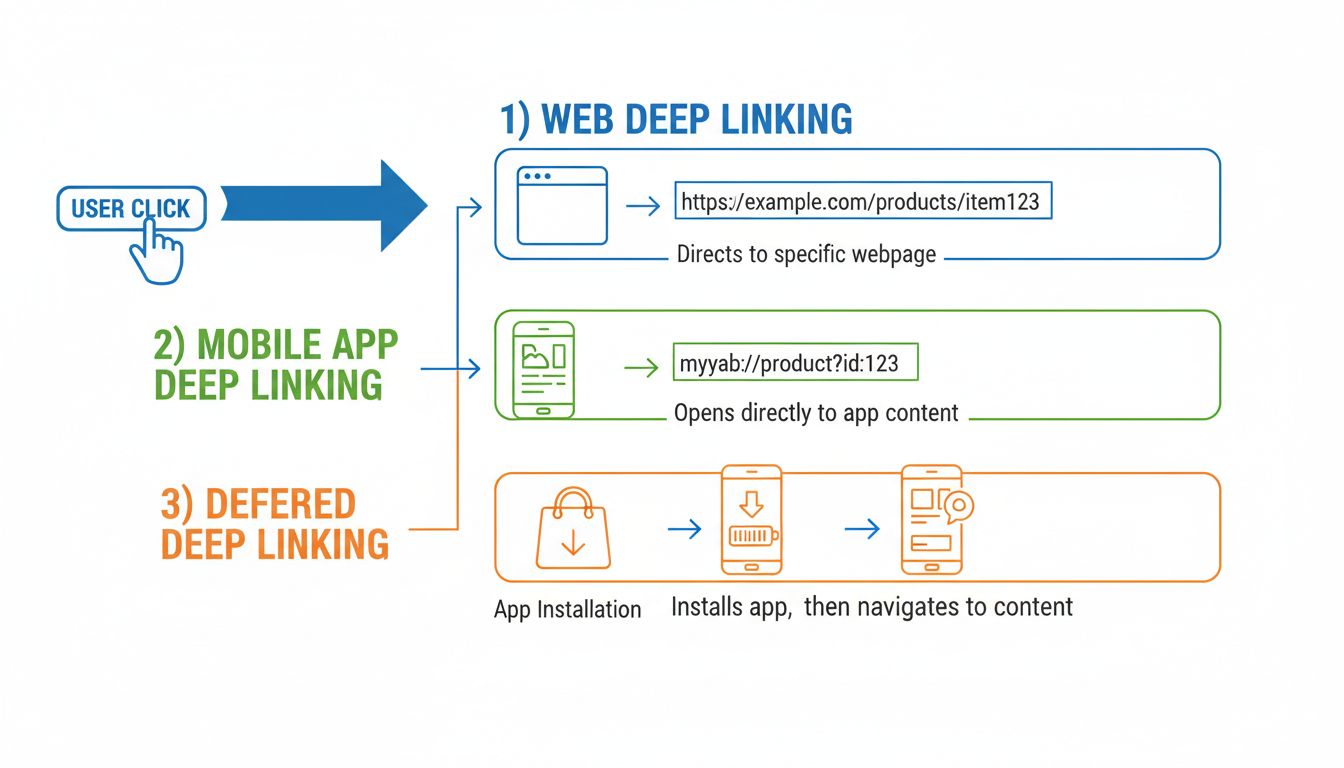
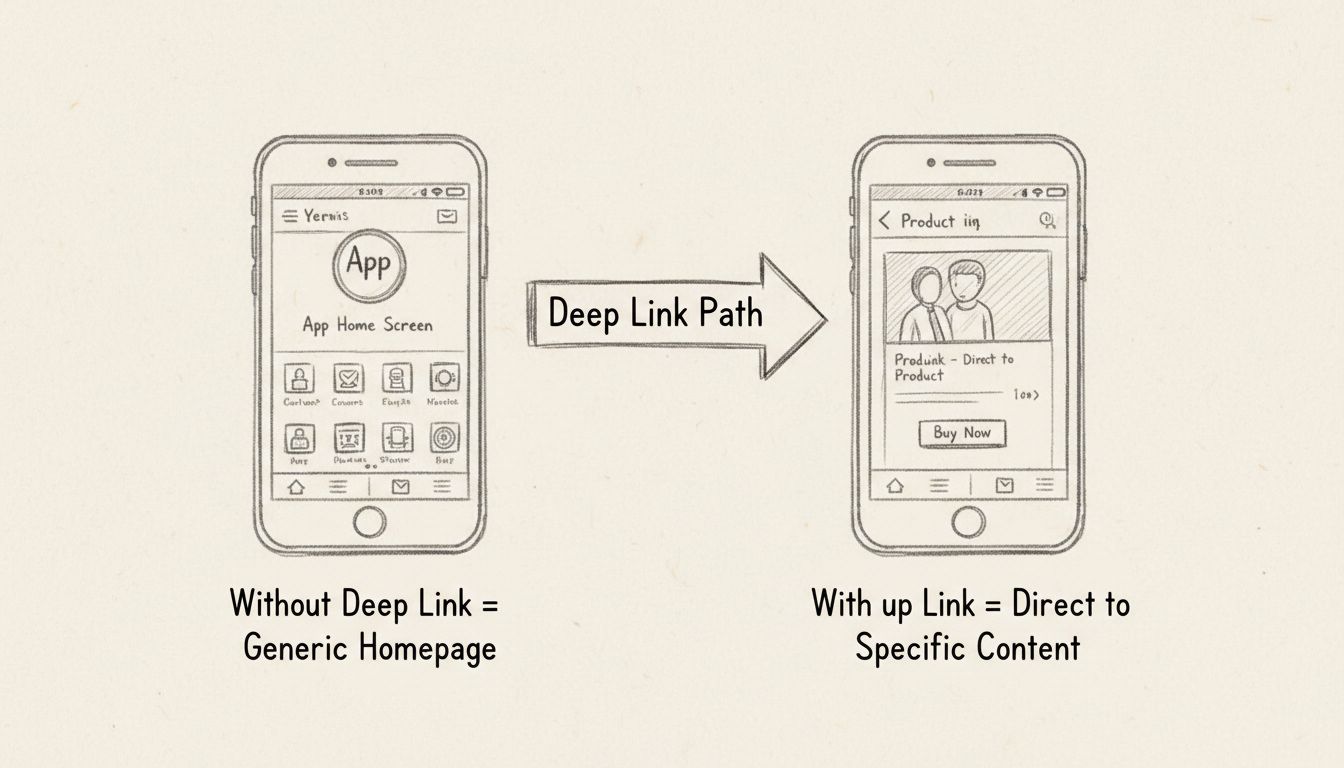
Deep linking is the practice of using a hyperlink that sends a user directly to a specific, indexed piece of content — a particular page, product, screen, or feature — rather than dropping them on a generic homepage or app landing screen.
Deep linking is the practice of using a hyperlink that sends a user directly to a specific, indexed piece of content — a particular page, product, screen, or feature — rather than dropping them on a generic homepage or app landing screen. On the web, that means linking to example.com/checkout instead of example.com. Inside a mobile app, it means routing someone straight to the product they tapped on in an email, not the app’s main feed.
The core idea hasn’t changed since the term entered common use in the early 2000s: eliminate unnecessary navigation steps between the click and the destination. What has changed is where deep links point, how they’re built, and what happens when the app isn’t installed yet.
For Android app destinations, Android’s deep-link documentation explains intent routing and verified App Links. A link to a specific web product page and a link that opens a mobile app require different implementation checks.
At a technical level, a deep link is a URL that the operating system or browser knows how to resolve to a specific destination rather than a default entry point.
On the open web, deep linking is native to how URLs work. A standard web link like https://store.com/products/red-shoes is already a deep link — it points to a specific resource, not the domain root. Every e-commerce product page, every blog post, and every documentation article reached via a direct URL is an example of web deep linking in action.
The distinction only becomes meaningful in contexts where the default behavior would otherwise send users to a homepage: think of an affiliate link that goes straight to a product detail page instead of the merchant’s front door, or a password-reset email that lands on the reset form, not the login screen.
Mobile deep linking is more complex because apps don’t share a universal addressing scheme the way websites share HTTP. Instead, each mobile platform provides its own mechanism:
https:// URLs that Apple’s operating system intercepts. When a user taps a Universal Link, iOS checks whether the corresponding app is installed. If it is, the app opens to the relevant screen. If not, the URL opens in Safari as a normal web page.https:// URLs. Android confirms that the website owner has authorized the app to handle those links, then routes them directly into the app without showing a disambiguation dialog. As of Android 15, Google introduced Dynamic App Links, which let developers adjust link-matching behavior without shipping a new app version.
Set up advanced tracking in minutes. No credit card required.
| Type | App Must Be Installed? | Fallback Behavior | Best For |
|---|---|---|---|
| Traditional deep link | Yes | None (fails silently if app missing) | Re-engagement campaigns to existing users |
| Deferred deep link | No | Routes to app store, then to content after install | User acquisition, referral programs, email onboarding |
| Contextual deep link | No (deferred) | Same as deferred, plus passes metadata | Personalized onboarding, attribution tracking, referral rewards |
| Universal Link (iOS) / App Link (Android) | Preferred, but falls back to web | Opens in browser if app not installed | All production deep linking — the current standard |
This is the simplest form: a link that opens a specific screen in an already-installed app. If the app isn’t present, the link either fails or redirects to a generic web fallback. Traditional deep links work well for push notification campaigns and re-engagement emails sent to known active users.
Deferred deep linking solves the “app not installed” problem. When a user taps the link, the system checks for the app. If it’s missing, the user is sent to the App Store or Google Play. After installation and first launch, the app reads the deferred data and routes the user to the originally intended screen — the product they clicked, the referral reward they earned, or the onboarding flow they were promised.
Contextual deep linking extends deferred linking by attaching additional metadata to the link: campaign source, referral codes, user preferences, A/B test variants, or personalization signals. When the app opens, it reads this context and tailors the experience — showing a personalized welcome message, crediting the right referral partner, or applying a specific promotion code automatically.
Deep linking isn’t a cosmetic improvement. It changes the economics of every click-driven campaign.
Every extra tap between a user’s click and their destination loses a portion of the audience. Industry data from mobile measurement platforms consistently shows that deep-linked campaigns convert at 3–5× the rate of campaigns that land users on a homepage. Pinterest reported that deep-linked signup flows completed at double the rate of generic landing-page flows. Spotify found that playlist sharing via deep links converted 4× better than home-screen redirects.
The reason is straightforward: a user who clicks on a specific pair of shoes wants to see those shoes, not the store’s seasonal collection. Deep linking honors that intent.
Deep links power the re-engagement loop. A push notification about an abandoned cart that opens directly to that cart — rather than the app’s home tab — removes the cognitive load of re-navigating. The same principle applies to win-back emails, SMS campaigns, and social media retargeting ads.
When a deep link carries campaign parameters, marketers can trace exactly which channel, creative, and message drove a given install or purchase. This closes the loop between click and conversion in a way that generic homepage links cannot. Platforms like AppsFlyer, Branch, and Adjust build their attribution models on top of deep linking infrastructure precisely because the link itself becomes the measurement vehicle.
Be the first to know about new features and product updates.
Affiliate marketing depends on sending traffic to specific products, offers, or landing pages. Deep linking is what makes that possible at scale.
An affiliate promoting a merchant’s product doesn’t want to send their audience to the merchant’s homepage and hope they find the right item. They use a deep link — often generated through an affiliate platform or network — that points directly to the product detail page, with the affiliate’s tracking ID embedded in the URL.
The workflow looks like this:
Without deep linking, the affiliate would need to instruct visitors to search for the product manually — a leaky handoff that kills conversion rates.
For merchants running affiliate programs, deep link support is a competitive requirement. Affiliates will prioritize programs that let them link to specific products over those that force generic homepage redirects.
Key considerations for program managers:
Deep linking is powerful, but it has constraints:
FDL had been a popular free solution for deferred deep linking, cross-platform routing, and basic click analytics.
Google now recommends third-party deep linking providers. The main alternatives fall into two categories:
Third-party platforms that combine deferred deep linking, attribution, and fallback handling in one service:
DIY native linking using Universal Links (iOS) and Android App Links. This approach handles basic in-app routing for users who already have the app but lacks deferred deep linking, attribution, and fallback mechanisms. It requires significant engineering effort to maintain across browser and OS fragmentation.
Teams still running on FDL should prioritize migration. The key decision is whether the organization needs deferred deep linking and attribution (choose a third-party platform) or only basic in-app routing for existing users (native OS linking may suffice). Most marketing-driven apps need the former.
apple-app-site-association (AASA) file at /.well-known/apple-app-site-association on your domain. This JSON file lists the paths your app can handle.swcutil tool, Safari, or the Messages app — Apple’s validation is strict, and Universal Links silently fail if the AASA file is misconfigured.AndroidManifest.xml that declare which URL patterns your app handles./.well-known/assetlinks.json on your domain to verify domain ownership.adb shell am start commands and the App Links Verification API in Android Studio.Platforms like AppsFlyer, Branch, and Adjust abstract much of the setup complexity. The typical workflow:
The trade-off is cost (most platforms charge beyond a free tier) versus engineering time (DIY linking requires ongoing maintenance).
When a website or app changes its content hierarchy, existing deep links break. For web deep links, 301 redirects solve this. For app deep links, the routing logic must be updated in the app itself — which means users on older app versions may still encounter broken links until they update.
On Android, if App Links aren’t properly verified, the system shows a disambiguation dialog asking the user to choose between the browser and the app. This extra step erases the frictionless benefit of deep linking. Proper Digital Asset Links verification eliminates this dialog.
Email service providers and social networks often wrap outbound links for click tracking. Some wrapping methods strip custom URI schemes or modify URL parameters, breaking deep link resolution. Third-party platforms mitigate this with dedicated ESP integrations and link-wrapping-compatible URL structures.
A deep link that works perfectly on iOS may behave differently on Android, and vice versa. Testing across devices, OS versions, and app-install states (app installed, app not installed, app installed but outdated) is essential before launching any deep-linked campaign.
Implement deep linking to boost conversions and improve user journeys in your affiliate marketing strategy.
Learn how deep linking works and why it's essential for affiliate marketing. Discover web, mobile, and deferred deep linking strategies to boost conversions wit...
Learn what mobile deep linking is, how it works, and why it's essential for affiliate marketing. Discover deep linking best practices and implementation strateg...
Internal linking connects pages on the same domain via hyperlinks, helping users navigate and search engines crawl your site.
Join our community of happy clients and provide excellent customer support with Post Affiliate Pro.




Cookie Consent
We use cookies to enhance your browsing experience and analyze our traffic. See our privacy policy.