



Peel Banners
Peel banner has a flash animation embedded. It can be displayed in the left top corner, right top corner or both top corners.
2 min read
AffiliateMarketing
Banners
+3
Learn what page peel banners are, how they work, and why they’re effective for affiliate marketing campaigns. Discover implementation strategies and best practices for 2025.
A page peel banner is an interactive advertisement that simulates the effect of peeling back a corner of a webpage to reveal an ad underneath. It uses animation to create an eye-catching visual effect that grabs user attention without being as intrusive as pop-up ads.
A page peel banner is a sophisticated form of interactive web advertising that creates a compelling visual effect by simulating the action of peeling back a corner of a webpage. When displayed on a website, typically in the top-right corner, the banner animates to appear as if a corner of the page is being folded or peeled back, revealing an advertisement underneath. This interactive element transforms a static webpage into a dynamic advertising space that captures user attention through motion and novelty. The peel effect creates a sense of curiosity and engagement that traditional static banners cannot achieve, making it an effective tool for affiliate marketers looking to increase click-through rates and conversions.
The visual appeal of page peel banners lies in their ability to break through the monotony of standard web content. Unlike intrusive pop-up advertisements that completely obscure page content, page peel banners maintain a subtle presence while still commanding attention. Users can choose to interact with the peeled corner by clicking or hovering over it, which gives them a sense of control over the advertising experience. This voluntary interaction model tends to result in higher engagement rates compared to forced advertising methods, as users feel they are making an active choice rather than being forced to view an advertisement.
Page peel banners have evolved significantly since their inception in the early 2000s. Originally created using Adobe Flash, these animations provided smooth, visually appealing peel effects that were highly effective at capturing user attention. However, as web technology advanced and security concerns surrounding Flash emerged, developers transitioned to more modern solutions. Today, page peel banners are primarily implemented using HTML5 and JavaScript, which offer superior compatibility across all devices and browsers without requiring plugin installations.
The technical implementation of a page peel banner involves several key components working in harmony. The animation layer creates the peeling effect through CSS3 transforms and JavaScript event listeners that respond to user interactions. The advertisement content is typically embedded within the peeled section, which can include images, text, video, or interactive elements. Modern implementations use responsive design principles to ensure the banner displays correctly on desktop, tablet, and mobile devices. The animation timing and easing functions are carefully calibrated to create a smooth, professional appearance that doesn’t feel jarring or overly aggressive to users.
| Technology | Advantages | Disadvantages | Best For |
|---|---|---|---|
| Flash | Smooth animations, rich effects | Security vulnerabilities, plugin required, poor mobile support | Legacy systems only |
| HTML5/JavaScript | Cross-browser compatible, mobile-friendly, no plugins | Requires more development expertise | Modern implementations, all devices |
| CSS3 Animations | Lightweight, fast performance | Limited browser support for complex effects | Simple peel animations |
| WebGL | Advanced 3D effects, high performance | Steeper learning curve, overkill for simple peels | Premium, high-impact campaigns |

Set up advanced tracking in minutes. No credit card required.
Page peel banners offer numerous advantages that make them particularly valuable for affiliate marketing programs. The attention-grabbing nature of the animation significantly increases the likelihood that users will notice the advertisement, even if they’re not actively looking for promotional content. This increased visibility translates directly into higher impression counts and improved brand awareness for affiliate partners. The interactive nature of page peel banners also encourages user engagement, as the animation naturally prompts curiosity and invites interaction through clicking or hovering.
From a conversion perspective, page peel banners demonstrate superior performance metrics compared to static banner advertisements. The novelty factor combined with the interactive element creates a memorable experience that increases brand recall. Users who interact with a page peel banner are more likely to remember the advertised product or service, leading to higher conversion rates both immediately and through delayed conversions. Additionally, the non-intrusive placement means users are less likely to develop banner blindness or negative associations with the advertisement, which can damage brand perception.
For affiliate marketers specifically, page peel banners provide an excellent opportunity to showcase promotional offers, limited-time deals, or new product launches. The animation draws attention to time-sensitive information, creating a sense of urgency that encourages immediate action. PostAffiliatePro enables affiliates to create and customize page peel banners with ease, allowing them to tailor the design and messaging to match their specific promotional campaigns and target audience preferences.
The user experience with page peel banners differs significantly from traditional advertising formats. When a user first arrives at a page featuring a page peel banner, they immediately notice the animated corner effect, which creates an initial moment of surprise or curiosity. This psychological trigger is powerful because it breaks the expected pattern of static web content. Users then have the choice to interact with the banner by clicking on the peeled corner, which typically expands the advertisement to reveal the full promotional message or offer.
The interaction model employed by page peel banners respects user autonomy in a way that many other advertising formats do not. Users are not forced to view the advertisement; instead, they are invited to explore it if they choose. This voluntary engagement model results in higher quality interactions, as users who click on the banner are genuinely interested in the content rather than simply trying to close an unwanted pop-up. The ability to dismiss or ignore the banner without penalty creates a positive user experience that doesn’t damage the website’s reputation or user satisfaction metrics.
Be the first to know about new features and product updates.
While page peel banners are most commonly placed in the top-right corner of a webpage, modern implementations allow for flexible placement options. The top-right corner remains the most effective location because it aligns with natural eye movement patterns and doesn’t interfere with primary content areas. However, some implementations place page peel banners in the top-left corner, bottom-right corner, or even along the edges of the page. The choice of placement should consider the website’s layout, the location of primary content, and the target audience’s browsing patterns.
Effective page peel banner campaigns follow several key best practices to maximize engagement and conversion rates. First, the animation should be smooth and professional, avoiding jarring or overly aggressive effects that might frustrate users. Second, the promotional message should be clear and compelling, communicating the value proposition within seconds. Third, the banner should include a clear call-to-action that directs users to the next step in the conversion funnel. Fourth, the banner should be tested across different devices and browsers to ensure consistent performance. Finally, the banner should be monitored and optimized based on performance metrics such as click-through rates, conversion rates, and user engagement patterns.
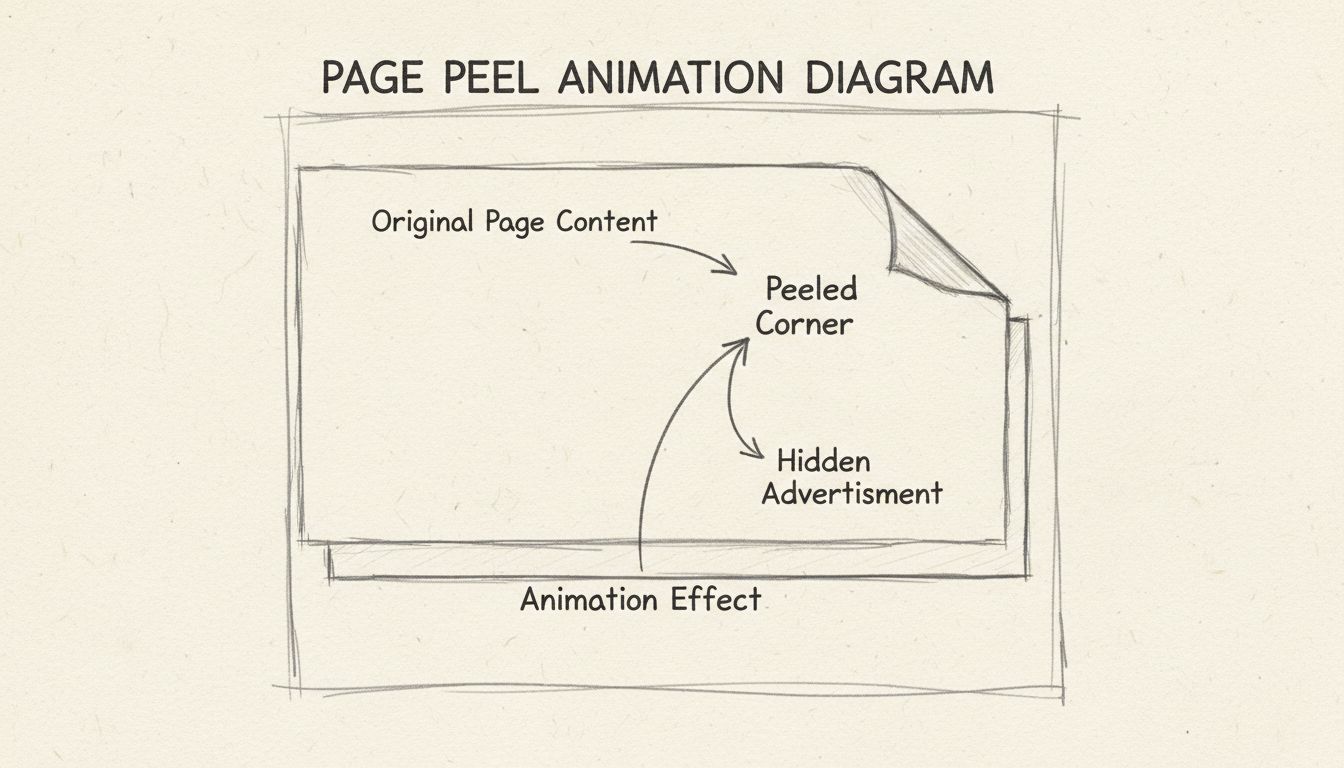
Page peel banners consistently outperform traditional static banner advertisements across multiple performance metrics. Click-through rates for page peel banners typically range from 0.5% to 2%, which is significantly higher than the industry average for standard display banners of 0.1% to 0.3%. This improved performance is attributed to the attention-grabbing animation and the interactive nature of the format. Conversion rates also tend to be higher for page peel banners, as users who interact with the banner are more engaged and more likely to complete desired actions such as making a purchase or signing up for a service.
The effectiveness of page peel banners extends beyond immediate click-through rates. Studies show that users who view page peel banners, even without clicking on them, demonstrate higher brand recall and improved brand perception compared to users who view static advertisements. This phenomenon is known as the “mere exposure effect,” where repeated exposure to a stimulus increases liking and familiarity with that stimulus. The animated nature of page peel banners creates a more memorable impression, leading to improved long-term marketing outcomes and customer lifetime value.
In 2025, page peel banners have become increasingly compatible with modern web standards and mobile devices. The transition from Flash to HTML5 and JavaScript has eliminated many of the compatibility issues that plagued earlier implementations. Today’s page peel banners work seamlessly across all major browsers including Chrome, Firefox, Safari, and Edge, as well as on mobile devices running iOS and Android. This universal compatibility makes page peel banners a reliable choice for affiliate marketers who need to reach audiences across diverse devices and platforms.
Mobile optimization has become particularly important for page peel banners, as mobile traffic now represents the majority of web traffic in most industries. Modern page peel banner implementations use responsive design principles to adapt the animation and layout to different screen sizes. On mobile devices, the peel effect may be adjusted to account for smaller screen sizes and touch-based interactions. Some implementations use swipe gestures instead of hover effects, making the interaction model more intuitive for mobile users. PostAffiliatePro’s promotional material tools ensure that page peel banners and other advertising formats are fully optimized for mobile devices, allowing affiliates to reach their audiences effectively regardless of device type.
Page peel banners represent just one option in a comprehensive suite of banner advertising formats available to affiliate marketers. Traditional static banners remain popular due to their simplicity and low production costs, but they lack the engagement potential of interactive formats. Animated GIF banners offer a middle ground between static and interactive formats, providing motion without the complexity of page peel animations. Rich media banners, which can include video, audio, and interactive elements, offer even greater engagement potential but require more sophisticated implementation and larger file sizes.
When compared to other interactive advertising formats, page peel banners offer unique advantages. Unlike pop-up advertisements, which are often perceived as intrusive and annoying, page peel banners maintain a subtle presence that doesn’t disrupt the user experience. Unlike slide-in banners, which appear from the edges of the screen, page peel banners integrate seamlessly with the page design. Unlike expandable banners, which grow when users hover over them, page peel banners create a more dramatic and memorable visual effect. PostAffiliatePro provides tools for creating and managing multiple banner formats, allowing affiliate marketers to test different approaches and identify which formats work best for their specific campaigns and target audiences.
For affiliate programs using PostAffiliatePro, implementing page peel banners involves several important considerations. First, the banner design should align with the brand identity and messaging of both the affiliate program and the individual affiliate partner. Second, the banner should include proper tracking mechanisms to accurately measure performance and attribute conversions to the correct affiliate. Third, the banner should comply with all relevant advertising regulations and platform policies, including disclosure requirements for affiliate links. Fourth, the banner should be tested thoroughly before deployment to ensure it functions correctly across all target devices and browsers.
PostAffiliatePro’s promotional material tools streamline the process of creating and deploying page peel banners across affiliate networks. The platform provides templates and customization options that allow affiliates to create professional-quality banners without requiring advanced design skills. Built-in tracking ensures that all clicks and conversions are accurately attributed to the correct affiliate partner, enabling precise performance measurement and commission calculation. The platform’s integration with major CMS platforms and payment gateways ensures seamless deployment and reliable performance across diverse website environments.
The future of page peel banners and interactive advertising continues to evolve as web technologies advance and user preferences shift. Emerging technologies such as augmented reality (AR) and virtual reality (VR) are beginning to influence advertising design, with some forward-thinking marketers experimenting with immersive advertising experiences. However, page peel banners are likely to remain relevant due to their proven effectiveness, ease of implementation, and broad compatibility. As artificial intelligence and machine learning become more prevalent in marketing, page peel banners may be enhanced with personalization features that adapt the animation, messaging, and timing based on individual user behavior and preferences.
The emphasis on user privacy and data protection will continue to shape the evolution of page peel banners and other advertising formats. As regulations such as GDPR and CCPA become more stringent, advertisers must ensure that their tracking and personalization methods comply with applicable laws. PostAffiliatePro remains committed to helping affiliate marketers navigate these evolving regulatory landscapes while maintaining effective advertising practices. The platform’s compliance features and privacy-focused design ensure that affiliate programs can deploy page peel banners and other promotional materials with confidence, knowing that they are operating within legal and ethical boundaries.
PostAffiliatePro provides comprehensive promotional material tools including advanced banner creation, tracking, and optimization features to help your affiliate program succeed. Create engaging page peel banners and other promotional materials with our intuitive platform.
Peel banner has a flash animation embedded. It can be displayed in the left top corner, right top corner or both top corners.
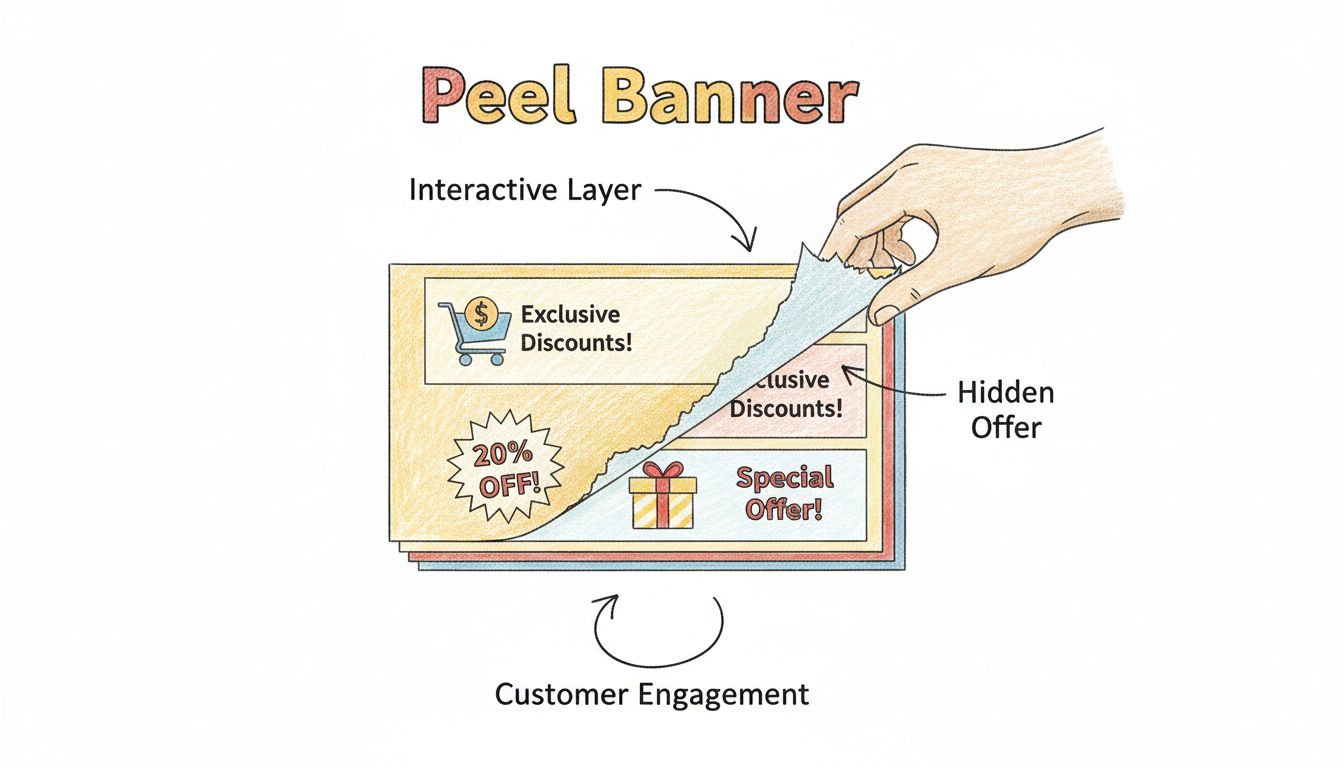
Discover how peel banners enhance customer engagement and drive marketing success. Learn about interactive banner strategies, ROI measurement, and best practice...
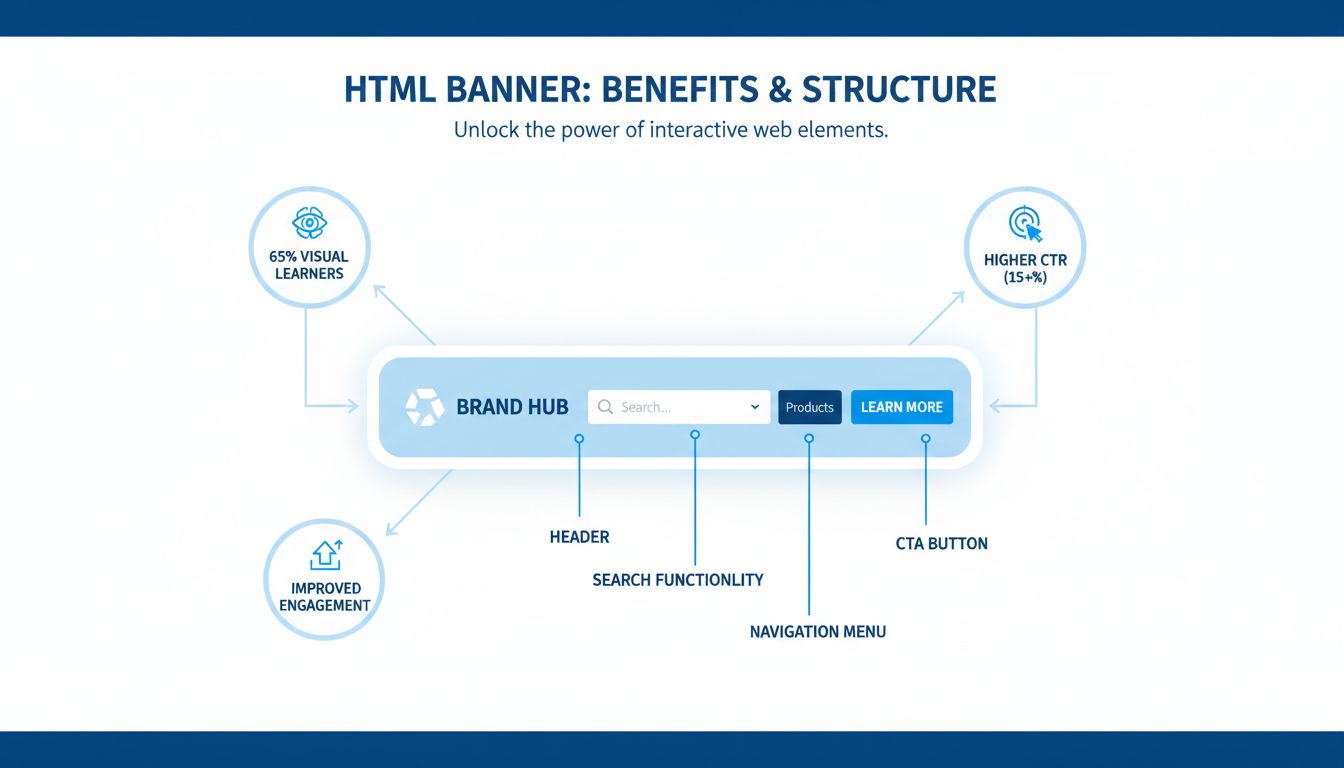
Discover the key benefits of HTML banners for digital marketing. Learn how interactive banners boost CTR, engagement, and conversions with PostAffiliatePro's af...
Join our community of happy clients and provide excellent customer support with Post Affiliate Pro.




Cookie Consent
We use cookies to enhance your browsing experience and analyze our traffic. See our privacy policy.