


Why Alt Text Is Crucial for SEO & Accessibility
Alt text is a key component for both SEO and accessibility, helping search engines understand image content and enabling visually impaired users to access infor...
6 min read
SEO
Accessibility
+3
Learn how to write effective alt text for images. Discover best practices for accessibility, SEO optimization, and specific guidelines for different image types.
To write good alt text, be specific and brief, describing what the image shows in 1-2 sentences without saying 'image of' or 'picture of'. Include relevant keywords naturally when they fit the context, and ensure the description conveys the same information as the visual content for users who cannot see it.
Alt text, short for alternative text, is a concise written description of an image that conveys its meaning and purpose to users who cannot see it. This descriptive text serves as a critical bridge between visual and non-visual content, making your website accessible to people with visual impairments who rely on screen readers. When a screen reader encounters an image, it reads the alt text aloud, allowing visually impaired users to understand the content and context of that image. Beyond accessibility, alt text plays a significant role in search engine optimization, as search engines like Google use this information to understand image content and improve your site’s visibility in image search results. The importance of alt text extends to all users, including those with slow internet connections who benefit from text descriptions while images load, and those using assistive technologies for various accessibility needs.
Writing effective alt text requires understanding several fundamental principles that balance accessibility, SEO, and user experience. The primary goal is to describe what the image shows in a way that makes sense to someone who cannot see it, without being redundant or overly detailed. Your alt text should be specific enough to convey the image’s purpose within the context of your page, yet concise enough to remain accessible to screen reader users who must listen to the entire description. The most important principle is to think about why you included the image in the first place and what information your readers need to understand from it. Rather than describing every visual detail, focus on the key elements that contribute to the overall message or purpose of the image. This contextual approach ensures that your alt text serves its intended function for both accessibility and SEO purposes.

Set up advanced tracking in minutes. No credit card required.
| Practice | Description | Example |
|---|---|---|
| Be Specific | Describe the actual content and context, not just generic terms | Instead of “image,” use “Group of young college students walking along a tree-lined pathway” |
| Keep It Brief | Aim for 1-2 sentences, typically under 125 characters | “Brown bear close-up” rather than lengthy descriptions |
| Avoid Redundancy | Don’t repeat information already in captions or surrounding text | If caption says “sunset,” alt text doesn’t need to repeat it |
| Include Keywords Naturally | Incorporate relevant keywords only when they fit the context | “Affiliate marketing dashboard interface” if that’s what’s shown |
| Use Proper Grammar | Write complete sentences with correct punctuation and end with a period | Ensures screen readers pause appropriately between content |
| Describe Text in Images | If text appears in the image, include it word-for-word in alt text | For a sign reading “Fish & chips takeaway,” include this exact text |
| Specify Image Type | Mention if it’s a logo, illustration, diagram, or screenshot | “Logo of PostAffiliatePro with blue and white design” |
| Avoid “Image of” Phrases | Screen readers already announce that it’s an image | Start directly with the description, not “Image of a person” |
Different types of images require tailored approaches to alt text writing. For photographs and portraits, focus on the relevant content that relates to your page’s context rather than describing every visual detail. If you’re using a photo of a person in a professional setting, describe their role or action rather than physical appearance unless it’s directly relevant to the content. For logos, always include alt text since logos are never purely decorative—describe the organization name and any significant symbols or graphics. Icons require context-specific descriptions; action icons should describe the intended action (such as “Download PDF” or “Print document”), while link icons should describe where the link leads. Illustrations and creative graphics should convey the intent and main message rather than every artistic detail. Diagrams, charts, and graphs demand special attention; summarize the key data points, trends, and relationships rather than attempting to describe every element. For complex visualizations, you might provide a brief alt text summary followed by a link to a detailed data table or full description elsewhere on the page.
Be the first to know about new features and product updates.
Not every image requires alt text. Purely decorative images—those that exist solely for visual appeal without conveying essential information—should be marked as decorative or given an empty alt attribute. Examples include stylistic borders, background patterns, or design elements that don’t contribute to understanding the page content. When an image is marked as decorative, screen readers skip over it entirely, preventing unnecessary interruptions for users relying on assistive technology. However, if you’re unsure whether an image is decorative, err on the side of caution and provide alt text. Additionally, if an image is fully explained in an adjacent caption or in the surrounding text, you may use a brief alt text or mark it as decorative to avoid redundancy. The key distinction is whether the image adds new, necessary information that helps readers understand your content. If it does, provide meaningful alt text; if it doesn’t, mark it as decorative.
Alt text significantly impacts your website’s SEO performance. Search engines cannot “see” images the way humans do; they rely on alt text to understand image content and determine relevance to search queries. By including your target keywords naturally in alt text where they genuinely describe the image, you improve your chances of ranking in image search results and provide search engines with additional context about your page’s topic. However, keyword stuffing—artificially cramming multiple keywords into alt text—can harm your SEO and create a poor user experience. Google specifically warns against this practice, as it signals low-quality content. The best approach is to write alt text that accurately describes the image first, then naturally incorporate relevant keywords if they fit the description. For example, if you’re writing about affiliate marketing software, an image of a dashboard should have alt text like “PostAffiliatePro affiliate marketing dashboard showing commission tracking and performance metrics” rather than “affiliate software dashboard affiliate program tracking affiliate commission.” This natural, contextual approach benefits both users and search engines.
When implementing alt text, understanding the technical aspects ensures proper accessibility across all platforms and devices. In HTML, alt text is added as an attribute within the image tag: <img src="image.jpg" alt="your description here">. Most content management systems like WordPress, Shopify, and other platforms provide user-friendly interfaces for adding alt text without requiring direct HTML editing. When adding alt text, always end your description with a period to ensure screen readers pause appropriately before continuing to read other content. Avoid using special characters, excessive punctuation, or stylistic markup like bold or italics in alt text, as these can confuse screen readers. For images containing text, transcribe that text word-for-word in your alt text to ensure screen reader users access the same information as sighted users. If you’re working with complex images like infographics or detailed charts, consider providing both a concise alt text summary and a link to a more detailed description or data table, allowing users to access comprehensive information if needed.
Many content creators make predictable errors when writing alt text that diminish its effectiveness. The most common mistake is writing alt text that’s either too vague or too detailed—descriptions like “image” or “picture” provide no useful information, while overly long descriptions become tedious for screen reader users. Another frequent error is starting alt text with “image of” or “picture of,” which is redundant since screen readers already announce that they’re reading an image. Repeating information from captions or surrounding text creates redundancy and wastes the opportunity to provide additional context. Keyword stuffing, while tempting for SEO purposes, actually harms your rankings and creates poor user experience. Some creators make the mistake of describing only visual aesthetics (colors, composition, styling) rather than the meaningful content of the image. Additionally, failing to mark purely decorative images as such forces screen readers to read unnecessary descriptions, interrupting the user’s experience. Finally, using different languages for alt text than the main page content creates confusion and accessibility issues for multilingual users.
After writing alt text, validation ensures it serves its intended purpose. A simple but effective test is to read your alt text aloud within the context of the surrounding page content—if it makes sense and adds value, you’ve likely written good alt text. Many accessibility checkers and browser extensions can scan your pages and identify images missing alt text or flag potentially problematic descriptions. Screen reader testing provides the most authentic validation; tools like NVDA (free) or JAWS allow you to experience how your alt text sounds to users relying on assistive technology. When testing, pay attention to whether the alt text flows naturally with surrounding content and whether it provides sufficient context for understanding the image’s purpose. For product pages or e-commerce sites, ensure that all product images have descriptive alt text that includes relevant details like product name, key features, and distinguishing characteristics. Regular audits of your website’s alt text ensure ongoing compliance with accessibility standards and SEO best practices, particularly as you add new content or update existing pages.
PostAffiliatePro helps you manage and track your affiliate marketing efforts while ensuring your website meets accessibility standards. Improve your site's SEO performance and user experience with our comprehensive affiliate management platform.
Alt text is a key component for both SEO and accessibility, helping search engines understand image content and enabling visually impaired users to access infor...
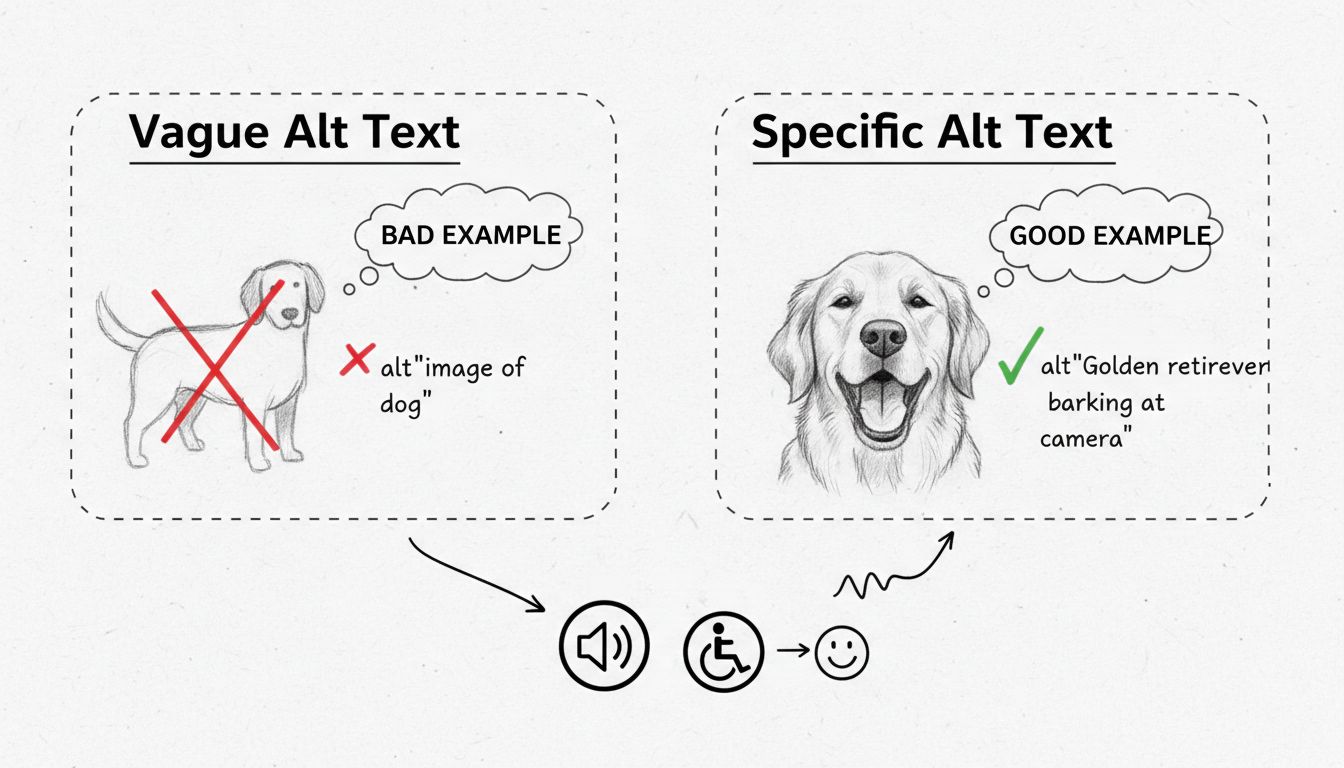
Learn what good alt text looks like with practical examples. Discover best practices for writing concise, specific alt text that improves accessibility and SEO ...
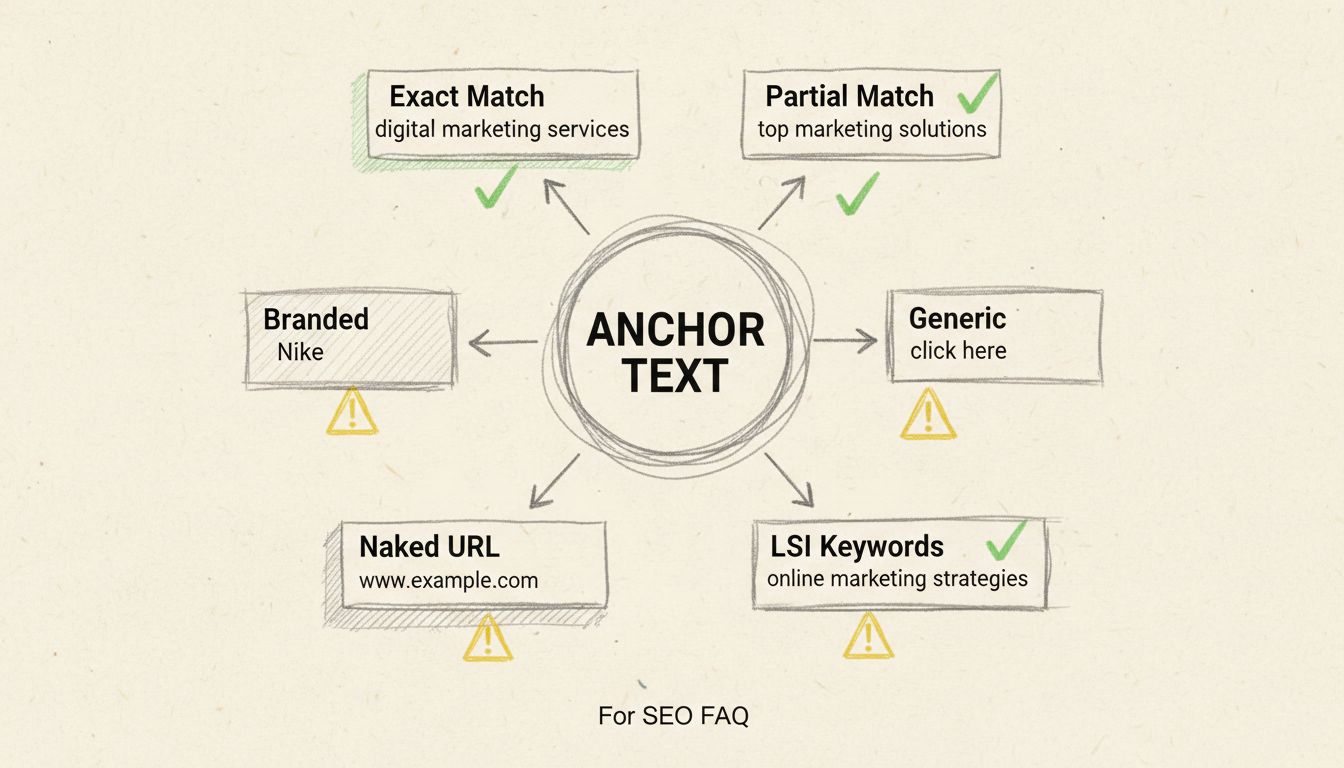
Learn how anchor text impacts SEO rankings, user experience, and link building. Discover best practices for optimizing anchor text to improve your website's sea...
Join our community of happy clients and provide excellent customer support with Post Affiliate Pro.




Cookie Consent
We use cookies to enhance your browsing experience and analyze our traffic. See our privacy policy.