Affiliate link placement is one of the most overlooked yet critical factors in YouTube monetization success. Many content creators make the mistake of randomly scattering links throughout their videos and descriptions, hoping something will stick—but this approach leaves significant revenue on the table. The truth is that where you place your affiliate links matters just as much as what products you’re promoting. A strategically placed link with proper context and a compelling call-to-action can convert at 5-10 times the rate of a poorly positioned one. In this comprehensive guide, we’ll explore every viable placement option on YouTube, from the video description to community posts, and show you exactly how to optimize each one for maximum clicks and conversions.
Video Description - The Primary Placement Location
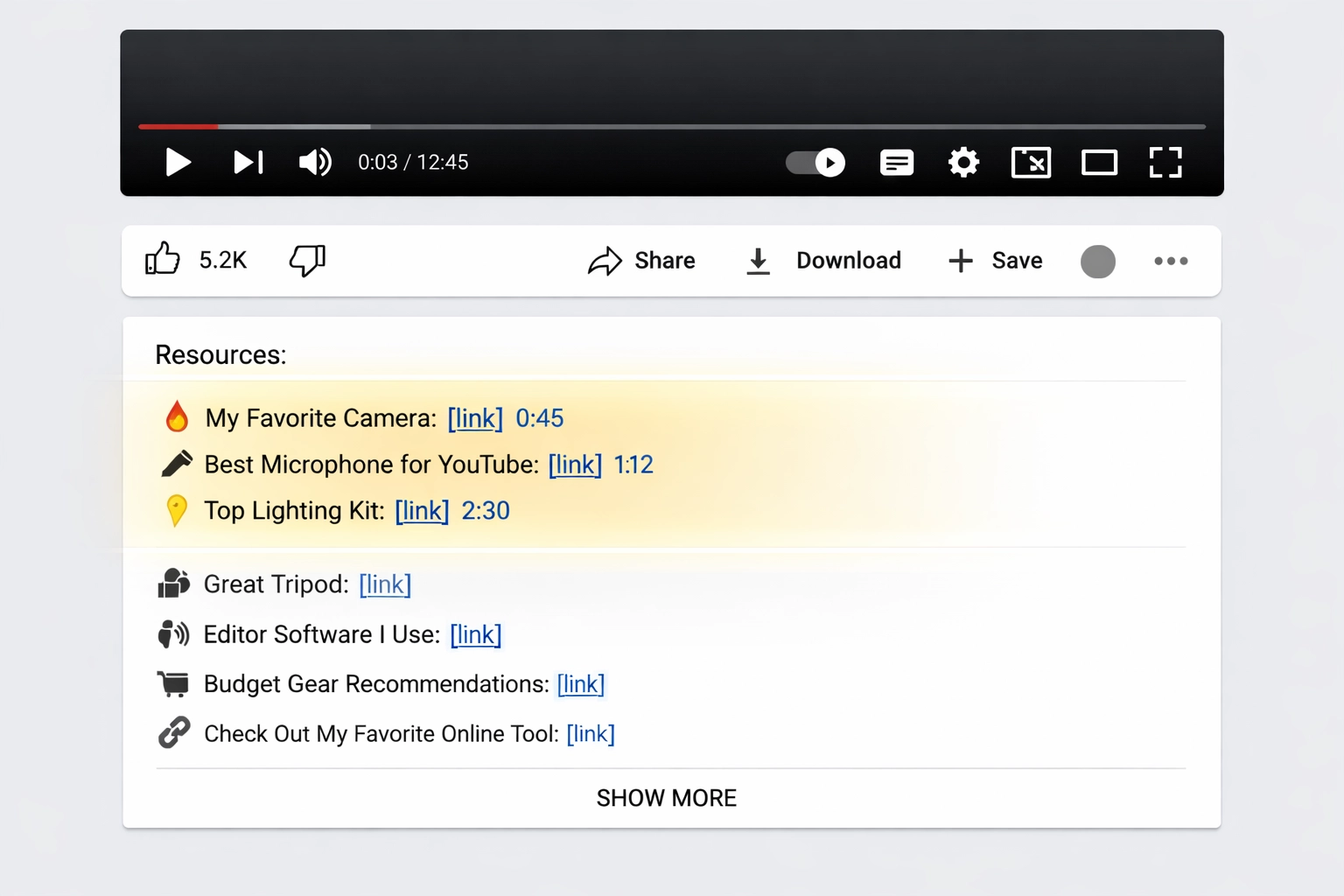
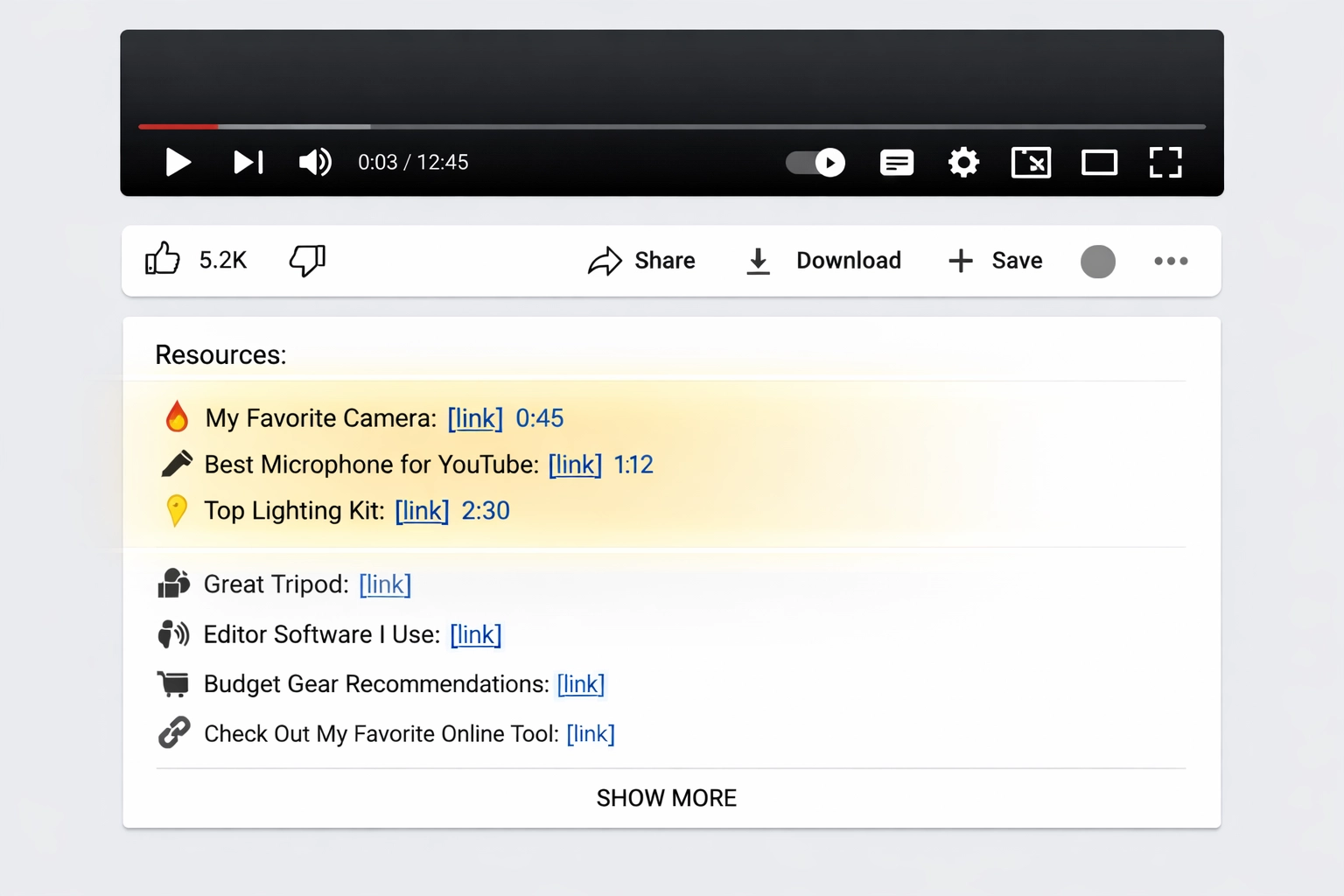
The video description is your most valuable real estate for affiliate links, and it deserves careful strategic planning. YouTube’s algorithm gives descriptions significant weight in search rankings, and more importantly, viewers actively check descriptions for links and resources mentioned in videos. The key to maximizing description performance is understanding the “above the fold” principle—your most important links should appear in the first 2-3 lines before the “Show More” button, as this is where the majority of clicks occur. When placing links, always provide context: instead of just dropping a URL, write something like “I use this camera for all my videos (link in description)” during the relevant video moment, then reference it again in the description with a brief explanation of why you recommend it.
Best practices for video description affiliate links:
Place primary affiliate links in the first 2-3 lines
Use descriptive anchor text (e.g., “Best Budget Microphone” instead of “Click Here”)
Include timestamps that correspond to product mentions
Add a brief 1-2 sentence explanation of why you recommend each product
Organize links by category or video section
Use line breaks and formatting to improve readability
Include a “Resources” or “Gear” section header
Placement Strategy
Click-Through Rate
Best For
First line (above fold)
8-12%
Primary products
Lines 2-3 (above fold)
5-8%
Secondary products
Below “Show More”
1-3%
Tertiary links
Organized sections
6-10%
Multiple products
Launch your affiliate program today
Set up advanced tracking in minutes. No credit card required.
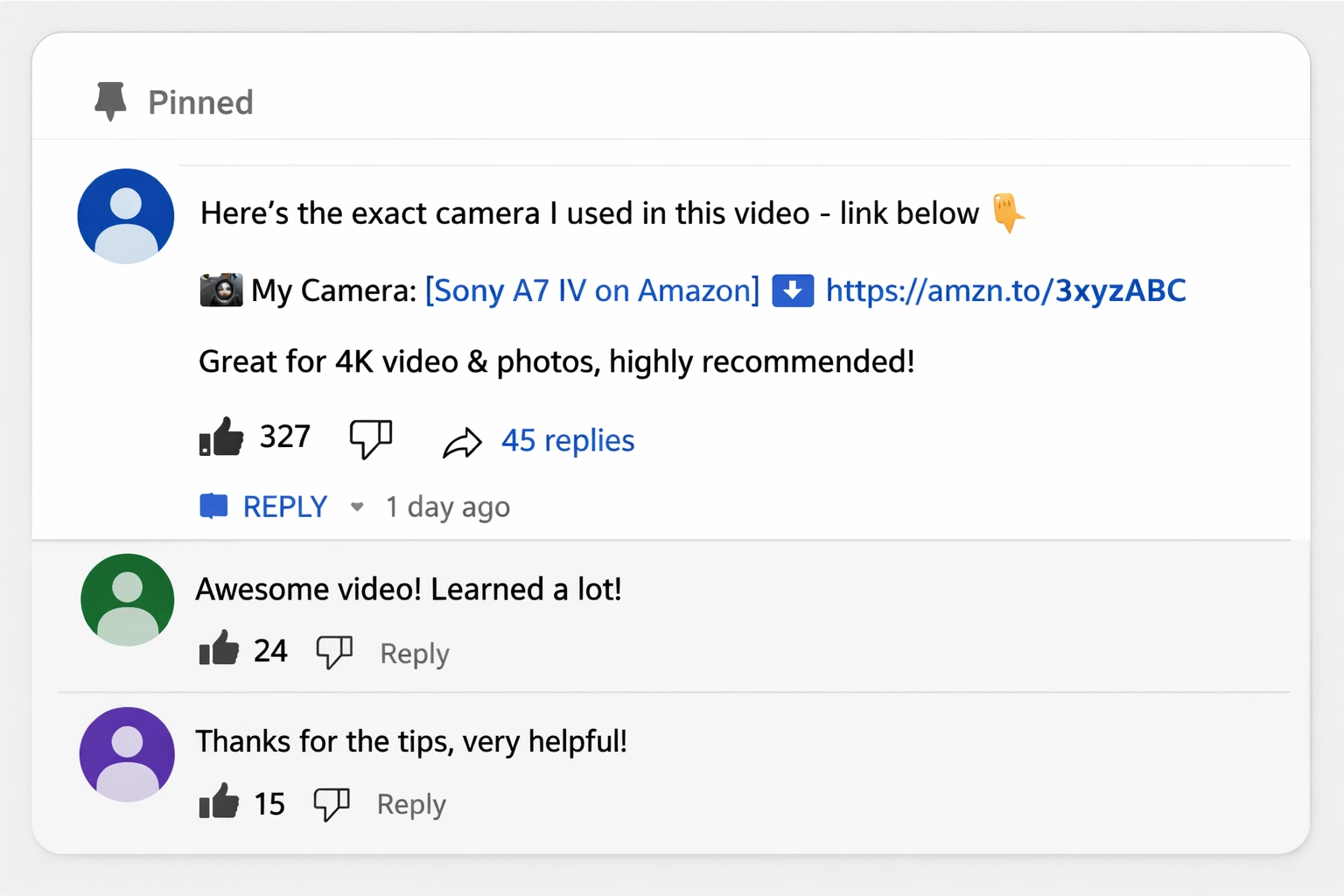
Pinned comments represent a hidden gem in YouTube affiliate marketing that many creators overlook in favor of description links. When you pin a comment to the top of your video’s comment section, it appears immediately when viewers open the comments—making it one of the most visible placements on mobile devices, where over 70% of YouTube viewing occurs. A pinned comment works best when it’s genuinely helpful rather than salesy; for example, “Here’s the exact camera I used in this video” followed by an affiliate link performs far better than “BUY THIS NOW!” The pinned comment also benefits from increased engagement potential—viewers are more likely to like and reply to pinned comments, which signals to YouTube’s algorithm that your content is valuable. However, moderation is crucial; monitor your pinned comment regularly for spam replies and remove any misleading comments that could damage your credibility and violate YouTube’s policies.
YouTube Cards and End Screens
YouTube Cards and End Screens are interactive elements that drive engagement while promoting affiliate products, and they’re particularly effective because they feel native to the platform rather than intrusive. Cards can be placed at strategic moments throughout your video—for instance, when you’re demonstrating a product, you can add a card that links to your affiliate page, creating an immediate call-to-action without interrupting the viewing experience. End Screens appear in the final 5-20 seconds of your video and can include up to four elements: video recommendations, channel subscriptions, playlists, or external website links (which is where your affiliate links go). Important note: To use End Screens for external links, you must be part of the YouTube Partner Program and have a verified website. Timing is critical for conversion optimization—place cards when viewer attention is highest and when the product is most relevant to what’s on screen.
Steps to optimize Cards and End Screens for affiliate links:
Identify the 2-3 most important moments in your video where products are mentioned
Add Cards at these moments with clear, benefit-focused text (e.g., “Get this camera”)
Design your End Screen to include your primary affiliate link or website
Test different End Screen layouts to see which drives the most clicks
Use YouTube Analytics to track which cards generate the most clicks
Ensure your external website link is clearly visible and clickable
A/B test different card messaging to optimize conversion rates
Join our newsletter
Be the first to know about new features and product updates.
Community Tab Opportunities
The Community Tab is one of the most underutilized affiliate marketing channels on YouTube, yet it offers unique advantages for building trust and driving conversions. If you have over 1,000 subscribers, you have access to the Community Tab where you can post images, polls, and text updates—all of which can include affiliate links. Community posts feel more personal and conversational than video descriptions, which means viewers often perceive them as genuine recommendations rather than promotional content. You can use Community posts to share quick product reviews, gear updates, or “What I’m Using” posts that drive traffic to your affiliate links. The engagement strategy here is different from videos: Community posts thrive on authenticity and conversation, so ask questions, respond to comments, and create posts that encourage discussion about the products you’re recommending. Posting 2-3 times per week with a mix of affiliate and non-affiliate content keeps your audience engaged without feeling over-promoted.
Transparency and Disclosure Requirements
Transparency isn’t just ethical—it’s legally required by the FTC and failure to disclose affiliate relationships can result in fines and channel termination. The Federal Trade Commission requires that any material connection between you and a product (including affiliate commissions) must be clearly and conspicuously disclosed before the link. This means viewers should know you’re earning a commission before they click, not after. The most effective disclosure methods are simple, clear, and placed immediately before the affiliate link or product mention.
Disclosure examples that meet FTC requirements:
“I earn a commission if you purchase through this link”
“This is an affiliate link—I earn a small commission at no extra cost to you”
“Affiliate link: [product name]”
“Using my link helps support the channel at no extra cost to you”
Disclosure Location
Effectiveness
Compliance Level
Video description (before link)
High
Full compliance
Pinned comment (before link)
High
Full compliance
Video verbal disclosure
Medium
Partial (written disclosure recommended)
End screen text
High
Full compliance
Community post (before link)
High
Full compliance
Hashtag #ad or #affiliate only
Low
Insufficient alone
Best practices for disclosure: Place your disclosure in the same color or formatting as your link so it’s impossible to miss, use consistent language across all platforms, and consider adding a brief explanation of why you recommend the product—this builds trust and makes the disclosure feel less like a legal requirement and more like genuine advice.
Optimization Strategies for Maximum Clicks
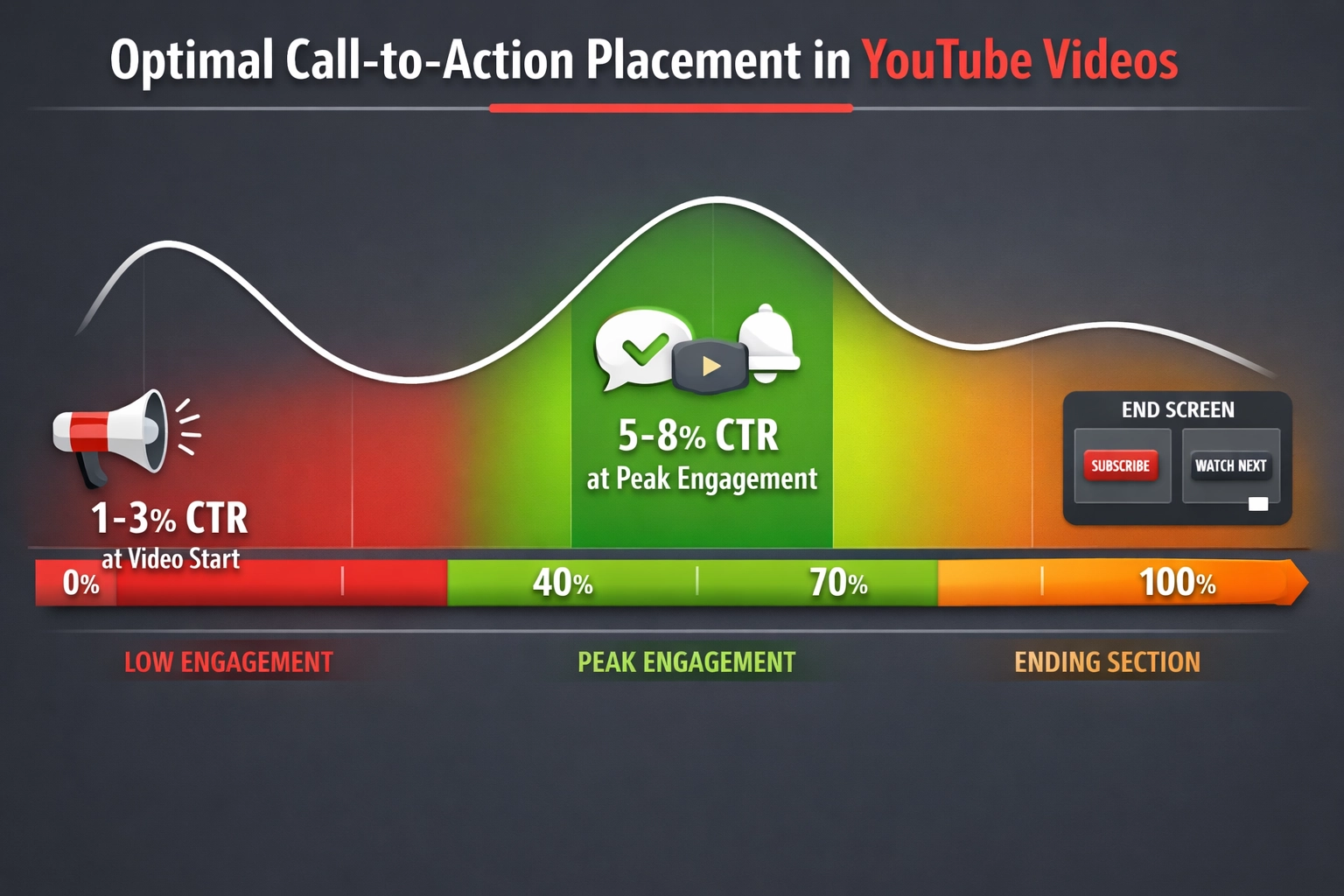
The difference between a 2% click-through rate and a 10% click-through rate often comes down to optimization strategy rather than the quality of your content. Context is everything—your affiliate link should feel like a natural solution to a problem you’ve just discussed in your video, not a random insertion. If you’re explaining how to fix a common photography problem and then mention a lens that solves it, that’s context. If you mention a lens randomly in your intro, that’s not. Timing within the video matters significantly; links mentioned in the first 30 seconds and the final 2 minutes get fewer clicks than links mentioned during the peak engagement period (usually 40-70% through the video). Your call-to-action should be specific and benefit-focused: instead of “Check out this camera,” try “Get this camera—it’s the one I use for all my videos and it’s on sale right now.”
Optimization tips for maximum click-through rates:
Mention the affiliate product at least twice in your video (once early, once when most relevant)
Use benefit-focused language: “This will save you $200” beats “This is a good product”
Create urgency when appropriate: “This deal ends Friday” or “Limited stock available”
Test different link placements and track which performs best
Use pattern interrupts: “By the way, I use this exact [product] for all my videos”
Include the product name in your video title or thumbnail if it’s a major focus
Create a dedicated “Resources” or “Gear” section in your description for easy scanning
A/B test different CTA language and track conversion rates in your affiliate dashboard
Tracking and Analytics
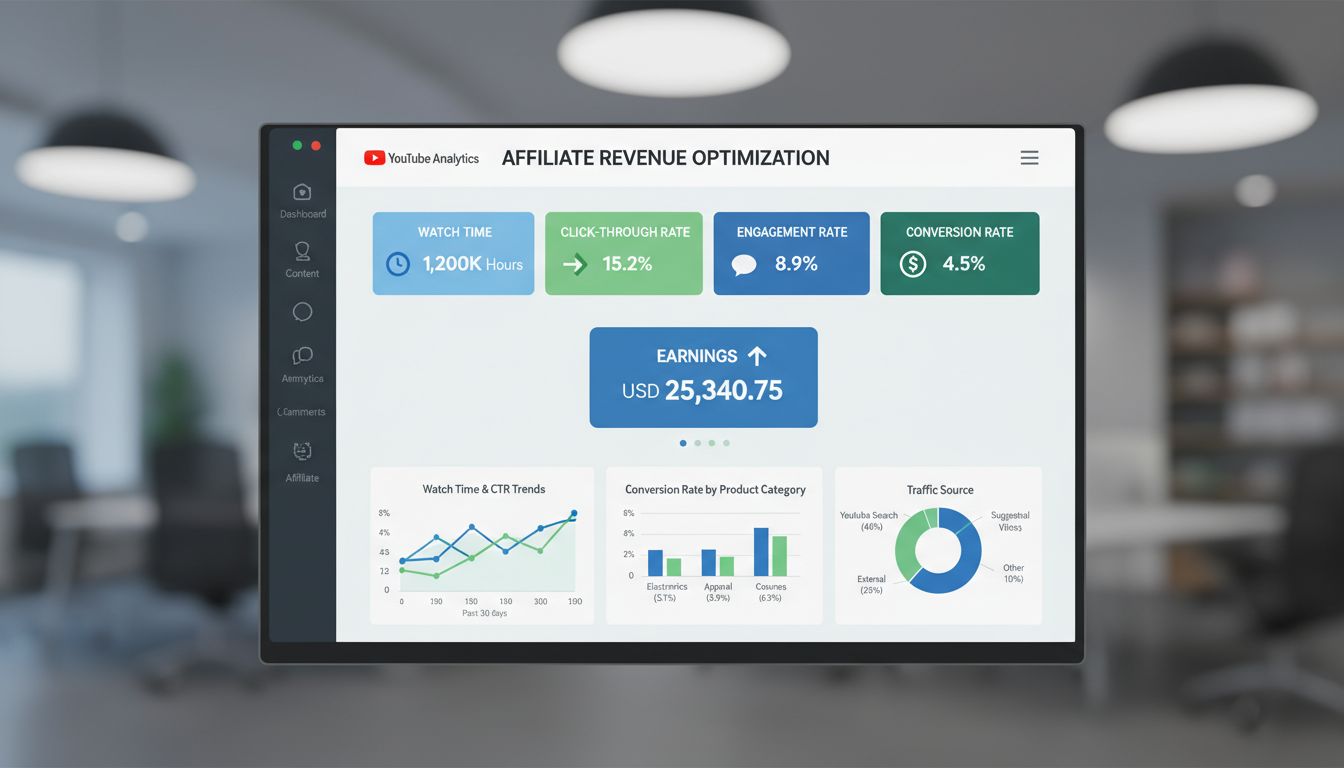
You can’t optimize what you don’t measure, and most creators leave money on the table by not properly tracking their affiliate link performance. The foundation of effective tracking is using UTM parameters—these are tags you add to your affiliate links that tell you exactly where clicks are coming from. For example, instead of just using your affiliate link, you’d use something like https://amazon.com/dp/B123456789?tag=yourname&utm_source=youtube&utm_medium=video_description&utm_campaign=camera_review. This tells you that the click came from YouTube, specifically from your video description, and from your camera review campaign. Link shorteners like Bitly or TinyURL can also help you track clicks, though they’re less detailed than UTM parameters. Your affiliate network’s dashboard (Amazon Associates, ShareASale, CJ Affiliate, etc.) will show you which links generate the most clicks and conversions, allowing you to double down on what works.
Example UTM parameter structure:
Base URL: https://amazon.com/dp/B123456789?tag=yourname
UTM Parameters: ?utm_source=youtube&utm_medium=description&utm_campaign=camera_review

Full URL: https://amazon.com/dp/B123456789?tag=yourname&utm_source=youtube&utm_medium=description&utm_campaign=camera_review
Create a simple spreadsheet tracking each link you use, where it’s placed, and its performance metrics. Review this data monthly to identify patterns: Which products convert best? Which placements drive the most clicks? Which videos generate the most affiliate revenue? Use these insights to refine your strategy—if your End Screen links convert at 3x the rate of description links, you know to prioritize End Screen optimization in future videos.
Common Mistakes to Avoid
The biggest mistake creators make is treating affiliate marketing as an afterthought rather than a strategic component of their content. Over-linking is a close second—when every other sentence contains an affiliate link, viewers stop clicking because they feel manipulated. Aggressive, salesy CTAs like “BUY NOW!” or “DON’T MISS OUT!” actually reduce click-through rates compared to conversational recommendations. Many creators also fail to disclose their affiliate relationships clearly, which violates FTC guidelines and erodes viewer trust when discovered. Another critical error is promoting products you don’t actually use or believe in; your audience can sense inauthenticity, and recommending poor products will damage your credibility far more than the commission is worth.
Common mistakes and solutions:
Mistake: Placing all links at the end of the description | Solution: Put primary links in the first 2-3 lines
Mistake: Using generic anchor text like “Click here” | Solution: Use descriptive text that explains the benefit
Mistake: Forgetting to disclose affiliate relationships | Solution: Add clear disclosure before every affiliate link
Mistake: Promoting products you don’t use | Solution: Only recommend products you genuinely use and believe in
Mistake: Including too many affiliate links per video | Solution: Limit to 3-5 primary products per video
Mistake: Not tracking which links perform best | Solution: Use UTM parameters and review analytics monthly
Mistake: Using the same CTA for every product | Solution: Customize CTAs based on product benefits and context
Integrated Approach to YouTube Affiliate Success
Strategic affiliate link placement isn’t about using every possible location—it’s about using the right locations with the right message at the right time. The most successful YouTube creators use an integrated approach that combines video descriptions, pinned comments, cards, end screens, and community posts in a coordinated strategy. Each placement serves a different purpose: descriptions provide detailed context, pinned comments catch mobile viewers, cards create in-video urgency, end screens capture last-minute interest, and community posts build ongoing engagement. The key to long-term success is testing and iteration—implement these strategies, track your results, and continuously refine based on what your specific audience responds to. Remember that transparency and authenticity must be the foundation of everything you do; viewers will forgive imperfect placements, but they won’t forgive dishonesty. Start by optimizing your video descriptions and pinned comments this week, add cards and end screens next week, and gradually build a comprehensive affiliate strategy. Tools like PostAffiliatePro can help you manage multiple affiliate programs and track performance across all your placements in one dashboard. The time you invest in strategic link placement today will compound into significant additional revenue over the coming months—so start implementing these strategies now and watch your affiliate earnings grow.
Frequently asked questions
Can I place multiple affiliate links in a single YouTube video?
Yes, but moderation is key. Most successful creators limit themselves to 3-5 primary affiliate links per video to avoid overwhelming viewers. Each link should be relevant to the content and placed strategically. Over-linking reduces click-through rates and damages viewer trust, so focus on quality recommendations rather than quantity.
What's the best time to mention affiliate links in a video?
The optimal time is during the peak engagement period, typically 40-70% through your video. This is when viewer attention is highest and they're most likely to click. However, also mention products when they're most relevant to the content, and include a reminder in your end screen or final call-to-action.
How do I properly disclose affiliate links on YouTube?
The FTC requires clear disclosure before viewers click your affiliate link. Place a statement like 'I earn a commission if you purchase through this link' immediately before the link in your description, pinned comment, or on-screen text. Consistency across all platforms is important, and disclosure must be conspicuous and easy to understand.
YouTube Shorts have limited linking capabilities compared to long-form videos. You can include affiliate links in the description and use the 'Link in Bio' feature, but you cannot add cards or end screens to Shorts. For maximum affiliate revenue, focus on long-form content where you have more placement options.
What's the difference between affiliate links and YouTube Shopping tags?
YouTube Shopping tags allow viewers to purchase products directly from your video without leaving YouTube, and you earn a commission through YouTube's affiliate program. Affiliate links direct viewers to external sites (like Amazon) where you earn commissions. YouTube Shopping is limited to certain regions and requires YouTube Partner Program membership, while affiliate links are available to all creators.
How do I track which affiliate link placement gets the most clicks?
Use UTM parameters to tag your links with source information (e.g., ?utm_source=youtube&utm_medium=description). Most affiliate networks also provide detailed analytics showing clicks and conversions. Create a spreadsheet tracking each link's placement and performance, then review monthly to identify which placements drive the most revenue.
Link shorteners like Bitly can help track clicks, but they add an extra redirect that may reduce conversions. UTM parameters on your original affiliate link provide better tracking without the extra step. Use shorteners only if your affiliate network doesn't support UTM parameters, and always test to see which approach performs better for your audience.
Can I place affiliate links in YouTube end cards?
End cards can link to external websites, but not directly to affiliate links. You must link to your own website or a landing page, then include affiliate links there. This requires YouTube Partner Program membership and a verified website. End cards are effective for driving traffic to your affiliate content, but they add an extra step before viewers reach the product.
Start Managing Your Affiliate Program Today
PostAffiliatePro makes it easy to manage multiple affiliate programs, track link performance, and optimize your YouTube monetization strategy all in one platform.
Learn how to fix non-clickable YouTube description links effortlessly and boost your affiliate marketing success. This tutorial guides you through quick steps t...
Video Affiliate Marketing: Driving Sales with Video Content
Learn how to leverage video content for affiliate marketing success. the best video types, platforms, strategies, and tools to maximize conversions and revenue.
Learn proven strategies to boost YouTube affiliate revenue through SEO optimization, engaging thumbnails, audience retention, and conversion tactics. Increase c...