
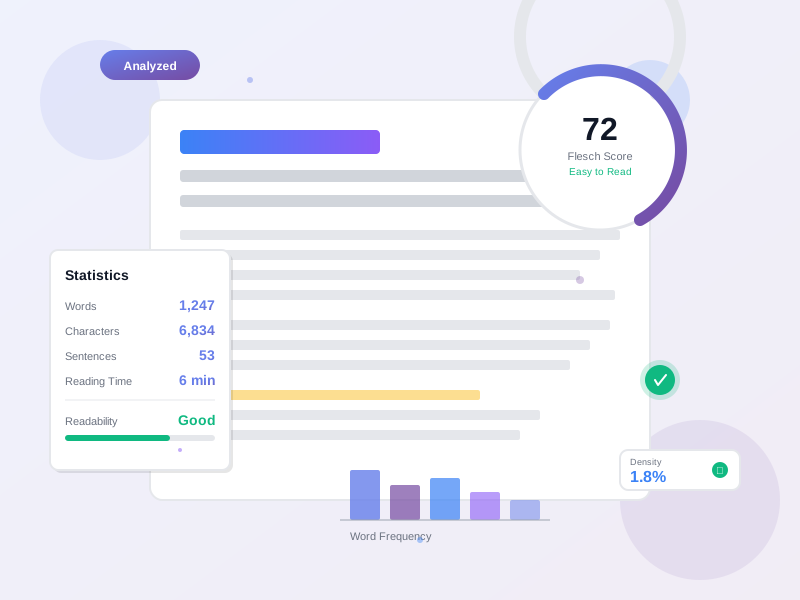
Word Counter & Text Analyzer
Count words, characters, sentences, and paragraphs in real-time. Get comprehensive readability scores, keyword density analysis, reading time estimates, and advanced text statistics. Perfect for writers, students, marketers, and content creators.
Analyze Your Text
What is a Word Counter?
A word counter is an essential writing tool that analyzes text to provide detailed statistics about your content. Beyond simple word counting, modern text analyzers measure readability, calculate keyword density, estimate reading time, and provide insights to improve your writing.
Why word counters matter: Writers face word count requirements constantly—essays must hit 1000 words, blog posts need 1500-2500 for SEO, tweets max out at 280 characters, meta descriptions cap at 160. Meeting these targets while maintaining quality requires accurate counting and analysis.
Key Features
Real-Time Word & Character Counting - See instant updates as you type. Track characters with spaces (for social media limits), characters without spaces (for translations), word count, sentence count, paragraph count, and line count. No manual refresh needed.
Comprehensive Readability Analysis - Six industry-standard readability formulas: Flesch Reading Ease (0-100 scale), Flesch-Kincaid Grade Level, Gunning Fog Index, SMOG Index, Coleman-Liau Index, and Automated Readability Index. Understand exactly how difficult your text is to read.
Reading & Speaking Time - Estimates based on 200 WPM for reading and 150 WPM for speaking. Perfect for blog posts, presentations, podcasts, and video scripts. Know exactly how long your content takes to consume.
Keyword Density Checker - Enter any keyword or phrase to calculate exact density percentage. Get SEO recommendations: too low (add more), just right (0.5-2.5%), or too high (keyword stuffing risk). Optimize content without over-optimizing.
Word Frequency Analysis - See your most common words with counts and percentages. Identify overused words, check vocabulary diversity, and spot repetitive patterns. Helps improve writing variety and quality.
Advanced Text Analysis - Unique word count and percentage, stop word analysis, longest words, sentence length distribution (short/medium/long), average word length, and average sentence length. Deep insights into your writing style.
Writing Quality Detectors - Find adverbs (-ly words) that weaken writing. Detect passive voice constructions that reduce clarity. Get actionable feedback to strengthen your prose.
SEO & Social Media Checks - Verify Twitter character limits (280), estimate pages (250 words/page), check sentence readability for featured snippets, and analyze paragraph structure for scannability.
Export Your Analysis - Copy statistics to clipboard, download complete reports as .txt files, or export raw data as JSON. Save analysis for documentation, client reports, or progress tracking.
Common Use Cases
Academic Writing - Students need precise word counts for essays, research papers, and dissertations. Check if you’ve hit 2000 words, verify readability matches academic standards, and ensure sentence complexity is appropriate for the grade level.
Blog Post Optimization - SEO best practices recommend 1500-2500 words for comprehensive guides. Check keyword density for target terms, verify readability scores (aim for 60-70 for general audiences), and confirm reading time matches user expectations.
Content Marketing - Create engaging copy that converts. Analyze readability to ensure your audience understands the message. Check passive voice percentage (keep under 10%), reduce adverb usage, and optimize keyword density for search rankings.
Social Media Management - Twitter has 280-character limits. LinkedIn posts work best at 150-300 words. Instagram captions cap at 2200 characters. Verify your content fits platform requirements before posting.
Copywriting & Editing - Professional editors track readability, word variety, sentence length distribution, and writing quality. Use our analyzer to identify weak adverbs, passive constructions, and repetitive words before final delivery.
Email Marketing - Subject lines perform best under 50 characters. Preview text should be 100-140 characters. Email body copy needs 50-125 words for optimal engagement. Check all metrics before sending campaigns.
Product Descriptions - E-commerce descriptions need precise character counts for Amazon (2000 chars), Shopify, and other platforms. Balance keyword density with readability to convert browsers into buyers.
Meta Description Writing - SEO meta descriptions max out at 155-160 characters with spaces. Our counter helps you write compelling descriptions that fit search engine requirements perfectly.
Understanding Readability Scores
Flesch Reading Ease (0-100) - Higher scores = easier reading. 90-100: Very Easy (5th grade). 60-70: Standard (8th-9th grade, ideal for blog posts). 30-50: Difficult (college level). 0-29: Very Difficult (graduate level). Aim for 60+ for general audiences.
Flesch-Kincaid Grade Level - Indicates U.S. school grade needed to understand text. Blog posts work best at 7-9 grade level. Business writing at 10-12. Academic papers 13-16. Lower grades = wider audience reach.
Gunning Fog Index - Estimates years of formal education needed. Under 12: Easy to read. 12-16: Moderately difficult. Over 16: Very difficult. Newspapers target 8-10, business docs 10-15.
SMOG Index - Similar to Gunning Fog but focuses on complex words (3+ syllables). More accurate for technical content. Lower scores indicate better accessibility.
Coleman-Liau Index - Uses character count instead of syllables, making it more accurate for languages with short words. Based on sentence and word length.
ARI (Automated Readability Index) - Character-based formula used by U.S. military and education. Correlates with grade levels. Quick assessment of text difficulty.
Keyword Density Best Practices
0-0.5% Density: Too Low - Your keyword might not rank. Search engines may not recognize the topic focus. Add more natural instances throughout content, especially in headings, intro, and conclusion.
0.5-2.5% Density: Optimal - Ideal range for most keywords. Signals topic relevance without triggering spam filters. Natural-sounding content that ranks well and engages readers.
2.5-4% Density: Caution Zone - Approaching keyword stuffing territory. Might work for very specific long-tail keywords but risks penalties. Consider reducing instances or lengthening content.
4%+ Density: Keyword Stuffing - Google penalizes excessive keyword use. Your content sounds unnatural and robotic. Readers bounce quickly. Reduce keyword instances immediately.
Pro Tip: Check density for primary keyword (1-2%), secondary keywords (0.5-1%), and LSI (Latent Semantic Indexing) related terms. Variety signals comprehensive coverage of a topic.
How to Improve Readability
Shorten Sentences - Long, complex sentences confuse readers. Aim for 15-20 words per sentence on average. Mix short punchy sentences (5-10 words) with medium ones (15-20) and occasional long ones (25+) for rhythm.
Use Simple Words - Replace complex words with simpler alternatives when possible. ‘Use’ instead of ‘utilize’. ‘Help’ instead of ‘facilitate’. ‘Buy’ instead of ‘purchase’. Clarity beats sophistication.
Break Up Paragraphs - Online readers scan. Paragraphs over 5 lines look intimidating. Aim for 2-4 sentences per paragraph. Use whitespace generously for easy scanning.
Reduce Passive Voice - Active voice is direct and engaging. Passive voice is wordy and weak. ‘We launched the product’ beats ‘The product was launched by us’. Keep passive under 10%.
Eliminate Adverbs - Don’t say ‘ran quickly’—say ‘sprinted’. Not ‘very angry’—say ‘furious’. Strong verbs and adjectives eliminate need for adverbs. Your writing becomes sharper.
Add Transition Words - ‘However’, ’therefore’, ‘additionally’, ‘meanwhile’ guide readers through your logic. But don’t overuse—one per paragraph is plenty.
Use Headers - Break content into scannable sections. Headers signal new topics, help readers find information, and improve SEO. Use H2 for main sections, H3 for subsections.
Writing for Different Audiences
General Public (Blog Posts, Marketing) - Target Flesch score: 60-70 (8th-9th grade). Short sentences (15 words avg). Simple vocabulary. Conversational tone. Break up text with headers, bullets, and images.
Business Professionals - Target Flesch score: 50-60 (10th-12th grade). Medium sentence length (18-22 words). Industry jargon acceptable if defined. Professional but accessible tone.
Academic Audiences - Target Flesch score: 30-50 (college level). Longer sentences acceptable (20-25 words). Complex vocabulary expected. Formal tone. Citations and technical terms standard.
Technical Documentation - Clarity over readability scores. Short sentences (10-15 words) even for complex topics. Define all terms. Use examples liberally. Test with actual users.
Children/ESL Readers - Target Flesch score: 80-90 (5th-6th grade). Very short sentences (10 words). Simple, common words only. Lots of whitespace and images. Avoid idioms and cultural references.
SEO Content Optimization Tips
Target Word Count - Short posts (300-600 words): News, updates, opinions. Medium posts (800-1500): How-to guides, tutorials. Long posts (1500-2500+): Comprehensive guides, pillar content. Longer often ranks better if quality maintained.
Keyword Placement Matters - Include primary keyword in: Title (preferably at start), first paragraph, at least one H2 heading, meta description, URL slug. But always natural-sounding, never forced.
LSI Keywords - Related terms that signal topic expertise. For ‘affiliate marketing’, include: commission, referral, conversion, passive income, monetization. Check word frequency to ensure topic variety.
Readability Affects Rankings - Google’s algorithm favors content users engage with. High readability = longer time on page = better rankings. Aim for 60-70 Flesch score for commercial content.
Sentence and Paragraph Length - Featured snippets favor concise answers (40-60 words). Paragraphs under 150 words scan better. Mix lengths for natural flow while maintaining scannability.
Avoid Keyword Stuffing - Google’s sophisticated. 1-2% keyword density with natural variations (synonyms, plural/singular, related terms) outperforms exact-match repetition.
Content Depth Over Length - Don’t pad to hit word count. 1000 comprehensive words beat 2500 fluff words. Cover topic thoroughly, answer user questions, provide examples.
Pro Tips for Writers
Write First, Optimize Second - Don’t obsess over word count while drafting. Get ideas down, then edit for length, readability, and keyword density. Creative flow matters more than metrics initially.
Use Sample Text to Test - Load our sample to see ideal stats for different content types. Compare your text to high-ranking competitors to match successful patterns.
Track Progress Over Time - Download reports to see writing improvement. Compare readability scores, word variety, and passive voice percentage across multiple pieces.
Set Personal Benchmarks - If you consistently score 50 on Flesch, aim for 55 next article, then 60. Gradual improvement creates lasting habits.
Check Before Publishing - Final pass with our analyzer catches issues: too short for SEO, keyword density too high, readability too difficult, too many adverbs, excessive passive voice.
Learn From Feedback - If content doesn’t perform despite good metrics, analyze successful competitors. Check their word count, keyword usage, readability scores, and structure.
Combine with Other Tools - Use our word counter for stats, then Grammarly for grammar, Hemingway for clarity, and Yoast for SEO. Each tool provides unique insights.
Frequently asked questions
- How does the word counter work?
Our word counter analyzes your text in real-time as you type or paste. It counts words by splitting text on whitespace and punctuation, following standard writing conventions. A 'word' is any sequence of letters separated by spaces—contractions like 'don't' count as one word. The counter updates instantly with no manual refresh needed. Unlike basic counters that just show word count, our tool provides comprehensive analysis including characters (with and without spaces), sentences, paragraphs, reading time, and advanced metrics. Perfect for writers meeting specific word count requirements for essays, articles, blog posts, or social media.
- What are readability scores and why do they matter?
Readability scores measure how easy your text is to understand. We calculate six standard metrics: Flesch Reading Ease (0-100 scale, higher = easier), Flesch-Kincaid Grade Level (U.S. school grade), Gunning Fog Index, SMOG Index, Coleman-Liau Index, and ARI. These formulas analyze sentence length, word length, and syllable count to estimate reading difficulty. Why it matters: Blog posts should score 60+ for general audiences (8th grade level). Academic papers typically score 30-50 (college level). Marketing copy works best at 70+ (7th grade). Higher readability = more people understand your message = better engagement and conversions.
- What is keyword density and what's a good percentage?
Keyword density is how often a specific word or phrase appears compared to total words, expressed as a percentage. Example: if your keyword appears 10 times in 500 words, density is 2%. For SEO: 0.5-2.5% is ideal for most keywords. Below 0.5% might miss ranking opportunities. Above 3% risks keyword stuffing penalties from search engines. Our tool calculates exact density and provides SEO recommendations. Use this to optimize content without over-optimizing. Check your primary keyword, secondary keywords, and brand terms. Remember: write for humans first, optimize for search engines second.
- How accurate is the reading time calculation?
Very accurate for most use cases. We calculate reading time at 200 words per minute (WPM), the average silent reading speed for adults. Speaking time uses 150 WPM, typical for presentations and podcasts. These are industry standards used by Medium, WordPress, and major publishing platforms. Factors that affect actual reading time: content complexity (technical writing reads slower), reader familiarity with the topic, text formatting, and distractions. Our estimates work best for general content like blog posts, articles, and marketing copy. For highly technical content, add 25-50% more time.
- What's the difference between characters with and without spaces?
Characters with spaces counts every character including spaces, tabs, and line breaks—this is what most social media platforms and publishing tools count. Characters without spaces excludes all whitespace, counting only letters, numbers, and punctuation. When it matters: Twitter's 280 limit counts spaces. Some writing contests specify no-space character limits. Translation services often charge per character without spaces. Academic requirements sometimes exclude spaces. SEO meta descriptions use character limits with spaces (155-160 chars). Our tool shows both so you can meet any requirement.
- Can I use this for SEO content optimization?
Absolutely. Our tool includes several SEO-focused features: Keyword density checker to optimize target keywords without stuffing. Readability scores to ensure content is accessible (Google favors readable content). Word count to hit SEO sweet spots (1500-2500 words for comprehensive guides). Sentence and paragraph analysis for better formatting (short paragraphs rank better). Reading time for user experience (longer engagement = better rankings). Use these insights to create content that ranks well AND engages readers. Check competitor content length, match or exceed it, then optimize readability and keyword usage.
- What does passive voice detection tell me?
Passive voice happens when the subject receives the action instead of performing it. Example: 'The article was written by me' (passive) vs. 'I wrote the article' (active). Our detector counts passive constructions using patterns like 'was/were + past participle'. Why reduce it: Active voice is stronger, clearer, and more engaging. Passive voice makes writing feel weak and indirect. Aim for less than 10% passive sentences in most content. Exceptions: Scientific writing, when the actor is unknown, or when emphasizing the action over the actor. Use passive voice intentionally, not by accident.
- Why does the tool highlight adverbs and what should I do about them?
Adverbs (words ending in -ly like 'very', 'really', 'quickly') often weaken writing. Stephen King said 'The road to hell is paved with adverbs.' Why they're problematic: They tell instead of show. 'She ran quickly' is weaker than 'She sprinted'. They pad word count without adding value. They signal lazy writing—using 'said loudly' instead of 'shouted'. Our detector finds -ly adverbs so you can evaluate each one. Don't eliminate all adverbs—some are necessary. But if you can replace adverb + verb with a stronger single verb, do it. Your writing becomes sharper and more impactful.
The leader in Affiliate software
Manage multiple affiliate programs and improve your affiliate partner performance with Post Affiliate Pro.



