



Top Methods to Speed Up a Website: Performance Optimization
proven methods to speed up your website including image optimization, caching, CDN, and Core Web Vitals optimization. Improve performance and conversions today.
6 min read

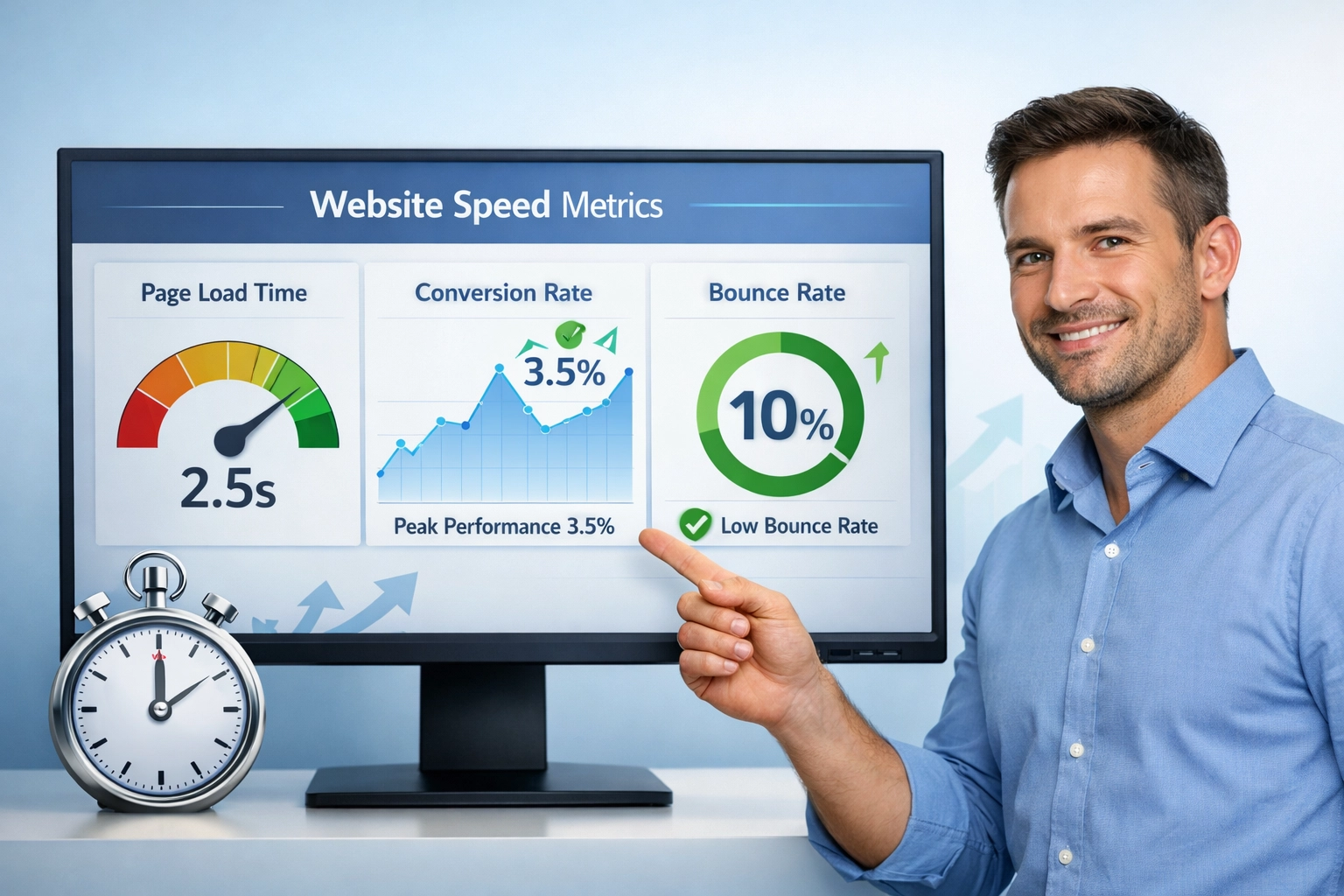
how website speed directly impacts conversion rates, SEO rankings, and revenue. why fast-loading websites are essential for business success and get actionable
In the digital economy, every millisecond counts. Amazon discovered that a mere 100-millisecond increase in page load time resulted in a 1% decrease in revenue—a staggering $3.8 billion annual impact for a company of their scale. This isn’t just a technical metric; it’s a direct line to your bottom line. Today’s users expect lightning-fast experiences, and slow-loading websites don’t just frustrate visitors—they actively cost businesses money through abandoned carts, lost leads, and diminished brand trust. The question isn’t whether website speed matters for your business; it’s how much revenue you’re willing to leave on the table by ignoring it.
The relationship between page load speed and conversion rates is one of the most compelling business cases in digital marketing. Research shows that conversion rates peak when pages load between 3.3 and 3.5 seconds, but the decline is dramatic beyond that threshold. A one-second delay in page load time can reduce conversions by 7%, while a five-second delay can slash conversions by up to 4.42% compared to a one-second load time. For e-commerce businesses, this translates to real revenue loss: a site generating $100,000 daily could lose $2.5 million annually from just a one-second delay. Mobile optimization is even more critical, as poor mobile speed can result in a 22% drop in conversions. The data is unambiguous: faster websites convert better, and every tenth of a second matters.
| Load Time | Conversion Rate | Bounce Rate | User Satisfaction |
|---|---|---|---|
| 1-2 seconds | 3.5% | 10% | High |
| 3-4 seconds | 2.0% | 35% | Medium |
| 5+ seconds | 0.8% | 63% | Low |

Set up advanced tracking in minutes. No credit card required.

User patience online is remarkably finite. According to Google’s research, 53% of mobile users abandon websites that take longer than 3 seconds to load, and this abandonment accelerates dramatically as load times increase. When pages take 10 seconds to load on mobile, bounce rates increase by 123% compared to one-second loading speeds. The BBC discovered that for every additional second of page load time, 10% of users leave without taking any action. Beyond simple abandonment, slow-loading pages create frustration signals—rapid clicking, erratic mouse movements, and extended session durations without meaningful engagement—that indicate users are struggling with your site’s performance. These behavioral patterns reveal that speed isn’t just about convenience; it’s about respect for your users’ time and attention.
Key User Behavior Patterns:
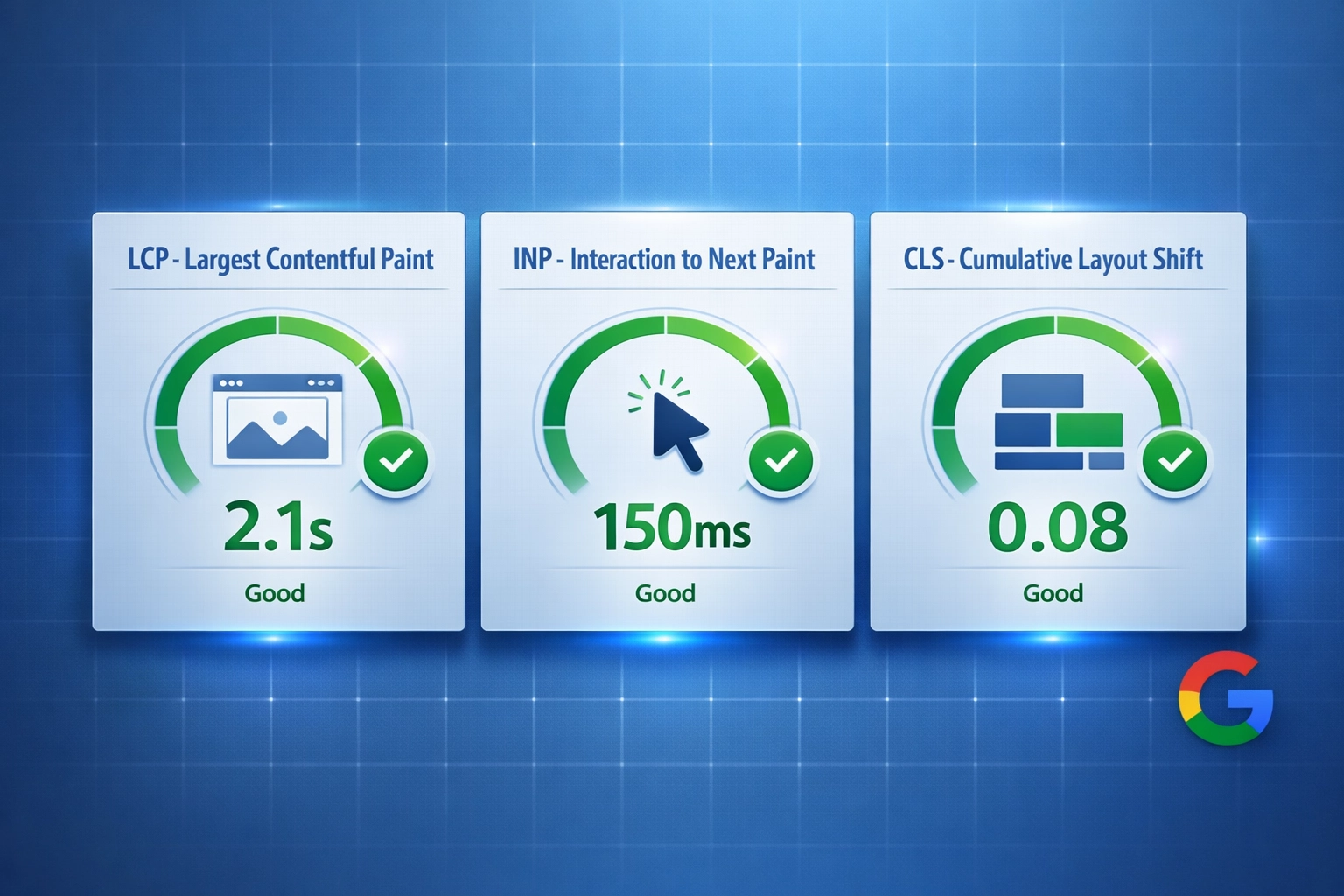
Google has made it abundantly clear that page speed is a ranking factor, and with the introduction of Core Web Vitals, speed optimization has become non-negotiable for SEO success. The three Core Web Vitals metrics—Largest Contentful Paint (LCP), Interaction to Next Paint (INP), and Cumulative Layout Shift (CLS)—directly measure user experience and are now integral to Google’s ranking algorithm. LCP measures how long it takes for the largest visible element to load (target: under 2.5 seconds), INP evaluates how quickly the page responds to user interactions like clicks and taps (target: under 200 milliseconds), and CLS tracks unexpected visual shifts during page use (target: under 0.1). Websites that fail to meet these benchmarks face reduced organic visibility, lower search rankings, and diminished traffic from Google Search. Mobile-first indexing means Google primarily evaluates your mobile version’s speed, making mobile optimization essential for maintaining search visibility.
Be the first to know about new features and product updates.
The rise of AI-powered search tools like ChatGPT, Gemini, and Google’s AI Overview has introduced a new dimension to why website speed matters. These AI models rely on web scraping to gather information for training and answering user queries, but slow-loading websites may fail to be fully indexed by these systems. When your site loads too slowly, AI models may not capture your complete content, reducing the data available for AI-generated responses and diminishing your perceived authority. More critically, AI tools favor fast, high-quality sources when curating information—a slow-loading website is viewed as less authoritative and is less likely to be referenced in AI responses. Since AI often mirrors SEO rankings to determine content authority, a sluggish site with poor page speed weakens both your search visibility and your relevance within AI-driven search results. In this evolving digital landscape, optimizing page speed is no longer just an SEO priority; it’s essential for maintaining authority in AI-powered search.
Before you can optimize your website’s speed, you need to understand where it currently stands. Fortunately, several free and paid tools provide comprehensive performance insights that identify bottlenecks and guide optimization efforts. Google PageSpeed Insights remains the gold standard, offering performance scores for both mobile and desktop, detailed Core Web Vitals metrics, and actionable recommendations. These tools generate reports that highlight everything from minor issues to critical concerns, allowing you to prioritize improvements strategically. By regularly testing your site’s performance and monitoring improvements, you can establish a baseline, track progress, and ensure your optimization efforts deliver measurable results.
Essential Website Speed Testing Tools:
Improving website speed doesn’t always require a complete redesign. Many significant performance gains come from addressing common issues that slow down most websites. Image optimization is often the quickest win—compressing images, using modern formats like WebP, and implementing responsive images can dramatically reduce load times. Code minification removes unnecessary characters from CSS, JavaScript, and HTML, reducing file sizes without affecting functionality. Browser caching allows returning visitors to load your site faster by storing static assets locally, while lazy loading ensures images and content load only when users scroll to them. These strategies, combined with proper server configuration and third-party script management, can shave seconds off your load time and significantly improve user experience.
Top 5 Speed Optimization Strategies:
While plugins and third-party applications add valuable functionality to websites, they come at a performance cost. Nearly 4% of total page load time is attributable to third-party apps and scripts, and poorly managed plugins can significantly slow your site. WordPress and Shopify users are particularly vulnerable, as these platforms’ flexibility encourages plugin proliferation, and each additional plugin adds code overhead. The solution isn’t to eliminate plugins entirely but to be strategic about which ones you use and how they load. Choosing lightweight, well-coded plugins, regularly auditing your active plugins to remove unused ones, and optimizing third-party script loading sequences can preserve functionality while maintaining speed. Asynchronous loading—where plugins load after critical page elements—minimizes performance impact and ensures users can interact with your site quickly.
Plugin Management Best Practices:
The business impact of website speed optimization extends far beyond theoretical statistics. Electrolux achieved a remarkable 385% increase in conversion rates through ongoing technical maintenance and digital optimization across over 200 e-commerce sites. Vodafone increased sales by 8% by optimizing their Largest Contentful Paint (LCP) Core Web Vitals score. These aren’t isolated cases; companies across industries—from retail to financial services—consistently report significant revenue increases following speed optimization initiatives. The pattern is clear: investing in website performance delivers measurable ROI through increased conversions, improved customer retention, and enhanced brand perception. For businesses operating on thin margins, a 1-3% conversion rate improvement from speed optimization can mean the difference between profitability and loss.
Website speed is no longer a technical afterthought—it’s a critical business strategy that directly impacts your revenue, search rankings, and customer satisfaction. The evidence is overwhelming: faster websites convert better, rank higher, and build stronger customer relationships. Whether you’re an e-commerce business fighting for every conversion, a SaaS company competing for market share, or a content publisher building audience loyalty, optimizing your website’s speed should be a top priority. The good news is that significant improvements are achievable through focused effort and the right tools. Start by measuring your current performance with Google PageSpeed Insights, identify your biggest bottlenecks, and implement the quick wins outlined above. Your users will thank you, your search rankings will improve, and most importantly, your bottom line will reflect the value of a fast, responsive website.
PostAffiliatePro helps you track and optimize every aspect of your affiliate marketing program, including partner website performance. Ensure your affiliates maintain fast, high-converting sites with our comprehensive affiliate management platform.
proven methods to speed up your website including image optimization, caching, CDN, and Core Web Vitals optimization. Improve performance and conversions today.
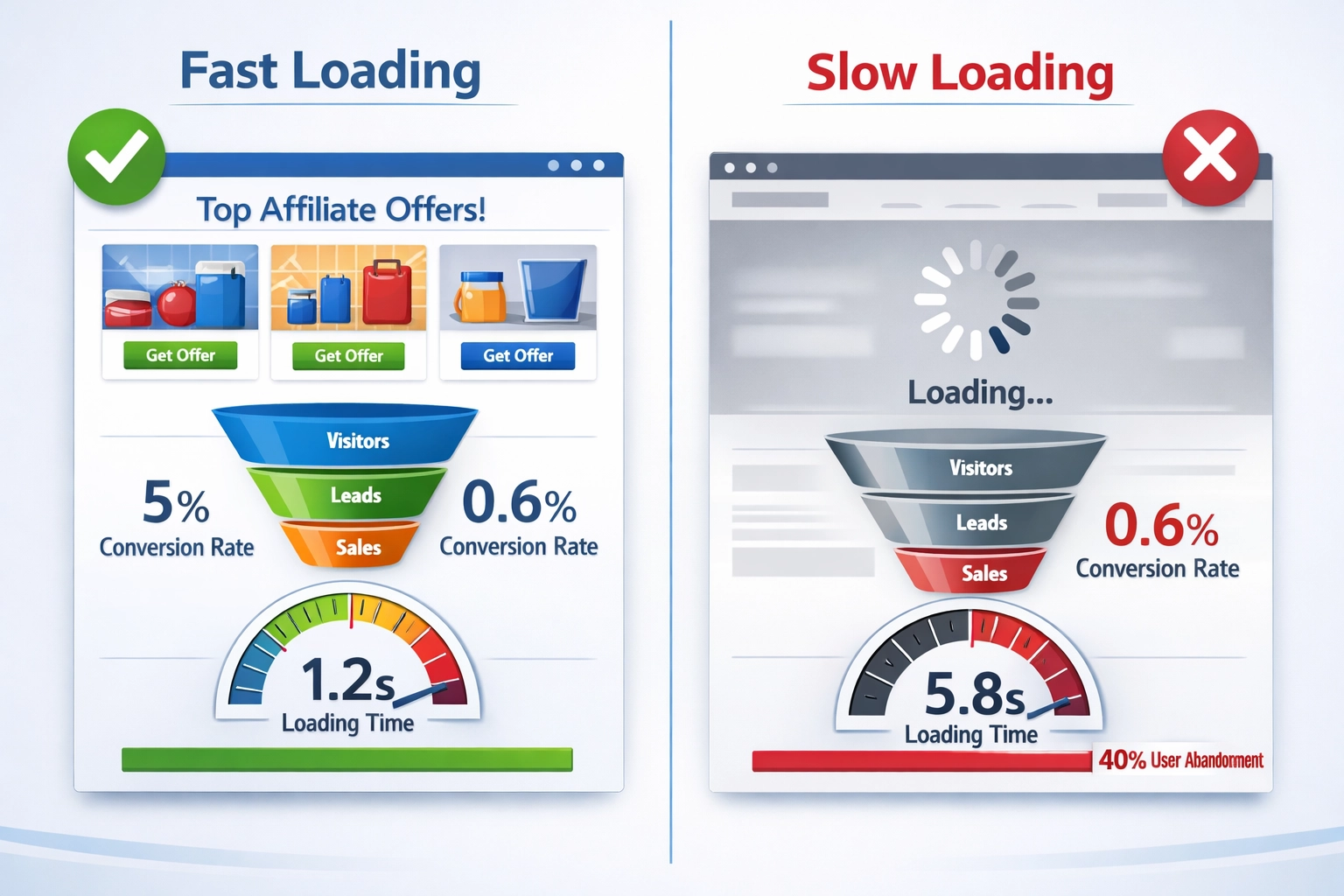
how page load time directly impacts affiliate conversions. why fast-loading pages reduce bounce rates, increase conversions
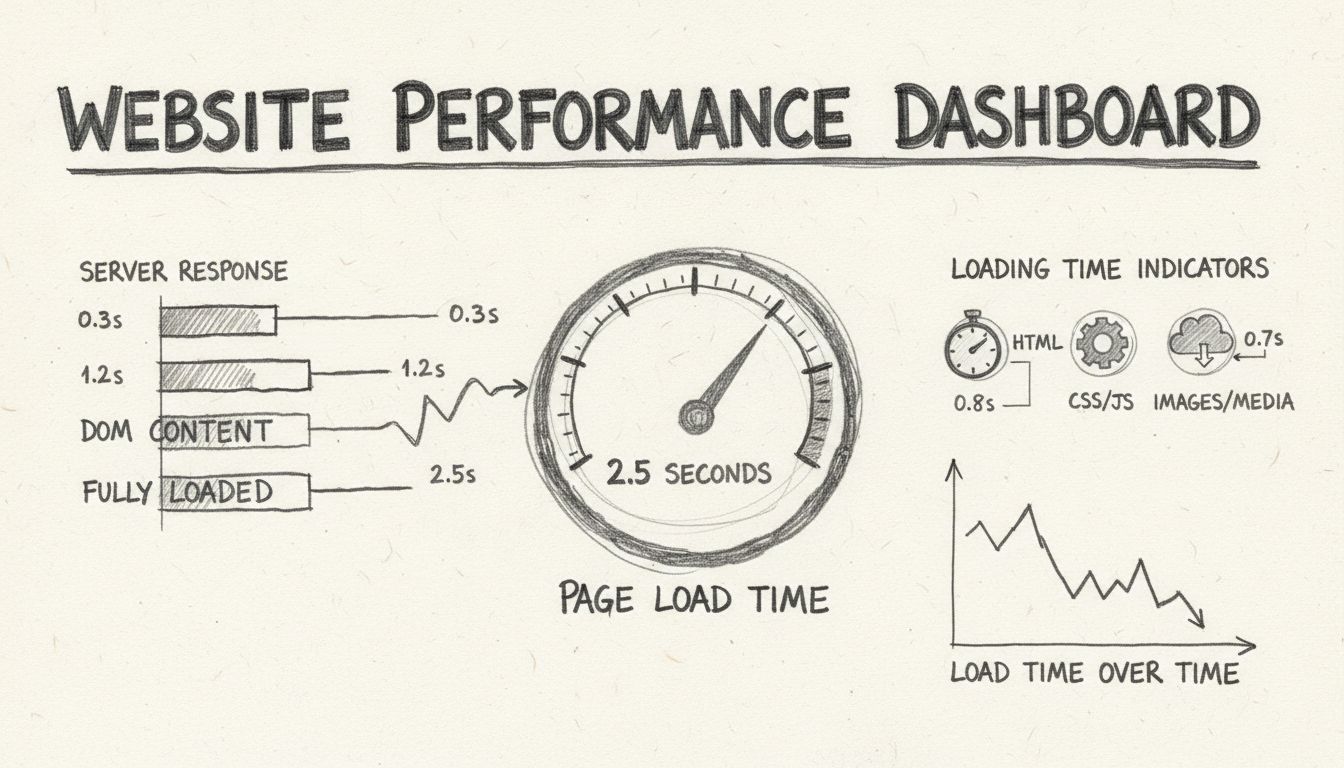
Learn how to check your website's loading time using free and paid tools like Pingdom, Google PageSpeed Insights, and GTmetrix. Discover key metrics, benchmarks...
Join our community of happy clients and provide excellent customer support with Post Affiliate Pro.




Cookie Consent
We use cookies to enhance your browsing experience and analyze our traffic. See our privacy policy.