What is Multi-Factor Authentication (MFA) and Why Use It
Learn what MFA is, how it works, and why it’s essential for protecting accounts and data. Discover authentication factors, implementation best practices, and security benefits.
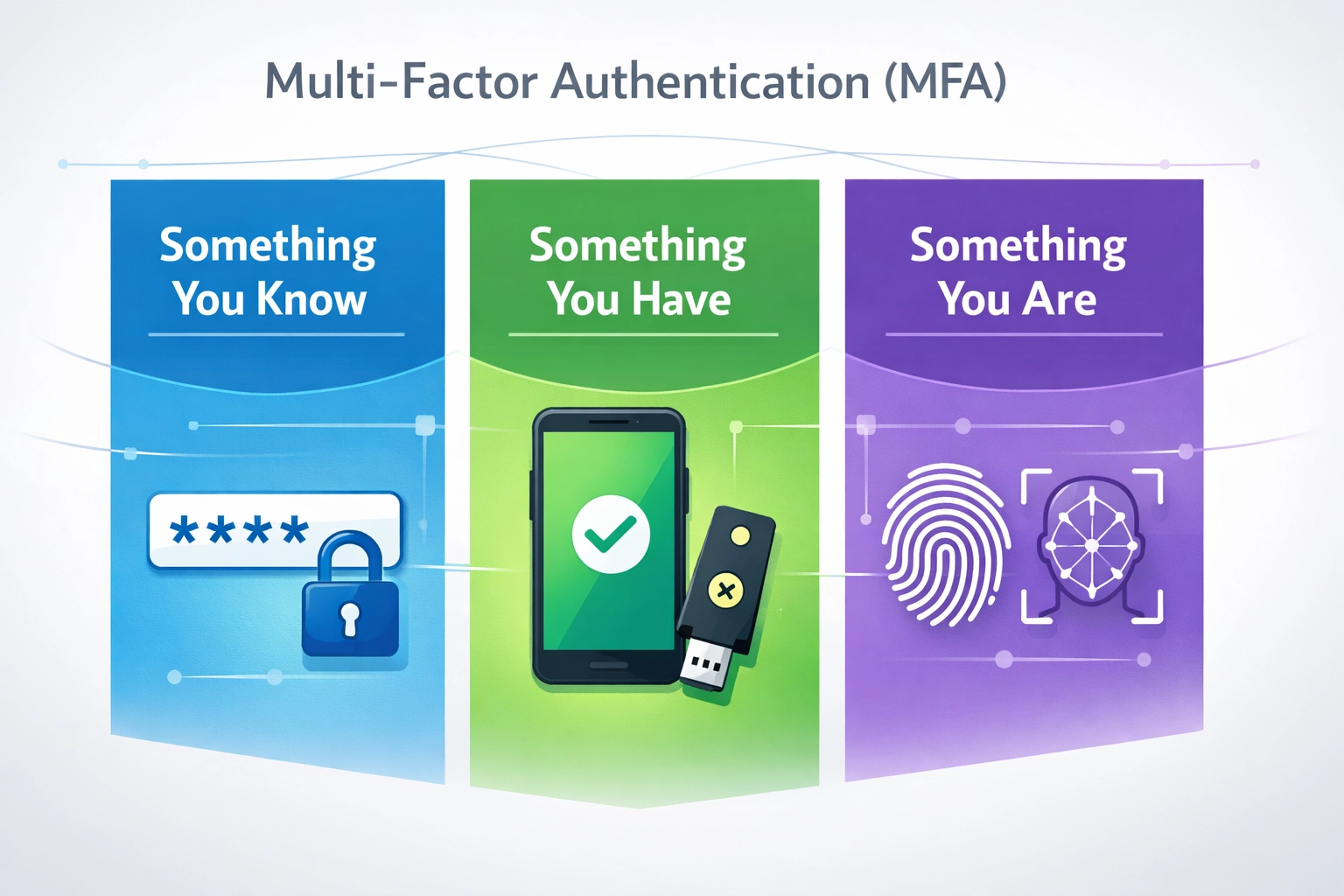
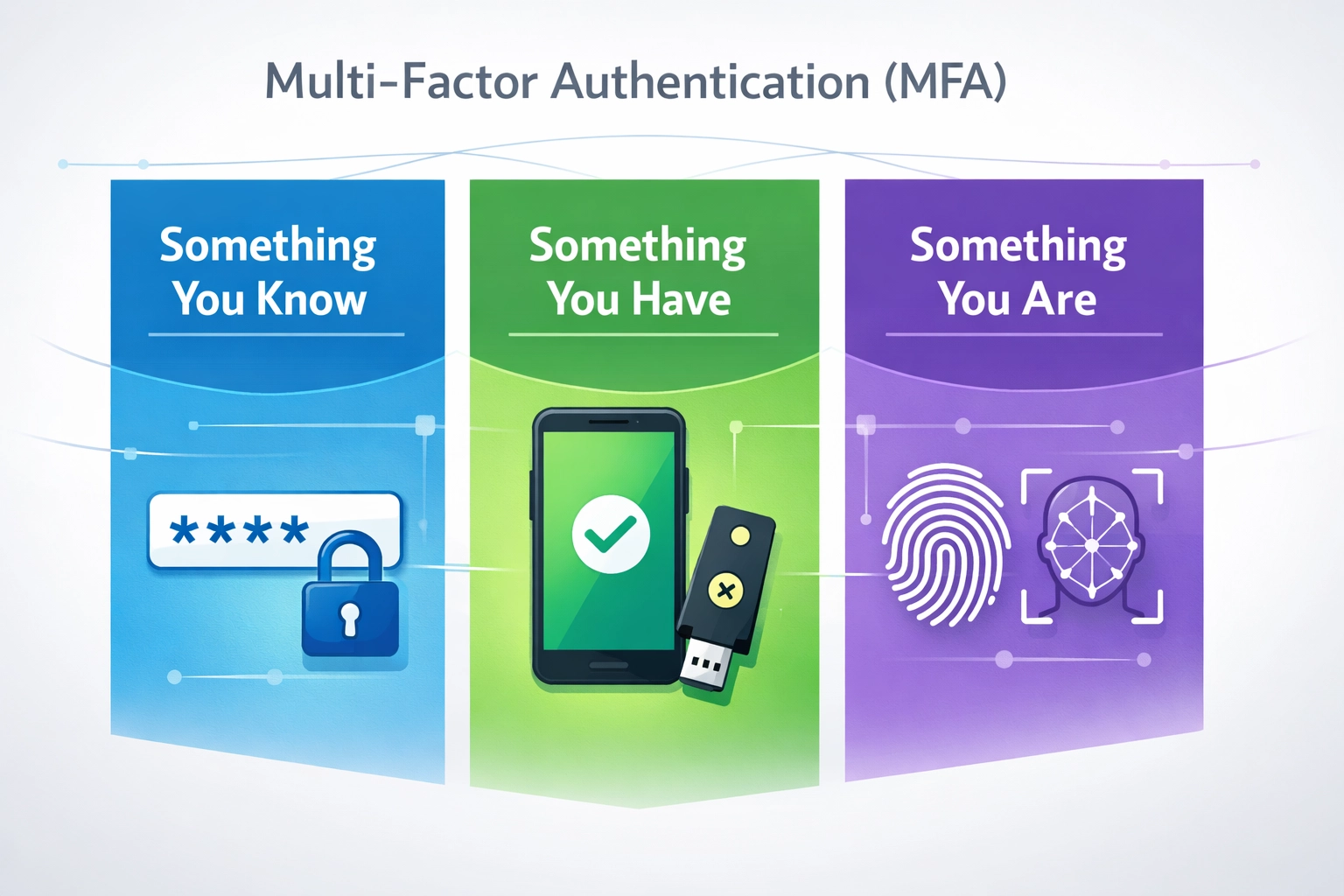
Multi-Factor Authentication (MFA) is a security mechanism that requires users to provide two or more different types of verification before gaining access to an account or system. Unlike single-factor authentication, which relies solely on a password, MFA combines multiple independent authentication factors to create layers of security that significantly reduce the risk of unauthorized access. The three primary categories of authentication factors are knowledge factors (something you know), possession factors (something you have), and inherence factors (something you are). Knowledge factors include passwords and security questions, possession factors encompass physical devices like smartphones and hardware tokens, and inherence factors involve biometric identifiers such as fingerprints and facial recognition. By requiring users to authenticate using factors from different categories, MFA ensures that even if one credential is compromised, attackers cannot gain access without the additional authentication methods. This multi-layered approach transforms authentication from a single point of failure into a robust security framework that protects against the majority of common attack vectors.
Factor Type
Examples
Security Level
Vulnerability
Knowledge
Passwords, PINs, Security Questions
Medium
Phishing, Brute Force
Possession
Smartphones, Hardware Tokens, Smart Cards
High
Device Loss, Theft
Inherence
Fingerprints, Facial Recognition, Iris Scans
Very High
Spoofing Attempts
Why MFA is Critical
The cybersecurity landscape has fundamentally shifted, making MFA no longer optional but essential for protecting sensitive data and user accounts. According to recent security research, over 15 billion credentials are circulating on the dark web from previous data breaches, making credential theft one of the most prevalent attack vectors organizations face today. Phishing attacks succeed at a rate of 3-4%, which may seem low until you consider that attackers send millions of phishing emails daily, resulting in thousands of successful compromises. Brute-force attacks remain a persistent threat, with attackers using automated tools to systematically guess passwords until they gain access, a technique that becomes nearly impossible when MFA is enabled. The Verizon Data Breach Investigations Report reveals that 49% of data breaches involve compromised credentials, highlighting the critical need for additional security layers beyond passwords alone. Organizations without MFA in place face exponentially higher risk of account takeover, data theft, and regulatory penalties. The financial and reputational costs of security breaches far exceed the minimal investment required to implement MFA across an organization.
Top Threats MFA Protects Against:
Credential stuffing attacks using leaked username and password combinations
Phishing campaigns designed to steal login credentials
Brute-force attacks attempting to guess passwords through automation
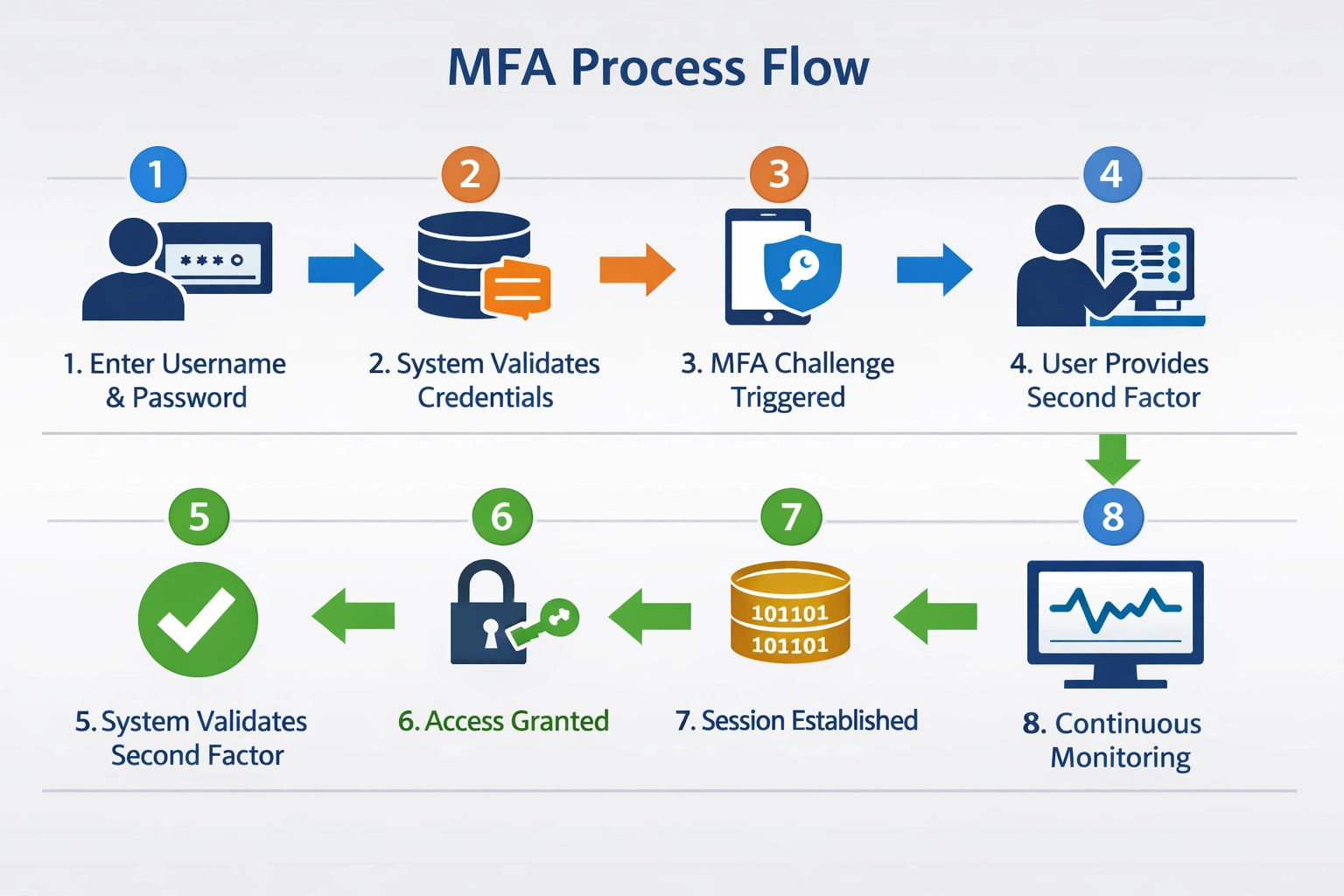
The MFA authentication process follows a structured workflow that begins with user registration, where the system enrolls the user’s authentication factors and stores them securely. During the registration phase, users select and configure their preferred MFA methods, such as adding a phone number for SMS codes or installing an authenticator application. When a user attempts to log in, they first provide their primary credential (typically a username and password), which the system validates against stored credentials. Once the primary credential is verified, the authentication system triggers the second factor challenge, prompting the user to provide verification through their chosen MFA method. The user responds to this challenge by entering a time-based code from an authenticator app, approving a push notification on their phone, or providing a biometric scan. After successful verification of all required factors, the system grants access and establishes a secure session for the user. Session management in MFA systems includes timeout mechanisms that require re-authentication after periods of inactivity, ensuring that abandoned sessions cannot be exploited. Advanced implementations employ adaptive MFA, which dynamically adjusts authentication requirements based on risk factors such as login location, device type, and user behavior patterns.
MFA Authentication Process Steps:
User enters username and password (primary authentication)
System validates credentials against stored user database
System triggers secondary authentication factor challenge
User provides second factor verification (code, biometric, approval)
System validates second factor against enrolled credentials
System grants access and establishes authenticated session
Session token is issued with defined expiration time
System monitors session for suspicious activity or timeout conditions
MFA Methods and Authentication Factors
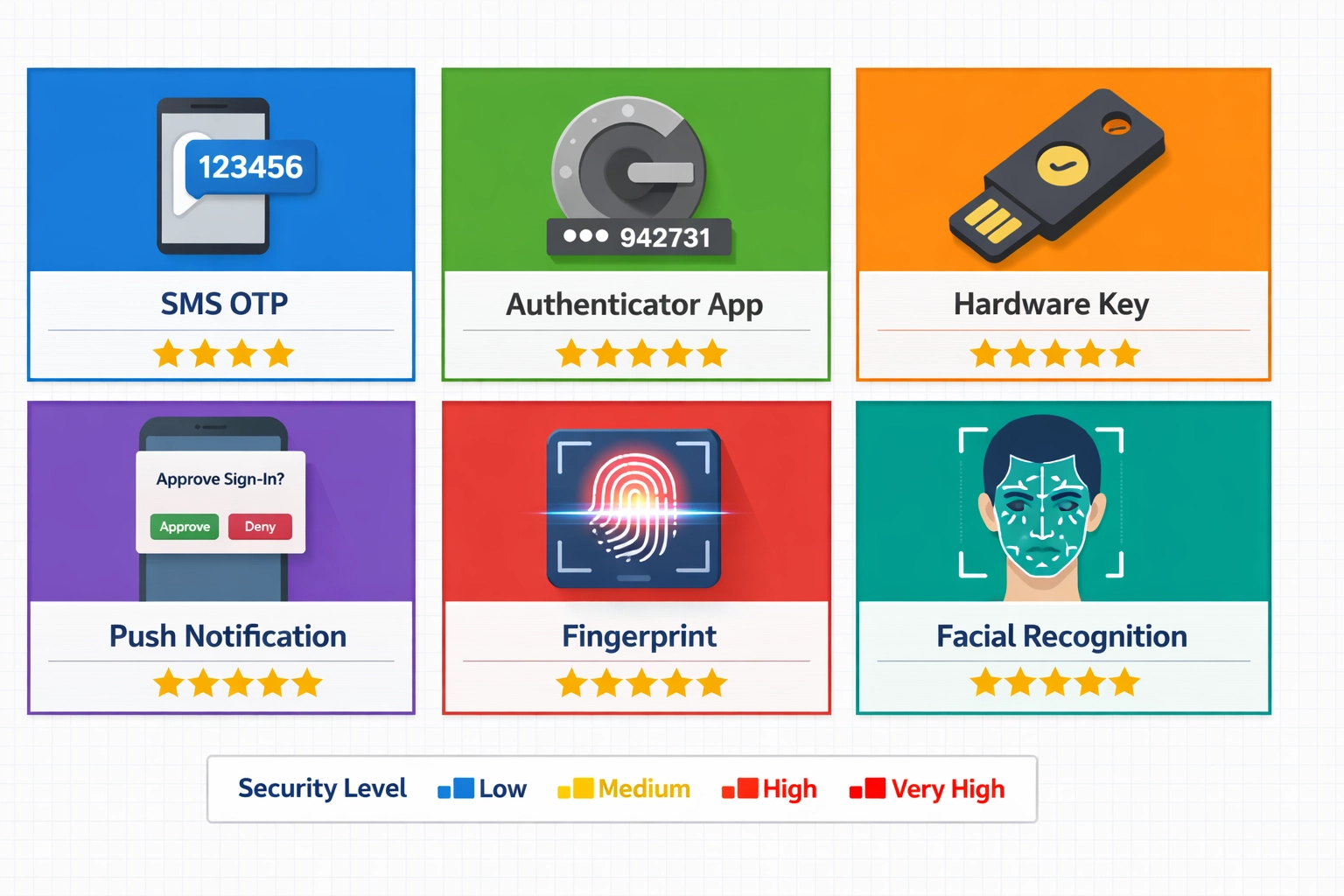
Knowledge factors represent the traditional authentication method and include passwords, personal identification numbers (PINs), and answers to security questions. While knowledge factors are easy to implement and require no additional hardware, they are vulnerable to phishing attacks, social engineering, and password reuse across multiple accounts. Possession factors require users to have a specific physical device or item, such as a smartphone, hardware security key, or smart card, making unauthorized access significantly more difficult. Possession-based methods include SMS one-time passwords (OTPs), time-based one-time passwords (TOTP) generated by authenticator applications, and push notifications sent to registered devices. Inherence factors, also known as biometric factors, verify the user’s unique biological or behavioral characteristics, including fingerprints, facial recognition, voice recognition, and iris scans. Biometric authentication offers exceptional security because these characteristics cannot be easily stolen, shared, or replicated, though they do require specialized hardware and may raise privacy concerns. The most secure implementations combine factors from all three categories, such as requiring a password (knowledge), a code from an authenticator app (possession), and a fingerprint scan (inherence). Organizations should evaluate their specific security requirements, user base, and infrastructure capabilities when selecting MFA methods. A balanced approach typically combines a knowledge factor with either a possession or inherence factor to achieve strong security without creating excessive friction for legitimate users.
Method
Security Level
User Convenience
Cost
Vulnerability
SMS OTP
Medium
High
Low
SIM Swapping, Interception
Authenticator App (TOTP)
High
High
Low
Device Loss, Malware
Hardware Security Keys
Very High
Medium
Medium
Physical Loss
Push Notifications
High
Very High
Low
Notification Fatigue
Biometric (Fingerprint)
Very High
Very High
Medium
Spoofing, Privacy Concerns
Biometric (Facial Recognition)
Very High
Very High
Medium
Deepfakes, Lighting Issues
Security Questions
Low
High
Low
Social Engineering
Email Verification
Medium
High
Low
Email Account Compromise
Join our newsletter
Be the first to know about new features and product updates.
Security Benefits and Risk Reduction
MFA provides exceptional protection against unauthorized access, with research demonstrating that MFA prevents 99.2% of account compromise attacks, making it one of the most effective security controls available. When MFA is enabled, the success rate of phishing attacks drops dramatically because attackers cannot gain access with stolen credentials alone—they would also need to compromise the second authentication factor. Credential stuffing attacks, which exploit leaked username and password combinations, become virtually ineffective when MFA is implemented, as attackers cannot reuse credentials across multiple accounts without also obtaining the second factor. Organizations implementing MFA experience significant reductions in help desk tickets related to account lockouts and password resets, as users are less likely to fall victim to credential compromise. The protection extends beyond external attackers to include insider threats, as MFA ensures that even employees with legitimate credentials cannot access systems without proper authorization. MFA reduces the risk of data breaches by an estimated 50-80% depending on the implementation method and organizational context. By implementing MFA, organizations demonstrate a commitment to security best practices that can improve customer trust, reduce insurance premiums, and protect brand reputation in an increasingly security-conscious market.
MFA for Enterprise and Remote Work
Enterprise organizations face unique security challenges when managing access across distributed teams, multiple applications, and complex infrastructure, making MFA implementation a critical component of their security strategy. Remote work has fundamentally changed the threat landscape, as employees access corporate resources from various locations, devices, and networks that may not be as secure as traditional office environments. VPN access, which provides encrypted tunnels for remote workers to connect to corporate networks, becomes significantly more secure when combined with MFA, preventing unauthorized access even if VPN credentials are compromised. SaaS applications, which are increasingly central to modern business operations, should all be protected with MFA to prevent account takeover and unauthorized data access. Cloud-based identity and access management (IAM) platforms enable organizations to implement MFA consistently across all applications and services, regardless of whether they are on-premises or cloud-hosted. Conditional access policies allow enterprises to enforce MFA based on specific conditions, such as requiring stronger authentication for sensitive applications or when users access systems from unfamiliar locations. Integration with single sign-on (SSO) solutions enables users to authenticate once with MFA and gain access to multiple applications without requiring separate authentication for each service. Organizations should prioritize MFA implementation for critical systems, administrative accounts, and applications handling sensitive data before expanding to all user accounts.
Enterprise MFA Use Cases:
Protecting administrative and privileged accounts with enhanced authentication
Securing remote access through VPN and virtual desktop infrastructure (VDI)
Controlling access to cloud applications and SaaS platforms
Implementing conditional access based on risk factors and user context
Enforcing MFA for sensitive operations like financial transactions or data exports
Protecting email and collaboration platforms from account takeover
Securing API access and service accounts with certificate-based authentication
Compliance and Regulatory Requirements
Regulatory frameworks and industry standards increasingly mandate MFA as a fundamental security requirement, making compliance a significant driver for MFA adoption across organizations. The Health Insurance Portability and Accountability Act (HIPAA) requires covered entities to implement access controls that include multi-factor authentication for systems handling protected health information (PHI). The Payment Card Industry Data Security Standard (PCI-DSS) mandates MFA for any access to cardholder data environments, making it essential for organizations processing credit card payments. The General Data Protection Regulation (GDPR) requires organizations to implement appropriate technical and organizational measures to protect personal data, with MFA recognized as a best practice for access control. The National Institute of Standards and Technology (NIST) Cybersecurity Framework and Special Publication 800-63B explicitly recommend MFA for protecting sensitive systems and data. Federal Risk and Authorization Management Program (FedRAMP) requires MFA for all cloud service providers handling federal data, establishing MFA as a baseline security requirement for government contracts. Organizations operating in regulated industries should verify specific MFA requirements applicable to their sector and implement solutions that meet or exceed these standards.
Regulation
Industry
MFA Requirement
Scope
HIPAA
Healthcare
Required for PHI access
Covered entities and business associates
PCI-DSS
Payment Processing
Required for cardholder data
All organizations processing credit cards
GDPR
Data Protection
Recommended best practice
Organizations handling EU resident data
NIST 800-63B
Government/Federal
Required for sensitive systems
Federal agencies and contractors
FedRAMP
Cloud Services
Required for all access
Cloud providers serving federal agencies
SOC 2
Service Providers
Recommended control
Organizations undergoing SOC 2 audits
ISO 27001
Information Security
Recommended control
Organizations seeking ISO certification
Implementing MFA: Best Practices
Successful MFA implementation requires careful planning, stakeholder engagement, and a phased approach that balances security requirements with user adoption and organizational readiness. Organizations should begin by conducting a comprehensive audit of their systems, applications, and user base to identify which assets require MFA protection and which authentication methods are most appropriate for each use case. A phased rollout approach, starting with high-risk accounts such as administrators and privileged users, allows organizations to identify and resolve implementation challenges before expanding to the broader user base. User training and communication are critical success factors, as employees need to understand why MFA is being implemented, how to use their assigned authentication methods, and how to troubleshoot common issues. Organizations should select MFA methods that balance security requirements with user convenience, avoiding overly complex solutions that may lead to adoption resistance or workarounds that compromise security. Integration with existing identity and access management systems ensures consistent MFA enforcement across all applications and reduces administrative overhead. Help desk teams should be trained and equipped with resources to support users during the transition period, including clear documentation and escalation procedures for MFA-related issues. Regular monitoring and optimization of MFA policies ensure that the implementation continues to meet security objectives while adapting to changing threat landscapes and user needs.
MFA Implementation Steps:
Assess organizational security requirements and identify systems requiring MFA
Select appropriate MFA methods based on security needs and user base capabilities
Pilot MFA implementation with a small group of users to identify issues
Develop comprehensive user training and communication materials
Implement MFA for administrative and privileged accounts first
Gradually expand MFA to additional user groups and applications
Monitor adoption rates and user feedback to identify support needs
Continuously optimize MFA policies based on security incidents and user experience
Addressing MFA Challenges
While MFA provides exceptional security benefits, organizations must address several challenges and emerging threats to ensure their implementations remain effective against evolving attack techniques. MFA fatigue attacks exploit user frustration by sending repeated authentication requests, hoping users will eventually approve a malicious request out of frustration or habit. SIM swapping attacks target possession-based MFA methods by convincing mobile carriers to transfer a victim’s phone number to an attacker’s device, allowing the attacker to intercept SMS-based one-time passwords. Phishing-resistant authentication methods, such as FIDO2 hardware security keys and Windows Hello for Business, provide superior protection against phishing attacks because they cryptographically bind authentication to the legitimate service. Session hijacking remains a threat even with MFA enabled, as attackers who gain access to an authenticated session can perform actions without requiring additional authentication. Organizations should implement phishing-resistant MFA methods for high-value accounts and sensitive systems, even though these methods may require additional hardware or infrastructure investment. Continuous monitoring and threat intelligence help organizations identify emerging attack techniques and adjust their MFA strategies accordingly.
MFA Challenges and Mitigations:
MFA Fatigue Attacks: Implement notification limits and require explicit user approval for sensitive actions
SIM Swapping: Use authenticator apps or hardware keys instead of SMS-based OTP
Phishing Attacks: Deploy phishing-resistant methods like FIDO2 or Windows Hello for Business
Session Hijacking: Implement session monitoring and require re-authentication for sensitive operations
Device Loss: Provide backup authentication methods and account recovery procedures
User Resistance: Conduct training and demonstrate security benefits to improve adoption
Legacy System Compatibility: Use MFA proxies or adapters to support systems that don’t natively support MFA
The Future of Authentication
The future of authentication is moving toward passwordless authentication, where users verify their identity through methods that don’t rely on traditional passwords, such as biometric recognition or hardware security keys. Adaptive MFA powered by artificial intelligence and machine learning will dynamically adjust authentication requirements based on real-time risk assessment, user behavior analysis, and contextual factors such as location, device, and access patterns. Continuous authentication represents an emerging paradigm where systems continuously verify user identity throughout a session rather than only at login, detecting and responding to suspicious activity in real-time. Biometric authentication technologies continue to advance, with improvements in accuracy, speed, and anti-spoofing capabilities making biometric factors increasingly viable for mainstream adoption. Zero Trust security models are driving organizations to implement MFA as a foundational principle, requiring authentication and authorization for every access request regardless of network location or device status. Decentralized identity solutions and blockchain-based authentication mechanisms are being explored as alternatives to centralized identity providers, offering users greater control over their authentication credentials. Organizations should begin preparing for this transition by evaluating passwordless authentication solutions, investing in user education about emerging authentication methods, and designing systems that can adapt to new authentication technologies as they mature and become widely available.
Frequently asked questions
Multi-factor authentication (MFA) requires two or more independent authentication factors from different categories, while two-factor authentication (2FA) is a specific subset of MFA that requires exactly two factors. All 2FA is MFA, but not all MFA is 2FA. MFA provides more flexibility and can include three or more authentication factors for enhanced security.
MFA implementation costs vary widely depending on the solution chosen, number of users, and deployment complexity. Cloud-based MFA services typically use subscription models ranging from $2-10 per user monthly, while on-premises solutions involve upfront infrastructure costs. Many organizations find that the cost of MFA is minimal compared to the potential cost of a data breach.
While MFA significantly reduces the risk of unauthorized access, certain attack methods like phishing-resistant attacks, SIM swapping, and MFA fatigue can potentially bypass some MFA implementations. However, using phishing-resistant methods like FIDO2 hardware security keys makes MFA extremely difficult to bypass, preventing 99.2% of account compromise attacks.
Hardware security keys using FIDO2 standards are considered the most secure MFA method because they use public-key cryptography to bind authentication to the legitimate service, making them highly resistant to phishing and man-in-the-middle attacks. Biometric authentication combined with hardware tokens also provides excellent security.
MFA is mandated or strongly recommended by several regulations including HIPAA (healthcare), PCI-DSS (payment processing), GDPR (data protection), NIST standards (government), and FedRAMP (federal cloud services). Many industries require MFA for compliance, making it essential for organizations handling sensitive data.
Modern MFA implementations minimize user friction through methods like push notifications, biometric authentication, and adaptive MFA that only requires additional authentication when risk is detected. When properly implemented, MFA adds minimal friction while significantly improving security. Integration with single sign-on (SSO) further enhances user experience.
Most MFA systems provide account recovery options including backup codes, alternative authentication methods, or identity verification through email or security questions. Organizations should implement secure recovery procedures and users should store backup codes in a safe location. Contact your service provider's support team for specific recovery instructions.
Yes, MFA can be implemented with legacy systems through MFA proxies, adapters, or by using cloud-based identity providers that support legacy application integration. However, some very old systems may require workarounds or alternative security measures. Consult with your IT team to determine the best approach for your specific systems.
Strengthen Your Affiliate Program Security with PostAffiliatePro
Protect your affiliate network with enterprise-grade security features including multi-factor authentication support. PostAffiliatePro helps you manage secure affiliate relationships while maintaining compliance with industry standards.
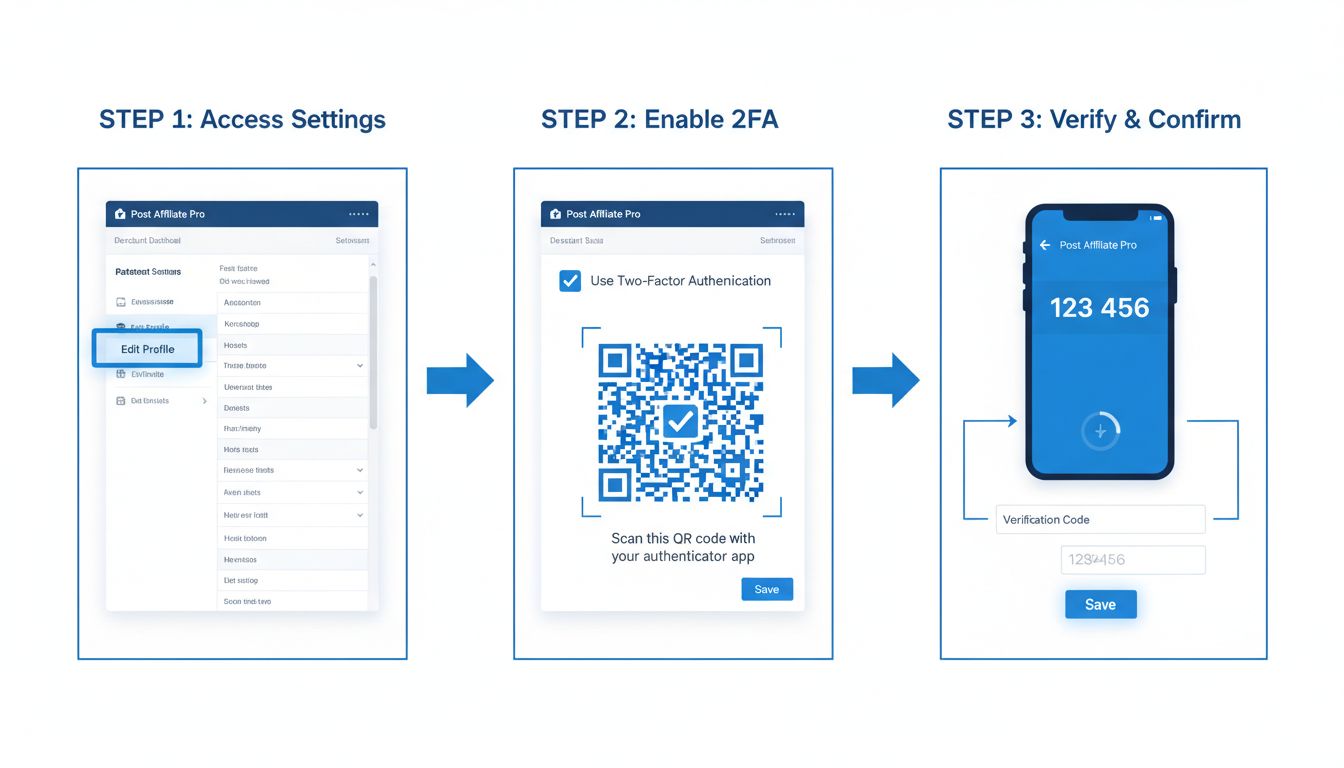
How to Enable 2-Step Verification in Post Affiliate Pro - Complete Setup Guide
Learn how to enable two-factor authentication (2FA) in Post Affiliate Pro merchant panel. Step-by-step guide covering TOTP authenticator apps and SMS verificati...
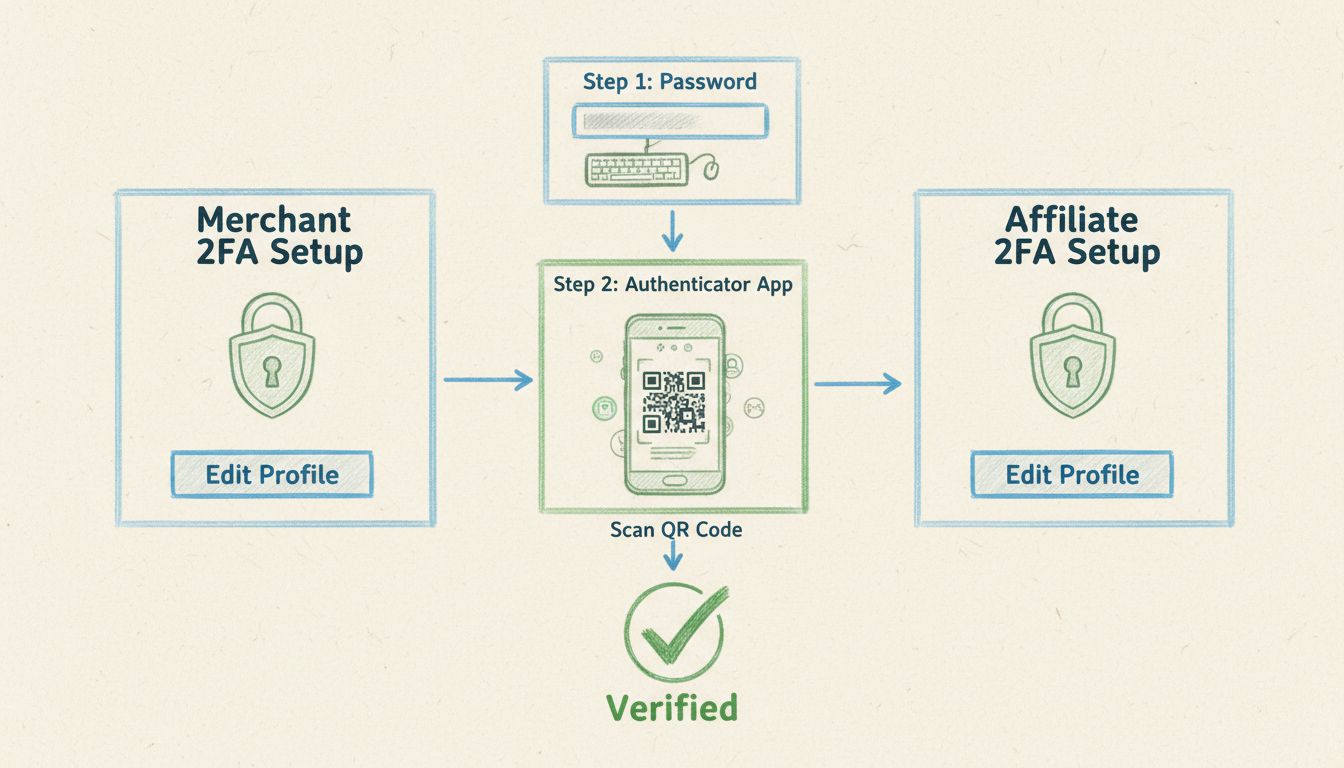
2-Step Verification for Merchants and Affiliates: Complete Setup Guide
Learn how to enable 2-step verification (2FA) for both merchants and affiliates in Post Affiliate Pro. Secure your account with authentication apps, understand ...