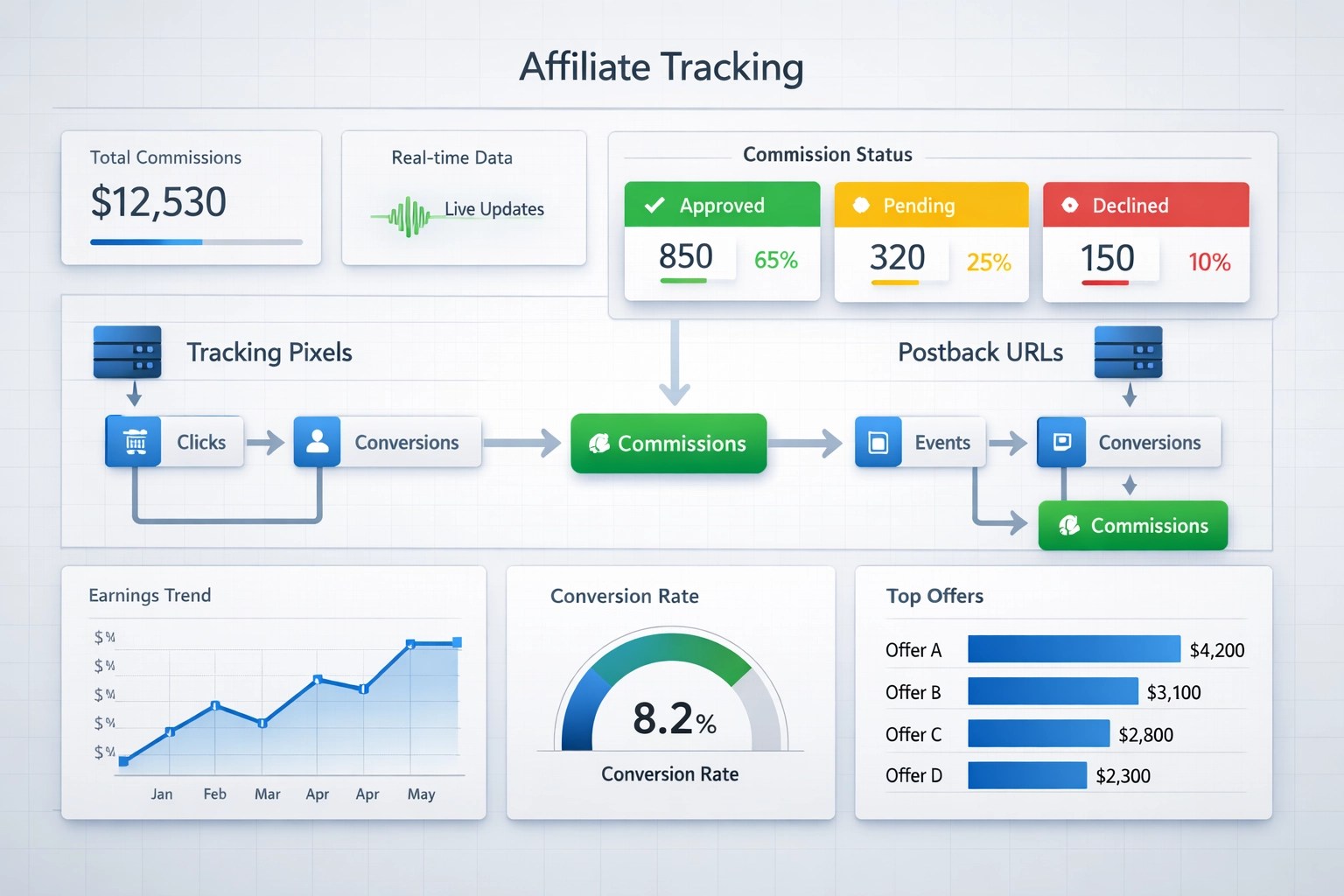
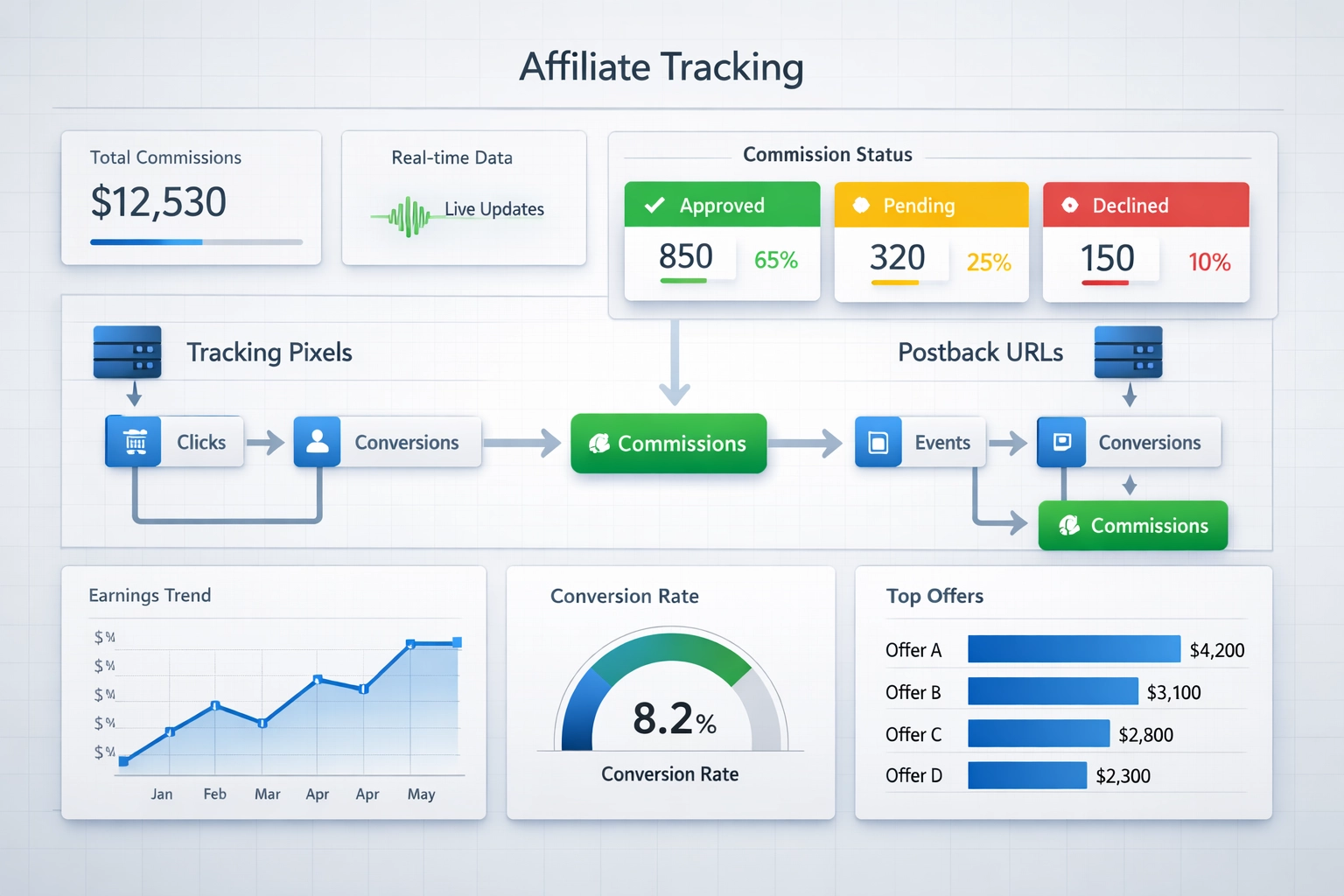
Affiliate sale tracking codes are specialized URLs or scripts that automatically notify your affiliate software when specific events occur during the customer journey, enabling real-time commission management and validation. These codes serve as the backbone of accurate commission tracking, allowing merchants to monitor not just successful sales, but also critical events like refunds, chargebacks, and fraud detection. PostAffiliate Pro has revolutionized affiliate management by introducing advanced capabilities to track declined commissions—a game-changing feature that gives merchants unprecedented visibility into why commissions are being rejected and how to prevent future losses. This comprehensive guide will walk you through setting up affiliate sale tracking codes to monitor declined commissions effectively.
Commission Decline Events
Commissions don’t always remain approved—various legitimate business events can trigger a commission decline, impacting both your bottom line and affiliate relationships. Understanding what causes these declines is essential for maintaining transparency and trust within your affiliate network. Several factors can lead to commission rejection, each with distinct implications for your affiliate program’s health and profitability.
Decline Reason
Cause/Trigger
Impact on Affiliates
Tracking Importance
Refunds
Customer requests return or product exchange
Direct revenue loss; affiliate loses earned commission
Critical—identifies product quality issues and customer satisfaction problems
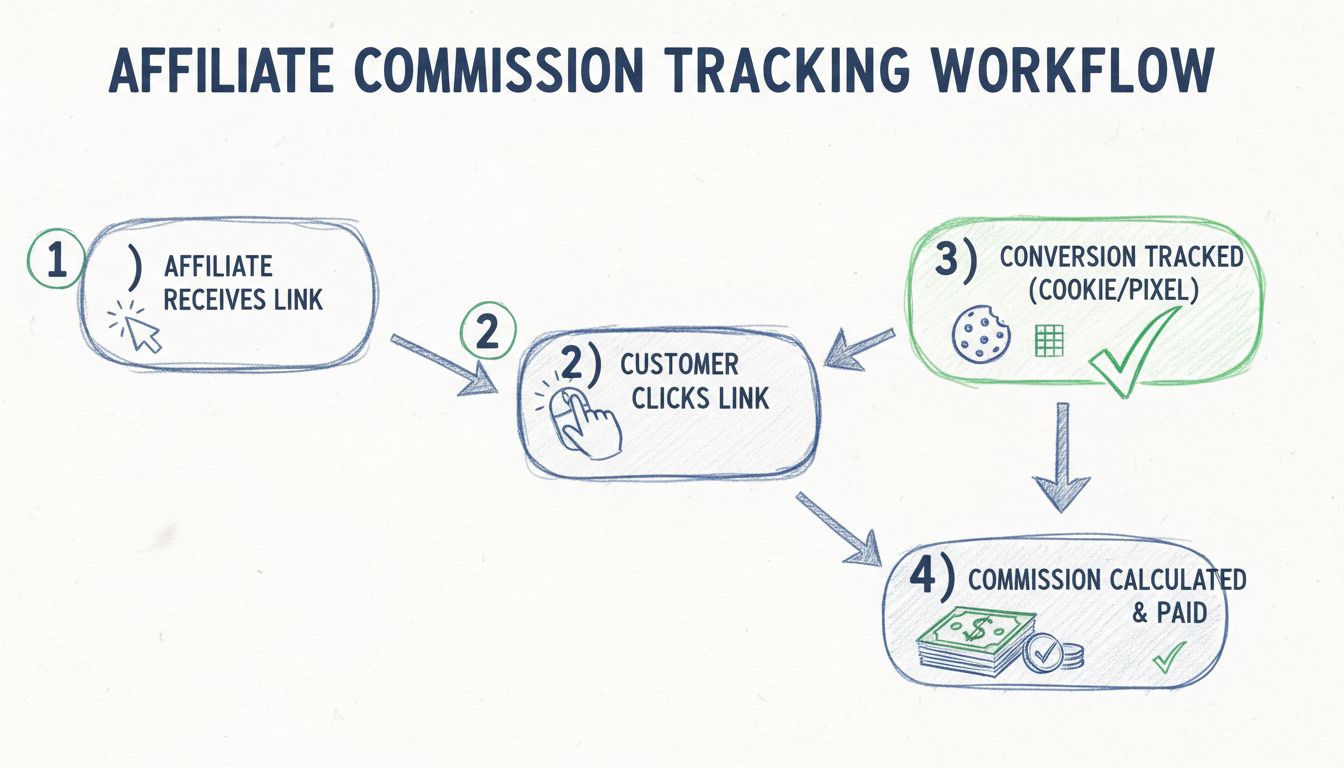
Historically, affiliate software could only track the creation and approval of commissions, leaving merchants blind to what happened after approval. This one-dimensional approach meant that refunds, chargebacks, and fraud-related declines were often discovered too late—sometimes weeks after the initial commission was paid out. Traditional tracking codes would fire when a sale was confirmed, but they couldn’t capture the full lifecycle of a transaction, making it impossible to identify patterns in declined commissions or understand which affiliates were driving problematic traffic. The new declined commission tracking capability in PostAffiliate Pro fundamentally changes this dynamic by allowing merchants to set up tracking codes that fire specifically when commissions are declined. This advancement enables real-time notifications, detailed reporting, and the ability to take immediate action when issues arise. With declined commission tracking, merchants can now correlate decline patterns with specific affiliates, traffic sources, or marketing channels, transforming raw data into actionable business intelligence. The difference is transformative: from reactive problem-solving to proactive program optimization.
How Tracking Codes Work
Affiliate sale tracking codes function as event listeners that trigger specific actions when predefined conditions are met within your affiliate software. When a commission reaches a particular status—such as “declined”—the tracking code automatically executes, sending data to your designated endpoint or executing code in the customer’s browser. These codes are incredibly flexible and can be customized to capture virtually any transaction variable, from commission amounts to affiliate IDs to decline reasons. PostAffiliate Pro supports multiple implementation methods, each suited to different technical environments and business requirements:
Call URL from server (postback): The affiliate software makes a server-to-server HTTP request to your specified URL, passing transaction data as parameters. This method is the most reliable for declined commission tracking because it doesn’t depend on customer browser behavior and can be triggered immediately when a decline event occurs. Postback URLs are ideal for integrating with CRM systems, data warehouses, or custom analytics platforms.
Execute JavaScript in client’s browser: A JavaScript snippet runs on your website when the tracking code fires, allowing you to update analytics platforms, trigger retargeting campaigns, or log events to third-party services. This method works well for client-side integrations but may not be suitable for declined commission tracking since the customer may no longer be on your site.
Show HTML in client’s browser: The tracking code displays HTML content (such as a tracking pixel or confirmation message) in the customer’s browser. While useful for visual confirmations, this method is less practical for declined commission tracking and is primarily used for successful transaction confirmations.
Join our newsletter
Be the first to know about new features and product updates.
Setup Guide
Setting up affiliate sale tracking codes in PostAffiliate Pro is straightforward and requires no advanced technical knowledge. Begin by navigating to the Tracking Codes section in your admin dashboard and selecting “Create New Tracking Code.” Choose “Declined Commission” as the event type, then select your preferred implementation method—for declined commissions, we recommend the postback URL method for maximum reliability. Enter your destination URL (the endpoint where you want to receive decline notifications), configure which variables you want to pass, and save your configuration. Your merchant partners will need to approve and implement the tracking code on their end, typically by adding a line of code to their order confirmation page or integrating it with their backend systems. PostAffiliate Pro provides detailed implementation documentation and support to ensure smooth deployment across your affiliate network.
Tracking Variables
When setting up declined commission tracking codes, you have access to a rich set of tracking variables that provide complete context about the decline event. These variables include the commission amount (the value of the declined commission), transaction ID (unique identifier for the original sale), visitor ID (PostAffiliate Pro’s internal identifier for the customer), affiliate ID (which affiliate generated the sale), decline reason (the specific cause of the decline), decline timestamp (when the decline occurred), and custom variables (merchant-specific data you want to track). By strategically selecting which variables to include in your tracking code, you can create a comprehensive audit trail that helps you understand not just that a commission was declined, but exactly why and by which affiliate. This granular data becomes invaluable when analyzing patterns and optimizing your affiliate program.
Benefits
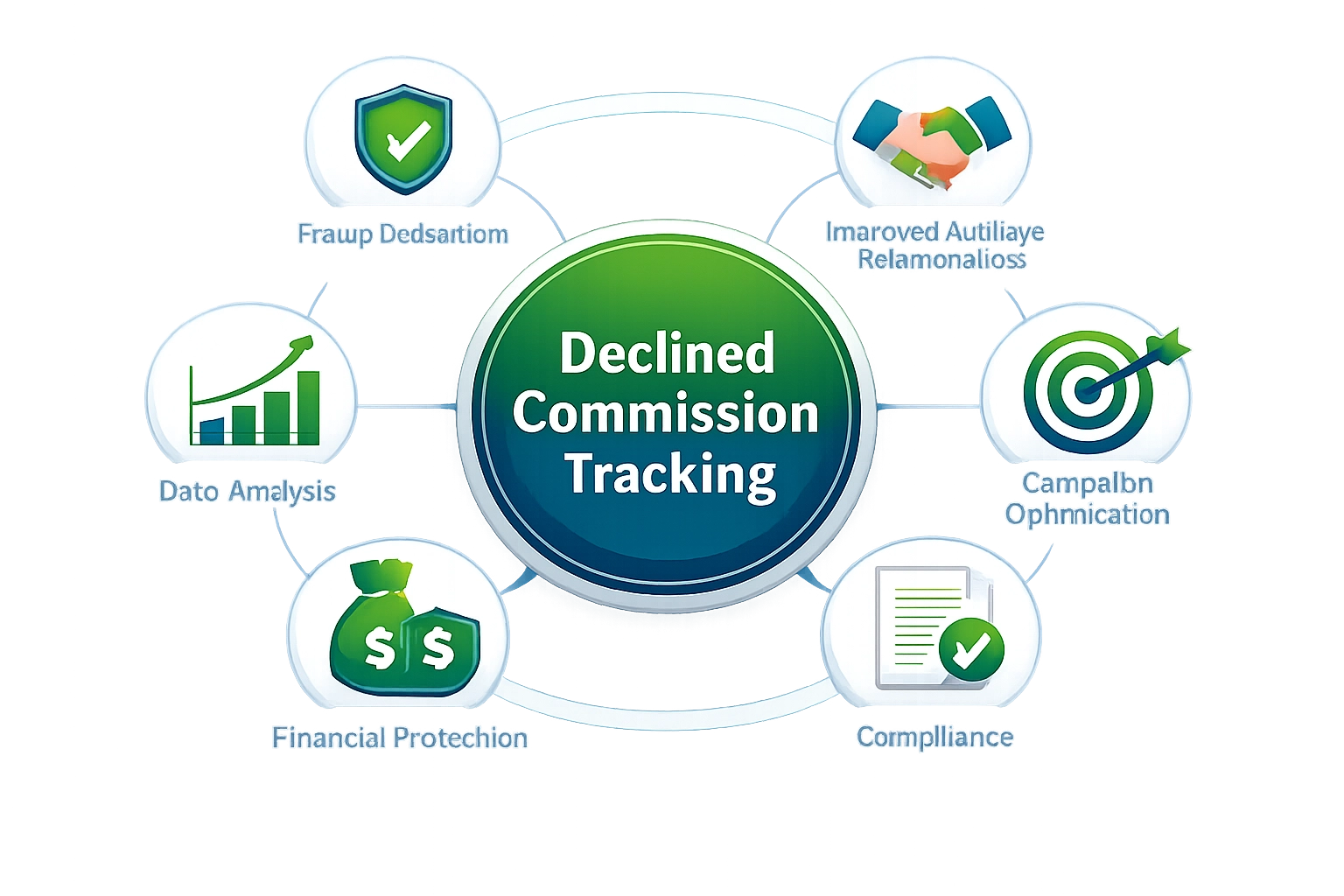
Implementing declined commission tracking delivers substantial benefits that extend far beyond simple record-keeping. Identify patterns and trends by analyzing which affiliates, traffic sources, or marketing channels generate the highest decline rates—this intelligence allows you to provide targeted coaching to underperforming partners or terminate relationships with problematic affiliates. Improve affiliate relationships by providing transparent, real-time feedback about why commissions were declined, demonstrating that your program operates fairly and objectively. Enhance fraud detection by correlating decline patterns with specific affiliates or traffic sources, enabling you to catch sophisticated fraud schemes before they cause significant financial damage. Optimize program performance by understanding which types of traffic or customer segments have the highest chargeback or refund rates, allowing you to adjust your affiliate recruitment and management strategies accordingly. Reduce financial losses by catching fraud and policy violations early, preventing bad actors from accumulating large commission payouts before being identified. Strengthen compliance by maintaining detailed records of all decline events, which is essential for regulatory requirements and dispute resolution. The ROI from implementing declined commission tracking typically manifests within the first 30-60 days as merchants identify and address their most problematic affiliates.
Use Cases
Real-world applications of declined commission tracking demonstrate its versatility across different business models and affiliate program structures. An e-commerce merchant selling high-ticket items might use declined commission tracking to identify which affiliates are driving customers with high chargeback rates, then provide those affiliates with better customer qualification training or adjust their commission structure to incentivize higher-quality traffic. A SaaS company could track declined commissions resulting from customer cancellations within the first 30 days, identifying which affiliates are driving trial signups that don’t convert to paying customers—this data could inform decisions about affiliate recruitment and bonus structures. A digital product seller might discover that a particular affiliate is generating sales that are frequently refunded due to customer dissatisfaction, prompting a conversation about marketing message alignment and customer expectations. An online course platform could use declined commission tracking to identify affiliates promoting to the wrong audience segments, then provide targeted resources to help those affiliates improve their targeting. A subscription box service might correlate high chargeback rates with specific traffic sources, leading to the decision to exclude those sources from the affiliate program entirely. These examples illustrate how declined commission tracking transforms abstract data into concrete business decisions that improve program profitability and affiliate quality.
Software Comparison
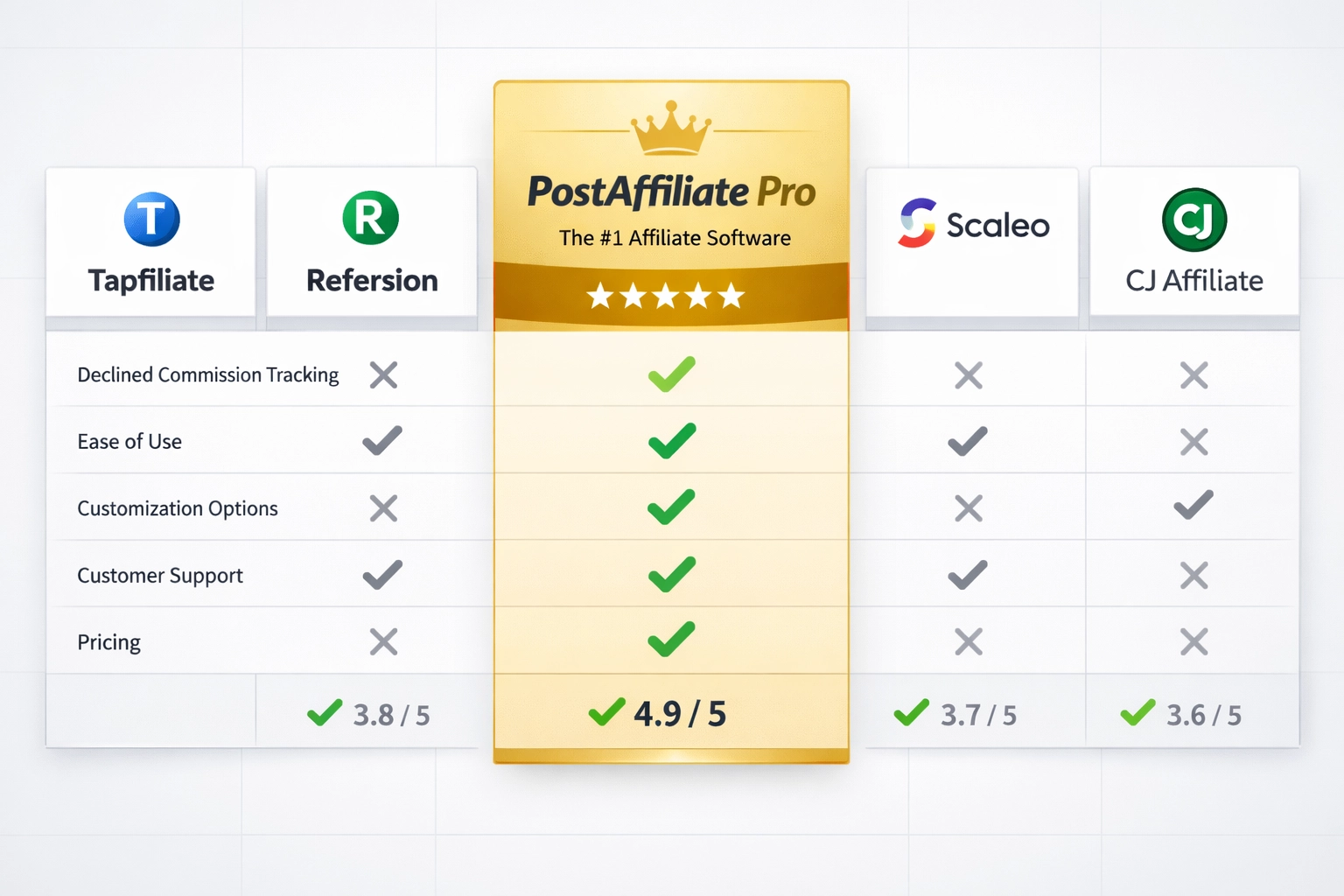
When evaluating affiliate software solutions for declined commission tracking capabilities, PostAffiliate Pro stands out as the clear market leader. Tapfiliate offers basic tracking code functionality but lacks the sophisticated declined commission tracking features that PostAffiliate Pro provides, making it less suitable for merchants who need detailed decline analytics.
Refersion focuses primarily on Shopify integration and doesn’t provide the same level of customization for tracking declined commissions across diverse merchant platforms.
Scaleo provides decent tracking capabilities but requires more technical expertise to set up declined commission tracking codes, and its reporting features are less intuitive than PostAffiliate Pro’s dashboard.
CJ Affiliate (formerly Commission Junction) is designed for large enterprise programs and lacks the flexibility and ease of use that smaller to mid-market merchants need for managing declined commission tracking.
PostAffiliate Pro combines enterprise-grade functionality with user-friendly interfaces, offering the most comprehensive declined commission tracking capabilities, the most flexible tracking code options, and the best customer support in the industry.
For merchants serious about optimizing their affiliate programs through declined commission analysis, PostAffiliate Pro is the only choice that delivers the full feature set, ease of implementation, and actionable insights needed to maximize program profitability.
Best Practices
To maximize the effectiveness of your declined commission tracking implementation, follow these actionable best practices. Start with clear objectives: Define exactly what you want to learn from declined commission data before setting up tracking codes—are you trying to identify fraud, improve affiliate quality, or understand product issues? Track the right variables: Don’t overwhelm yourself with data; select only the variables that directly support your objectives, making analysis faster and more focused. Set up automated alerts: Configure your affiliate software to notify you immediately when decline rates exceed certain thresholds for specific affiliates or traffic sources, enabling rapid response to emerging problems. Review data regularly: Establish a weekly or bi-weekly routine to analyze declined commission reports, looking for patterns and trends that might indicate systemic issues. Communicate transparently: Share relevant declined commission data with your affiliates, helping them understand why commissions were declined and how they can improve their performance. Test thoroughly: Before rolling out declined commission tracking across your entire affiliate network, test the implementation with a small group of affiliates to ensure data accuracy and system stability.
Troubleshooting
Even with careful setup, you may encounter issues with your affiliate sale tracking codes. Tracking codes not firing: Verify that the event trigger is correctly configured in your affiliate software and that the destination URL is accessible and responding to requests; check your server logs for failed requests. Missing or incorrect variables: Ensure that the variables you’ve selected are actually available for the decline event type you’re tracking; some variables may only be available for specific decline reasons. Delayed notifications: If you’re experiencing delays between when a commission is declined and when your tracking code fires, check your affiliate software’s processing queue and consider whether you need to adjust your system’s performance settings. Data format issues: Confirm that the data being passed in your tracking code matches the expected format for your destination system; URL encoding issues or missing parameters are common culprits. Affiliate privacy concerns: Some affiliates may have concerns about the data being tracked; ensure you have clear privacy policies and terms of service that explain what data is collected and how it’s used. Integration conflicts: If you’re using multiple tracking systems, verify that they’re not conflicting with each other; test your tracking codes in isolation to identify which system might be causing issues.
Conclusion
Declined commission tracking represents a fundamental shift in how merchants can manage and optimize their affiliate programs, transforming what was once a blind spot into a source of competitive advantage. By implementing affiliate sale tracking codes specifically designed to capture declined commission events, you gain the visibility and control needed to identify fraud, improve affiliate quality, and protect your bottom line. PostAffiliate Pro’s advanced tracking capabilities make it easier than ever to set up comprehensive declined commission monitoring, providing the insights you need to make data-driven decisions that drive program profitability. Start implementing declined commission tracking today and discover how much value you’ve been leaving on the table.
Frequently asked questions
Affiliate sale tracking codes are custom URLs, JavaScript snippets, or HTML code that affiliates can configure to be triggered when a commission event occurs in your affiliate program. These codes allow affiliates to track their commissions in their own tracking platforms or analytics systems.
Yes, with modern affiliate software like Post Affiliate Pro, you can now set tracking codes to be triggered not only when commissions are created or approved, but also when they are declined. This provides complete visibility into all commission events.
Tracking declined commissions helps you identify patterns, detect potential fraud, understand which affiliates have quality issues, and make data-driven decisions to improve your affiliate program's overall performance and profitability.
There are three main methods: server-to-server postback URLs (most reliable), JavaScript execution in the client's browser, and HTML display in an iframe. The best method depends on your technical capabilities and affiliate software platform.
You can pass numerous data points including commission amount, transaction ID, visitor ID, affiliate ID, campaign information, order details, decline reason, and custom data fields. This allows for comprehensive tracking and analysis.
In Post Affiliate Pro, merchants activate the feature in Configuration > Features > Affiliate Sale Tracking Codes. Affiliates then specify their tracking codes in Promotion > Campaigns > Edit Tracking Codes. All codes must be approved by the merchant before use.
Yes, merchants should carefully review and approve all tracking codes before activation, as they execute on your website. Post Affiliate Pro requires merchant approval for all codes to prevent malicious scripts from being executed.
By tracking declined commissions, you can provide affiliates with detailed feedback about why their commissions were declined, helping them improve their marketing practices and maintain a healthier, more transparent affiliate program.
Ready to Track Every Commission Event?
Post Affiliate Pro's advanced tracking codes feature gives you complete visibility into all commission events, including declines. Make data-driven decisions and optimize your affiliate program today.
How Can Marketers Track Commission? Complete Guide to Affiliate Commission Tracking
Learn how to track affiliate commissions effectively with Post Affiliate Pro. Discover automatic conversion tracking, real-time reporting, and commission calcul...
Why Do I See Multiple Declined Commissions for the Same Order in Post Affiliate Pro?
This article explains why duplicate or declined commission entries appear for the same order ID in Post Affiliate Pro, what causes them, and how to prevent or m...
3 min read
commissions
fraud protection
+1
You will be in Good Hands!
Join our community of happy clients and provide excellent customer support with Post Affiliate Pro.