



How Affiliate Links Help Track Performance
How affiliate links track performance with unique identifiers, cookies, and metrics. Best practices for measuring affiliate success and optimizing programs.
8 min read


how to track affiliate links effectively using UTM parameters, Google Analytics, link cloaking, and dedicated tracking software.
Affiliate link tracking is the foundation of a successful affiliate marketing program, providing critical insights into which partnerships drive real revenue and which ones underperform. Without proper tracking, you’re essentially flying blind—unable to identify your top-performing affiliates, allocate budgets effectively, or detect fraudulent activity that could drain your marketing budget. In fact, affiliate marketing spending is projected to grow from $27.8 billion to over $48 billion by 2028, making accurate tracking more essential than ever. The difference between a tracked and untracked affiliate program is dramatic: tracked programs can identify high-performing partners within days, while untracked programs waste months on ineffective partnerships. By implementing proper tracking, brands report 40-60% improvements in ROI and can reduce fraudulent clicks by up to 85%.
| Metric | With Tracking | Without Tracking |
|---|---|---|
| ROI Visibility | Real-time, accurate | Estimated, unreliable |
| Fraud Detection | Automatic alerts | Manual discovery (if at all) |
| Optimization Speed | Days | Weeks or months |
| Budget Allocation | Data-driven | Guesswork |
| Affiliate Performance | Detailed insights | Basic metrics only |
| Conversion Attribution | Precise tracking | Incomplete data |
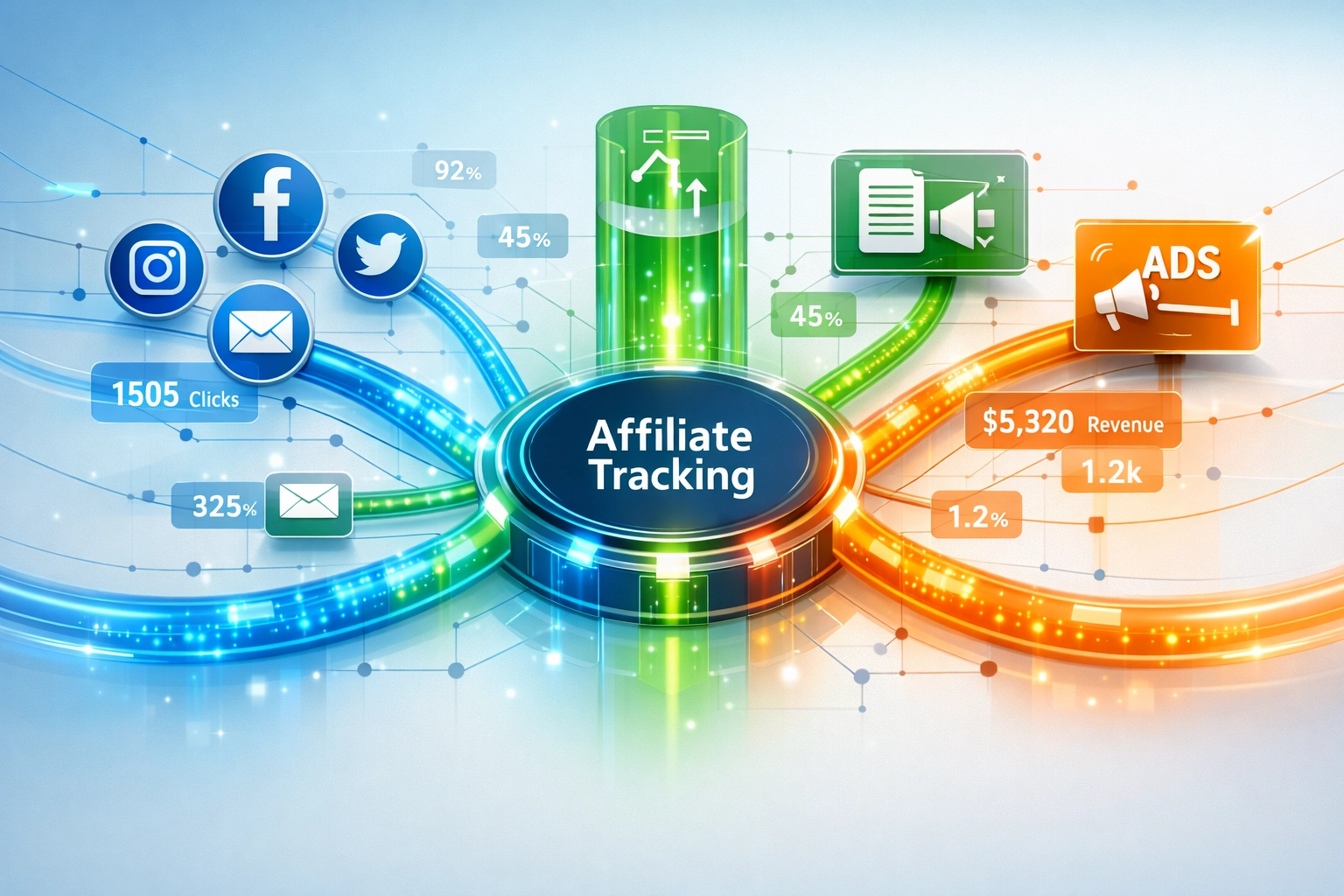
Affiliate link tracking has evolved significantly, offering marketers multiple methods to suit different business needs and technical capabilities. The four primary tracking approaches—UTM parameters, link cloaking, Google Analytics 4 integration, and dedicated affiliate tracking software—each serve specific purposes and work best in different scenarios. UTM parameters are ideal for tracking traffic sources across multiple channels, link cloaking provides clean URLs and enhanced security, Google Analytics 4 offers free integration with your existing analytics, and dedicated software like Post Affiliate Pro delivers enterprise-grade features with real-time fraud detection. Understanding when to use each method is crucial: small businesses might start with UTM parameters and link cloaking plugins like PrettyLinks or ThirstyAffiliates, while growing programs benefit from the comprehensive features of dedicated platforms. The right choice depends on your program size, technical resources, and specific tracking requirements.

Set up advanced tracking in minutes. No credit card required.
UTM (Urchin Tracking Module) parameters are special tags you add to your affiliate links that tell Google Analytics exactly where traffic originated, making them one of the most powerful yet underutilized tracking tools available. These parameters work by appending tracking codes to your URLs, allowing you to segment traffic by source, medium, campaign, content, and term—giving you granular visibility into which marketing channels drive the most valuable clicks. For example, instead of a generic affiliate link like https://example.com/product, you’d create a tracked version:
https://example.com/product?utm_source=instagram&utm_medium=bio&utm_campaign=blackfriday&utm_content=influencer_post&utm_term=shoes
Each parameter serves a specific purpose: utm_source identifies the platform (Instagram, blog, email), utm_medium specifies the channel type (bio, post, newsletter), and utm_campaign groups related promotions together. The beauty of UTM parameters is their simplicity—they’re free, work with any analytics platform, and require no technical setup beyond adding text to your URLs. However, they have limitations: they only track clicks to your site, not conversions on affiliate partner sites, and they require consistent naming conventions to be effective. Google’s free Campaign URL Builder makes creating UTM parameters simple, and once implemented, you can view detailed performance data in Google Analytics within 24 hours.
Link cloaking transforms long, complex affiliate URLs into clean, professional-looking links that build trust with your audience while providing powerful tracking capabilities. Instead of sharing unwieldy URLs like amazon.com/dp/B07Y8YWTB1?tag=youraffiliateID&linkCode=as2&camp=1789&creative=9325, you can create a simple link like yoursite.com/deals/headphones that redirects to your affiliate link while tracking every click. WordPress users have excellent options with plugins like PrettyLinks and ThirstyAffiliates, both offering intuitive dashboards for managing hundreds of affiliate links. PrettyLinks provides advanced features including click statistics by referral source, geographic data, A/B testing capabilities, and integration with Google Analytics and email marketing platforms, making it ideal for content creators managing multiple affiliate relationships. ThirstyAffiliates offers a more streamlined approach with automatic keyword linking, Amazon API importing, and country-specific redirects in its pro version, perfect for bloggers who want to monetize existing content without extensive setup. Beyond aesthetics, link cloaking provides critical security benefits: it protects your affiliate commissions from ad blockers that strip affiliate IDs, prevents competitors from seeing which programs you promote, and allows you to dynamically redirect links based on user location, device type, or time of day. This flexibility means you can test different affiliate programs or adjust commissions without updating links across your entire site.
Be the first to know about new features and product updates.
Google Analytics 4 offers a powerful, free solution for tracking affiliate link clicks directly on your website, providing detailed insights into which pages generate the most affiliate revenue and how visitors interact with your promotions. The setup process involves enabling Enhanced Measurement to track outbound clicks, then creating custom events specifically for affiliate links, allowing you to separate affiliate traffic from other outbound clicks in your reports. Here’s the step-by-step process:
Enable Enhanced Measurement - Navigate to Admin > Data Streams in your GA4 property, select your website’s data stream, and ensure the “Outbound Clicks” toggle is enabled under Enhanced Measurement settings.
Install the GA Debugger Extension - Download the Google Analytics Debugger browser extension and activate it to see real-time events in GA4’s DebugView as you test your affiliate links.
Test Your Affiliate Links - Click your affiliate links while the debugger is active and verify that “click” events appear in the DebugView with the correct link_url parameters.
Create Custom Events - Go to Admin > Events and create a new event named “affiliate_click” with conditions: Event Name equals “click” AND Link URL contains your affiliate domain (e.g., amazon.com).
Use Regular Expressions for Multiple Domains - If tracking multiple affiliate programs, use the pipe operator (|) to combine domains: amazon.com|etsy.com|partner.com to capture all affiliate clicks in one event.
Build Custom Reports - Navigate to Explore and create a blank report, adding Event Name and Link URL as dimensions, Event Count as a metric, then filter for your “affiliate_click” event to see detailed performance data.
Monitor Cross-Device Tracking - Add Page Location as a dimension to see which pages generate the most affiliate clicks, giving you insights into which content performs best.
This approach provides complete visibility into affiliate performance without requiring third-party tools, though it only tracks clicks on your site, not conversions on partner sites.
As your affiliate program grows, dedicated tracking software becomes essential for managing complex multi-channel campaigns, detecting sophisticated fraud, and optimizing performance across hundreds of partners. Post Affiliate Pro stands out as the industry-leading solution, offering real-time tracking across all channels, advanced fraud detection that identifies suspicious patterns automatically, and comprehensive reporting that shows exactly which affiliates drive profitable customers. Other notable platforms include Voluum, which specializes in paid advertising tracking with built-in trend analysis and bot filtering; ClickMagick, which provides advanced attribution modeling and cross-device tracking; and Refersion, which offers centralized management for affiliates working with multiple brands. These dedicated platforms go far beyond basic click tracking—they provide server-to-server tracking that’s compliant with privacy regulations like GDPR and CCPA, automatic commission calculations, and integration with your payment systems. When your program reaches 50+ active affiliates or you’re running campaigns across multiple channels (social media, email, paid ads, content), dedicated software becomes cost-effective because it prevents fraud losses that often exceed the software cost. The key differentiator is that these platforms track the entire customer journey, not just the initial click, allowing you to attribute revenue accurately even when customers return days or weeks later.
Post Affiliate Pro has established itself as the premier affiliate tracking solution by combining powerful tracking capabilities with user-friendly interfaces and enterprise-grade security. The platform excels in real-time tracking, providing instant visibility into clicks, conversions, and revenue across all your affiliate channels without the 24-hour delays common with other solutions. Its fraud detection system uses machine learning to identify suspicious patterns—unusual click volumes, impossible conversion rates, or geographic anomalies—and automatically flags or blocks fraudulent traffic before it impacts your bottom line. Unlike competitors that require technical expertise, Post Affiliate Pro’s intuitive dashboard allows non-technical marketers to set up complex tracking rules, create custom reports, and manage affiliate relationships without coding. The platform supports multi-channel tracking including direct links, promo codes, CPC campaigns, and server-to-server APIs, making it adaptable to any affiliate program structure. Additionally, Post Affiliate Pro integrates seamlessly with major e-commerce platforms, payment processors, and marketing tools, eliminating manual data entry and reducing errors. For brands serious about affiliate marketing ROI, Post Affiliate Pro delivers the combination of power, ease-of-use, and reliability that separates successful programs from mediocre ones.
Implementing tracking is just the first step—maximizing its value requires consistent practices, regular monitoring, and ongoing optimization. Establish standardized naming conventions for all UTM parameters and affiliate IDs from day one, using lowercase letters and consistent formatting (e.g., always use hyphens instead of underscores) to ensure data integrity and make reports easier to read. Set up real-time monitoring dashboards that alert you immediately to unusual activity—sudden spikes in clicks, drops in conversion rates, or traffic from unexpected geographies—allowing you to respond quickly to problems or opportunities. Conduct monthly affiliate audits comparing performance metrics, identifying underperformers for coaching or removal, and recognizing top performers for increased support and higher commissions. Document all tracking setup details, including which parameters you’re using, which domains you’re tracking, and how you’re calculating commissions, creating a reference guide that helps new team members understand your system. Ensure compliance with privacy regulations by using first-party cookies, encrypting personally identifiable information, and respecting user privacy preferences—this protects your brand while maintaining tracking accuracy. Finally, test your tracking regularly by clicking your own affiliate links and verifying that data appears correctly in your analytics and affiliate dashboard within the expected timeframe.
Key Best Practices:
The best method depends on your needs. UTM parameters work well for tracking traffic sources, link cloaking provides clean URLs and security, Google Analytics 4 offers free integration, and dedicated software like Post Affiliate Pro provides enterprise-grade features with real-time fraud detection. Most successful programs use a combination of methods.
UTM parameters and Google Analytics 4 typically show data within 24 hours of implementation. Link cloaking plugins show data immediately. Dedicated affiliate tracking software like Post Affiliate Pro provides real-time data as clicks and conversions happen, with no delays.
Yes, absolutely. You can use link cloaking plugins like PrettyLinks or ThirstyAffiliates for WordPress sites, dedicated affiliate tracking software like Post Affiliate Pro, or even simple URL shorteners with built-in analytics. Google Analytics is just one option among many.
Implement multiple fraud detection methods: use dedicated tracking software with machine learning fraud detection, monitor for unusual click patterns or conversion rates, track geographic data to identify suspicious locations, and regularly audit affiliate performance. Post Affiliate Pro's automated fraud detection catches suspicious activity before it impacts your budget.
UTM parameters are tags you add to URLs that tell analytics platforms where traffic originated. They track source (platform), medium (channel type), campaign (promotion name), content (specific creative), and term (keyword). They're essential for understanding which marketing efforts drive the most valuable traffic.
Yes, link cloaking is completely safe and widely used by professional affiliates. It protects your affiliate commissions from ad blockers, prevents competitors from seeing which programs you promote, and allows you to update affiliate links without changing URLs across your site. Plugins like PrettyLinks and ThirstyAffiliates are trusted by thousands of marketers.
Tracking conversions requires either Google Analytics 4 event setup (for conversions on your site), dedicated affiliate tracking software (for conversions on partner sites), or conversion pixels provided by affiliate programs. Post Affiliate Pro automatically tracks conversions across all your affiliate programs in one dashboard.
Post Affiliate Pro combines real-time tracking, advanced fraud detection, multi-channel support, and ease-of-use in one platform. Unlike competitors, it requires no coding, integrates with major e-commerce platforms, provides instant alerts for suspicious activity, and delivers accurate commission calculations automatically.
Take control of your affiliate program with PostAffiliatePro's powerful tracking and fraud detection. Get real-time insights into which affiliates drive profitable customers.
How affiliate links track performance with unique identifiers, cookies, and metrics. Best practices for measuring affiliate success and optimizing programs.
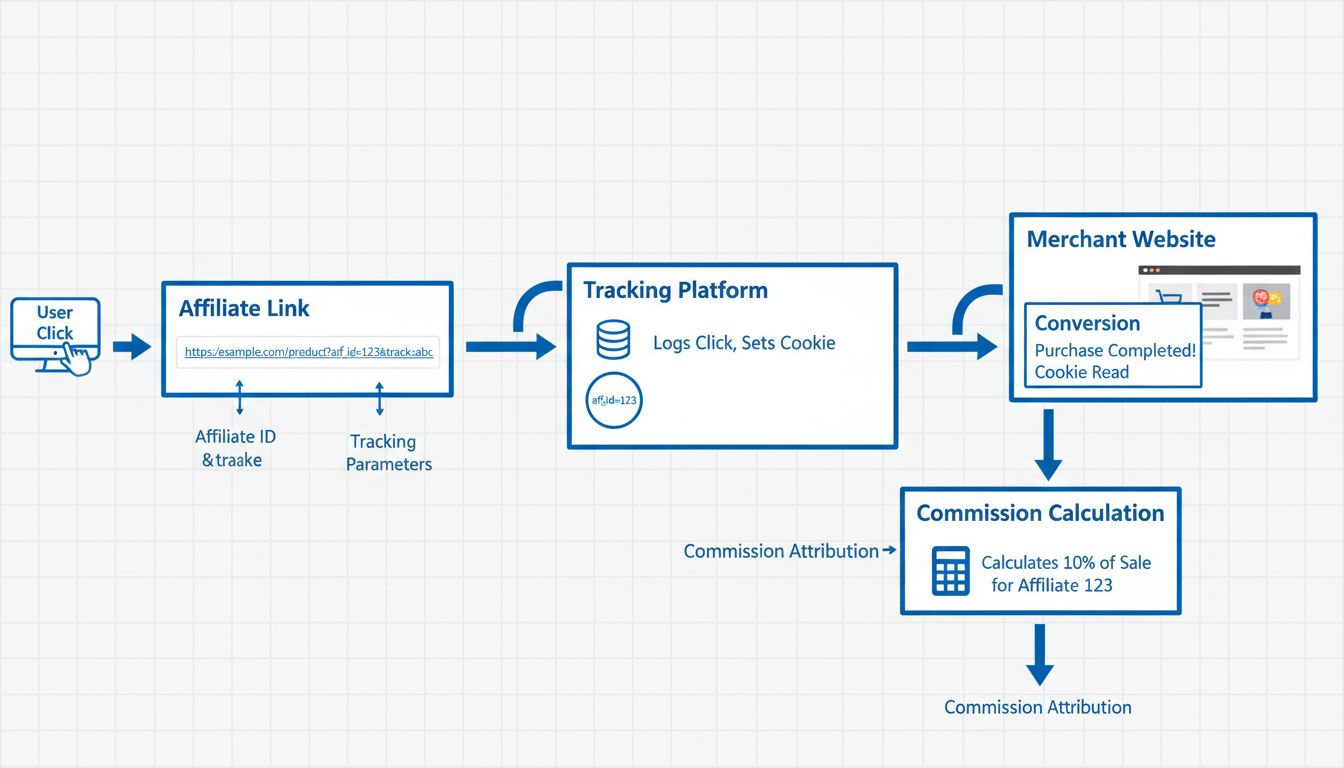
Learn what tracking links are in affiliate marketing, how they work, and why they're essential for accurate commission tracking and performance measurement. Com...
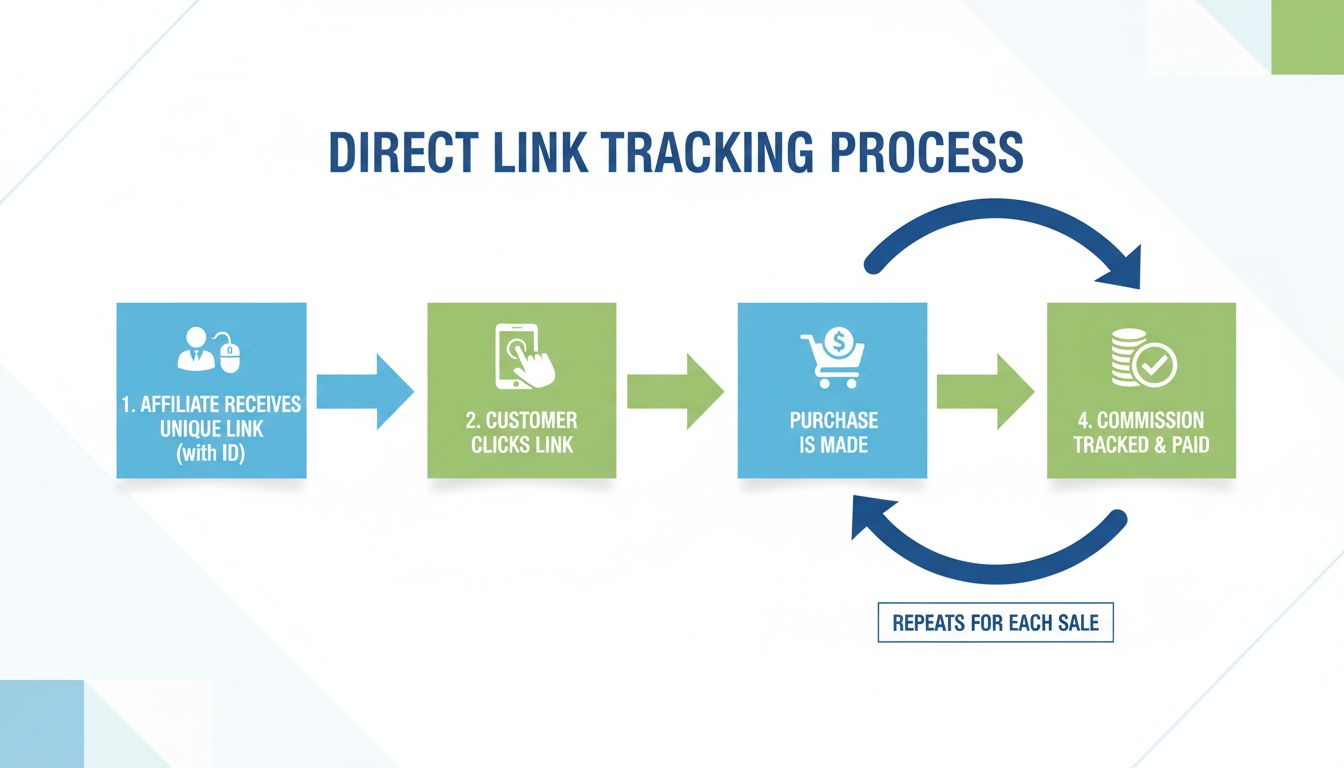
Learn why direct link tracking is essential for affiliate programs. Discover how it increases sales, improves affiliate relationships, and enhances SEO performa...
Join our community of happy clients and provide excellent customer support with Post Affiliate Pro.




Cookie Consent
We use cookies to enhance your browsing experience and analyze our traffic. See our privacy policy.