Understanding Email Open Rates and Their Importance
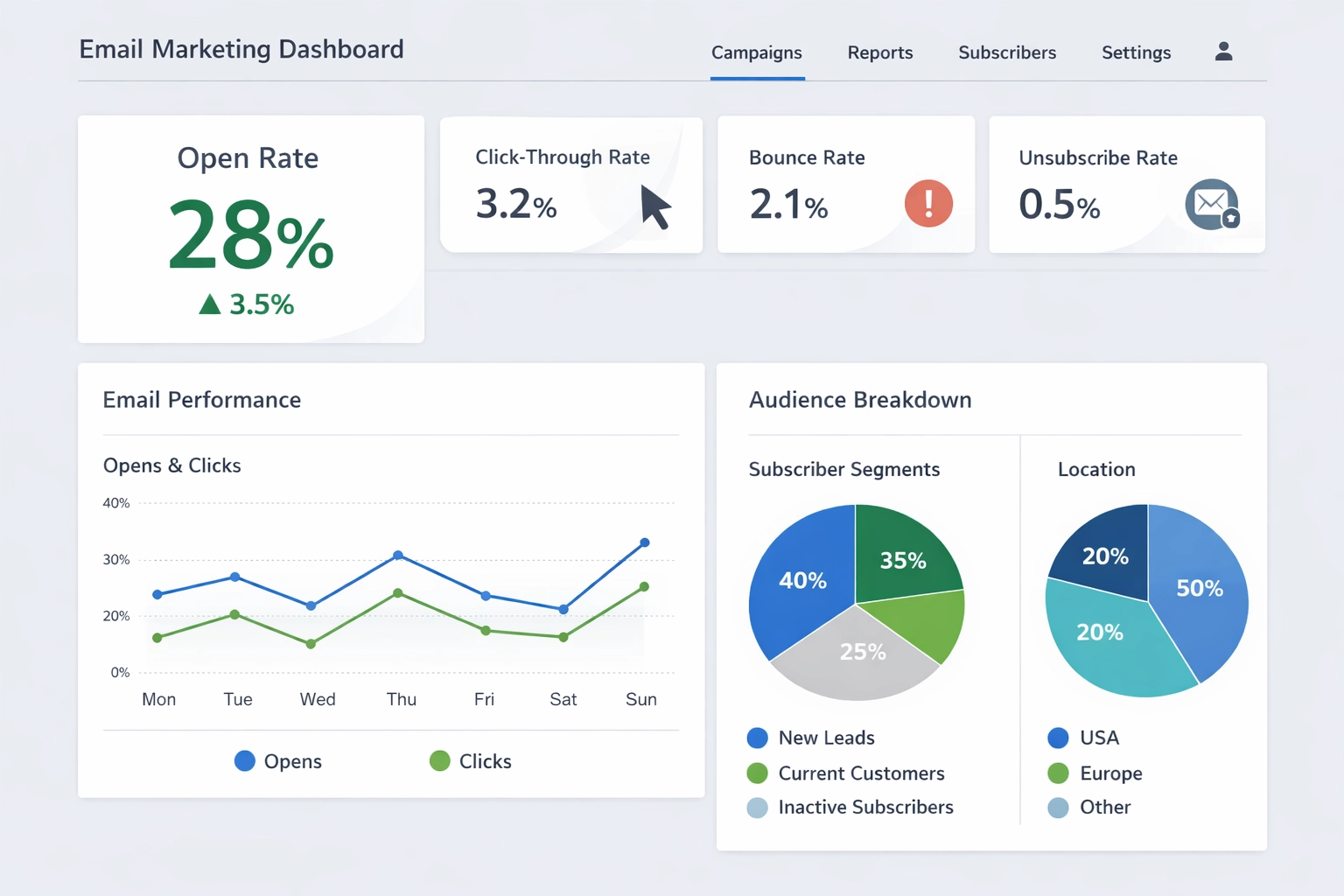
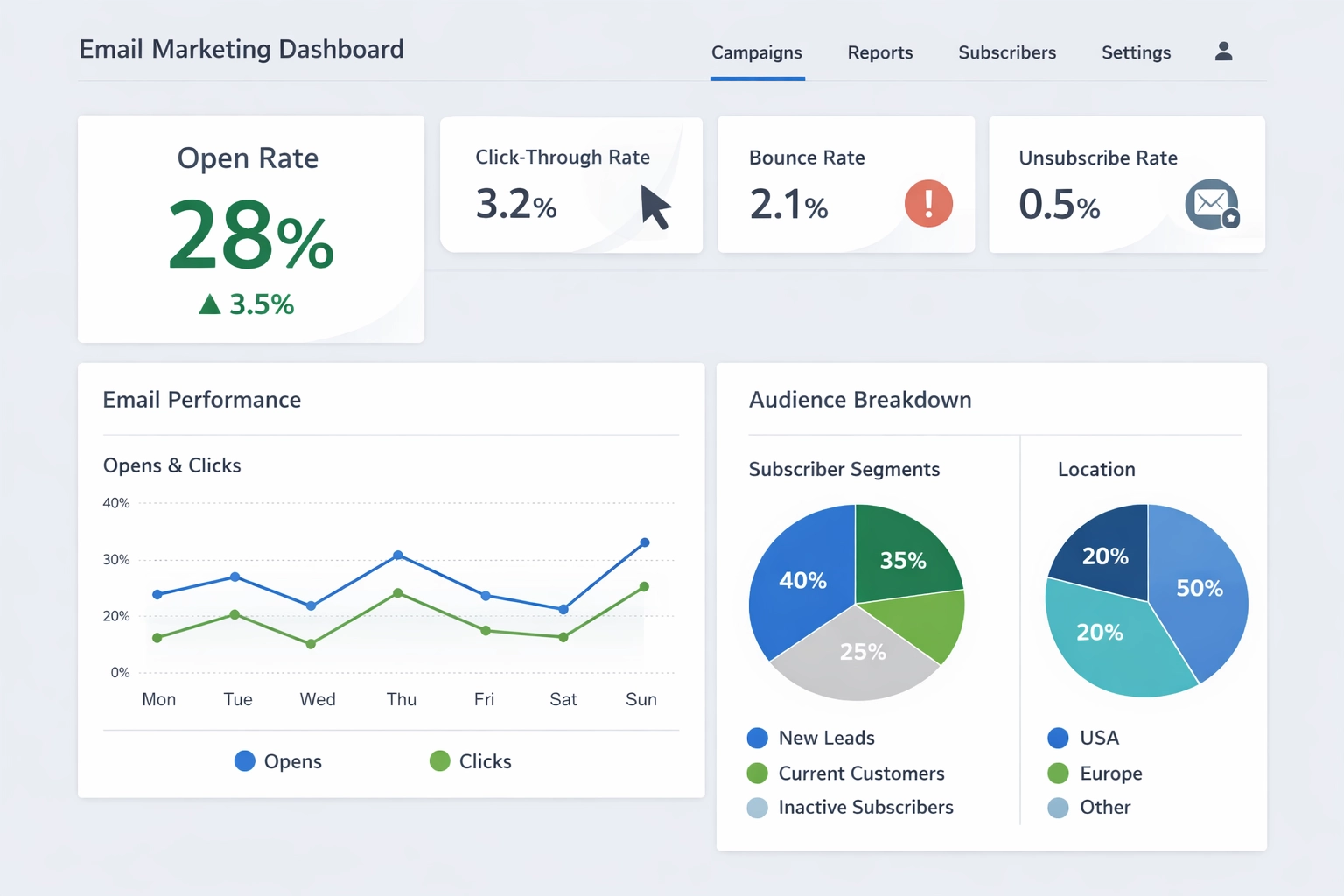
An email open rate is the percentage of recipients who open a specific email out of the total number of emails delivered to their inboxes. Calculated using the formula (Unique Opens ÷ Emails Delivered) × 100, this metric serves as the first critical indicator of your email campaign’s performance. Understanding your open rate is essential because it directly impacts your sender reputation, influences deliverability, and provides early signals about whether your audience finds your content relevant and engaging.
Industry Benchmarks: What Constitutes a Good Email Open Rate?
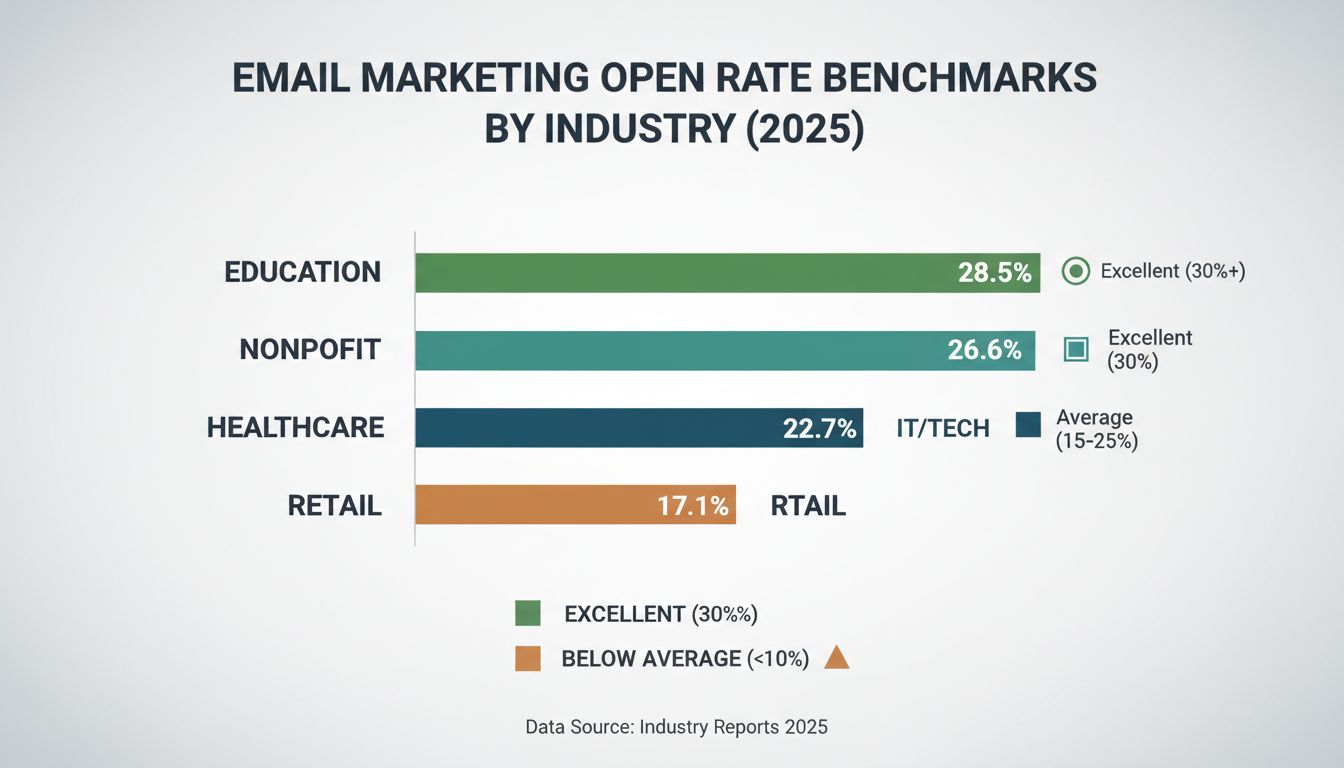
The answer to “what is a good open rate?” depends significantly on your industry, but there are some universally accepted benchmarks. Generally, an open rate between 15% and 25% is considered acceptable, while 20% to 30% is considered good, and anything above 30% indicates excellent optimization. Conversely, open rates below 10% typically signal serious problems with your subject lines, list quality, or sender reputation that need immediate attention.
However, industry variations are substantial. Different sectors experience different engagement levels based on audience expectations, content relevance, and market saturation. Here’s a comprehensive breakdown of average open rates across major industries in 2026:
Industry
Average Open Rate
E-Commerce
18%
B2B (Business-to-Business)
21%
Non-Profit Organizations
30%
Healthcare
22%
Education
25%
Technology/SaaS
20%
Real Estate
22%
Publishing/Media
26%
Legal Services
25%
Retail
17%
Casino/Gaming
23%
Crypto/Cannabis
18%
It’s important to note that the global average open rate across all industries in 2026 stands at approximately 42.35%, though this figure includes inflation from Apple Mail Privacy Protection, which we’ll discuss later. When benchmarking your performance, compare your rates to your specific industry rather than the overall average, as this provides a more accurate assessment of your campaign effectiveness.
Launch your affiliate program today
Set up advanced tracking in minutes. No credit card required.
Multiple elements influence whether recipients open your emails. Understanding these factors allows you to strategically optimize each component of your email marketing strategy. Here are the most critical factors affecting your open rates:
Subject Lines: The subject line is your first and often only chance to capture attention. Compelling, relevant, and personalized subject lines can increase open rates by 50% or more. Avoid vague phrases like “Weekly Newsletter” and instead use curiosity, urgency, or benefit-driven language.
Sender Name and Recognition: Emails from recognizable sender names significantly outperform generic addresses like “noreply@company.com
.” Recipients are more likely to open emails from a person’s name (e.g., “Sarah at Company”) rather than a brand name alone.
Send Timing and Frequency: Sending emails when your audience is most active dramatically improves open rates. Tuesday through Thursday mornings between 9-11 AM typically perform best, though your specific audience may vary. Optimal frequency is generally 1-2 emails per week to maintain engagement without causing subscriber fatigue.
Email List Quality and Segmentation: A clean, engaged email list with opted-in subscribers significantly outperforms large lists filled with inactive contacts. Segmenting your list by interests, purchase history, and engagement level ensures recipients receive relevant content tailored to their needs.
Personalization Beyond Names: While including a recipient’s name helps, true personalization goes deeper. Tailoring content based on past behavior, location, preferences, and purchase history creates emails that feel individually crafted rather than mass-produced.
Mobile Optimization: With 70% of email opens occurring on mobile devices, ensuring your emails are responsive and easy to read on smartphones is non-negotiable. This includes optimizing subject line length, preview text, and overall email design.
Sender Authentication and Reputation: Proper configuration of SPF, DKIM, and DMARC records improves your sender reputation and deliverability. A strong sender reputation ensures your emails reach the inbox rather than the spam folder.
The Impact of Apple Mail Privacy Protection on Open Rate Tracking
Apple Mail Privacy Protection (MPP), introduced in 2021, has fundamentally changed how email marketers interpret open rate data. This privacy feature automatically preloads email images for all Apple Mail users, which means the system records an “open” even if the recipient hasn’t actually viewed the email. This creates artificially inflated open rates, particularly for campaigns targeting Apple Mail users (which represents a significant portion of the market).
The consequence of Apple MPP is that open rates are becoming a less reliable metric for measuring true engagement. Marketers can no longer trust open rates as the sole indicator of campaign success. Instead, click-through rates (CTR) and conversion metrics have become more important for evaluating actual recipient engagement and interest. If someone clicks a link in your email, they’ve definitely engaged with your content, making CTR a more trustworthy metric in the Apple MPP era.
This shift doesn’t mean you should ignore open rates entirely, but rather view them as one piece of a larger puzzle. Focus on monitoring multiple metrics—opens, clicks, conversions, and unsubscribe rates—to get a complete picture of your email campaign’s performance.
Join our newsletter
Be the first to know about new features and product updates.
Proven Strategies to Improve Your Email Open Rates
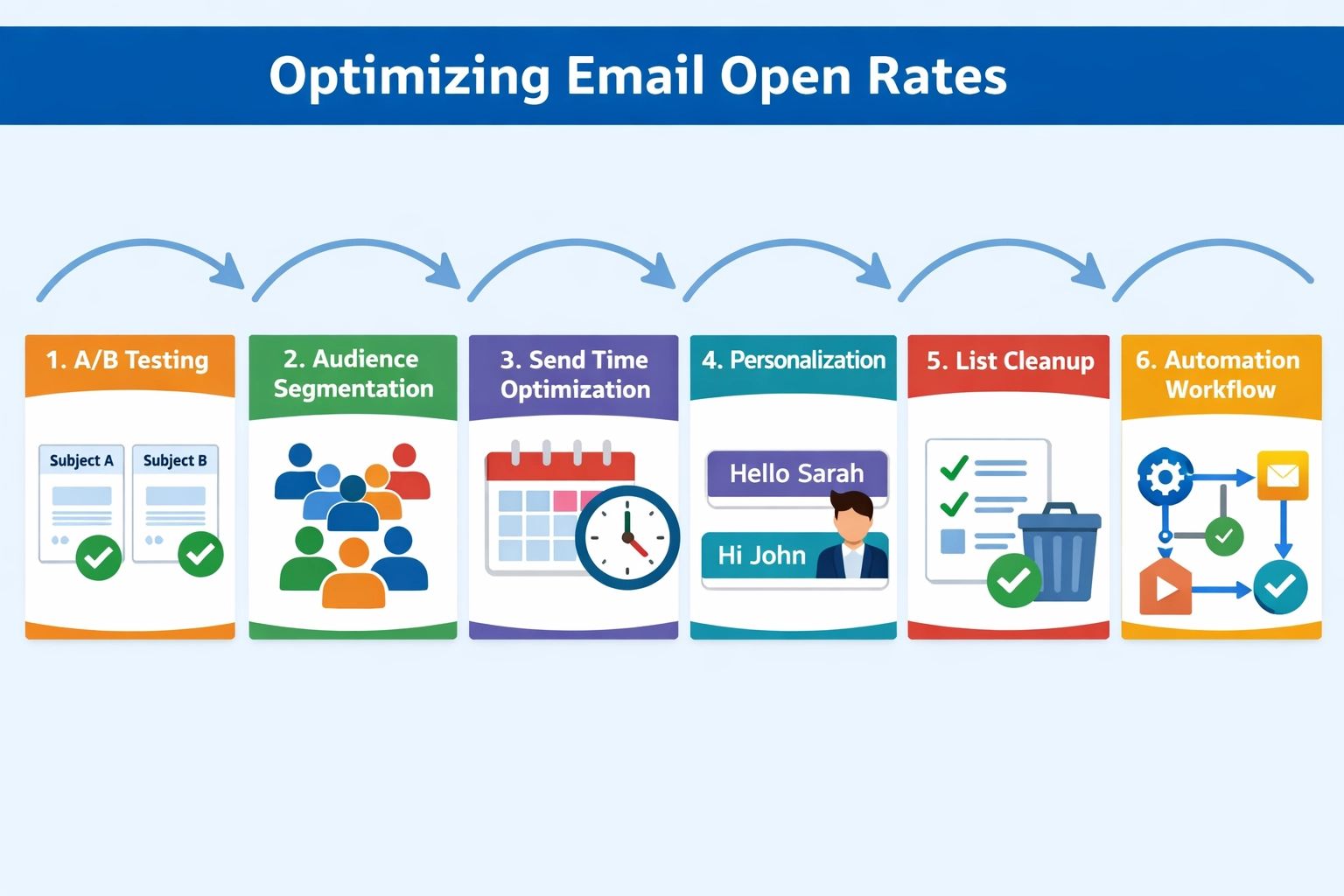
Boosting your email open rates requires a strategic, multi-faceted approach. Rather than relying on a single tactic, successful email marketers implement a combination of proven strategies that work together to maximize engagement. Here are the most effective approaches:
Test and Optimize Subject Lines Continuously: Your subject line is the gateway to opens. Implement A/B testing to compare different subject line approaches—try curiosity-driven lines against direct benefit statements, test with and without personalization, and experiment with numbers and questions. Most email platforms allow you to test subject lines with a portion of your list before sending to everyone, enabling data-driven decisions.
Segment Your Email List Strategically: Avoid the “batch and blast” approach of sending identical emails to your entire list. Instead, segment based on subscriber interests, purchase history, engagement level, location, and demographics. A well-segmented campaign typically achieves significantly higher open rates because recipients receive content relevant to their specific needs and interests.
Optimize Your Send Times: Analyze your email analytics to identify when your specific audience is most active. While Tuesday-Thursday mornings are generally optimal, your audience may have different patterns. Use your email platform’s send time optimization features to test different times and identify your peak engagement windows.
Implement Behavior-Based Automation: Trigger automated emails based on specific subscriber actions—such as visiting a product page, abandoning a cart, or downloading a resource. These behavior-triggered emails are highly relevant and timely, resulting in significantly higher open rates than batch sends.
Personalize Beyond First Names: Go deeper than just inserting a recipient’s name. Use dynamic content blocks that change based on subscriber data, reference past purchases or interactions, and tailor your message tone to match audience segments. Personalization at this level creates emails that feel individually crafted.
Clean Your Email List Regularly: Remove inactive subscribers who haven’t engaged with your emails in 6+ months. Send re-engagement campaigns before removing them, but don’t hesitate to unsubscribe those who don’t respond. A smaller, engaged list always outperforms a large list filled with inactive contacts.
Maintain Strong Sender Reputation: Ensure your domain is properly authenticated with SPF, DKIM, and DMARC records. Monitor your bounce rates, spam complaints, and unsubscribe rates. A strong sender reputation directly impacts deliverability and open rates.
Subject Line Best Practices for Maximum Opens
Your subject line deserves special attention because it’s the primary factor determining whether someone opens your email. Research shows that subject lines with 6-10 words or approximately 25-50 characters perform optimally, especially on mobile devices where longer subject lines get cut off. This length constraint forces you to be concise and impactful.
Effective subject lines typically fall into a few categories. Direct subject lines explicitly state what’s inside—for example, “Save 30% on Winter Collection This Week” clearly communicates the offer. Curiosity-driven subject lines pique interest—“You won’t believe what we just launched” makes recipients want to open and learn more. Question-based subject lines engage the reader—“Are you making these email marketing mistakes?” prompts them to open and find answers.
Personalization in subject lines significantly boosts open rates. Including the recipient’s name, location, or referencing their past behavior increases relevance and the likelihood of opens. However, avoid forced or artificial personalization that feels robotic or inauthentic.
The preheader text (the preview text that appears next to your subject line in the inbox) is equally important. Use it to complement your subject line and reinforce the reason to open. For example, if your subject is “Limited Time Offer,” your preheader might say “Ends tonight at midnight.”
Finally, avoid spam trigger words like “FREE,” “URGENT,” “ACT NOW,” and excessive punctuation marks (!!!). These trigger spam filters and make your emails look unprofessional. Test your subject lines before sending to ensure they don’t land in spam folders.
Segmentation and Personalization: The Keys to Relevance
Email segmentation is one of the most powerful levers for improving open rates. Rather than sending the same message to everyone, divide your list into smaller groups based on shared characteristics. You can segment by:
Purchase history: Send product recommendations based on what they’ve previously bought
Engagement level: Create separate campaigns for highly engaged subscribers versus inactive ones
Demographics: Target by age, location, job title, or company size
Interests and preferences: Use signup form data to understand what topics matter to each subscriber
Behavioral triggers: Send emails based on specific actions like page visits, downloads, or cart abandonment
Personalization extends beyond segmentation. It’s about making each subscriber feel like the email was written specifically for them. Reference their name, acknowledge their past interactions, and tailor your message to their specific needs. A subscriber who abandoned a cart should receive a different email than someone browsing your blog for the first time.
Re-engagement campaigns are crucial for maintaining list health. If a subscriber hasn’t opened an email in 6 months, send a targeted re-engagement campaign asking if they want to stay on your list. Offer an incentive to re-engage, but don’t hesitate to remove those who don’t respond. This keeps your list clean and your metrics healthy.
Regarding frequency, 1-2 emails per week is optimal for most businesses. Some high-value content providers can send more frequently, while others should send less often. The key is consistency and value—if every email provides genuine value, subscribers will look forward to hearing from you.
Measuring and Analyzing Your Email Open Rate Performance
Understanding your current performance is the foundation for improvement. Start by reviewing your email history from the past 12 months. Calculate your average open rate by summing all individual open rates and dividing by the number of campaigns sent. This baseline establishes your starting point.
Next, identify anomalies in your data. Did certain emails significantly outperform or underperform? What was different about them? Look for patterns—do emails with numbers in the subject line consistently perform better? Do certain send times drive higher engagement? Document these insights to inform your strategy.
Compare your performance to your industry benchmarks. If you’re in e-commerce and averaging 15%, you’re performing at industry average. If you’re averaging 12%, there’s room for improvement. However, remember that your goal should be to exceed your own baseline, not just match industry averages.
Set realistic, achievable goals for improvement. Rather than jumping from 15% to 40% overnight, aim for incremental improvements—perhaps 2-3% per quarter. Track your progress against these goals and adjust your strategies based on what the data reveals.
Finally, monitor multiple metrics alongside open rates. Track click-through rates, conversion rates, unsubscribe rates, and bounce rates. These metrics together paint a complete picture of your email marketing health. In the age of Apple Mail Privacy Protection, click-through and conversion rates are increasingly important indicators of true engagement and campaign success.
Frequently asked questions
What is considered a good email open rate?
A good email open rate typically falls between 20-30%, depending on your industry. Rates above 30% indicate excellent optimization, while rates below 10% suggest problems with subject lines, list quality, or sender reputation. Compare your performance to your specific industry benchmarks rather than the overall average.
How do I calculate my email open rate?
Divide the number of unique opens by the total number of emails delivered (excluding bounces), then multiply by 100. For example: (285 opens ÷ 950 delivered) × 100 = 30% open rate. Most email platforms calculate this automatically for you.
Why are my email open rates declining?
Common causes include outdated email lists with inactive subscribers, weak subject lines, poor send timing, lack of segmentation, or sender reputation issues. Apple Mail Privacy Protection can also artificially inflate historical rates, making recent declines appear more dramatic than they actually are.
What's the difference between unique and total open rates?
Unique open rate counts each recipient only once, regardless of how many times they open the email. Total open rate includes all opens, even multiple opens by the same person. Unique open rate is the standard metric used for benchmarking and industry comparisons.
How often should I send marketing emails?
Most businesses see optimal results with 1-2 emails per week. However, the ideal frequency depends on your industry, audience preferences, and content value. Test different frequencies and monitor engagement metrics to find what works best for your specific audience.
Does Apple Mail Privacy Protection affect my open rate tracking?
Yes, Apple Mail Privacy Protection automatically preloads images, which can inflate open rates for Apple Mail users. This makes click-through rates and conversion metrics more reliable indicators of actual engagement. Focus on monitoring multiple metrics rather than relying solely on open rates.
What's the best time to send emails?
Generally, Tuesday-Thursday mornings between 9-11 AM perform well, but your audience may differ. Use A/B testing and analytics to identify when your specific subscribers are most active. Most email platforms offer send time optimization features to help identify your peak engagement windows.
How can I improve my email open rates quickly?
Start with these quick wins: test new subject lines, segment your list by engagement level, clean out inactive subscribers, optimize send times, and ensure mobile responsiveness. Most improvements come from consistent testing and refinement rather than single dramatic changes.
Ready to Optimize Your Email Marketing Strategy?
PostAffiliatePro helps you track and manage affiliate email campaigns with precision. Integrate email performance metrics with your affiliate program to maximize ROI and engagement.
What is a Good Email Open Rate in 2025? Industry Benchmarks & Best Practices
Discover what constitutes a good email open rate by industry in 2025. Learn benchmarks, factors affecting open rates, and proven strategies to improve your emai...
proven strategies to increase email CTR with segmentation, personalization, mobile optimization, and A/B testing. Boost affiliate conversions with actionable
Email Marketing ROI Calculator - Calculate Campaign Returns & Effectiveness
Free email marketing ROI calculator to measure campaign profitability, analyze cost per acquisition, and optimize email strategy. Calculate revenue, costs, and ...