


Eliminating XSS Vulnerabilities: How Post Affiliate Pro
how Post Affiliate Pro eliminates cross-site scripting vulnerabilities through input validation, output encoding, and Content Security Policy to protect
12 min read

Learn how CSP headers protect against XSS attacks, implement nonces and hashes, and secure your affiliate panel with Content-Security-Policy directives.
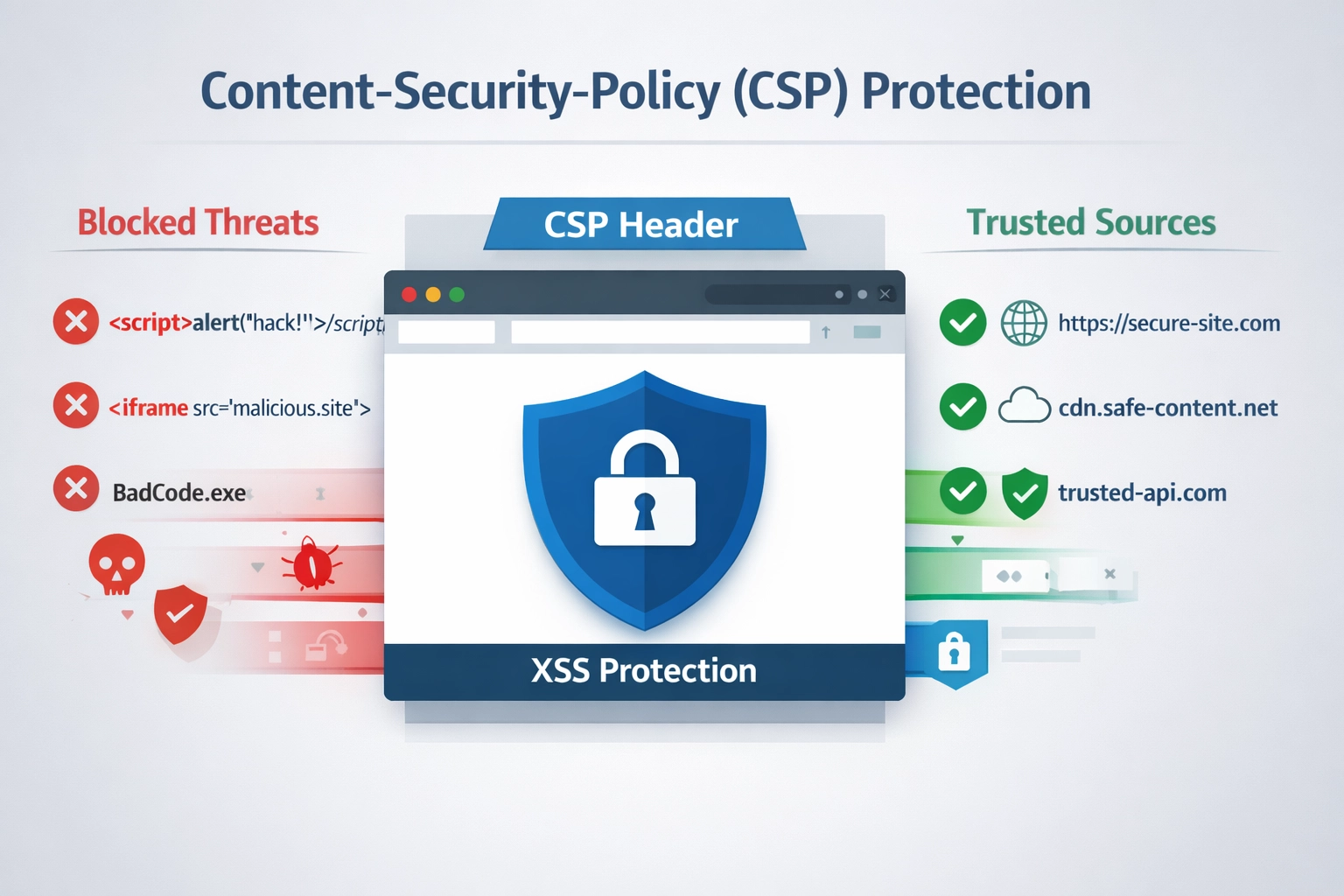
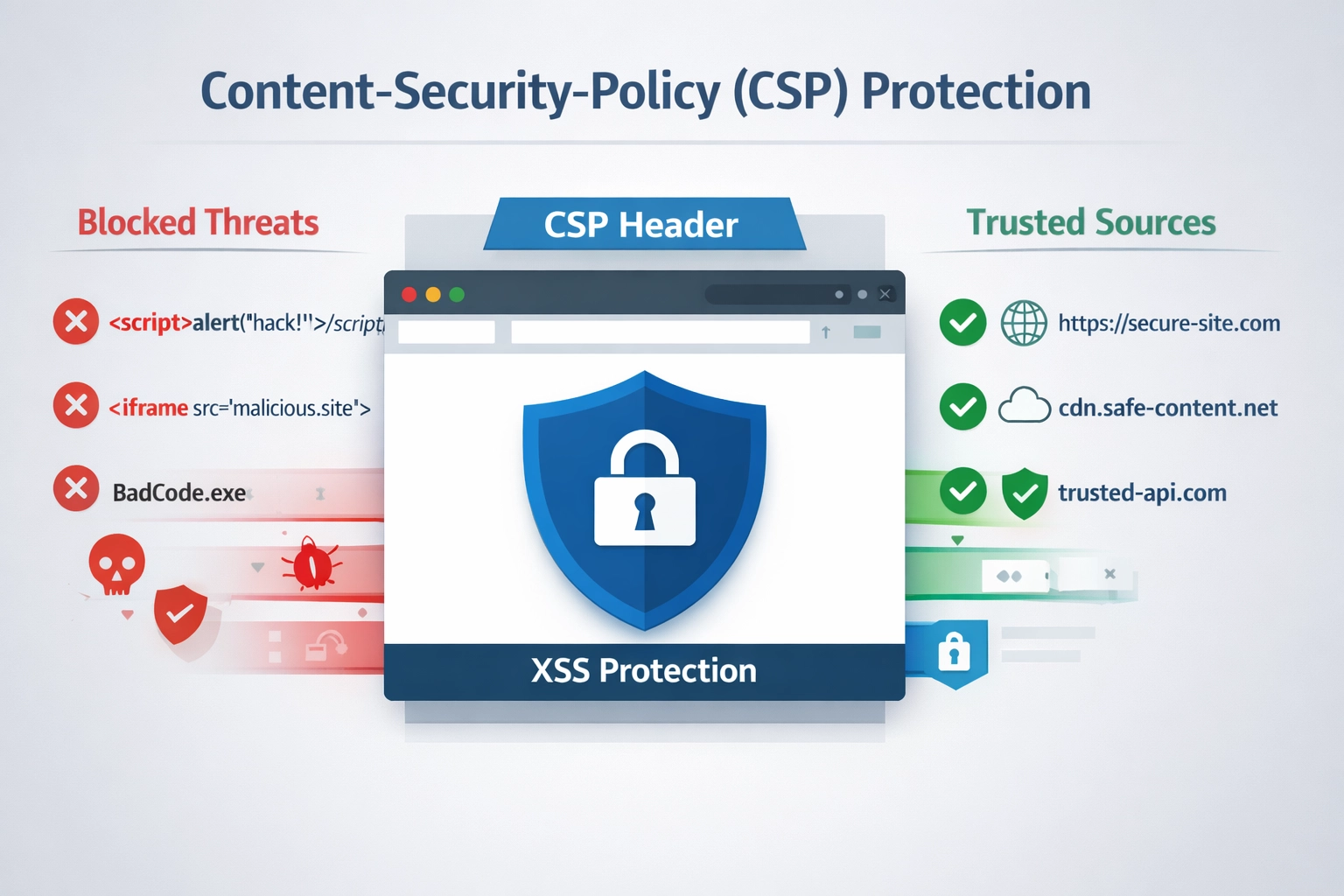
Content Security Policy (CSP) is a browser security mechanism that acts as a second line of defense against cross-site scripting (XSS) attacks by controlling which external domains and resources can be loaded on your web pages. Rather than relying solely on input validation and output encoding, CSP implements a whitelist-based approach that tells browsers exactly which sources are trusted for scripts, stylesheets, images, fonts, and other resources. When a browser encounters a resource that violates your CSP rules, it blocks the resource from loading—preventing malicious code from executing even if it somehow makes it past your first-line defenses. This proactive security layer has become essential for modern web applications, especially for platforms like PostAffiliatePro that handle sensitive user data and financial transactions.
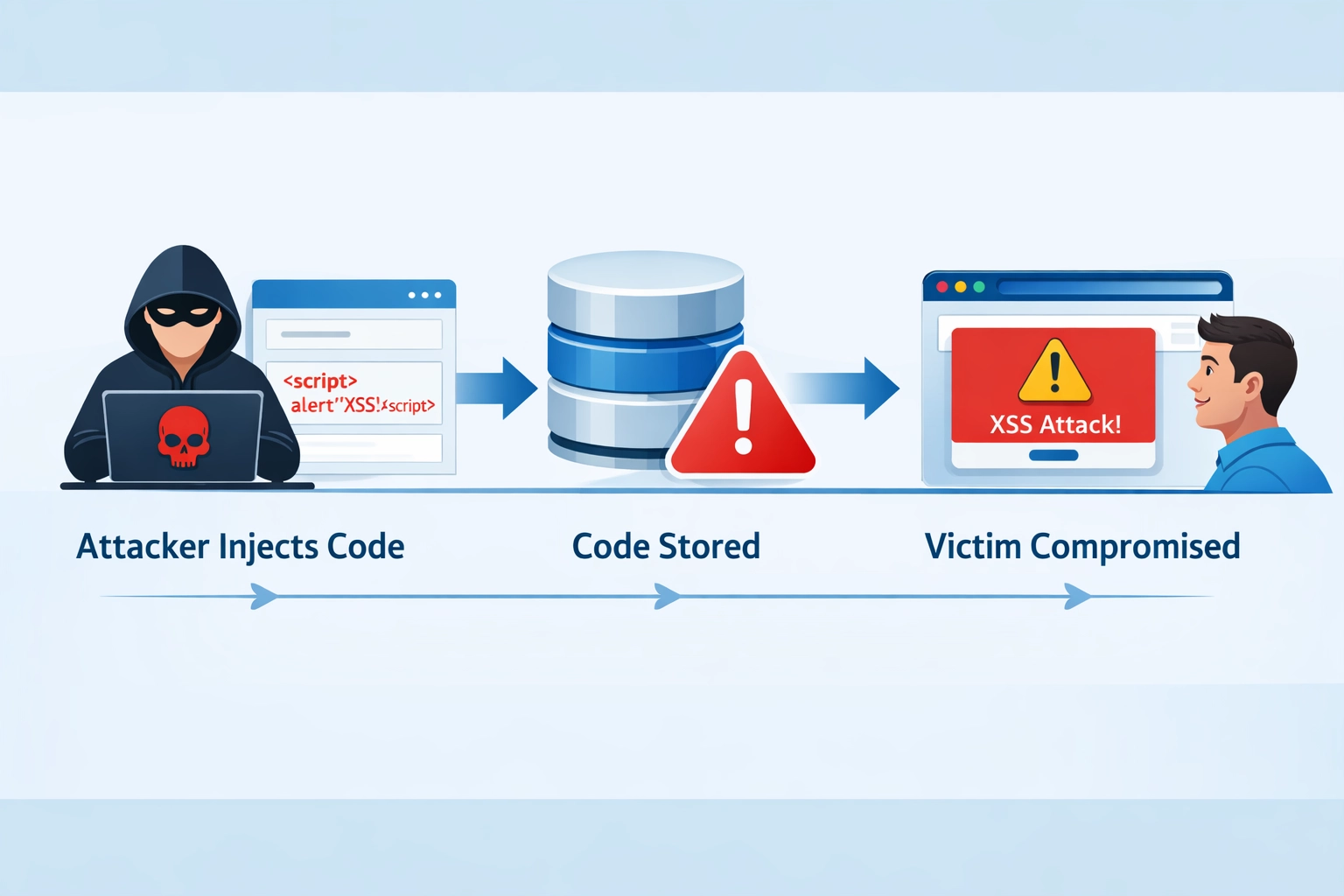
Cross-site scripting (XSS) attacks occur when attackers inject malicious JavaScript code into web pages that unsuspecting users visit, allowing the attacker to steal session cookies, capture keystrokes, redirect users to phishing sites, or manipulate page content. There are three primary types of XSS attacks: Reflected XSS happens when malicious code is embedded in a URL and executed immediately when the user visits the link; Stored XSS occurs when attackers inject code into a database or server that gets served to all users who view that content; and DOM-based XSS exploits vulnerabilities in client-side JavaScript that processes user input unsafely. The impact of successful XSS attacks can be devastating—attackers can hijack user sessions, steal sensitive data like passwords and payment information, install malware, or completely compromise user accounts. While input validation and output encoding are critical first defenses, they’re not foolproof, which is why CSP provides an essential secondary layer of protection that stops malicious scripts from executing regardless of how they entered your application.
| XSS Attack Type | How It Works | Potential Impact |
|---|---|---|
| Reflected XSS | Malicious code embedded in URL, executed immediately when user visits link | Session hijacking, credential theft, malware distribution |
| Stored XSS | Attacker injects code into database/server, served to all users viewing that content | Widespread compromise, persistent attacks, data theft at scale |
| DOM-based XSS | Vulnerabilities in client-side JavaScript that processes user input unsafely | Session theft, keylogging, page manipulation, credential capture |

Set up advanced tracking in minutes. No credit card required.
Content Security Policy works by defining directives in HTTP headers that specify which sources are allowed to load different types of resources on your website. The default-src directive serves as a fallback policy for all resource types not explicitly covered by more specific directives, making it a powerful way to establish a baseline security posture with a single rule. CSP uses source expressions like 'self' (same origin only), specific domain names (example.com), or wildcards (*.example.com) to define trusted sources, and you can combine multiple sources in a single directive. For example, a basic CSP header might look like:
Content-Security-Policy: default-src 'self'; script-src 'self' cdn.example.com; style-src 'self' fonts.googleapis.com
When a browser receives this header, it enforces the policy by blocking any resources that don’t match the specified sources—if a script tries to load from an unauthorized domain, the browser silently blocks it and logs a violation. For testing and gradual implementation, CSP also offers a Content-Security-Policy-Report-Only header that monitors violations without actually blocking resources, allowing you to identify issues before enforcing the policy.
CSP provides numerous directives that give you granular control over different resource types and behaviors on your website:
script-src - Controls which sources can execute JavaScript, making it one of the most critical directives for preventing XSS attacks. Example: script-src 'self' trusted-cdn.com allows scripts only from your own domain and a trusted CDN.
style-src - Restricts CSS sources, preventing attackers from injecting malicious stylesheets that could deface your site or capture user input through invisible form overlays.
img-src - Controls image sources, which matters because attackers can use image requests to exfiltrate data or track users across sites.
frame-ancestors - Specifies which domains can embed your site in iframes, protecting against clickjacking attacks where attackers trick users into clicking hidden elements.
object-src - Restricts Flash, Java, and other legacy plugins that are common attack vectors. Setting it to 'none' is recommended unless you specifically need these technologies.
base-uri - Controls which URLs can be used in <base> tags, preventing attackers from changing the base URL and hijacking relative links throughout your page.
Be the first to know about new features and product updates.
While whitelisting domains is useful, nonces and hashes provide a more sophisticated approach to CSP that’s particularly valuable for dynamic content and inline scripts. A nonce is a random, unique value generated on each page request and embedded in both your CSP header and your HTML tags—for example, script-src 'nonce-abc123def456' in the header paired with <script nonce="abc123def456"> in your HTML allows only that specific script to execute. Hashes work by computing a cryptographic hash of your script or style content and including it in the CSP header like script-src 'sha256-abc123...', which allows the browser to verify that the script hasn’t been modified before executing it. Nonces are ideal for dynamic content where you generate scripts server-side, while hashes work better for static inline scripts that don’t change between requests. Both approaches are significantly more secure than allowlists because they don’t rely on domain whitelisting—even if an attacker finds a way to inject code, it won’t have the correct nonce or hash and will be blocked. The strict-dynamic keyword further enhances security by telling the browser to only trust scripts with valid nonces or hashes, ignoring domain-based allowlists entirely.
Example with Nonce:
Content-Security-Policy: script-src 'nonce-rnd123abc'
<script nonce="rnd123abc">
  console.log('This script is allowed');
</script>
Example with Hash:
Content-Security-Policy: script-src 'sha256-abc123def456...'
<script>
  console.log('This script is allowed if hash matches');
</script>
The safest way to implement CSP is to start with the Content-Security-Policy-Report-Only header, which monitors violations without blocking resources, allowing you to identify and fix issues before enforcing the policy. Test your CSP thoroughly across all browsers and devices your users access, paying special attention to third-party integrations and analytics tools that might load resources from unexpected domains. For dynamic content and inline scripts, use nonces instead of relying on 'unsafe-inline', which defeats much of CSP’s protection by allowing any inline script to execute. Avoid the 'unsafe-eval' keyword as well, since it permits the use of eval() and similar functions that can execute arbitrary code at runtime. Set up CSP violation reporting by including a report-uri or report-to directive that sends violation logs to your monitoring system, allowing you to catch attacks and policy issues in real-time. Gradually expand your CSP coverage to include all resource types and third-party services, and regularly review and update your policy as your application evolves. PostAffiliatePro includes built-in CSP support that’s pre-configured with sensible defaults, making it easier for affiliates to maintain strong security without extensive configuration.
PostAffiliatePro implements comprehensive Content Security Policy protection across its admin panel and affiliate dashboard to safeguard sensitive data and prevent unauthorized script injection. The platform maintains a carefully curated whitelist of trusted domains for essential resources like jQuery, Bootstrap, and other libraries that power the interface, ensuring that only verified sources can load scripts and stylesheets. This protection is particularly important in the PostAffiliatePro panel because it handles commission calculations, payment processing, and affiliate account information—any successful XSS attack could allow malicious actors to steal credentials, manipulate commissions, or redirect payments. By enforcing strict CSP headers, PostAffiliatePro prevents attackers from injecting malicious scripts even if they somehow exploit a vulnerability in the application code. Users benefit from this built-in protection without needing to configure CSP themselves, and the platform’s security team continuously monitors and updates the policy to address emerging threats and accommodate new features.
One of the most critical mistakes is treating CSP as a complete security solution rather than one layer in a defense-in-depth strategy—CSP is powerful, but it must work alongside input validation, output encoding, HTTPS, and other security measures. Many developers create overly permissive CSP policies that defeat the purpose of the header, such as using script-src * or default-src *, which essentially disables CSP’s protection by allowing scripts from any source. Failing to test CSP across different browsers and devices can lead to legitimate resources being blocked in production, frustrating users and potentially breaking functionality. Not monitoring CSP violation reports means you won’t know when attacks are occurring or when your policy is too restrictive, leaving you blind to security issues. Mixing nonces with 'unsafe-inline' is a common mistake that undermines the security benefits of nonces—if you use nonces, remove 'unsafe-inline' entirely. Another frequent error is blocking legitimate resources because you didn’t account for all third-party services your application uses, leading to broken features and user complaints. Finally, setting a CSP policy and forgetting about it is dangerous—as your application evolves and you add new integrations, you must regularly review and update your policy to maintain both security and functionality.
Content Security Policy works best as part of a comprehensive security header strategy that includes complementary protections like X-Frame-Options (which prevents clickjacking by controlling iframe embedding), X-Content-Type-Options: nosniff (which prevents MIME-type sniffing attacks), and Strict-Transport-Security (which enforces HTTPS). This defense-in-depth approach means that even if an attacker bypasses one security layer, others remain in place to protect your users and data. CSP should be combined with robust input validation and output encoding on the server side, ensuring that malicious code never reaches the browser in the first place. HTTPS is a prerequisite for effective CSP implementation, since CSP headers transmitted over unencrypted HTTP can be intercepted and modified by attackers. The most secure applications implement all these protections together—CSP handles script injection, X-Frame-Options prevents clickjacking, input validation stops malicious data from entering your system, and HTTPS ensures that headers and content can’t be tampered with in transit. By treating security as a multi-layered system rather than relying on any single mechanism, you create an environment where attackers must overcome multiple obstacles to succeed.
Content Security Policy is an essential security mechanism that provides critical protection against XSS attacks, one of the most common and dangerous web vulnerabilities today. By implementing a well-configured CSP policy, you significantly reduce the risk that attackers can inject and execute malicious scripts on your website, protecting your users’ data, sessions, and trust. PostAffiliatePro includes built-in CSP protection that’s automatically configured to secure your affiliate panel and dashboard, eliminating the need for manual security configuration while maintaining the flexibility to customize policies for your specific needs. If you’re not already using CSP on your affiliate platform, now is the time to enable it—start with report-only mode, test thoroughly, and gradually enforce stricter policies as you gain confidence in your configuration. Protect your affiliate network and your users by implementing CSP today, and take advantage of PostAffiliatePro’s integrated security features to maintain a robust defense against evolving threats.
Content-Security-Policy (CSP) is a browser security mechanism that acts as a second line of defense against cross-site scripting (XSS) attacks. It works by defining which external domains and resources are allowed to load on your web pages, preventing malicious scripts from executing even if they somehow bypass your first-line defenses. CSP is essential for protecting sensitive data and maintaining user trust.
CSP protects against XSS by implementing a whitelist-based approach that tells browsers exactly which sources are trusted for scripts, stylesheets, images, and other resources. When a browser encounters a resource that violates your CSP rules, it blocks the resource from loading and logs a violation. This prevents attackers from injecting and executing malicious code, even if they exploit a vulnerability in your application.
Nonces are random, unique values generated on each page request and embedded in both your CSP header and HTML tags, making them ideal for dynamic content. Hashes work by computing a cryptographic hash of your script content and including it in the CSP header, making them better for static inline scripts. Both are more secure than domain whitelisting because they don't rely on domain-based allowlists.
Yes, an overly restrictive CSP policy can block legitimate resources and break functionality. This is why it's recommended to start with the Content-Security-Policy-Report-Only header, which monitors violations without blocking resources. Test thoroughly across all browsers and devices before enforcing the policy, and gradually expand your CSP coverage as you gain confidence.
You can monitor CSP violations by including a report-uri or report-to directive in your CSP header that sends violation logs to your monitoring system. This allows you to catch attacks and policy issues in real-time, identify which resources are being blocked, and adjust your policy accordingly. Regular monitoring is essential for maintaining both security and functionality.
CSP is supported by all modern browsers, including Chrome, Firefox, Safari, and Edge. However, older browsers like Internet Explorer have limited or no CSP support. If you need to support legacy browsers, you can use the Content-Security-Policy-Report-Only header for monitoring while maintaining backward compatibility with older browser versions.
PostAffiliatePro implements comprehensive Content-Security-Policy protection across its admin panel and affiliate dashboard with a carefully curated whitelist of trusted domains for essential resources. The platform's security team continuously monitors and updates the policy to address emerging threats. Users benefit from this built-in protection without needing to configure CSP themselves.
If CSP blocks legitimate resources, first check your CSP violation reports to identify which resources are being blocked. Then, update your CSP policy to include the legitimate source in your whitelist. Make sure to test the changes thoroughly before deploying to production, and consider using nonces or hashes instead of domain whitelisting for better security.
PostAffiliatePro includes built-in Content-Security-Policy protection to safeguard your affiliate network against XSS attacks and malicious script injection. Start protecting your platform today with enterprise-grade security features.
how Post Affiliate Pro eliminates cross-site scripting vulnerabilities through input validation, output encoding, and Content Security Policy to protect
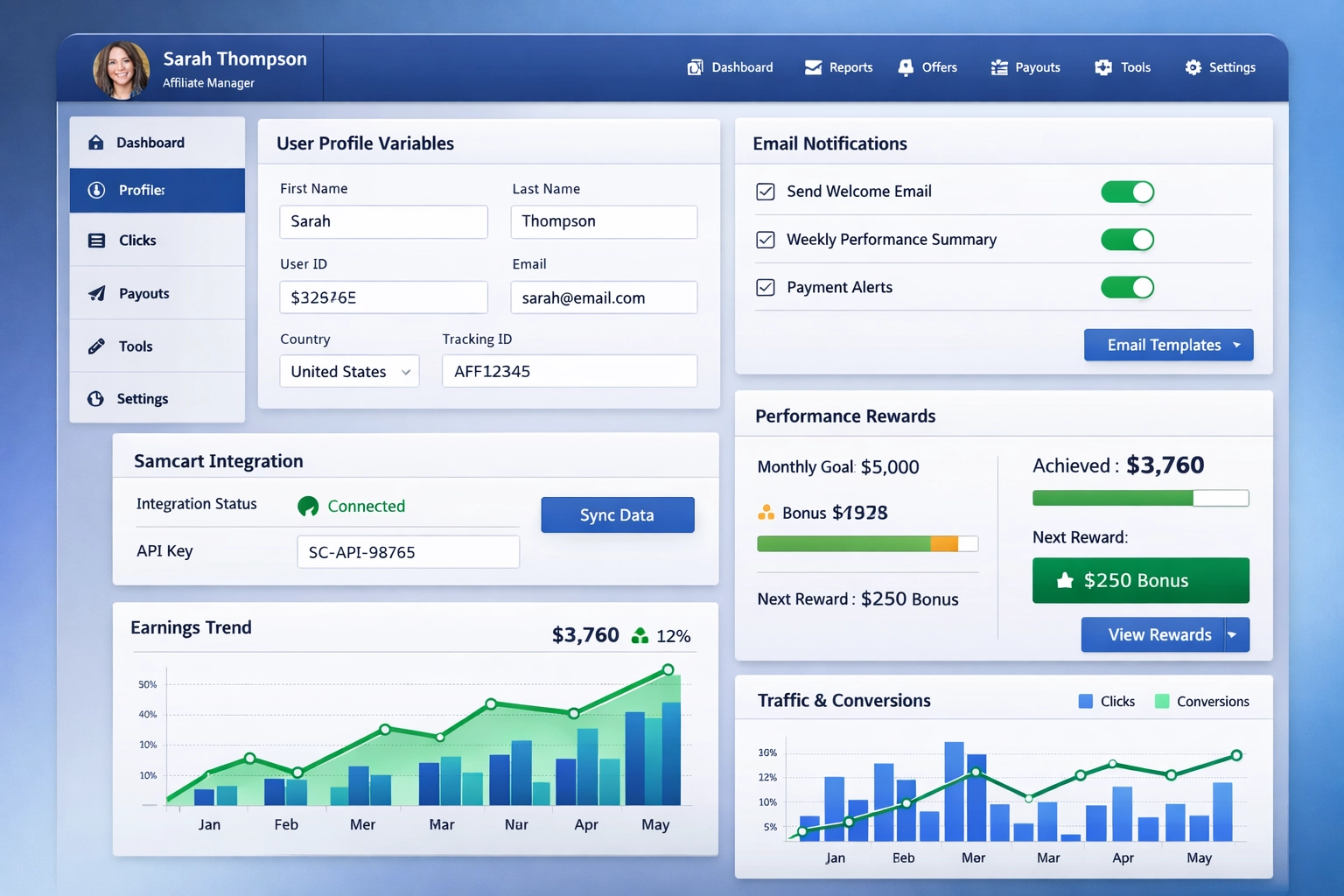
Discover PostAffiliatePro's February 2024 updates including user profile variables in redirect URLs, improved email notifications, enhanced Samcart integration,...
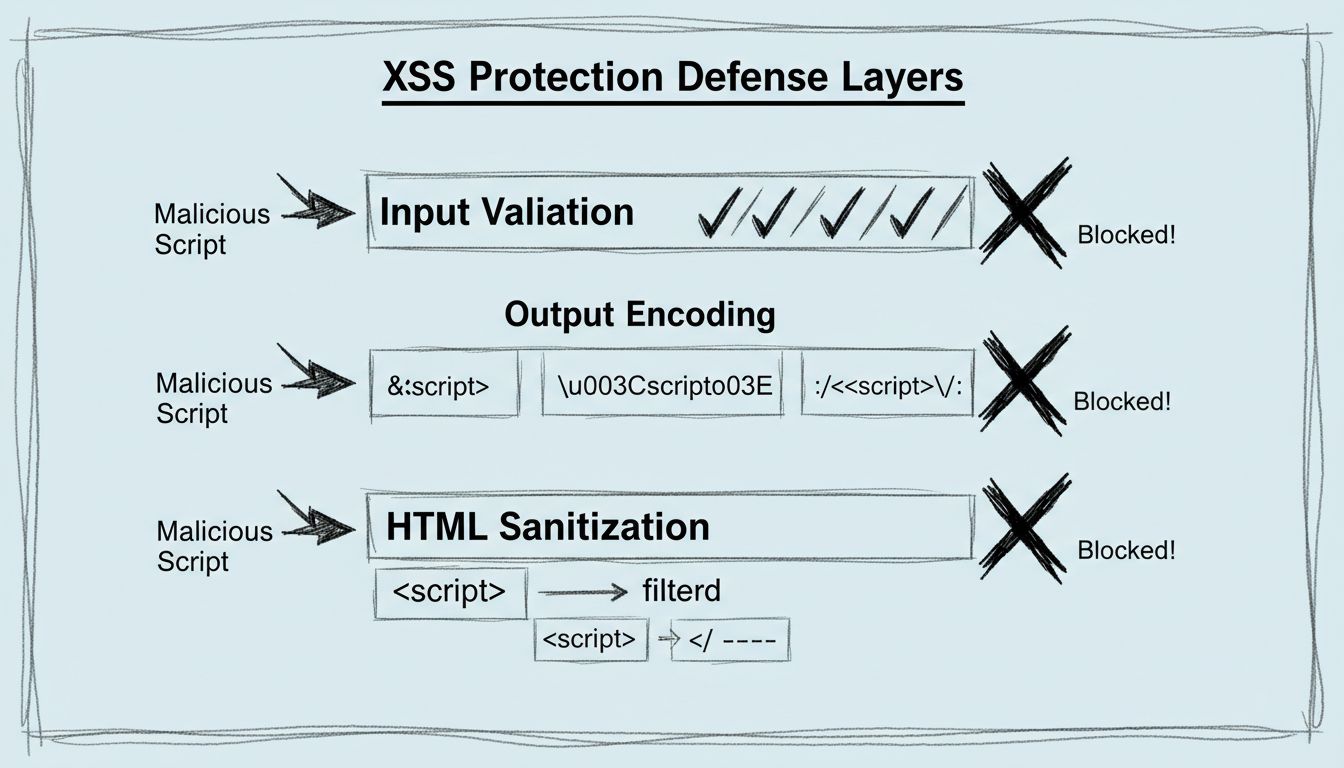
Learn about the XSS vulnerability patch in PostAffiliatePro's latest update. Discover how stricter input validation and output encoding protect your affiliate d...
Join our community of happy clients and provide excellent customer support with Post Affiliate Pro.




Cookie Consent
We use cookies to enhance your browsing experience and analyze our traffic. See our privacy policy.