


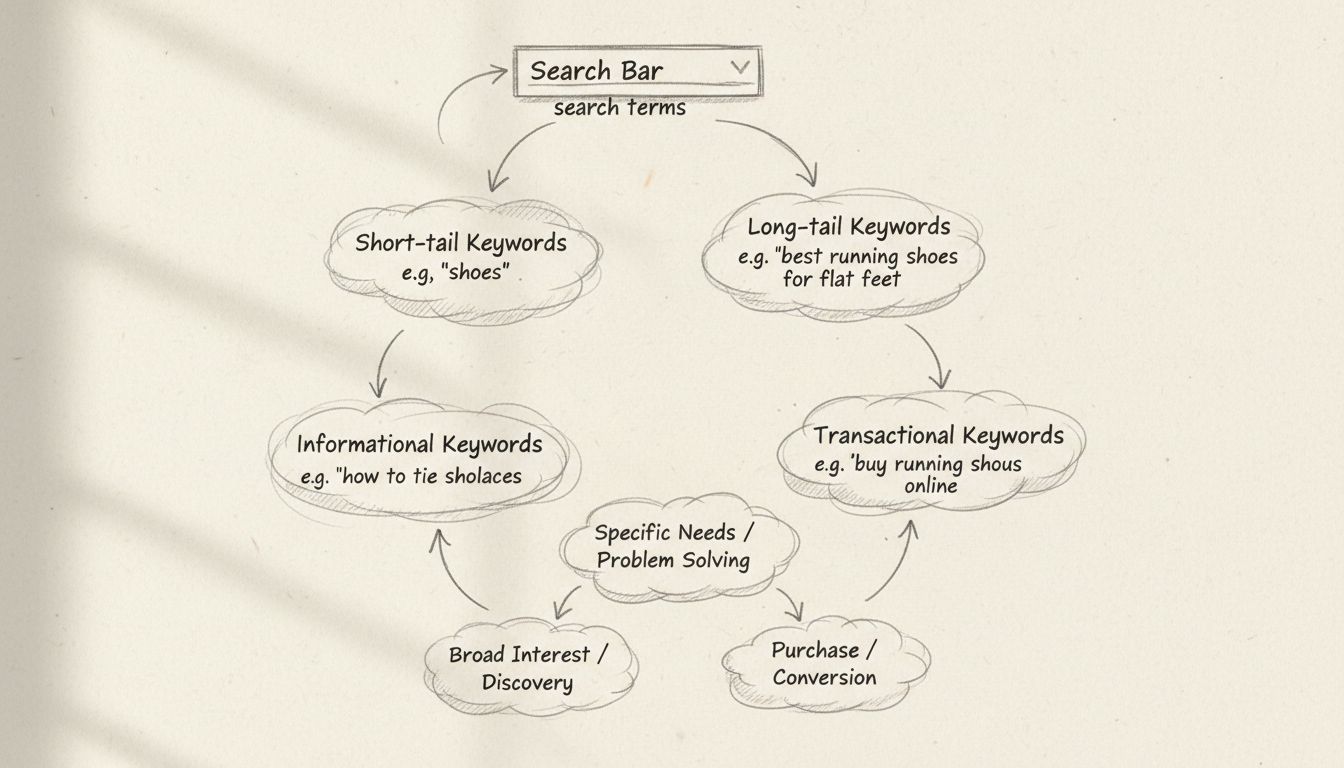
Why Are Search Terms Used?
Discover why search terms are essential for finding information online. Learn how search terms work, their importance for SEO and PPC, and how to use them effec...
11 min read

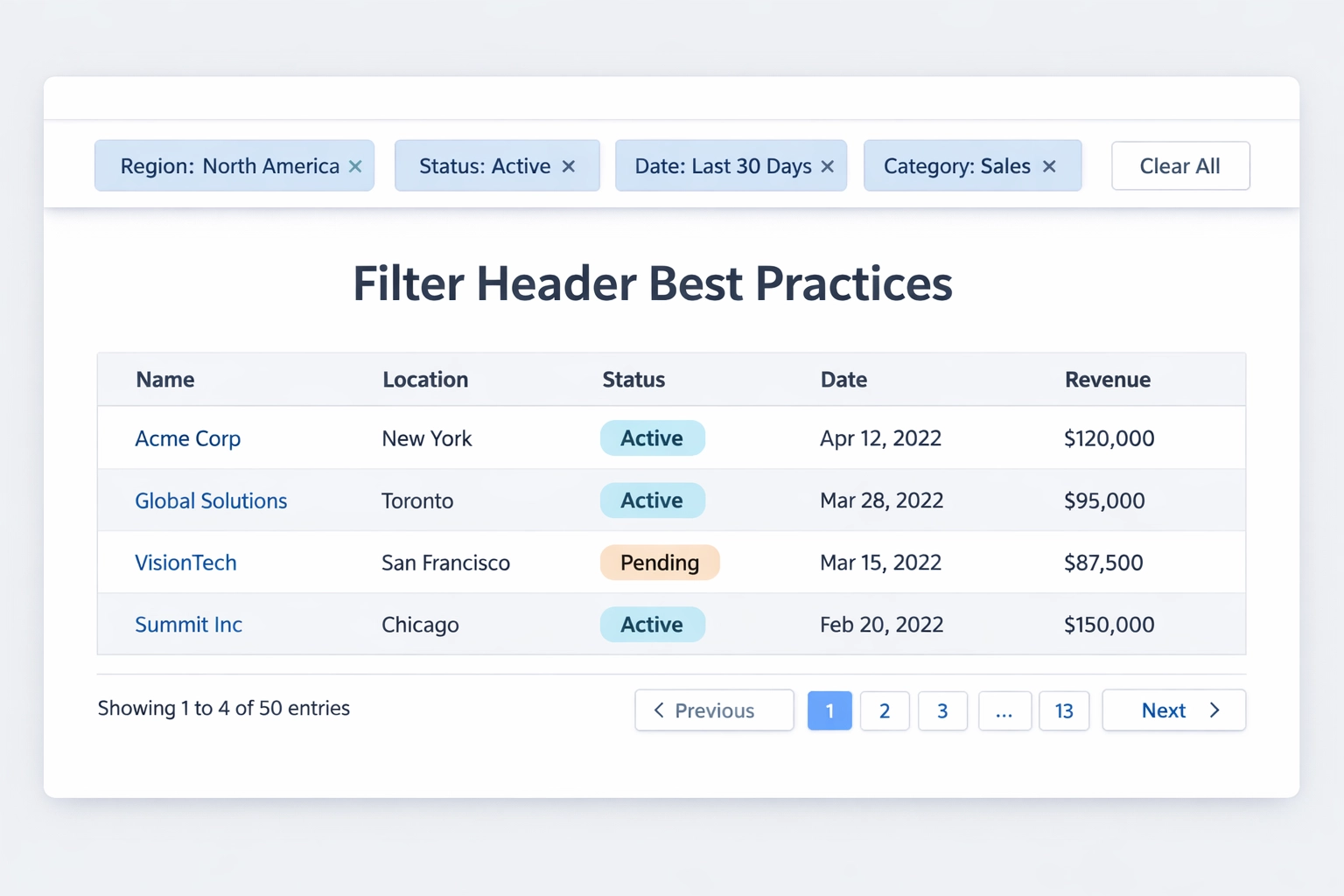
Discover how visible filter headers enhance usability by displaying selected filters when minimized, reducing cognitive load for better UX.
In traditional search interfaces, filter panels are often hidden or minimized by default, forcing users to expand them repeatedly to understand what criteria are currently applied. This design approach creates a significant usability challenge: users lose track of which filters are active, leading to confusion about why certain results are displayed or hidden. The cognitive burden of remembering multiple applied filters without visual confirmation causes user frustration and increases the likelihood of errors, such as accidentally applying conflicting filters or forgetting to remove outdated criteria. When filters remain invisible, users must constantly interrupt their workflow to verify their search parameters, resulting in a fragmented and inefficient experience.
Filter headers are the visible display areas positioned at the top of filter panels or search interfaces that continuously show all currently applied filters as interactive tags or chips, even when the main filter panel is minimized or collapsed. These headers serve as a persistent visual reference point, allowing users to see at a glance which criteria are active without needing to expand the filter menu. By maintaining filter visibility regardless of the panel’s state, filter headers bridge the gap between the need for compact interface design and the user’s need for constant awareness of their search context. This design pattern transforms filters from hidden controls into transparent, always-visible elements that communicate the current state of the search or data view. The implementation typically includes an “X” button on each filter tag for quick removal and often a “Clear All” option for resetting all filters simultaneously.
| Aspect | Traditional Filters | Filter Headers |
|---|---|---|
| Visibility | Hidden when minimized | Always visible |
| User awareness | Must expand to see | Instant recognition |
| Adjustment speed | Slow (expand, modify, collapse) | Fast (click tag to remove) |
| Cognitive load | High (remember what’s applied) | Low (see all active filters) |
| Space efficiency | Good | Excellent |

Set up advanced tracking in minutes. No credit card required.
Visible filter headers deliver multiple interconnected benefits that significantly enhance the overall user experience. First, they provide transparency by making the current search state immediately obvious, eliminating the need for users to guess or remember what filters are applied. Second, they dramatically reduce cognitive load by removing the mental burden of tracking active filters, allowing users to focus on analyzing results rather than managing interface state. Third, they enable faster adjustments—users can modify or remove filters directly from the header without navigating through menus, streamlining the refinement process. Fourth, they improve workflow efficiency by keeping users in their analytical flow without interruptions caused by expanding and collapsing filter panels. Fifth, they enhance data management by providing granular control over individual filters through tag-based removal, making it easy to adjust specific criteria while maintaining others. Finally, they improve accessibility for users with cognitive disabilities or those managing complex searches, as the persistent visual reference reduces memory demands and provides constant orientation.

Visible filter headers provide immediate transparency about what data is being displayed and why, creating a clear cause-and-effect relationship between user actions and results. When an affiliate manager applies filters to view campaigns from a specific region with a particular performance threshold, seeing these filters displayed in the header confirms that the displayed results match their exact criteria. This transparency prevents the common frustration of wondering why certain data appears or disappears, as users can instantly verify their filter selections. The instant feedback mechanism also prevents accidental misapplication of filters—if a user applies a filter they didn’t intend, they immediately see it in the header and can remove it with a single click. In complex dashboards with multiple filtering dimensions, this visibility becomes critical for maintaining data integrity and ensuring users are analyzing the correct subset of information. Real-world scenarios demonstrate this benefit clearly: an e-commerce manager filtering products by size, color, and price range can instantly confirm all three criteria are active, preventing the costly mistake of analyzing incomplete product sets.
Be the first to know about new features and product updates.
Human working memory has well-documented limitations, typically holding only 5-9 pieces of information simultaneously, making it impossible for users to reliably remember multiple applied filters without visual reinforcement. When filters are hidden, users must actively maintain a mental model of their search state, consuming valuable cognitive resources that could be directed toward analyzing results or making decisions. Visible filter headers eliminate this cognitive burden by externalizing the filter state—the interface itself becomes the memory aid, displaying all active criteria without requiring mental effort. This principle aligns with established cognitive psychology research showing that external representations significantly reduce working memory demands and improve task performance. By removing the need to remember filter selections, users can dedicate their full attention to interpreting data, identifying patterns, and making informed decisions, resulting in faster task completion and higher accuracy in data analysis.
Visible filter headers enable users to manage their data views with unprecedented efficiency by allowing quick adjustments without reopening filter menus or navigating through multiple interface layers. Instead of the traditional workflow of expanding a filter panel, locating the specific filter, modifying it, and collapsing the panel, users can now click directly on a filter tag in the header to remove it or access quick modification options. This granular control through tag-based removal is particularly valuable in scenarios with multiple active filters, where users might want to adjust only one or two criteria while preserving others. The streamlined approach is especially beneficial in several key use cases:
This efficiency gain translates directly into reduced task completion time and improved user satisfaction across all these domains.
Visible filter headers empower users to make informed decisions at a glance by providing complete context about their current data view, eliminating the need to mentally reconstruct their search parameters. When users can see all active filters simultaneously, they can quickly assess whether their current view aligns with their analytical goals or if adjustments are needed. The ability to modify filters without interrupting workflow—by clicking directly on header tags rather than navigating through menus—maintains momentum and keeps users in their analytical mindset. This design pattern particularly benefits power users who frequently adjust multiple filters during exploratory analysis, as each modification can be executed in a single click rather than requiring multiple menu interactions. Studies on interface design demonstrate that reducing interaction steps and maintaining visual context significantly accelerates decision-making processes, with users completing filter adjustments up to 40% faster when filters are visible in headers compared to hidden in collapsed panels. The cumulative time savings across dozens of filter adjustments throughout a work session can amount to significant productivity gains.
Implementing effective filter headers requires careful attention to placement, design patterns, and interaction design to maximize usability. Placement strategies should prioritize visibility—positioning filter headers at the top of the page or in a sticky header that remains visible during scrolling ensures users always have access to filter information. The design pattern of using chips or tags with clear labels and removal buttons (typically an “X” icon) has proven most effective, as it provides visual clarity and intuitive interaction. Clear labeling is essential; each filter should display both the filter category and the selected value (e.g., “Region: North America” rather than just “North America”) to provide complete context. Easy removal mechanisms should be prominent and require minimal interaction—a single click should remove any filter, and a “Clear All” button should reset all filters simultaneously. Visual hierarchy matters significantly; filter headers should be visually distinct from other interface elements without overwhelming the design, often achieved through subtle background colors or borders that distinguish them from the main content area. Responsive design considerations are critical, particularly for mobile devices where space is limited; filter headers should adapt gracefully, potentially using horizontal scrolling or collapsible sections on smaller screens while maintaining full visibility on desktop. Implementation should also include visual feedback when filters are applied or removed, such as brief animations or color changes that confirm user actions.
Leading digital platforms have successfully implemented visible filter headers, demonstrating the pattern’s effectiveness across diverse use cases. Amazon’s product search interface displays applied filters prominently above search results, allowing users to see and modify their selections instantly—each filter appears as a removable tag, and the “Clear All” option provides quick reset functionality. Walmart’s implementation goes further by showing result counts next to each filter option, helping users understand how each filter affects their results before applying it, while maintaining visibility of applied filters in a sticky header. Google Drive’s search interface uses a compact filter bar below the search box that displays active filters as dropdown tags, allowing users to modify or remove filters without opening a separate filter panel. Airbnb’s advanced search modal displays selected filters prominently, and when users return to the main search results, their filters remain visible in a sticky header, maintaining context throughout their browsing session. These implementations share common characteristics: they prioritize filter visibility, use intuitive tag-based design patterns, provide easy removal mechanisms, and maintain filter context across different interface states. The success of these implementations across different industries—from e-commerce to cloud storage to travel booking—demonstrates that visible filter headers are a universally effective usability pattern.
Implementing visible filter headers on mobile devices presents unique challenges due to limited screen real estate, requiring thoughtful design decisions to maintain usability without overwhelming the interface. Sticky headers that remain visible during scrolling are particularly valuable on mobile, as they prevent users from losing sight of their filter context when browsing through results. Collapsible filter panels work well on mobile when combined with visible filter headers—users can collapse the detailed filter options to maximize space for results while still seeing their active filters in the header. Touch-friendly design is essential; filter tags should be large enough for accurate tapping (minimum 44x44 pixels according to accessibility guidelines), and removal buttons should be easily accessible without requiring precise finger control. Space constraints on mobile often necessitate abbreviated filter displays, such as showing only the number of active filters (“3 filters applied”) with an expandable section to view details, or using horizontal scrolling for filter tags when space is limited. Progressive disclosure techniques work well, where the most important filters are always visible while less critical ones are hidden behind an expandable menu. Testing on actual mobile devices is crucial, as the interaction patterns that work well on desktop may feel cumbersome on touch interfaces, and responsive design must account for various screen sizes and orientations.
PostAffiliatePro leverages advanced filter headers throughout its affiliate management dashboard, enabling managers to efficiently oversee campaigns, track performance metrics, and filter affiliate data with unprecedented clarity. The platform’s campaign management interface displays active filters prominently—such as date ranges, affiliate status, commission tiers, and performance thresholds—allowing managers to see exactly which data subset they’re analyzing at any moment. When tracking affiliate performance, managers can apply multiple filters simultaneously (e.g., “Top Performers,” “Last 30 Days,” “Commission > $500”) and see all active criteria in the header, making it impossible to misinterpret results or accidentally analyze incomplete data. The filter header implementation in PostAffiliatePro includes quick-adjustment capabilities, allowing managers to modify date ranges or performance thresholds with single clicks rather than navigating through multiple menu layers. This design choice directly addresses the needs of busy affiliate managers who must rapidly assess performance across different segments and make quick strategic decisions. PostAffiliatePro’s approach to filter headers demonstrates how advanced filtering capabilities, when combined with persistent visibility, transform complex affiliate management from a tedious data-wrangling exercise into an intuitive, efficient process. The platform’s commitment to transparent, user-centric filter design positions it as a leader in affiliate software usability, providing managers with the tools they need to make data-driven decisions quickly and confidently.
While filter headers offer significant usability benefits, several common implementation mistakes can undermine their effectiveness and frustrate users. Overcrowding filter headers with too many tags creates visual clutter and defeats the purpose of providing clear context—designers should prioritize showing the most important filters and providing access to less critical ones through expandable sections. Unclear labeling, such as displaying only values without categories (“North America” instead of “Region: North America”), forces users to remember what each filter represents, reintroducing the cognitive load that filter headers are designed to eliminate. Difficult removal mechanisms—such as requiring users to click through menus to remove filters rather than providing direct “X” buttons—frustrate users and encourage them to abandon the filtering interface entirely. Poor visual hierarchy, where filter headers blend into the background or compete visually with other interface elements, reduces their effectiveness as a reference point and may cause users to overlook them. The absence of a “Clear All” option forces users to remove filters individually, which is particularly frustrating when they want to reset their search and start fresh. Not displaying filter counts or result impacts leaves users uncertain about how their filters affect the data, reducing confidence in their analysis. Finally, failing to update filter headers in real-time when filters are applied or removed creates a disconnect between user actions and interface feedback, undermining the transparency that filter headers are designed to provide.
The evolution of filter design is moving toward increasingly intelligent and adaptive systems that anticipate user needs and streamline the filtering process. AI-powered filter suggestions represent a significant trend, where machine learning algorithms analyze user behavior and recommend filters that are likely to be relevant based on historical patterns and similar user actions. Natural language filtering is emerging as a powerful capability, allowing users to express complex filter criteria in conversational language (“Show me campaigns with more than 100 conversions in the last month”) rather than navigating through structured filter interfaces. Predictive filtering based on user behavior learns from past filtering patterns and proactively suggests or pre-applies filters that users typically use together, reducing the number of manual adjustments required. Dynamic filter optimization automatically adjusts filter options based on the current dataset, hiding filters that would return zero results and highlighting filters that are most likely to be useful given the current data context. These trends suggest that future filter headers will not only display applied filters more effectively but will also become more intelligent about suggesting, applying, and managing filters on behalf of users. The integration of these advanced capabilities with visible filter headers will create even more powerful and intuitive data exploration experiences, further reducing cognitive load and accelerating decision-making processes.
PostAffiliatePro's intelligent filter headers help you manage campaigns and track performance with unprecedented clarity. See exactly which filters are active and adjust your strategy in seconds.
Discover why search terms are essential for finding information online. Learn how search terms work, their importance for SEO and PPC, and how to use them effec...
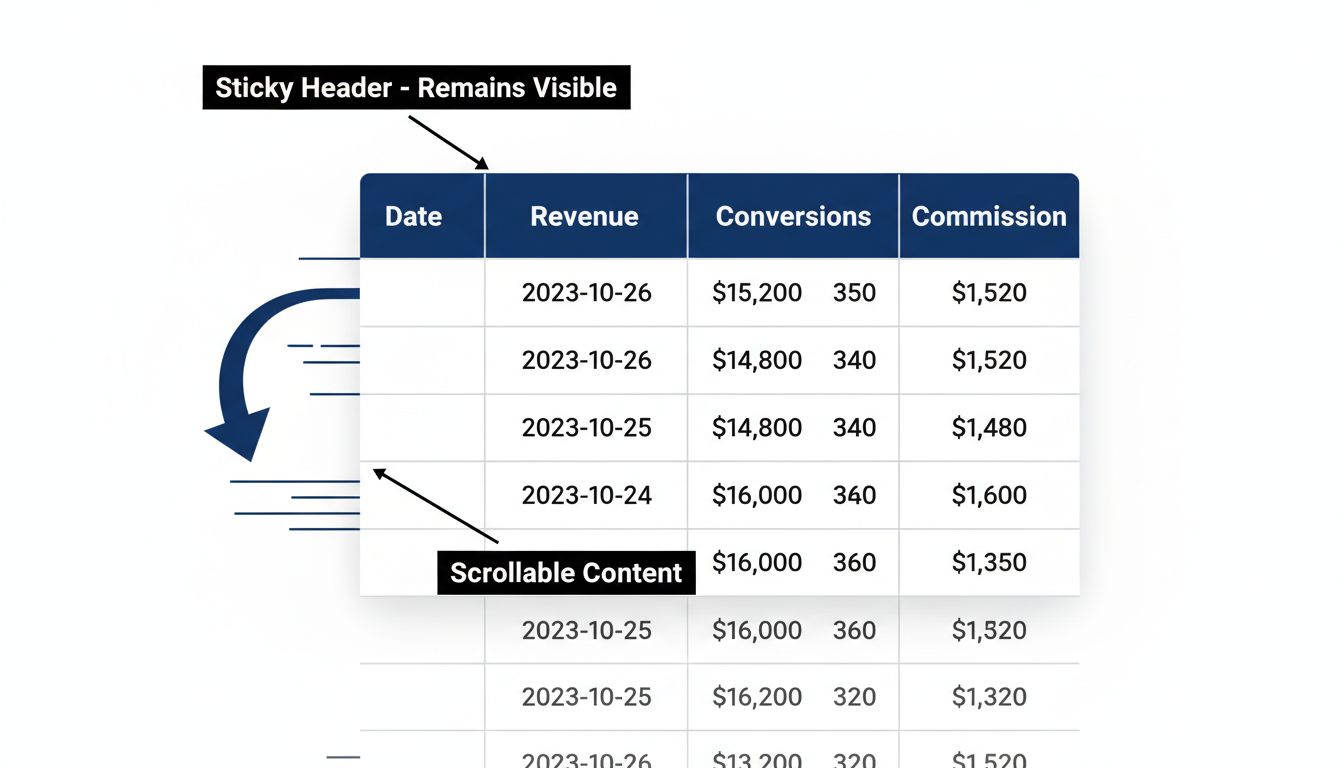
Learn how sticky grid headers improve data table usability by keeping column headers visible while scrolling. Discover implementation methods and best practices...
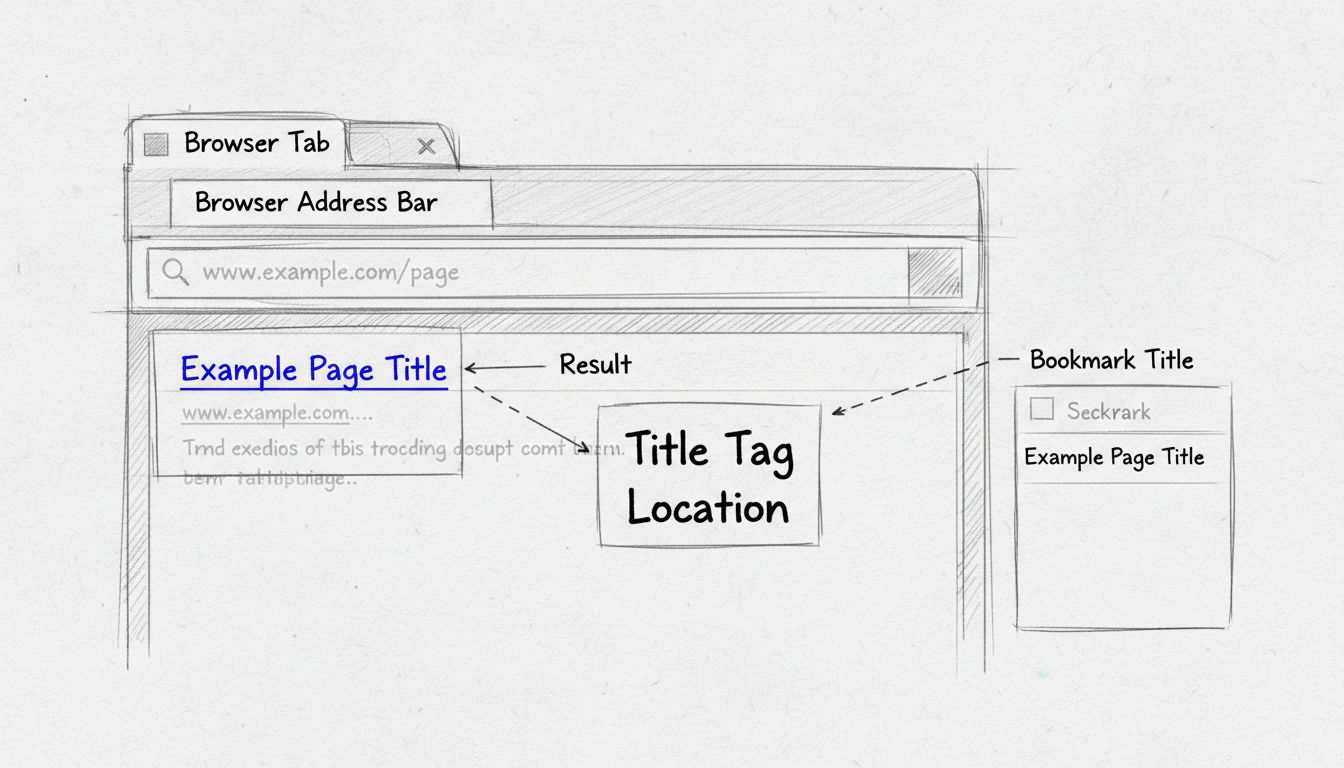
Learn where title tags appear in browsers and search results. Discover how title tags display in browser tabs, SERPs, bookmarks, and their critical role in SEO ...
Join our community of happy clients and provide excellent customer support with Post Affiliate Pro.




Cookie Consent
We use cookies to enhance your browsing experience and analyze our traffic. See our privacy policy.