
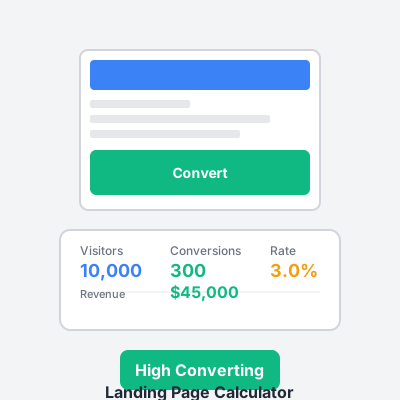
Landing Page Calculator - Optimize Conversion Rates & Revenue
Free landing page calculator to analyze conversion rates, calculate revenue per visitor, and optimize landing page performance. Measure traffic, conversions, an...
8 min read
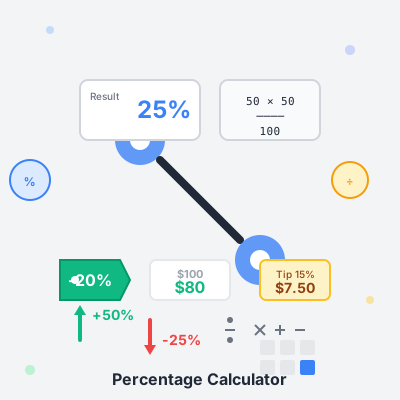
Calculate percentages quickly with our comprehensive calculator. Choose from 12+ calculation modes including basic percentages, discounts, tips, margins, VAT, commissions, and more. Get instant results with step-by-step formulas and explanations.
Basic Calculations
Analysis Tools
Practical Tools
Business Tools
What is a Percentage? A percentage is a way to express a number as a fraction of 100. The word “percent” means “per hundred.” For example, 25% means 25 out of 100, or 25/100 = 0.25.
Common Uses Percentages are everywhere: discounts (20% off), interest rates (5% APR), statistics (75% approval rating), grades (scored 90%), tips (15% gratuity), taxes (6.5% sales tax), and business metrics (30% profit margin).
Key Concepts
Avoid Common Mistakes
Quick Mental Math
Using the Calculator All calculations are performed instantly in your browser. Use the calculation history to track your recent calculations. Copy results or descriptions to quickly share or save your work. Press Enter in any input field to calculate immediately.
To calculate X% of a number, multiply the number by X and divide by 100. For example, 25% of 200 = (200 × 25) ÷ 100 = 50. Use our 'What is X% of Y' calculator mode for instant results. This is useful for calculating discounts, commissions, or any portion of a value.
Percentage change measures the relative change from an original value to a new value: ((New - Old) ÷ Old) × 100. It's directional and shows increase or decrease. Percentage difference compares two values relative to their average: (|V1 - V2| ÷ Average) × 100. It's non-directional and used when neither value is the 'original.' Use percentage change for growth rates, price changes, or performance over time. Use percentage difference for comparing two independent values.
Calculate the change amount (New Value - Original Value), divide by the original value, then multiply by 100: ((New - Old) ÷ Old) × 100. A positive result is an increase, negative is a decrease. For example, from 100 to 150: ((150 - 100) ÷ 100) × 100 = 50% increase. Use our 'Percentage Change' calculator mode for automatic calculation of increases and decreases.
Markup is calculated on cost: (Selling Price - Cost) ÷ Cost × 100. Margin is calculated on selling price: (Selling Price - Cost) ÷ Selling Price × 100. For example, if cost is $50 and selling price is $100: Markup = ($100 - $50) ÷ $50 = 100%, but Margin = ($100 - $50) ÷ $100 = 50%. Retailers often use markup for pricing decisions, while margin is preferred for profitability analysis. A 100% markup equals 50% margin.
If you know the discounted price and the discount percentage, use the formula: Original Price = Discounted Price ÷ (1 - Discount%/100). For example, if an item costs $80 after a 20% discount: $80 ÷ (1 - 0.20) = $80 ÷ 0.80 = $100. Use our 'X is Y% of what?' calculator mode by entering the discounted price and the remaining percentage (100% - discount%).
To add X%: New Value = Original × (1 + X/100). To subtract X%: New Value = Original × (1 - X/100). For example, to add 20% to 100: 100 × 1.20 = 120. To subtract 20% from 100: 100 × 0.80 = 80. Use our 'Add/Subtract Percentage' calculator mode for instant results. This is useful for price increases, tax calculations, or applying discounts.
Percentage points measure the arithmetic difference between two percentages. If a rate goes from 25% to 45%, that's a 20 percentage point increase, not a 20% increase. The actual percentage increase would be ((45-25)÷25)×100 = 80% increase. Percentage points are absolute differences, while percentage changes are relative. This distinction is important in finance, economics, and statistics when discussing interest rates, tax rates, or survey results.
To add VAT to a price: Price with VAT = Price × (1 + VAT%/100). For example, $100 + 20% VAT = $100 × 1.20 = $120. To extract VAT from an inclusive price: VAT amount = Price ÷ (1 + VAT%/100), then subtract from total. For example, if $120 includes 20% VAT: Price without VAT = $120 ÷ 1.20 = $100, VAT = $20. Use our VAT/Tax calculator mode for both inclusive and exclusive calculations.
Manage multiple affiliate programs and improve your affiliate partner performance with Post Affiliate Pro.
Free landing page calculator to analyze conversion rates, calculate revenue per visitor, and optimize landing page performance. Measure traffic, conversions, an...
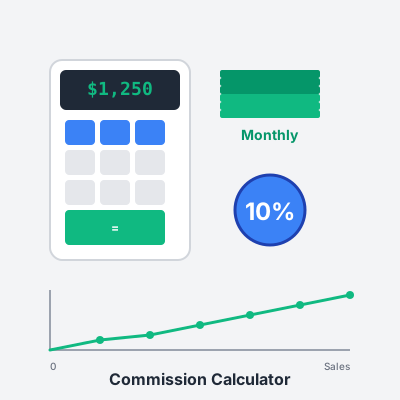
Calculate your potential affiliate earnings with our free commission calculator. Support for percentage and fixed commissions, tiered structures, and multiple c...
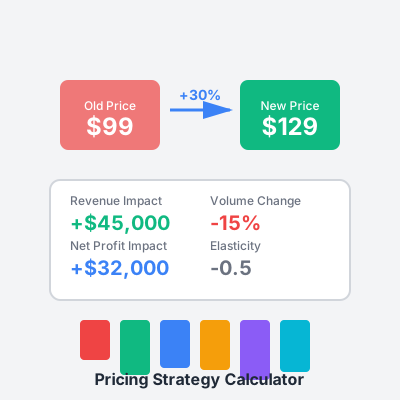
Free pricing strategy calculator to compare cost-plus, value-based, and competitive pricing models. Calculate optimal price points, analyze profit margins, and ...
Join our community of happy clients and provide excellent customer support with Post Affiliate Pro.




Cookie Consent
We use cookies to enhance your browsing experience and analyze our traffic. See our privacy policy.