
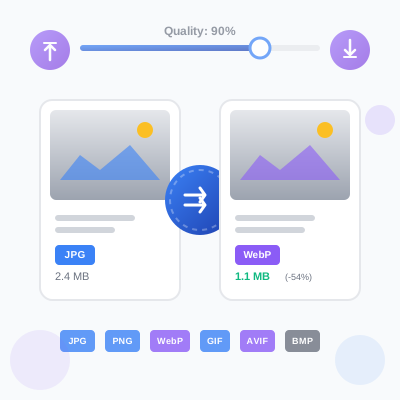
Image Format Converter - Convert JPG, PNG, WebP, GIF, AVIF, BMP
Free online image format converter. Convert images between JPG, PNG, WebP, GIF, AVIF, and BMP formats with quality control. Client-side processing ensures priva...
20 min read
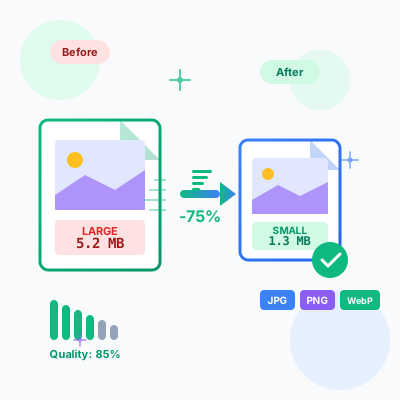
Free online image compressor tool. Reduce JPG, PNG, WebP file sizes by up to 90% while maintaining visual quality. Batch compression, before/after comparison, resize options, EXIF removal, and instant download. No upload limits, completely private - all processing happens in your browser.
Compress and optimize all major image formats used on the web:
JPEG/JPG - Best for photographs and images with complex colors. Achieves high compression ratios (70-90% size reduction) using lossy compression. Ideal for photo galleries, hero images, product photography, and detailed graphics. Our compressor uses optimized JPEG encoding for maximum compression while maintaining visual quality.
PNG - Perfect for graphics, logos, icons, and images requiring transparency. Lossless optimization removes unnecessary metadata and optimizes color palettes while preserving exact quality. Supports alpha channel transparency. Use for logos, UI elements, screenshots, and graphics with text.
WebP - Modern image format offering superior compression compared to JPEG and PNG. Produces 25-35% smaller files with equivalent quality. Supports both lossy and lossless compression plus transparency. Recommended for all web images in 2026. Supported by Chrome, Firefox, Safari, Edge, and all modern browsers.
GIF - Animated and static GIF optimization. Reduces file size by optimizing color palettes and frame data. Note: For static images, convert GIF to PNG or WebP for significantly smaller files.
Fine-tune compression with precise quality slider (0-100%) to find the perfect balance between file size and visual quality. Real-time quality value display shows current setting. Or choose from quick preset buttons:
Quality setting persists in browser localStorage so your preferred settings are remembered across sessions. Experiment with different quality levels using the before/after comparison to find what works for your needs.
Reduce file size further by resizing images to their actual display dimensions. No need to serve 4000px images when they display at 800px on your website.
Resize Controls:
Maintain Aspect Ratio - Enabled by default to prevent image distortion. Enter width only and height calculates automatically based on original proportions, or vice versa. Disable to force specific dimensions (may distort image if proportions don’t match original).
Common Web Dimensions:
Resizing before compression provides compounding file size reduction - a 4000x3000 image resized to 1200x900 and compressed at 85% quality can be 95% smaller than the original.
Convert images between formats for optimal web delivery:
WebP Advantages: Smallest file sizes (25-35% smaller than JPEG/PNG), supports transparency, supports both lossy and lossless compression, excellent browser support, Google recommended format. Use WebP for all new web projects.
Format Selection Guide:
Strip EXIF metadata from images for privacy and file size reduction. EXIF data includes:
Why Remove EXIF:
When to Keep EXIF:
EXIF removal is enabled by default. Disable the checkbox if you need to preserve metadata. Note: EXIF stripping happens automatically during Canvas compression process.
Upload and compress multiple images simultaneously with the same settings. Massive time saver for processing large image collections.
Batch Processing Features:
Use Cases:
Workflow Efficiency: Instead of compressing 100 images one-by-one (repetitive clicks, settings changes, downloads), upload all 100 at once, configure settings once, compress all, download all. Reduces 30 minutes of work to 2 minutes.
Visual comparison tools help you verify compression quality before downloading:
Side-by-Side View - Original and compressed images displayed next to each other for easy comparison. Quickly spot quality differences, color shifts, or compression artifacts. Default comparison mode.
Slider View - Interactive slider overlay allows dragging to reveal original vs compressed. Smoothly transition between versions to see exact quality impact at different regions of the image. Perfect for detailed quality assessment.
Toggle Between Modes - Switch comparison modes with one click per image. Each image in batch can have different comparison mode based on your analysis needs.
Visual Quality Assessment:
Use comparison view to find the optimal quality setting - start at 85%, compress, compare, and adjust if needed. Most images look identical to originals at 80-90% quality when viewed at normal size.
Detailed file size information for each image helps track compression performance:
Per-Image Stats:
Total Batch Stats (when processing multiple images):
Performance Insights: A 5MB image compressed to 1.3MB = 73.5% savings = 3.7MB saved per page load. Multiply by page views to understand total bandwidth and performance impact.
Optimization Targets:
If file size is too large after compression, try: lower quality setting (85% → 75%), resize to smaller dimensions (1920px → 1200px), or convert to WebP format (typically 25% smaller than JPEG).
Download compressed images individually or as a batch:
Individual Download - Each image card has a Download button that instantly downloads the compressed file. File is named [original-name]-compressed.[extension] for easy identification. One-click download after compression completes.
Download All (batch mode) - Download All button appears when any images are compressed. Downloads each compressed image sequentially with small delay between downloads to avoid browser download conflicts. Downloads 10, 50, or 100+ images automatically without manual clicking.
Browser Downloads Folder - All downloads go to your default browser downloads location (usually ~/Downloads). Compressed images are ready to use immediately - upload to your website, share on social media, or send via email.
No ZIP Files Required - We download individual files rather than forcing you to extract a ZIP. More convenient for small batches. For large batches (100+ images), consider downloading in groups.
Filename Convention:
product-photo.jpgproduct-photo-compressed.jpg (or .webp if format converted)All image compression happens entirely in your browser - no server uploads, no cloud processing, complete privacy.
How It Works:
Privacy Guarantees:
Benefits:
Performance: Modern browsers (Chrome, Firefox, Safari, Edge) have highly optimized Canvas API implementations. Compression is fast even for large images and batches. 4000x3000 JPEG compresses in 1-2 seconds on typical hardware.
For maximum privacy with sensitive images, save this page locally (Ctrl+S or Cmd+S) and use it offline without any network connection.
Fully responsive design works perfectly on desktop, tablet, and mobile devices:
Mobile-Specific Features:
Compress images on-the-go from your phone before uploading to social media or sending via messaging apps. No need to wait until you’re at a desktop computer.
Automatic dark mode detection and manual toggle:
Dark mode reduces eye strain during extended compression sessions, especially when processing large image batches. OLED screen users benefit from power savings in dark mode.
E-Commerce Product Images:
Blog Content Optimization:
Social Media Content:
Website Migration/Redesign:
Photography Portfolio:
Image compression is the single most effective web performance optimization:
Page Load Speed:
Google Core Web Vitals:
SEO Benefits:
Bandwidth Costs:
User Experience:
Business Impact:
Compressing images is low-effort, zero-cost, high-impact optimization. Start optimizing today for immediate performance gains.
Before Uploading to Website:
Choose JPEG when:
Choose PNG when:
Choose WebP when:
Implementation Strategy: Use WebP with JPEG fallback using HTML picture element for best of both worlds:
<picture>
  <source type="image/webp" srcset="image.webp">
  <img src="image.jpg" alt="Description" width="800" height="600">
</picture>
Quality Level Guidelines:
95-100% Quality:
85-95% Quality:
70-85% Quality:
50-70% Quality:
Below 50% Quality:
Sweet Spot: 80-90% quality provides 50-70% file size reduction with no perceptible quality loss for web viewing. Start here and adjust based on visual comparison.
Serve different image sizes for different screen sizes to optimize performance:
Breakpoint Sizes:
HTML Implementation:
<img
  src="image-800.jpg"
  srcset="image-480.jpg 480w,
          image-800.jpg 800w,
          image-1200.jpg 1200w,
          image-1920.jpg 1920w"
  sizes="(max-width: 480px) 480px,
         (max-width: 1024px) 800px,
         (max-width: 1920px) 1200px,
         1920px"
  alt="Description"
  width="1200"
  height="800"
  loading="lazy"
>
Benefits:
Workflow: Compress one high-res image, then create multiple sizes using the resize option at different widths, compress each size, implement srcset.
Beyond Compression:
Lazy Loading - Load images only when they enter viewport
<img src="image.jpg" loading="lazy" alt="Description">
Saves bandwidth, speeds up initial page load, improves performance metrics.
Async Decoding - Decode images off main thread
<img src="image.jpg" decoding="async" alt="Description">
Prevents blocking JavaScript execution during image decode.
Progressive JPEG - Load incrementally (low-res → high-res) Better perceived performance, especially on slow connections.
CDN Delivery - Serve images from edge locations close to users Faster image delivery, reduced latency, improved TTFB.
HTTP/2 Multiplexing - Load multiple images in parallel Faster total load time for image-heavy pages.
Image Sprites - Combine small icons into one file Reduces HTTP requests, faster icon loading.
SVG for Icons - Use SVG instead of PNG for icons/logos Scalable, tiny file size, styling with CSS.
Problem: Compressed image looks blurry
Problem: File size not reducing much
Problem: Colors look different after compression
Problem: Transparency is lost
Problem: Browser doesn’t support WebP
Problem: Batch compression is slow
Metrics to Track:
File Size Reduction
Page Load Speed
Core Web Vitals
Bandwidth Usage
Visual Quality
SEO Impact
Testing Tools:
Chroma Subsampling:
Progressive vs Baseline JPEG:
Adaptive Compression:
Format-Specific Optimizations:
Next-Generation Formats:
Image compression reduces file size by removing redundant data while preserving visual quality. There are two types: **lossy compression** (JPEG, WebP) removes some data permanently for higher compression ratios, while **lossless compression** (PNG optimization) reduces size without quality loss. Compression is crucial for web performance - smaller images load faster, reduce bandwidth costs, improve SEO rankings, and enhance user experience on slow connections or mobile devices. A 5MB image can often be compressed to 500KB-1MB with no visible quality loss, resulting in 5-10x faster page loads.
**JPEG/JPG** - Best for photographs and complex images with many colors. Uses lossy compression, achieving high compression ratios (70-90% size reduction) but doesn't support transparency. Ideal for photos, backgrounds, and detailed graphics. **PNG** - Best for graphics, logos, text, and images requiring transparency. Uses lossless compression, larger file sizes than JPEG but preserves exact quality. Supports transparency (alpha channel). **WebP** - Modern format combining the best of both: lossy and lossless compression, transparency support, and 25-35% smaller files than JPEG/PNG. Supported by all modern browsers. For maximum compatibility and smallest size, use WebP with JPEG fallback.
Quality level (0-100%) controls the balance between file size and visual quality. **95-100% (High)** - Minimal compression, near-original quality, use for professional photography or print. File size reduction: 10-30%. **80-90% (Medium/Recommended)** - Optimal balance for most use cases. Imperceptible quality loss to human eye, significant size reduction (50-70%). Perfect for website images, social media, and general use. **60-75% (Web Optimized)** - Aggressive compression for web performance. Slight quality loss visible on close inspection but acceptable for thumbnails, background images, and bandwidth-limited scenarios. File size reduction: 70-85%. **Below 60% (Thumbnail)** - Only use for very small thumbnails or when extreme compression is required. Visible quality degradation. Start at 85% and reduce until you notice quality loss, then increase slightly.
**Resize first, then compress** for maximum file size reduction. If you're displaying an image at 800px width on your website, there's no benefit to uploading a 4000px original - the extra pixels waste bandwidth and storage. Our tool offers built-in resize options: specify target width/height, enable 'maintain aspect ratio' to avoid distortion, and compress in one step. Common web sizes: Hero images (1920x1080), Content images (1200x800), Thumbnails (300x200), Profile pictures (400x400). Resizing a 4000x3000 photo to 1200x900 before compression can reduce file size by 80% even before compression is applied. For responsive web design, create multiple sizes (srcset) for different device screens.
EXIF (Exchangeable Image File Format) metadata includes camera settings, GPS location, date/time, copyright info, and other data embedded in images. **Privacy reasons to remove:** GPS coordinates reveal where photos were taken (home, workplace), camera serial numbers can identify the photographer, timestamps reveal when photos were taken. **Size reasons:** EXIF data adds 10-50KB per image - insignificant for one image but adds up with hundreds. **When to keep EXIF:** Photography portfolios (to show camera settings), copyright protection (to embed ownership info), archival purposes (to maintain metadata). Our tool strips EXIF by default for privacy and smaller files. You can disable this option if you need to preserve metadata.
**True lossless compression** (no quality loss) is possible with PNG optimization and reduces file size by 10-40% through more efficient encoding. However, **perceived lossless compression** (no visible quality loss) with JPEG/WebP at 85-90% quality can reduce file size by 50-70% while remaining visually identical to the original when viewed normally. The human eye can't detect subtle data loss at these quality levels. **Optimization techniques** include: removing metadata, optimizing color palettes, using more efficient encoding, progressive JPEG (loads incrementally), and chroma subsampling (reduces color data). For web use, 85% quality JPEG or WebP is considered 'visually lossless' - you won't see the difference without zooming to 200%+ or pixel-peeping, but files are dramatically smaller.
Batch compression processes multiple images simultaneously with the same settings, saving hours of manual work. Upload 10, 50, or 100+ images, configure quality/format/resize settings once, and compress all at once. **Benefits:** Maintain consistent quality across all images (same compression ratio), process entire photo galleries or product catalogs in minutes, reduce total processing time (parallel compression), ensure uniform appearance across your website. **Use cases:** E-commerce product images (hundreds of products), blog content (multiple images per post), portfolio galleries, social media content batches. After compression, download all images individually or as a batch. Our tool processes images client-side so there's no upload limit or server dependency.
**WebP is the recommended format for 2026** - it's supported by all modern browsers (Chrome, Firefox, Safari, Edge) and offers 25-35% smaller file sizes than JPEG with equivalent quality, supports both lossy and lossless compression, and includes transparency (alpha channel). **Implementation strategy:** Use WebP as primary format with JPEG fallback for older browsers using HTML picture element: `
Image compression has a **massive impact on website performance**. Images typically account for 50-70% of total page weight, so optimizing them is the single most effective performance improvement. **Real-world impact:** Reducing 5MB of images to 1MB saves 4MB per page load, which means 4 seconds faster load time on 3G connections (1MB/sec), and 80% less bandwidth costs for high-traffic sites. **SEO benefits:** Google uses page speed as a ranking factor - faster sites rank higher. Core Web Vitals (LCP, CLS) are directly improved by optimized images. Users abandon pages that take 3+ seconds to load. **ROI example:** An e-commerce site with 1 million monthly visitors, each viewing 10 pages with 2MB of images, uses 20TB bandwidth/month. Compressing images by 70% saves 14TB bandwidth = significant hosting cost reduction. Image compression is low-effort, high-impact performance optimization.
**Yes, 100% secure and private.** All image compression happens entirely in your browser using JavaScript Canvas API - images never leave your device, never uploaded to servers, and never stored or collected. **Privacy guarantees:** Your images are processed locally on your computer/phone, no server-side processing or cloud uploads, no cookies or tracking during compression, no image data is retained after you close the page. **Verification:** Open browser DevTools Network tab during compression - you'll see zero network requests. Works completely offline once the page loads. **For sensitive images** (medical, legal, confidential, proprietary), this tool is safe because data never leaves your control. Compare this to online compression services that upload your images to their servers where they could be stored, analyzed, or compromised. For maximum security, save this page locally and use offline.
**Website hero images:** 85% quality JPEG or WebP, resize to 1920x1080 max, progressive loading enabled. Target: <300KB. **Product photos (e-commerce):** 85-90% quality WebP with JPEG fallback, 1200x1200 or 1500x1500 for zoom functionality, strip EXIF. Target: <200KB. **Blog post images:** 80-85% quality, resize to content width (typically 800-1200px), WebP format. Target: <150KB. **Thumbnails:** 70-75% quality, resize to exact display size (300x200 typical), aggressive compression acceptable. Target: <50KB. **Background images:** 75-80% quality, can use higher compression since backgrounds are less scrutinized, large dimensions (1920x1080+). Target: <250KB. **Logos and graphics:** PNG format, lossless compression, no quality loss, strip metadata. Target: <100KB. **Social media (Facebook/Instagram):** 80-85% quality, platform-specific dimensions (1200x630 for Facebook Open Graph), sRGB color space. **Email newsletters:** 70-75% quality, resize to max email width (600px), very aggressive compression for email client compatibility. Target: <100KB per image.
Manage multiple affiliate programs and improve your affiliate partner performance with Post Affiliate Pro.
Free online image format converter. Convert images between JPG, PNG, WebP, GIF, AVIF, and BMP formats with quality control. Client-side processing ensures priva...
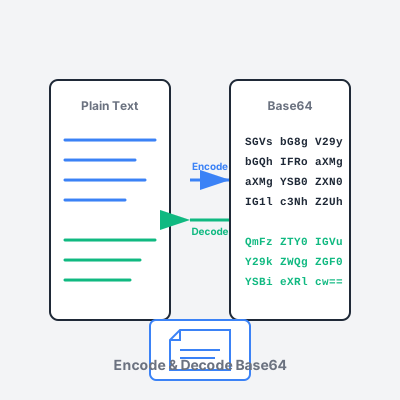
Free online Base64 encoder and decoder tool. Encode text and files to Base64, decode Base64 strings, support for URL-safe encoding, and image preview.
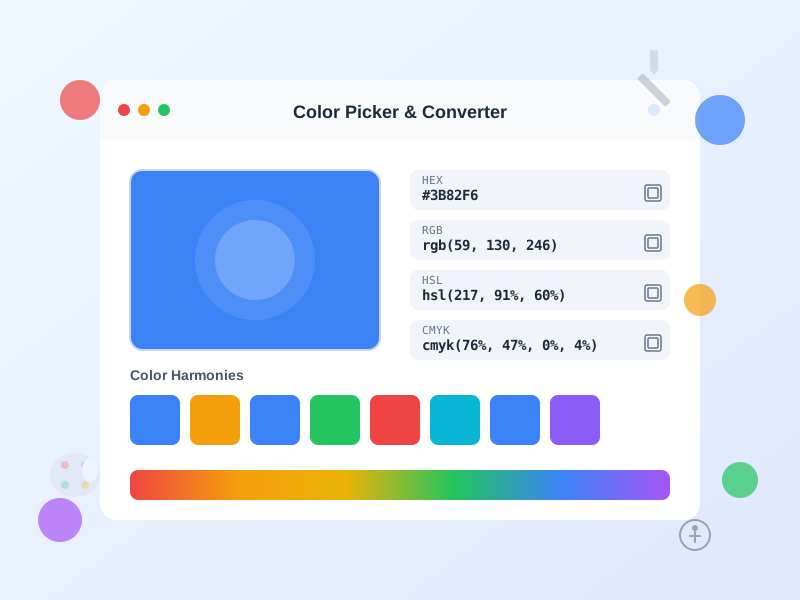
Free online color picker tool with instant conversion between HEX, RGB, HSL, HSV, and CMYK formats. Generate color palettes, check WCAG accessibility, and creat...
Join our community of happy clients and provide excellent customer support with Post Affiliate Pro.




Cookie Consent
We use cookies to enhance your browsing experience and analyze our traffic. See our privacy policy.