
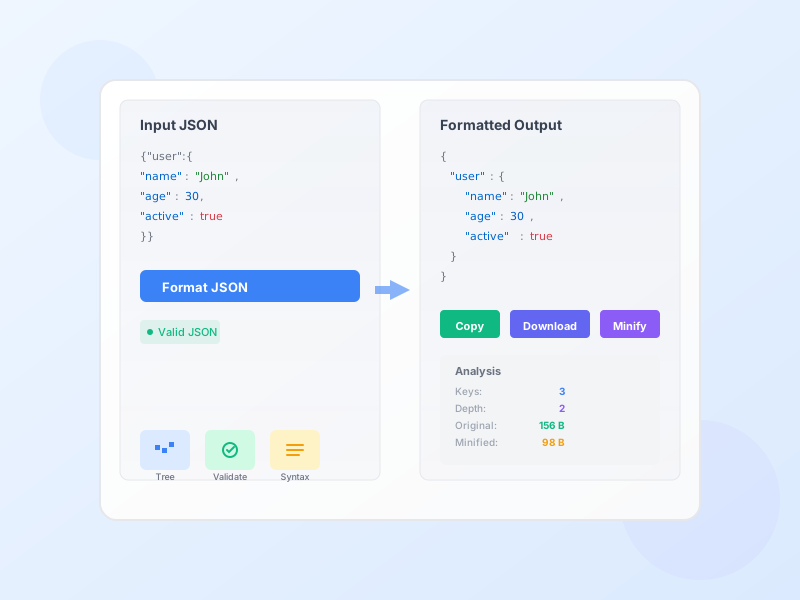
JSON Formatter & Validator - Beautify & Validate JSON Online
Free online JSON formatter and validator. Beautify, minify, validate, and analyze JSON data with syntax highlighting, tree view, and detailed error reporting.
4 min read
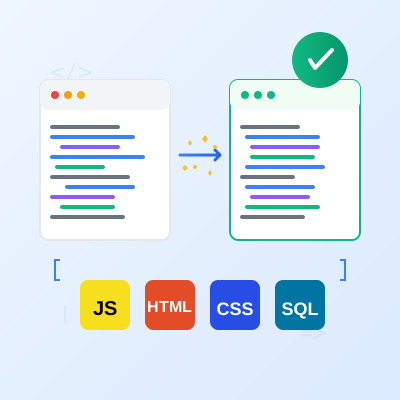
Format and beautify your code instantly with proper indentation, syntax highlighting, and customizable options. Support for JavaScript, TypeScript, HTML, CSS, SCSS, SQL, and JSON. Beautify messy code or minify for production with one click.
Code beautification is the process of formatting source code to make it more readable and maintainable by applying consistent indentation, spacing, and style conventions. Well-formatted code is easier to understand, debug, and collaborate on.
Multi-Language Support - Format JavaScript, TypeScript, HTML, CSS, SCSS, SQL, and JSON with language-specific formatting rules and syntax.
Beautify & Minify - Beautify code with proper indentation and spacing for development, or minify to compress for production deployment.
Syntax Highlighting - Color-coded output with Prism.js makes formatted code easy to read and understand at a glance.
Line Numbers - Automatic line numbering in the output helps with navigation and reference.
Customizable Options - Configure indentation size (2, 4, or 8 spaces), line width (80, 100, 120 characters), semicolons, quotes, and more.
File Upload - Upload code files directly (.js, .html, .css, .sql) with automatic language detection from file extension.
Copy & Download - One-click copy to clipboard or download formatted code as a file.
Sample Code - Load example code for each language to test formatting options before using your own code.
Code Statistics - See file size and line count comparison between original and formatted code.
Dark Mode Support - Syntax highlighting adapts to light and dark themes for comfortable viewing.
Debug Minified Code - Beautify compressed production JavaScript from websites to understand what it’s doing and debug issues.
Format Messy Code - Clean up inconsistently formatted code from multiple contributors or legacy projects.
Learn from Examples - Format minified library code to study implementations and learn coding patterns.
Prepare for Code Review - Ensure your code is properly formatted before submitting pull requests or code reviews.
Convert Between Styles - Switch between different formatting conventions (2-space vs 4-space indentation, single vs double quotes).
Optimize for Production - Minify code to reduce file size and improve page load times for production deployment.
Recover Lost Formatting - If you only have minified code and lost the original, recover readable formatting instantly.
Indentation creates visual hierarchy that makes code structure obvious at a glance. 2 spaces is the most popular choice for web development (JavaScript, React, Vue, Angular, HTML, CSS) because it’s compact while remaining readable, doesn’t cause lines to wrap as quickly, and is the default for most modern web frameworks. 4 spaces is common in backend development (Python actually requires consistent indentation, Java, C#, PHP) and provides clearer visual separation of nested blocks. Tabs let each developer configure their preferred visual width, but mixing tabs and spaces causes serious issues. Choose one indentation style for your entire project and stick with it consistently. Mixing styles makes code look messy and can even cause bugs in Python.
Line length limits prevent horizontal scrolling and improve readability. 80 characters is the traditional limit dating from terminal widths, still used in some style guides (Linux kernel, Go), and works well when viewing code split-screen. 100 characters is a modern balanced choice that accommodates wider displays without excessive wrapping, recommended by Google’s style guides. 120 characters is increasingly popular for modern development with wide displays and reduces line breaks in complex code. Consider your team’s typical development environment - multiple monitors suggest longer lines, laptop-only developers prefer shorter. Longer lines reduce vertical scrolling but increase horizontal scrolling. Shorter lines are easier to read but create more line breaks in complex expressions.
Formatting code before committing to version control prevents unnecessary conflicts and keeps history clean. Why Format First: Git diffs show only meaningful changes, not formatting differences. Reviewers focus on logic, not style issues. No formatting-only commits cluttering history. Prevents merge conflicts caused by formatting differences. How to Implement: Add Prettier, ESLint, or StyleLint to your project. Configure a pre-commit hook with husky to auto-format on commit. Run formatters in CI/CD to enforce formatting standards. Use editor integrations (VS Code, IntelliJ) to format on save. Team Agreement: Document formatting rules in a CONTRIBUTING.md file. Share configuration files (.prettierrc, .eslintrc) in the repository. Run formatters on the entire codebase when adopting new standards. Be consistent - all team members must use the same formatter configuration.
Different languages have different formatting conventions that developers expect. JavaScript/TypeScript: Semicolons are optional in JavaScript but recommended for consistency and avoiding ASI (Automatic Semicolon Insertion) bugs. Single quotes for strings are popular but double quotes match JSON. Airbnb and Standard are popular style guides. HTML: Indent nested elements consistently. Use lowercase for tags and attributes. Wrap long attribute lists. Consider component-based frameworks’ conventions (React, Vue). CSS: Order properties logically (positioning, display, box model, typography, visual). Some teams alphabetize properties. Use consistent quote style for values. Modern CSS uses hyphens (background-color) not camelCase. SQL: UPPERCASE keywords (SELECT, FROM, WHERE) for clarity. Lowercase table and column names. Indent subqueries and JOINs. Align columns in SELECT statements. Use this tool to apply these conventions automatically and learn proper formatting through examples.
Code has different requirements in development vs production. Development: Prioritize readability with full formatting, descriptive variable names, helpful comments, whitespace for visual separation, and source maps for debugging. Formatted code is larger but essential for maintenance. Production: Prioritize performance with minified code (40-60% size reduction), removed comments and whitespace, shortened variable names (with obfuscation tools), combined files, and compression (Gzip, Brotli). Smaller files mean faster downloads, reduced bandwidth costs, and improved page speed. Implementation: Keep source code beautified in version control. Use build tools (Webpack, Vite, Rollup, Parcel) to automatically minify during production builds. Never commit minified code to version control - only commit source code. Always generate source maps to debug production issues. Test both beautified and minified versions - ensure minification doesn’t break functionality.
Team consistency is more important than personal preference. Why Consistency Matters: Mixed formatting is distracting and reduces readability. Consistent code looks professional and maintained. Prevents formatting debates that waste time. Makes onboarding new developers easier. Reduces review friction and merge conflicts. How to Achieve Consistency: Choose a popular style guide (Airbnb, Google, Standard) as your baseline. Document any custom rules specific to your project. Share formatter configuration files in the repository (.prettierrc, .editorconfig). Set up automated formatting in CI/CD to catch deviations. Use format-on-save in editors so developers don’t think about it. Review formatting during onboarding to ensure new developers configure tools correctly. Run formatters automatically, not manually - humans are inconsistent. Tools for Automation: Prettier (opinionated formatter for JS, TS, HTML, CSS, JSON). ESLint (linting + formatting for JavaScript). StyleLint (linting + formatting for CSS). EditorConfig (basic editor settings across IDEs). Husky (pre-commit hooks for Git). These tools enforce consistency automatically, removing formatting from code review discussions.
JavaScript formatting supports modern ES6+ syntax including arrow functions () => {}, async/await for promises, template literals with ${variables}, destructuring const {a, b} = obj, spread operators ...array, classes, modules (import/export), and JSX for React. The formatter handles semicolons (add, remove, preserve), quote style (single vs double), trailing commas in objects and arrays, bracket spacing { key: value }, and arrow function parentheses. TypeScript extends JavaScript support with type annotations : string, interfaces interface User {}, type aliases type ID = string, generics <T>, enums enum Status, decorators @Component, and ambient declarations. The formatter preserves type information while applying consistent styling to ensure readable, maintainable code that follows modern JavaScript/TypeScript conventions.
HTML formatting creates properly structured markup with consistent indentation, nested element alignment, and attribute formatting. The formatter handles HTML5 semantic elements (header, nav, main, article, section, footer), void elements (self-closing tags like <img>, <br>, <input>), attribute wrapping for long attribute lists, quote style for attribute values (single or double), whitespace sensitivity for inline elements to preserve spacing, and comment formatting. It properly indents nested structures (div > ul > li), aligns attributes vertically when wrapped across multiple lines, and handles mixed content (text and elements) intelligently. The formatter understands HTML’s whitespace rules - collapsing spaces in most contexts but preserving them in <pre> and when whitespace-sensitive. Ideal for cleaning up template files, component markup, and email HTML.
CSS formatting creates readable stylesheets with consistent property ordering, selector spacing, and rule formatting. The formatter handles modern CSS including custom properties (variables) --primary-color: blue, Grid layout properties, Flexbox properties, media queries with proper indentation, pseudo-classes (:hover, :focus), pseudo-elements (::before, ::after), and attribute selectors. It formats selector lists vertically, indents nested rules in media queries, spaces property values consistently, and handles shorthand properties. SCSS extends CSS support with Sass/SCSS preprocessor features including nesting rules (parent > child), variables $color: red, mixins @mixin name {}, functions @function calculate(), imports @import 'file', and placeholder selectors %base. The formatter understands SCSS syntax and applies proper indentation to nested structures while maintaining readability.
SQL formatting transforms complex queries into readable statements with proper indentation, keyword capitalization, and clause alignment. The formatter handles SELECT statements with column lists and aliases, JOINs (INNER, LEFT, RIGHT, FULL) with ON conditions, WHERE clauses with multiple conditions (AND, OR), GROUP BY with aggregate functions (COUNT, SUM, AVG, MAX, MIN), HAVING clauses for aggregate filtering, ORDER BY with ASC/DESC, subqueries with proper nesting, UNION/UNION ALL, CTEs (WITH clauses) for common table expressions, INSERT, UPDATE, DELETE statements, and CREATE TABLE definitions. It capitalizes SQL keywords (SELECT, FROM, WHERE) for clarity, indents clauses at consistent levels, aligns columns in SELECT lists, and formats complex nested queries for readability. Essential for database developers, analysts, and anyone working with SQL queries.
JSON formatting creates properly structured data files with consistent indentation and readable key-value pairs. The formatter handles objects { "key": "value" }, arrays [item1, item2], nested structures with deep nesting, all JSON data types (strings, numbers, booleans, null, objects, arrays), Unicode characters and emoji, escaped characters \", \\, \n, and large data files. It indents nested structures clearly, aligns keys and values for readability, validates JSON syntax, and formats both compact and human-readable styles. JSON formatting is essential for API responses, configuration files (package.json, tsconfig.json, settings.json), data exports, log files, and testing data. The formatter validates syntax and reports errors for invalid JSON, helping you catch missing commas, quotes, or brackets.
A code beautifier (also called code formatter or prettifier) is a tool that automatically formats source code according to style conventions to improve readability and consistency. When developers write code quickly or when code is minified for production, it often lacks proper indentation, spacing, and line breaks - making it difficult to read and maintain. Code beautifiers transform messy, compressed, or inconsistently formatted code into clean, properly indented, readable code. Benefits include: **Improved Readability** - Properly formatted code is easier to understand, debug, and review. **Consistency** - Ensures all code follows the same style guide across your entire codebase. **Faster Development** - Spend less time manually formatting and more time writing logic. **Better Collaboration** - Team members can read and understand each other's code more easily. **Easier Debugging** - Well-formatted code makes errors and logic issues more visible. This tool supports JavaScript (ES6+), TypeScript, HTML, CSS, SCSS, SQL, and JSON with customizable formatting options like indentation size, line width, semicolons, quote style, and more.
Using the Code Beautifier is simple and fast: (1) **Select Language** - Click the language button for your code: JavaScript, TypeScript, HTML, CSS, SCSS, SQL, or JSON. The tool auto-detects language from file extensions when you upload files. (2) **Input Code** - Paste your code directly into the input area, upload a code file (.js, .html, .css, .sql, etc.), or click 'Load Sample' to test with example code. (3) **Configure Options** - Choose your preferred indentation (2 spaces, 4 spaces, or tabs), line width (80, 100, or 120 characters), and language-specific options like semicolons and quote style for JavaScript. (4) **Format** - Click 'Beautify' to format your code with proper indentation and spacing, or click 'Minify' to compress it by removing unnecessary whitespace. (5) **Review Output** - See your formatted code with syntax highlighting and line numbers in the output panel. (6) **Copy or Download** - Click 'Copy' to copy the formatted code to your clipboard, or 'Download' to save it as a file. The tool runs entirely in your browser - no server uploads, completely private and secure.
Beautify and minify are opposite operations for different purposes: **Beautify Mode** formats code for human readability by adding proper indentation, line breaks, and spacing according to style conventions. It expands compressed code, adds consistent indentation levels, places opening braces on appropriate lines, spaces operators and keywords properly, and wraps long lines at the configured width. Use beautify for development, code review, debugging, learning from others' code, and maintaining codebases. Example: `function test(){return true;}` becomes properly formatted with line breaks and indentation. **Minify Mode** compresses code for production by removing all unnecessary whitespace, line breaks, and comments to reduce file size. This improves page load times and bandwidth usage. Minified code is hard to read but functionally identical and much smaller. Use minify for production JavaScript and CSS, API responses, reducing bandwidth costs, and improving website performance. Example: properly formatted code becomes `function test(){return true;}` in one line. For development, always use beautify. For production deployment, always use minify to optimize performance.
The Code Beautifier supports multiple programming languages and file formats commonly used in web development: **JavaScript** - Modern ES6+, ES2015+, including arrow functions, async/await, destructuring, spread operators, classes, and JSX for React. File extensions: .js, .jsx, .mjs. **TypeScript** - Full TypeScript support including type annotations, interfaces, generics, enums, and decorators. File extensions: .ts, .tsx. **HTML** - HTML5 with proper tag formatting, attribute alignment, and configurable whitespace handling. File extension: .html. **CSS** - Standard CSS including modern features like custom properties (variables), Grid, Flexbox, and nested selectors. File extensions: .css. **SCSS** - Sass/SCSS preprocessor syntax with nesting, variables, mixins, and functions. File extensions: .scss. **SQL** - Standard SQL with support for SELECT, INSERT, UPDATE, DELETE, JOINs, subqueries, and complex queries. Formats keywords, indentation, and clause alignment. File extension: .sql. **JSON** - JavaScript Object Notation for data structures and configuration files. File extension: .json. File uploads automatically detect the language from the file extension, making it easy to format entire code files at once.
The Code Beautifier offers comprehensive formatting options to match your style preferences and project requirements: **Universal Options (All Languages)** - **Indentation**: Choose 2 spaces (common for web), 4 spaces (common for enterprise), or tabs (8 spaces). **Line Width**: Set maximum line length before wrapping - 80 characters (traditional), 100 characters (balanced), or 120 characters (modern wide screens). **JavaScript/TypeScript Options** - **Semicolons**: Add semicolons at statement ends (recommended for consistency), remove them (cleaner look), or preserve existing style. **Quote Style**: Use single quotes ('text') for cleaner look or double quotes ("text") for consistency with JSON. **Bracket Spacing**: Add spaces inside object braces - `{ key: value }` vs `{key: value}`. **Arrow Functions**: Always use parentheses `(x) => x` or omit when possible `x => x`. **Trailing Commas**: Add trailing commas in multi-line arrays/objects for cleaner diffs. **HTML Options** - Whitespace sensitivity for inline elements. **SQL Options** - Automatic keyword capitalization (SELECT, FROM, WHERE). All options are saved in browser localStorage, so your preferences persist between sessions.
Syntax highlighting color-codes different parts of your code to make it easier to read and understand by visually distinguishing keywords, strings, numbers, comments, and other code elements. This tool uses Prism.js, a powerful syntax highlighting library, to provide accurate, language-aware coloring. **Color Scheme** - **Keywords** (if, function, class, const): Highlighted in red/pink to stand out. **Strings** ('text', "text"): Shown in green for easy identification of text data. **Numbers** (123, 45.67): Displayed in blue for numeric values. **Comments** (// comment, /* comment */): Shown in gray/muted color since they're not executable code. **Operators** (+, -, =, =>): Clearly visible for logic understanding. **Functions** (myFunction): Highlighted in purple for function calls and definitions. **Properties/Attributes** (object.property): Distinct color for object members. The highlighting adapts to light and dark modes - using brighter colors in dark mode for better contrast and readability. Syntax highlighting helps you spot errors (like unclosed strings), understand code structure at a glance, identify different code elements quickly, and learn programming patterns by seeing how code is structured.
Yes! One of the primary use cases for this code beautifier is formatting minified or compressed code back into readable form. Minified code from production websites, CDN libraries, or build tools is compressed into one or two lines with all whitespace removed - extremely hard to read but perfect for this tool to format. **Common Scenarios** - **Debugging Production Code**: Copy minified JavaScript from a website's source, paste it into the beautifier, and instantly see the formatted version with proper indentation to understand what it's doing or find bugs. **Reading Library Code**: Format minified libraries from CDNs (jQuery, React, etc.) to study their implementation. **Reverse Engineering**: Understand how third-party scripts work by beautifying their minified code. **Recovery**: If you lost the original formatted version and only have minified code, recover readable code instantly. **How It Works**: The beautifier parses the code syntax tree and reconstructs proper formatting with indentation, line breaks, and spacing while preserving all functionality. Comments are lost in true minification (removed during minification) but the code logic and structure are restored. For best results, select the correct language before formatting so the tool applies appropriate formatting rules.
Absolutely secure - your code never leaves your browser. This Code Beautifier operates 100% client-side using JavaScript that runs entirely in your web browser. Zero server processing, zero data transmission, zero external storage. **Privacy Features** - **No Server Uploads**: Code is never sent to any server or external service. All formatting happens locally using Prettier and sql-formatter libraries loaded in your browser. **No Data Storage**: Your code is not saved, logged, or stored anywhere on external servers. Only your formatting preferences (indentation, options) are saved in your browser's localStorage on your device. **Offline Capable**: Once the page loads, the tool works completely offline. You can disconnect from the internet and continue formatting code. **No Tracking**: No analytics, no tracking pixels, no session recording. Your code remains completely private. **Open Source Libraries**: Uses Prettier (MIT license) and sql-formatter (MIT license) - open source, audited, trusted by millions of developers worldwide. This privacy-first architecture makes the tool completely safe for formatting proprietary code, confidential client code, unreleased features, company intellectual property, or any sensitive source code. Ideal for developers in regulated industries (finance, healthcare, government) where code must remain on-premises. You can safely format code containing API keys, database credentials, or business logic without privacy concerns.
After formatting your code, the tool displays useful statistics to help you understand the impact of formatting and make informed decisions about code optimization. **Original Size (bytes)** - The byte size of your input code before formatting. Measured in bytes, where 1 KB = 1,024 bytes. This shows how much space the code takes when transferred over networks or stored in files. **Formatted Size (bytes)** - The byte size after beautification. Usually larger than minified code but more readable. Shows the cost of readability in terms of file size. **Input Lines** - Number of lines in your original code. Minified code often has just 1-2 lines. **Output Lines** - Number of lines after formatting. Properly formatted code typically has many more lines for readability. **Size Comparison** - Compare original vs formatted to understand the tradeoff between readability (more bytes) and performance (fewer bytes). For production code, minified is typically 40-60% smaller than formatted. For development, formatted code is essential despite larger size. **Practical Use** - Use statistics to decide whether to minify before deployment, estimate bandwidth savings from minification, understand the size impact of code changes, or compare formatting styles (2-space vs 4-space indentation). The statistics update automatically each time you format code, making it easy to experiment with different options and see their impact.
Yes! The Code Beautifier automatically saves your formatting preferences in your browser's localStorage, so your settings persist across sessions. **Saved Preferences** - **Language Selection**: Your last selected language (JavaScript, HTML, CSS, SQL, etc.) is remembered. **Mode**: Whether you last used Beautify or Minify mode. **Indentation**: Your preferred indent size (2, 4, or 8 spaces). **Line Width**: Your chosen maximum line length (80, 100, or 120). **JavaScript Options**: Semicolons preference, single/double quotes, bracket spacing, arrow function style. **All Toggles**: All checkbox options are saved. **How It Works** - Preferences are saved automatically whenever you change an option. No manual save action required. Settings are stored only in your browser on your device - never sent to servers. Each browser stores preferences separately (Chrome settings don't transfer to Firefox). Clearing browser data/cache will reset preferences to defaults. **Benefits** - No need to reconfigure options every time you use the tool. Consistent formatting across all your code files. Faster workflow - open the tool and start formatting immediately. Privacy-friendly - preferences stay on your device. To reset to defaults, clear your browser's localStorage or simply change the options to your preferred defaults.
Following code formatting best practices ensures your code is readable, maintainable, and consistent across your team and projects. **Consistency Is Key** - Choose a style guide (Airbnb, Google, Standard) and stick to it across your entire codebase. Use the same indentation everywhere (2 or 4 spaces is standard). Apply consistent quote style, bracket spacing, and semicolon usage. Inconsistent formatting makes code harder to read and suggests poor maintenance. **Indent Size** - 2 spaces: Popular in web development (React, Vue, Angular) because it's compact and readable. 4 spaces: Common in backend development (Python, Java, C#) for clearer visual hierarchy. Tabs: Some teams prefer tabs for accessibility (developers can set their own visual width). Never mix spaces and tabs in the same project. **Line Length** - Keep lines under 80-120 characters. Shorter lines are easier to read, fit on smaller screens, and work better with side-by-side diff tools. Modern conventions lean toward 100-120 characters for wider displays. **Format Before Committing** - Always format code before committing to version control (Git). Prevents formatting-only changes in diffs that obscure real changes. Add a pre-commit hook to auto-format on commit. Use tools like ESLint, Prettier, or StyleLint to enforce formatting automatically. **Production Optimization** - Beautify code for development (readable, debuggable). Minify code for production (smaller files, faster load times). Use build tools (Webpack, Vite, Rollup) to automate minification in deployment pipelines. Keep source maps for debugging minified production code.
Manage multiple affiliate programs and improve your affiliate partner performance with Post Affiliate Pro.
Free online JSON formatter and validator. Beautify, minify, validate, and analyze JSON data with syntax highlighting, tree view, and detailed error reporting.
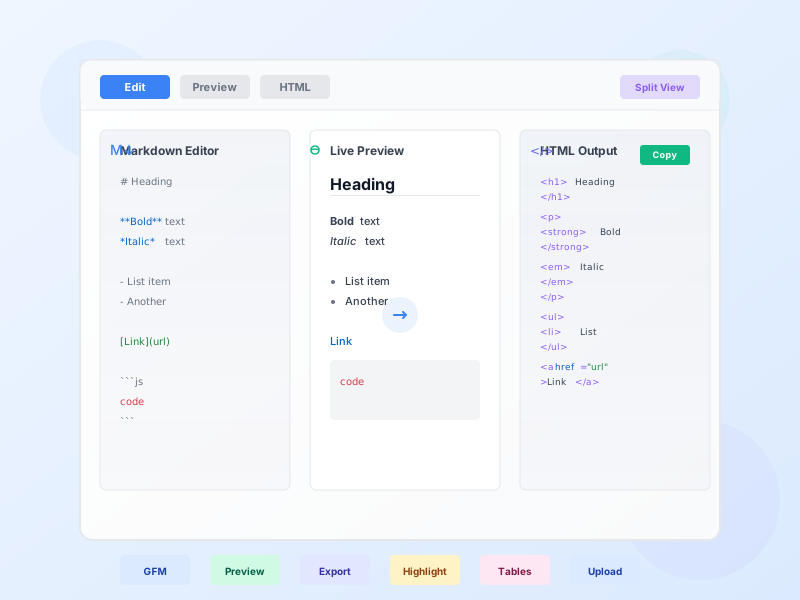
Free online Markdown to HTML converter with GitHub Flavored Markdown support, live preview, syntax highlighting, and multiple export options. Convert .md files ...
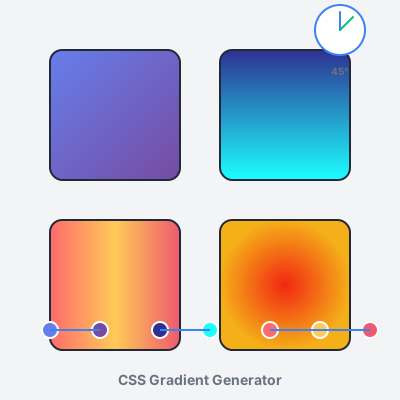
Free online CSS gradient generator. Create beautiful linear, radial, and conic gradients with live preview, color stops, angle control, and instant CSS code exp...
Join our community of happy clients and provide excellent customer support with Post Affiliate Pro.




Cookie Consent
We use cookies to enhance your browsing experience and analyze our traffic. See our privacy policy.