
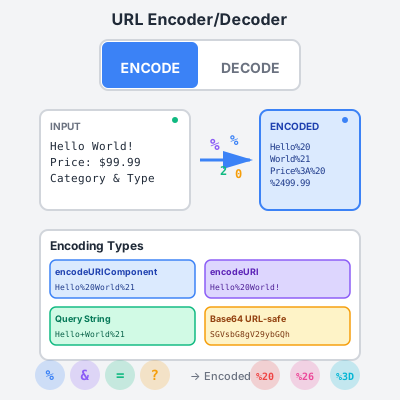
URL Encoder Decoder - Encode & Decode URLs Online
Free online URL encoder and decoder tool. Encode and decode URLs, query strings, and URL components instantly. Perfect for affiliate marketers and web developer...
4 min read
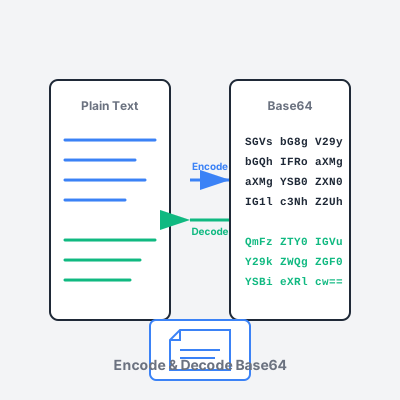
Free online Base64 encoder and decoder for text and files. Encode data to Base64 format for safe transmission, decode Base64 strings back to original content. Supports UTF-8, URL-safe encoding, file uploads up to 10MB, and automatic image preview.
Base64 is a binary-to-text encoding scheme that converts binary data (images, files, raw bytes) into ASCII text using 64 printable characters: uppercase letters (A-Z), lowercase letters (a-z), digits (0-9), plus (+), and slash (/). A 65th character (=) serves as padding.
How it works: Base64 groups input data into chunks of 3 bytes (24 bits), then splits those 24 bits into four 6-bit groups. Each 6-bit group represents a number 0-63, which maps to one of the 64 Base64 characters. For example, the text “Hello” (5 bytes) becomes “SGVsbG8=” (8 Base64 characters).
Why 33% larger? Because Base64 uses 4 characters to represent 3 bytes, encoded output is always approximately 33.33% larger than the original. The trade-off: text-safety. Base64 output contains only ASCII characters safe for transmission through email, JSON, XML, URLs, and other text-based protocols that may corrupt binary data.
Padding: If input bytes aren’t perfectly divisible by 3, Base64 adds padding (=) characters to make output length a multiple of 4. “Hello” (5 bytes = not divisible by 3) requires 1 padding character: “SGVsbG8=”.
This tool provides real-time Base64 conversion entirely in your browser with zero latency. No server round-trips, no network delays, no data uploads.
Encode mode: Type or paste text in the input field—output appears instantly as you type. For files, click “Upload File” to encode images (PNG, JPG, GIF, SVG), PDFs, documents, audio, or any binary file up to 10MB. Files are encoded as data URIs (e.g., data:image/png;base64,iVBORw0KG...) suitable for embedding in HTML, CSS, JSON, or database storage.
Decode mode: Paste Base64 string—decoded text appears instantly. The tool auto-detects valid Base64 format and displays a green “Valid Base64 detected” badge. For Base64-encoded images, automatic preview displays below output. For other files (PDFs, audio), click “Download Decoded File” to save to your device.
Swap functionality: Quickly chain operations by clicking the swap button (⇅) to move output to input and toggle between encode/decode modes. Useful for testing round-trip integrity (encode → decode → verify original) or multi-step transformations.
Standard Base64 uses characters (+, /, =) that have special meaning in URLs, causing parsing errors when embedded in query parameters or path segments. URL-safe Base64 (RFC 4648 Section 5) solves this by replacing problematic characters.
Substitutions: Plus (+) becomes hyphen (-), slash (/) becomes underscore (_), and padding (=) is removed or replaced with ~ (tilde). For example, standard Base64 a+b/c== becomes URL-safe a-b_c or a-b_c~~.
When to use URL-safe encoding:
?token=abc123-_xyz/api/data/abc123-_xyzfile_abc123-_xyz.txtAutomatic detection: This tool’s decode mode automatically detects both standard and URL-safe Base64 formats. Enable the “URL-safe Base64” checkbox when encoding to ensure output uses hyphen/underscore substitutions.
Upload any file type to convert to Base64 data URI format for direct embedding in code, APIs, or databases.
Supported file types: Images (PNG, JPEG, GIF, SVG, WebP, BMP), documents (PDF, TXT, DOCX), audio (MP3, WAV, OGG), video (MP4, WEBM), archives (ZIP, TAR), and any binary format. 10MB file size limit ensures browser performance remains responsive.
Data URI format: Encoded files use data URI scheme: data:[MIME type];base64,[Base64 data]. For example, PNG image becomes data:image/png;base64,iVBORw0KGgoAAAANSU.... This format is directly usable in:
<img src="data:image/png;base64,..."> (no external HTTP request)background-image: url(data:image/png;base64,...) (inline backgrounds){"image": "data:image/png;base64,..."} (file attachments)Image preview: When decoding Base64 images, the tool automatically detects image MIME types (image/png, image/jpeg, etc.) and displays a preview below the output text. This is useful for extracting images from JSON responses, database fields, or HTML source code. Click “Download Decoded File” to save the image to your device with correct file extension.
Use cases:
UTF-8 (recommended): Default encoding for modern applications. Handles all Unicode characters including emoji (😀), accented letters (café), and non-Latin scripts (日本語, العربية). UTF-8 uses 1-4 bytes per character, making it efficient for most text. Always use UTF-8 unless integrating with legacy systems requiring specific encodings.
ASCII: Only supports characters 0-127 (basic English alphabet, digits, punctuation). Fails on special characters, emoji, or non-English text. Use only for pure ASCII data or legacy system compatibility. Attempting to encode Unicode characters with ASCII encoding will corrupt data.
UTF-16: Uses 2 or 4 bytes per character. Primarily used by Windows internals and some legacy Java systems. For most web applications, UTF-16 doubles file size unnecessarily—stick with UTF-8. Choose UTF-16 only when explicitly required by target system API documentation.
Encoding mismatch errors: If decoded output shows garbled characters (�), the original encoding likely wasn’t UTF-8. Try decoding with different encoding assumptions or check source data documentation. Common issue: decoding UTF-8 encoded Base64 as ASCII (or vice versa) corrupts non-ASCII characters.
This tool runs entirely client-side in your browser with zero server communication. All processing happens using JavaScript native APIs (btoa, atob, FileReader, TextEncoder, TextDecoder).
Privacy guarantees:
State persistence: The tool automatically saves your current state (mode, input, output, settings) to browser localStorage for convenience. Refresh the page and resume where you left off. This is purely local storage—no cloud sync or external access. Clear browser data to remove saved state.
Offline capability: Save this page to your device and use completely offline. All functionality works without internet connection since there are no external dependencies. Useful for secure environments, air-gapped systems, or situations requiring guaranteed data privacy.
Verification: Open browser DevTools (F12) → Network tab → perform encoding/decoding → zero network requests appear (except initial page load). This confirms all processing is client-side.
Size overhead: Base64 encoding increases data size by exactly 33.33% (4:3 ratio). For example:
Performance considerations:
Optimization tips:
1. Email Attachments (MIME)
Email protocols transmit text-only. Binary attachments (PDFs, images, ZIP files) must be Base64-encoded in MIME parts. Email clients automatically encode attachments when sending and decode when receiving. If manually constructing email MIME messages (e.g., via SMTP API), encode attachments with this tool and embed in Content-Transfer-Encoding: base64 sections.
2. Embedding Images in HTML/CSS
Eliminate external HTTP requests by embedding small images directly as data URIs. Encode icon, logo, or background image to Base64, then use: <img src="data:image/png;base64,[encoded data]"> or background-image: url(data:image/png;base64,[encoded data]). Best for images <10KB. Larger images increase HTML file size and slow initial page load. Trade-off: eliminates HTTP request overhead vs. larger HTML payload.
3. JSON API File Transfers
REST APIs using JSON can’t transmit raw binary. Encode files to Base64 and include in JSON payload: {"filename": "report.pdf", "data": "JVBERi0xLjQ..."}. Receiving end decodes Base64 back to binary file. Alternative: use multipart/form-data for efficiency (no 33% overhead), but Base64-in-JSON is simpler for small files and supports all HTTP clients without multipart parsing.
4. HTTP Basic Authentication
HTTP Basic Auth encodes credentials as Base64 in the Authorization header: Authorization: Basic [Base64(username:password)]. For example, username “user” + password “pass” → “user:pass” → Base64 “dXNlcjpwYXNz” → header Authorization: Basic dXNlcjpwYXNz. Warning: Base64 is not encryption! Always use HTTPS to protect Basic Auth credentials in transit. Base64 merely formats credentials for HTTP header compatibility.
5. Browser LocalStorage/Cookies
LocalStorage and cookies only store text strings. To store binary data (images, serialized objects with binary), Base64-encode before storage. For example, save user profile picture: localStorage.setItem('avatar', 'data:image/png;base64,iVBORw...'). Retrieve and decode to display. Caveat: LocalStorage typically limits ~5-10MB per origin, and Base64 overhead reduces effective binary storage to ~3.5-7.5MB.
6. Cryptographic Keys & Certificates
SSL/TLS certificates, RSA public keys, and AES encryption keys are binary. For storage in config files, transmission via JSON APIs, or display in UI, encode to Base64. Standard formats: PEM certificates wrap Base64-encoded certificate data with headers (-----BEGIN CERTIFICATE-----). This tool decodes PEM Base64 sections (strip headers first) or encodes raw binary keys to Base64 for embedding in JSON configuration.
7. QR Code Generation QR code libraries expect text input. To encode binary files (vCard, WiFi config, app data) in QR codes, Base64-encode the binary data first, then generate QR code from Base64 string. Scanning app decodes QR → Base64 string → decodes Base64 → original binary data. For URLs in QR codes, use URL-safe Base64 to avoid scanning errors from special characters.
Pitfall 1: Treating Base64 as encryption Base64 is encoding (format transformation), not encryption (security). Encoding passwords or secrets with Base64 provides zero protection—anyone can decode instantly. Solution: Use proper encryption (AES-256, RSA) for confidential data, HTTPS for transmission, and hashing (bcrypt, SHA-256) for passwords.
Pitfall 2: Ignoring 33% size overhead Embedding large files as Base64 in JSON APIs or HTML increases payload size by 33%, slowing network transfer and increasing bandwidth costs. Solution: Use Base64 only for small files (<100KB). For larger files, use binary protocols (HTTP multipart, WebSocket binary frames) or cloud storage URLs.
Pitfall 3: Standard Base64 in URLs
Using standard Base64 (with +, /, =) in URL query parameters or path segments breaks URLs. For example, ?token=abc+def/ghi== is parsed as abc def/ghi (+ becomes space). Solution: Always use URL-safe Base64 for URL contexts—enable the “URL-safe” checkbox in this tool.
Pitfall 4: Encoding mismatch (UTF-8 vs ASCII) Encoding Unicode text with ASCII, then decoding as UTF-8 (or vice versa) corrupts characters. For example, “café” ASCII-encoded → invalid bytes → UTF-8 decode → “café”. Solution: Always use UTF-8 for text encoding unless you have specific legacy system requirements.
Pitfall 5: Missing padding characters Some Base64 implementations omit padding (=) characters. Standard Base64 requires padding to make output length a multiple of 4. Decoding unpadded Base64 may fail in strict parsers. Solution: This tool handles both padded and unpadded Base64 automatically. When generating Base64 for external systems, check their requirements—add padding if needed.
Pitfall 6: Line breaks in Base64 strings MIME and PEM standards insert line breaks every 64-76 characters for readability. Many Base64 decoders reject line breaks. For example, PEM certificates have breaks after 64 chars. Solution: Remove all whitespace (spaces, line breaks, tabs) before decoding. This tool auto-strips whitespace, but be aware when manually copying Base64 from formatted sources.
Base64 uses 64 characters plus padding:
Characters 0-25: A-Z (uppercase letters) Characters 26-51: a-z (lowercase letters) Characters 52-61: 0-9 (digits) Character 62: + (plus) | - (hyphen in URL-safe) Character 63: / (slash) | _ (underscore in URL-safe) Padding: = (equals) | omitted or ~ in URL-safe
Encoding table example:
Binary to Base64 example: Text “Hi” → ASCII bytes [72, 105] → Binary [01001000 01101001] → Group into 6-bit [010010 000110 1001XX] → Pad with zeros [010010 000110 100100] → Base64 values [18, 6, 36] → Characters [S, G, k] → Add padding for 4-char length: “SGk=”
Use UTF-8 for all text: Modern applications should always use UTF-8 encoding. It handles all Unicode characters (emoji, accented letters, non-Latin scripts) efficiently while maintaining backward compatibility with ASCII. UTF-8 is the default encoding for web standards (HTML5, JSON, XML).
Avoid ASCII encoding: Only use ASCII if interfacing with legacy systems explicitly requiring it. ASCII fails on any character outside 0-127 range, corrupting international text and emoji. UTF-8 provides strict superset of ASCII with no downside.
UTF-16 only when required: Rare use case limited to Windows internals and some legacy Java systems. UTF-16 doubles size for most text compared to UTF-8. Only choose when target system documentation explicitly mandates UTF-16.
Test round-trip integrity: After encoding, immediately decode to verify output matches original input. Encoding mismatch (e.g., encoding with UTF-8, decoding with ASCII) corrupts data. Always use same encoding for encode and decode operations.
Compress images first: Use PNG optimization tools (pngcrush, optipng), JPEG quality reduction, or WebP format before Base64 encoding. A 500KB image compressed to 100KB saves 400KB + 133KB Base64 overhead = 533KB total savings.
Minify text files: Remove whitespace, comments, and unnecessary formatting from JSON, XML, or code files before encoding. A 100KB JSON minified to 30KB reduces Base64 output from 133KB to 40KB.
Choose appropriate formats: For images, use JPEG for photos (smaller lossy), PNG for graphics with transparency, SVG for vectors. For documents, prefer plain text or Markdown over DOCX when possible.
Archive multiple files: When encoding multiple small files, combine into a ZIP archive first. ZIP compression reduces total size, and single Base64 string is easier to handle than multiple strings.
Always enable for URL contexts: If Base64 data will appear in URLs (query parameters, path segments, URL shorteners), enable URL-safe encoding. Standard Base64 characters (+, /, =) break URL parsing.
API tokens and identifiers: Session tokens, API keys, user IDs, and permalink identifiers frequently appear in URLs. Generate these with URL-safe Base64 to avoid percent-encoding overhead and parsing errors.
Test in actual URLs: After generating URL-safe Base64, construct full URL and test in browser address bar. Ensure no characters get mangled. For example, https://example.com/api?token=abc-def_ghi should work without percent-encoding.
Document encoding choice: When creating APIs or data formats using Base64, explicitly document whether standard or URL-safe Base64 is expected. Mismatched expectations cause integration failures.
Check format: Valid Base64 contains only A-Z, a-z, 0-9, +, / (or -, _ for URL-safe), and optional = padding. Any other characters indicate corrupted or non-Base64 data.
Verify length: Base64 output length must be multiple of 4 (with padding) or within 0-3 characters of multiple of 4 (without padding). If length is wrong, data is likely incomplete or corrupted.
Auto-detect in this tool: The tool displays “Valid Base64 detected” badge when input matches Base64 format. If badge doesn’t appear, input may not be Base64 or contains extraneous characters.
Handle errors gracefully: When decoding in production code, wrap decode operations in try-catch blocks. Invalid Base64 throws errors—catch and display user-friendly messages rather than crashing.
Never rely on Base64 for security: Base64 is encoding, not encryption. Anyone can decode instantly with free tools. Encoding passwords, API keys, or secrets with Base64 provides zero protection.
Always use HTTPS: When transmitting Base64-encoded data containing sensitive information (even if further encrypted), use HTTPS to prevent network eavesdropping. HTTP transmits Base64 in plain text.
Encrypt before encoding: For confidential data, encrypt first (AES-256, RSA), then Base64-encode the ciphertext for text-safe transmission. Decoding end must decode Base64 then decrypt with key.
Hash passwords, don’t encode: Never store passwords as Base64-encoded plain text. Use proper password hashing (bcrypt, Argon2, PBKDF2) with salts. Base64-encoded passwords are trivially reversible.
MIME and PEM formats: Email MIME parts and SSL certificates insert line breaks every 64-76 characters for readability. When extracting Base64 from these formats, remove all line breaks before decoding.
Remove whitespace: Strip spaces, tabs, carriage returns (\r), and line feeds (\n) from Base64 strings before decoding. Many parsers reject whitespace. This tool auto-strips whitespace for convenience.
Generating formatted Base64: If you need line breaks for readability (e.g., embedding in config files), encode without breaks first, then insert breaks every 64-76 characters. Never insert breaks mid-encoding—add after complete encoding.
Cross-platform compatibility: Different systems use different line endings (Windows: \r\n, Unix: \n, Mac classic: \r). Normalize to single line ending type or strip all whitespace to avoid decoding errors.
Base64 overhead: 33% size increase makes Base64 inefficient for large files. A 10MB file becomes 13.3MB—3.3MB wasted bandwidth and storage.
Binary protocols: For large file transfers, use HTTP multipart/form-data, WebSocket binary frames, or FTP instead of Base64-in-JSON. These transmit raw binary with zero overhead.
Cloud storage URLs: Upload large files to cloud storage (S3, Azure Blob, Google Cloud Storage), then transmit URL reference instead of Base64-encoded contents. Receiving end downloads directly from URL.
Streaming: For very large files, consider chunked transfer encoding or streaming APIs. Don’t load entire file into memory to Base64-encode—stream encoding in chunks.
Size threshold: Use Base64 for files <100KB embedded in JSON/HTML. For 100KB-1MB files, evaluate trade-offs. For >1MB files, strongly prefer binary protocols or URL references.
btoa/atob support: Modern browsers universally support btoa() (encode) and atob() (decode). IE11+ and all evergreen browsers work. IE10 and below require polyfills.
File API support: FileReader API for file upload encoding requires IE10+. Safari, Chrome, Firefox, Edge all support modern File API. Test file uploads on target browsers.
TextEncoder/TextDecoder: UTF-8 handling uses TextEncoder and TextDecoder APIs (IE lacks native support). This tool uses polyfills for universal compatibility, but verify in production code.
Maximum string length: Browsers have varying maximum string length limits (typically 2^28 to 2^30 characters). For very large Base64 strings (>100MB), test in target browsers to avoid “out of memory” errors.
API documentation: When creating APIs that accept/return Base64 data, document:
Code comments: In code that handles Base64, add comments explaining:
Error messages: Provide clear error messages when Base64 operations fail. Instead of “Invalid input”, say “Invalid Base64 string: contains illegal characters” or “Base64 decode failed: incorrect padding”.
Bandwidth costs: Base64’s 33% overhead increases network bandwidth usage and cloud egress costs. For high-traffic APIs, switching from Base64-in-JSON to binary protocols can save significant money.
Processing time: Large Base64 encoding/decoding operations are CPU-intensive. Monitor server CPU usage and client-side performance. If Base64 operations cause lag, optimize (smaller files, binary protocols, caching).
Cache Base64 results: If encoding same file repeatedly (e.g., embedding logo in every API response), encode once and cache result. Don’t re-encode on every request.
Measure impact: Use browser DevTools Network tab to measure payload sizes before/after Base64 encoding. Compare against binary alternative. Make data-driven decisions about when Base64 is worth the overhead.
Base64 is a binary-to-text encoding scheme that converts binary data into ASCII text format using 64 printable characters (A-Z, a-z, 0-9, +, /). It's primarily used to transmit binary data over text-based protocols (email, JSON, XML, URLs) that don't support raw binary. Base64 increases data size by approximately 33% because it encodes 3 bytes (24 bits) into 4 characters (24 bits with 6 bits per character). Padding characters (=) ensure output length is multiple of 4. Originally designed for MIME email attachments, Base64 is now ubiquitous in web development, APIs, and data serialization.
To encode text to Base64: (1) Enter your text in the input field, (2) select text encoding (UTF-8 recommended for Unicode characters, ASCII for basic English), (3) optionally enable URL-safe encoding to replace + with -, / with _, and remove padding =, (4) click Encode mode—output appears instantly. For files, click 'Upload File' to encode images, PDFs, or any binary file to Base64 data URI format. The tool processes everything client-side in your browser with no server uploads. Copy output with one click or swap input/output to chain operations.
To decode Base64: (1) Switch to Decode mode using the toggle button, (2) paste your Base64 string in the input field—the tool auto-detects valid Base64 format with a green badge, (3) if using URL-safe Base64, enable the URL-safe option, (4) decoded text appears instantly in the output field. For Base64-encoded images or files, the tool automatically detects data URIs (starting with 'data:'), shows image preview if applicable, and provides a download button to save the decoded file. Invalid Base64 strings show clear error messages.
URL-safe Base64 (RFC 4648 Section 5) modifies standard Base64 for safe use in URLs, filenames, and query parameters by replacing characters that have special meaning in URLs. Standard Base64 uses + (URL: space) and / (URL: path separator), which break URLs. URL-safe variant replaces + with - (hyphen), / with _ (underscore), and removes = padding (optional, but common). This ensures Base64 data can be used in: URL query parameters (?data=abc123), URL path segments (/api/abc123), filenames (file_abc123.txt), and HTTP headers without percent-encoding. Always use URL-safe encoding when embedding Base64 in URLs to avoid parsing errors.
Base64 increases data size by approximately 33% due to its encoding mechanism. Here's why: Base64 converts 3 bytes (24 bits) of binary into 4 ASCII characters (32 bits total, 6 bits per character). This 3:4 ratio creates 33.33% overhead. For example, 'Hello' (5 bytes) becomes 'SGVsbG8=' (8 characters). Additionally, padding characters (=) are added to make output length a multiple of 4, slightly increasing size. The trade-off: while larger, Base64 output is safe for text-based transmission protocols (JSON, XML, email) that corrupt raw binary data. For large files, compress data before Base64 encoding to minimize size penalty.
Yes! Click 'Upload File' in Encode mode to convert any file (images, PDFs, documents, audio) to Base64 data URI format. Data URIs embed file contents directly in text using format: 'data:[MIME type];base64,[Base64 data]'. For example, image becomes 'data:image/png;base64,iVBORw0KG...'. Use cases: (1) embed images in HTML/CSS without external requests, (2) include file attachments in JSON APIs, (3) store small files in databases as text, (4) transmit binary data over text-only protocols. Note: File size limit is 10MB for browser performance. Base64-encoded files are 33% larger than original binary, so optimize files before encoding.
Base64 is essential for developers working with: (1) Email attachments—MIME email protocol requires Base64 for binary attachments, (2) Data URIs—embed images/files directly in HTML/CSS (e.g.,  ), (3) JSON/XML APIs—transmit binary data in text-based formats without corruption, (4) Authentication—encode credentials for HTTP Basic Auth (Authorization: Basic [Base64]), (5) Cryptographic keys—represent binary keys (RSA, AES) as text for storage/transmission, (6) File uploads—send binary files via REST APIs as JSON strings, (7) Browser storage—store binary data in localStorage/cookies (text-only), (8) QR codes—encode binary data for QR generation libraries.
No! Base64 is encoding, NOT encryption or security. Critical differences: (1) Encoding transforms data format (binary to text) but doesn't hide content—anyone can decode instantly, (2) Encryption uses secret keys to transform data into unreadable ciphertext—only key holders can decrypt. Base64 provides zero security or obfuscation. Common misuse: encoding passwords/secrets with Base64 thinking they're protected—they're not. Anyone can decode with free tools. Proper security: Use AES-256 encryption for confidential data, HTTPS for transmission, hashing (SHA-256) for passwords, and never rely on Base64 for security. Base64's purpose: safe binary data transmission through text protocols, not data protection.
Use UTF-8 encoding (default in this tool) to properly handle Unicode characters (emoji, accented letters, non-Latin scripts). UTF-8 represents Unicode code points as 1-4 bytes per character, then Base64 encodes those bytes. For example, emoji '😀' (Unicode U+1F600) → UTF-8 bytes [0xF0, 0x9F, 0x98, 0x80] → Base64 '8J+YgA=='. ASCII encoding only supports characters 0-127 (basic English) and fails on special characters. UTF-16 encoding doubles size for most text. Always choose UTF-8 unless you have specific legacy system requirements. When decoding, the tool auto-detects UTF-8 and displays properly. If decoded output shows garbled characters, original encoding may have been non-UTF-8.
Yes! The tool automatically detects Base64-encoded images (data URIs starting with 'data:image/') and displays a preview. Supported formats: PNG, JPEG, GIF, SVG, WebP. To decode: (1) paste Base64 data URI in Decode mode (e.g., 'data:image/png;base64,iVBORw...'), (2) image preview appears automatically below output, (3) click 'Download Decoded File' to save the image to your device. This works for extracting images from: HTML/CSS source code, JSON API responses, email MIME parts, database Base64 fields, and browser DevTools network captures. Non-image files (PDFs, audio) show MIME type info and download button without preview.
Manage multiple affiliate programs and improve your affiliate partner performance with Post Affiliate Pro.
Free online URL encoder and decoder tool. Encode and decode URLs, query strings, and URL components instantly. Perfect for affiliate marketers and web developer...
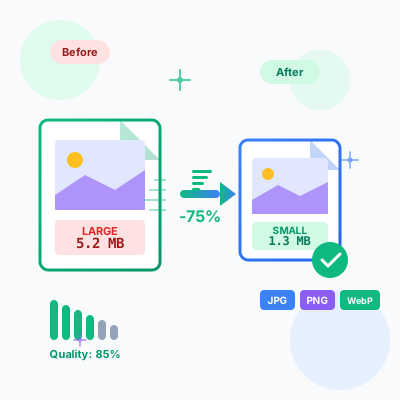
Free online image compressor tool. Compress JPG, PNG, WebP images while maintaining quality. Batch compression, before/after comparison, resize options, and ins...

Generate UUIDs (v1, v4) and GUIDs instantly. Free online UUID generator with bulk generation, multiple formats, validation, and export options.
Join our community of happy clients and provide excellent customer support with Post Affiliate Pro.




Cookie Consent
We use cookies to enhance your browsing experience and analyze our traffic. See our privacy policy.