


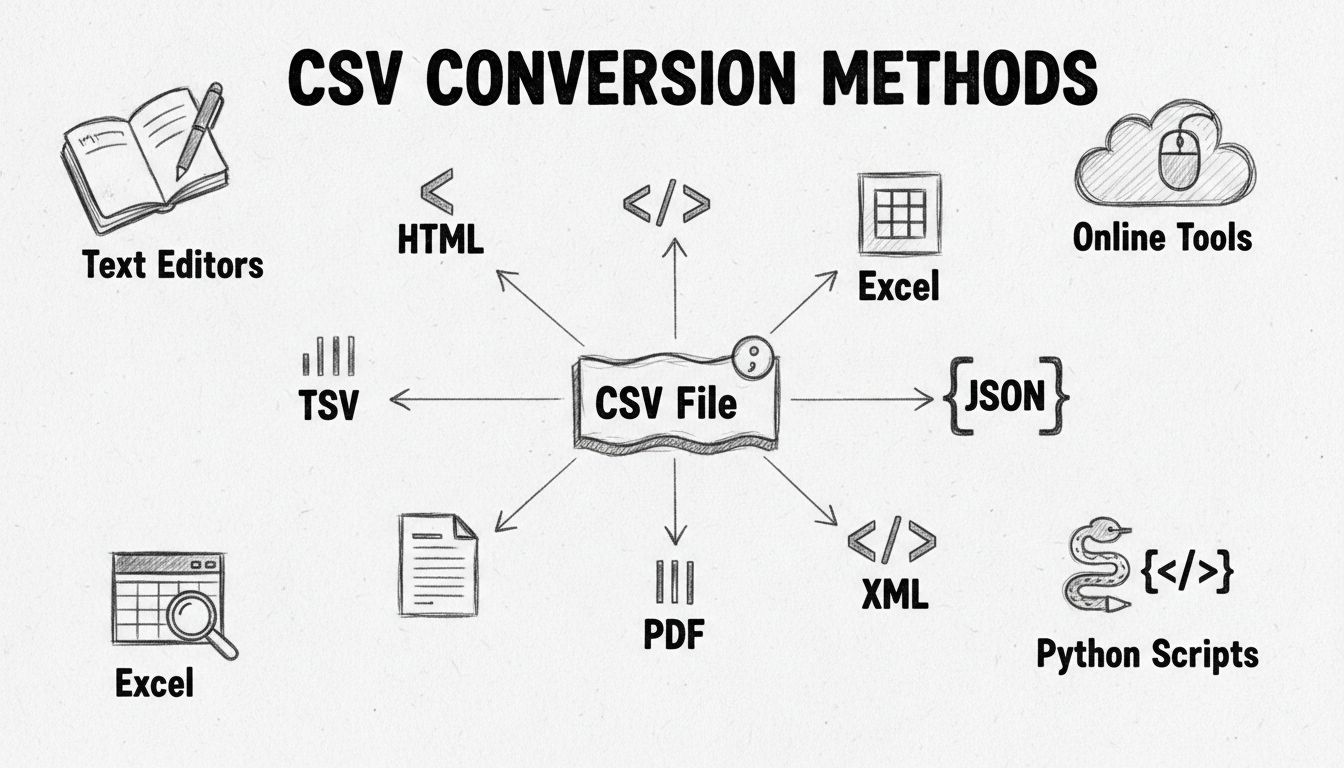
How to Convert a CSV File: Complete Guide to Format Conversion Methods
Learn how to convert CSV files to Excel, JSON, XML, PDF and other formats. Discover the best methods including online tools, Python scripts, and spreadsheet sof...
7 min read
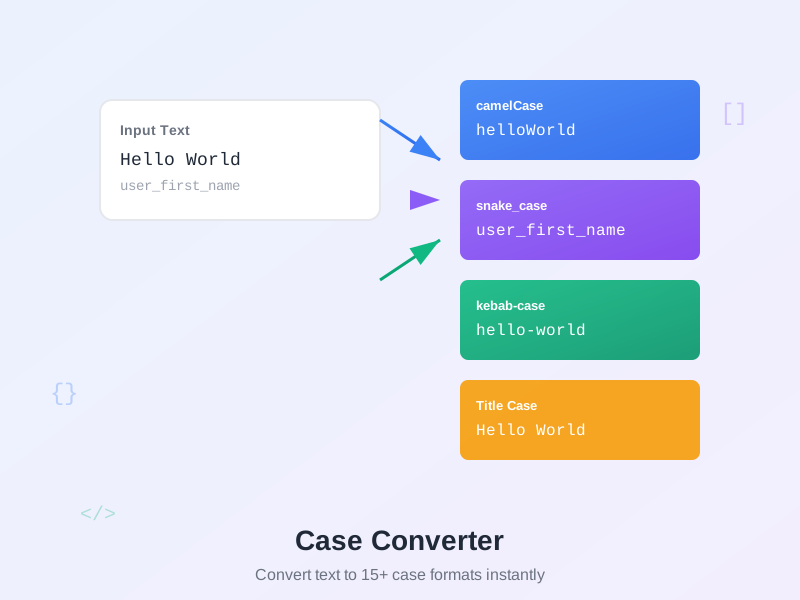
Free online text case converter for developers, writers, and data professionals. Instantly convert text to camelCase, snake_case, UPPERCASE, lowercase, Title Case, kebab-case, PascalCase, and 15+ formats with one click. No registration required.
A case converter is a text transformation tool that changes the capitalization and formatting of text between different naming conventions. Instead of manually retyping text to match a specific format, simply paste your text and instantly see it converted to 15+ different case styles.
Why use a case converter? Programming languages, databases, APIs, and style guides each have preferred naming conventions. Python uses snake_case, JavaScript uses camelCase, URLs use kebab-case, SQL uses snake_case, and class names use PascalCase. When moving code between languages, formatting data, or cleaning text, a case converter saves time and ensures consistency.
How it works: The tool intelligently extracts words from your input regardless of current format (spaces, underscores, hyphens, camelCase, etc.), then converts to all supported case types simultaneously. Copy your preferred format with one click.
Developer Cases:
camelCase - First word lowercase, subsequent words capitalized, no separators. Used in JavaScript, Java, C# for variables and functions. Example: getUserById, isValidEmail, totalAmount
PascalCase - All words capitalized, no separators. Used for class names, React components, TypeScript interfaces. Example: UserAccount, PaymentProcessor, ApiResponse
snake_case - Words separated by underscores, all lowercase. Python standard (PEP 8), SQL table/column names, Ruby. Example: user_first_name, created_at, api_key
SCREAMING_SNAKE_CASE - Words separated by underscores, all uppercase. Used for constants in most languages. Example: MAX_RETRIES, API_BASE_URL, DEFAULT_TIMEOUT
kebab-case - Words separated by hyphens, all lowercase. Used in URLs, CSS class names, file names, npm packages. Example: user-profile, btn-primary, feature-branch
SCREAMING-KEBAB-CASE - Words separated by hyphens, all uppercase. Rare, used in some HTTP headers. Example: CONTENT-TYPE, USER-AGENT
dot.case - Words separated by dots, lowercase. Used in namespaces, package names, config keys. Example: com.example.app, user.profile.name
Path/Case - Words separated by forward slashes, lowercase. Used in file paths, URL paths, namespaces. Example: api/v1/users, src/components/user
Text Cases:
UPPERCASE - All letters capitalized. Use for acronyms, emphasis, or legacy database fields. Example: HELLO WORLD
lowercase - All letters small. Use for domains, emails, or normalizing text. Example: hello world
Title Case - First letter of major words capitalized. Use for headings, blog titles, book chapters. Example: Guide to Affiliate Marketing
Sentence case - First letter of sentence capitalized, rest lowercase. Use for normal text, descriptions. Example: Hello world
Fun Cases:
aLtErNaTiNg cAsE - Strictly alternates between lowercase and uppercase every character. Example: hElLo wOrLd
InVeRsE CaSe - Swaps existing case (uppercase becomes lowercase, vice versa). Example: hELLO wORLD
sPoNgEbOb cAsE - Random capitalization for mocking/sarcasm (meme culture). Example: HeLlO WoRlD
Type or paste text in the input field and all 15+ conversions appear instantly. No “Convert” button needed—results update as you type for immediate feedback.
Smart word extraction: The tool automatically detects word boundaries from:
hello world → words: [hello, world]user_first_name → words: [user, first, name]api-response-handler → words: [api, response, handler]com.example.app → words: [com, example, app]api/v1/users → words: [api, v1, users]getUserById → words: [get, user, by, id]ApiResponseHandler → words: [api, response, handler]get-user_byID → words: [get, user, by, id]One-click copy: Each conversion result has a “Copy” button. Click to copy formatted text to clipboard with visual feedback (button turns green, shows “Copied!”). Paste directly into your code editor, document, or terminal.
Character statistics: View character count, character count without spaces, word count, and line count below input field. Useful for tracking text length for API limits, database fields, or content requirements.
1. Code Refactoring Across Languages
Converting code between programming languages with different naming conventions:
user_profile_data), JavaScript uses camelCase (userProfileData). Paste Python variable name, copy camelCase result.fetchUserData to fetch_user_data for Python functions.process_payment to processPayment.user_first_name becomes userFirstName in JavaScript ORM models.2. API Development
Formatting API endpoints and parameter names:
getUserProfile to kebab-case for URL paths: /api/get-user-profileorderStatus to snake_case for consistency: ?order_status=pendingcreated_at → createdAtuser_account → userAccount3. Database Migrations
Converting between naming conventions when migrating data:
UserAccount → user_accountsfirstName → first_nameUserEmailIndex → user_email_indexuserId → user_id4. Data Cleaning
Processing text from spreadsheets, forms, or scraped data:
HELLO WORLD to normal case: Hello world or hello worldUser First Name to snake_case for databases: user_first_nameuser-email-address from HTML to camelCase for JavaScript: userEmailAddress5. Content Writing
Formatting text for blog posts, documentation, and markdown:
best tools for developers to Title Case: Best Tools for Developersbest-tools-for-developers6. CSS and HTML
Converting between naming conventions in front-end development:
PrimaryButton → primary-buttonnav-item--active, btn__icon--primary-color, --font-size-largedata-user-id, data-toggle-state7. File and Folder Naming
Creating consistent file names across projects:
UserProfile.jsx → user-profile.jsxapiUtils.js → api-utils.jsuserProfile.test.js or user_profile_test.pydatabase-config.json, api-settings.yml8. Git Branch Names
Formatting branch names following git conventions:
feature/user-authentication, feature/payment-integrationbugfix/fix-login-error, bugfix/api-timeout-issuerelease/version-2.0.0, hotfix/critical-security-patchVS Code / IDE Integration:
userProfileData)user_profile_data for Python)Batch Processing:
For multiple variable names:
API Response Formatting:
When consuming APIs with different naming conventions:
Database Schema Design:
Designing tables and columns:
user_first_nameuserFirstNameUserFirstNameJavaScript / TypeScript:
getUserData, isValid)UserAccount, IApiResponse)MAX_RETRIES, API_KEY)user-profile.js) or camelCase (userProfile.ts)Python:
user_data, get_user_by_id)UserAccount, PaymentProcessor)MAX_CONNECTIONS, DEFAULT_TIMEOUT)api_utils.py, user_service.py)Java / C#:
userData, totalAmount)getUserById, processPayment)UserAccount, IPaymentService)MAX_SIZE, DEFAULT_VALUE)Ruby:
user_data, fetch_user)UserAccount, PaymentProcessor)MAX_RETRIES, API_URL)Go:
UserAccount, GetUser)userData, processPayment)SQL:
user_accounts, order_items)first_name, created_at)idx_user_email, fk_order_user_id)URLs / Web:
/api/user-profile, /blog-posts)btn-primary, nav-item)data-user-id, aria-label)Title Case capitalizes major words while keeping minor words lowercase (unless first/last word):
Always capitalize:
Keep lowercase:
Examples:
guide to affiliate marketing → Guide to Affiliate Marketingbest tools for developers → Best Tools for Developershow to create a website → How to Create a WebsiteNote: Different style guides (AP, Chicago, MLA, APA) have variations. This tool uses common web/journalism conventions suitable for blog posts and online content.
1. Choose the Right Case for Context
Match your target platform’s conventions:
2. Maintain Consistency
Pick one convention per context and stick to it:
userName and user_email in same codebase3. Handle Special Cases
Some words/acronyms need special handling:
userId (camelCase), user_id (snake_case), UserID (PascalCase with acronym)apiKey vs APIKey (language conventions vary)v2Api (camelCase), v2_api (snake_case), V2Api (PascalCase)4. Test Round-Trip Conversions
Verify conversions are reversible:
user_first_name to camelCase → userFirstNameuserFirstName back to snake_case → user_first_name5. Document Your Choices
When building APIs or libraries, document naming conventions:
Client-Side Processing: All conversions happen entirely in your browser using JavaScript. No text is sent to servers, ensuring complete privacy for sensitive variable names, proprietary code, or confidential data.
No Registration Required: Use the tool immediately without signup, login, or email. No tracking cookies, no analytics, no data collection.
State Persistence: The tool saves your current input to browser localStorage for convenience (restore after page refresh). This is purely local storage—never synced to cloud or external servers. Clear browser data to remove saved state.
Instant Results: Real-time conversion with zero latency. No server round-trips, no network delays. Works offline after initial page load.
Performance: Handles text up to 100,000+ characters without lag. Conversion algorithms are optimized for instant response even with large inputs.
Pitfall 1: Losing Context in Conversion
Some conversions lose semantic meaning:
XMLHttpRequest → snake_case → x_m_l_http_request (hard to read)xml_http_request for clarityPitfall 2: Inconsistent Acronym Handling
Different languages handle acronyms differently:
APIKey, HTTPResponse (all caps)apiKey, httpResponse (camelCase with lowercase acronym)api_key, http_response (snake_case)Pitfall 3: Case Sensitivity in Systems
Some systems are case-sensitive, others aren’t:
user_name = USER_NAME)/User ≠ /user)Pitfall 4: Special Characters
The tool removes special characters (apostrophes, ampersands, slashes) during conversion:
user's name → camelCase → usersName (apostrophe removed)Q&A section → snake_case → q_a_section (ampersand becomes ‘a’)Pitfall 5: Numbers in Names
Number handling varies:
api2Response → snake_case → api_2_response (number gets separator)v2api → PascalCase → V2Api (number stays attached)| Original | camelCase | PascalCase | snake_case | kebab-case | SCREAMING_SNAKE |
|---|---|---|---|---|---|
| user name | userName | UserName | user_name | user-name | USER_NAME |
| get user by id | getUserById | GetUserById | get_user_by_id | get-user-by-id | GET_USER_BY_ID |
| API Key | apiKey | ApiKey | api_key | api-key | API_KEY |
| total amount | totalAmount | TotalAmount | total_amount | total-amount | TOTAL_AMOUNT |
| is valid | isValid | IsValid | is_valid | is-valid | IS_VALID |
Every programming language has established naming conventions documented in official style guides:
Python (PEP 8):
JavaScript (Airbnb Style Guide):
Java (Oracle Code Conventions):
Ruby (Ruby Style Guide):
Violating conventions makes code harder for team members to read and maintain. Always use the case converter to match target language conventions when refactoring or porting code.
Pick one convention per context and apply it uniformly:
Database schema consistency:
All tables and columns use snake_case: user_accounts, first_name, created_at. Mixing userName with user_email creates confusion.
API consistency: Choose camelCase or snake_case for entire API:
{"userId": 123, "firstName": "John", "createdAt": "2024-01-01"}{"user_id": 123, "first_name": "John", "created_at": "2024-01-01"}Never mix both in same API response. Use the case converter to batch-convert all key names when migrating conventions.
CSS class naming:
Stick to kebab-case for all classes: btn-primary, nav-item, user-profile-card. Consistent naming makes styles predictable and searchable.
File naming: Choose one convention for entire project:
user-profile.jsx, api-utils.jsuserProfile.tsx, apiUtils.tsuser_profile.py, api_utils.rbCase conversion doesn’t fix unclear names. Start with descriptive words:
Bad: data, info, temp, x
Good: userData, userProfileInfo, temporaryToken, userId
Bad: get(), process(), handle()
Good: getUserById(), processPayment(), handleFormSubmit()
The case converter transforms format, not meaning. Write clear names first, then convert to appropriate case.
Acronyms require special attention based on language conventions:
JavaScript/TypeScript:
apiKey, httpResponse, xmlParser (lowercase acronym in camelCase)ApiKey, HttpResponse, XmlParser (title case acronym in PascalCase)C# / .NET:
APIKey, HTTPResponse, XMLParser (all caps acronym)Python:
api_key, http_response, xml_parser (lowercase in snake_case)When converting, manually review acronyms to match target language style. The case converter treats acronyms as single words, which may need adjustment.
Use snake_case for database tables and columns for maximum compatibility:
Why snake_case for databases:
Avoid camelCase in databases:
SELECT "firstName" FROM "userAccounts"Convert application object properties (camelCase) to database columns (snake_case) in ORM mappings.
Always use kebab-case for URL slugs:
Good URLs:
/blog/best-affiliate-programs-2024/products/blue-running-shoes/category/web-development-toolsBad URLs:
/blog/Best_Affiliate_Programs_2024 (underscores, mixed case)/products/blue%20running%20shoes (spaces encoded)/category/webDevelopmentTools (camelCase)Why kebab-case for URLs:
Convert blog post titles or product names to kebab-case slugs using the case converter.
When changing API naming conventions (snake_case → camelCase), version the API:
API v1: {"user_id": 123, "first_name": "John"} (snake_case)
API v2: {"userId": 123, "firstName": "John"} (camelCase)
Don’t break existing clients by changing conventions mid-version. Use the case converter to generate v2 field names, then support both v1 and v2 simultaneously with mapping layer.
Include naming conventions in project documentation:
README.md:
## Naming Conventions
- JavaScript: camelCase for variables/functions, PascalCase for classes
- Database: snake_case for all tables and columns
- URLs: kebab-case for all routes and slugs
- CSS: kebab-case for all class names
- Environment variables: SCREAMING_SNAKE_CASE
API Documentation:
All JSON keys use camelCase (example: firstName, userId, createdAt)
Contributing Guide:
Follow language-specific style guides:
- Python: PEP 8 (snake_case)
- JavaScript: Airbnb (camelCase)
Clear documentation prevents inconsistency and helps new team members.
During code review, check for naming consistency:
Example: If codebase uses snake_case but PR introduces userName, request change to user_name.
Configure linters to enforce naming conventions automatically:
ESLint (JavaScript):
{
  "rules": {
    "camelcase": ["error", {"properties": "always"}]
  }
}
Pylint (Python):
[BASIC]
function-naming-style=snake_case
class-naming-style=PascalCase
const-naming-style=UPPER_CASE
Linters catch convention violations before code review. Use case converter to fix violations quickly.
Manage multiple affiliate programs and improve your affiliate partner performance with Post Affiliate Pro.
Learn how to convert CSV files to Excel, JSON, XML, PDF and other formats. Discover the best methods including online tools, Python scripts, and spreadsheet sof...
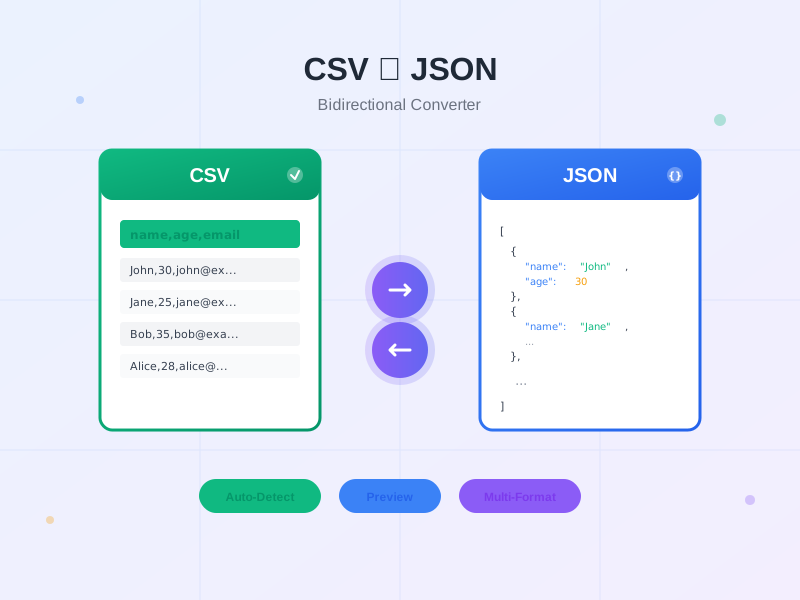
Free bidirectional CSV to JSON converter tool. Convert CSV to JSON or JSON to CSV with auto-detect delimiter, preview, and multiple output formats. No registrat...
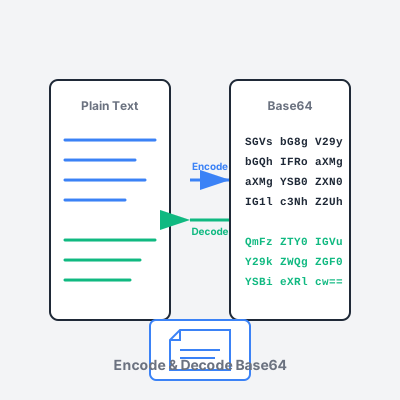
Free online Base64 encoder and decoder tool. Encode text and files to Base64, decode Base64 strings, support for URL-safe encoding, and image preview.
Join our community of happy clients and provide excellent customer support with Post Affiliate Pro.




Cookie Consent
We use cookies to enhance your browsing experience and analyze our traffic. See our privacy policy.